DBD CHAMS Cheat: ESP on Survivors, Killer, Totems

Frozen
Top seller
SOFT HUB SOFT HUB
Last update 01.05.2026 This date shows when the software was last updated. An old date doesn't mean the software stopped working! Most likely the developer just had nothing new to add. If you have any doubts, you can always check the current status with our support team.
Add another cheat from this game too — to compare them.
Soft Hub DBD Chams Cheat
Steam
Epic Games
Windows support: 10: all builds; 11: all builds
Menu language: English
Spoofer:No
USB drive:Yes
BIOS:No

User information

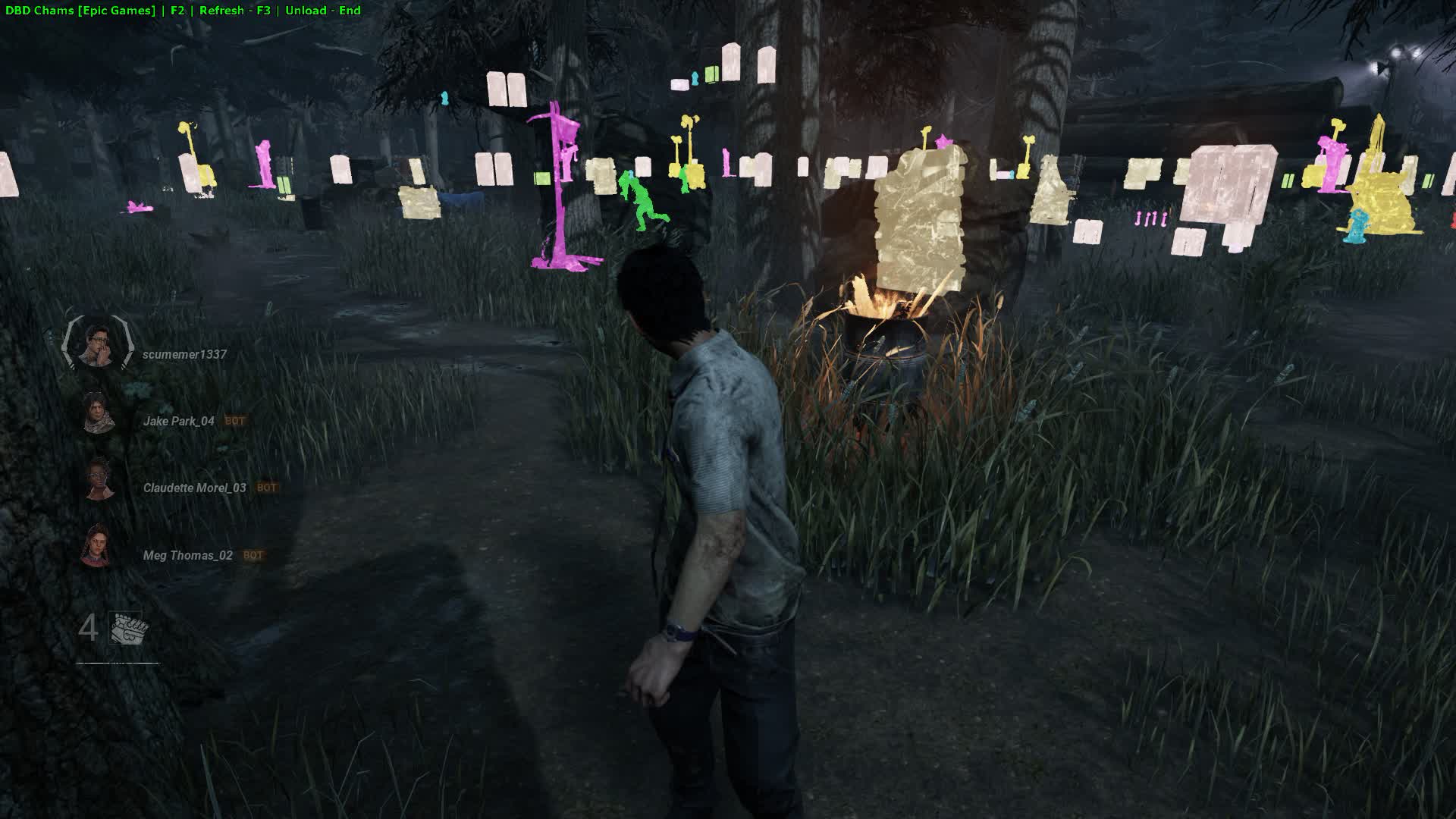
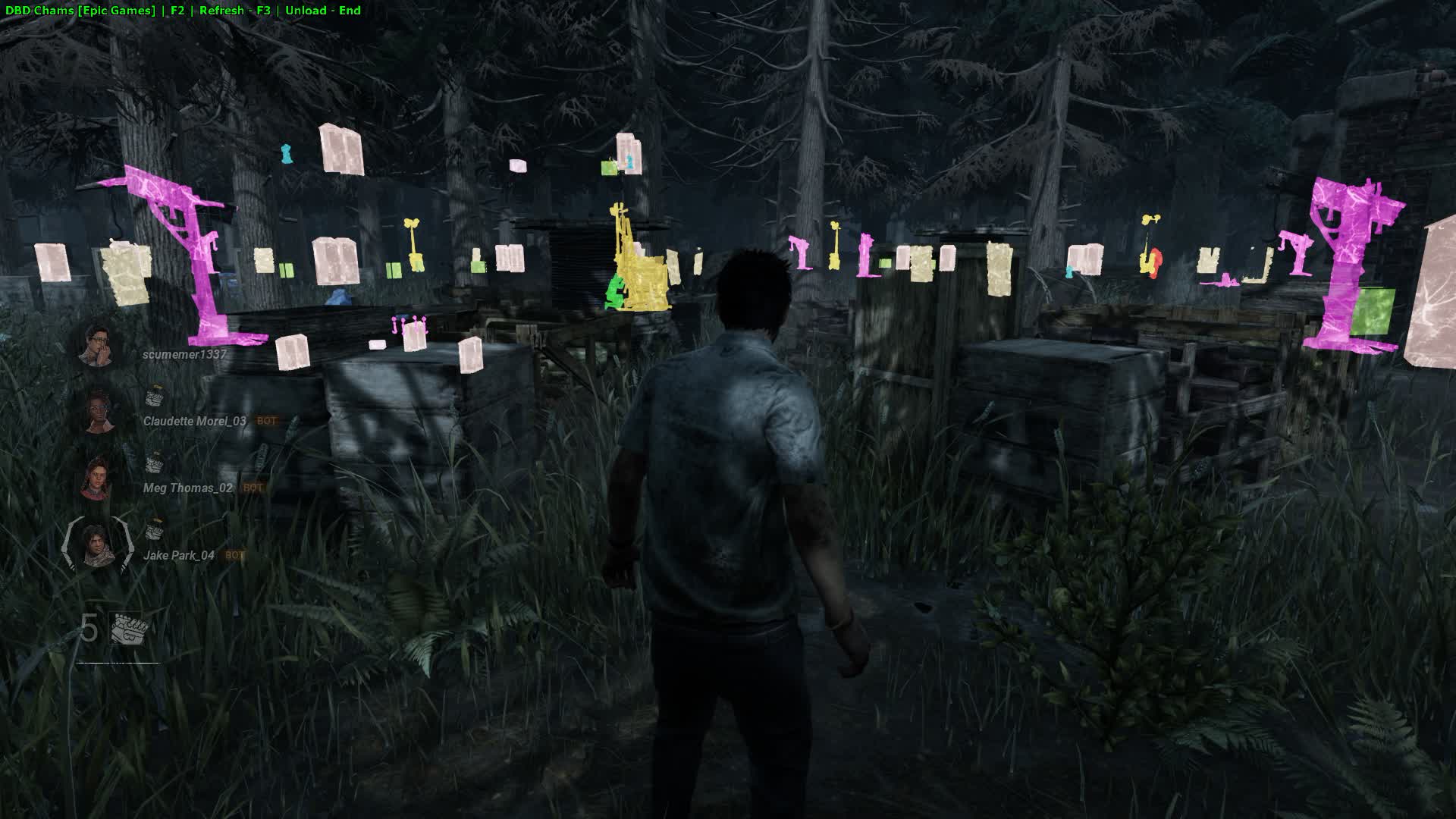
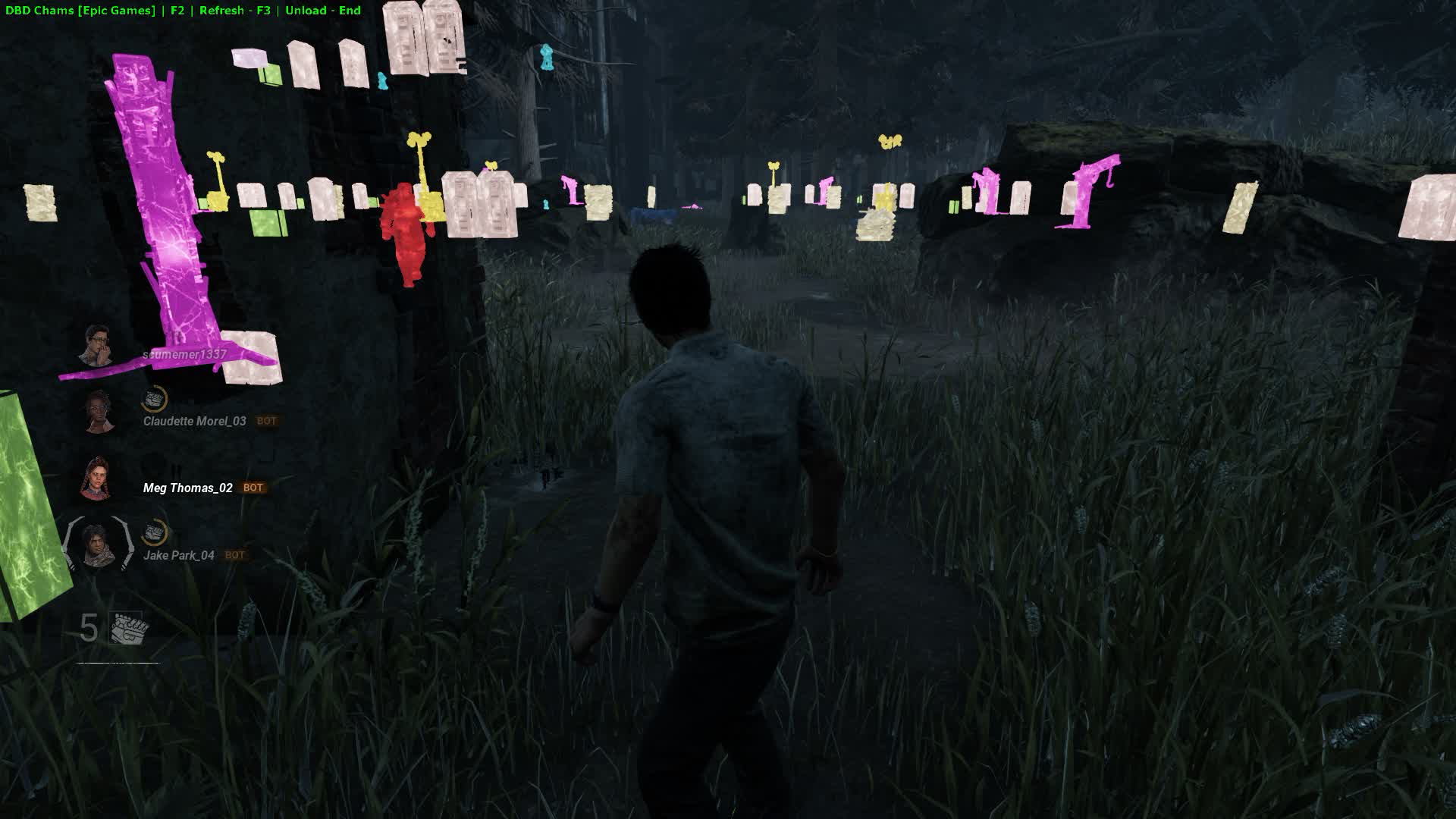
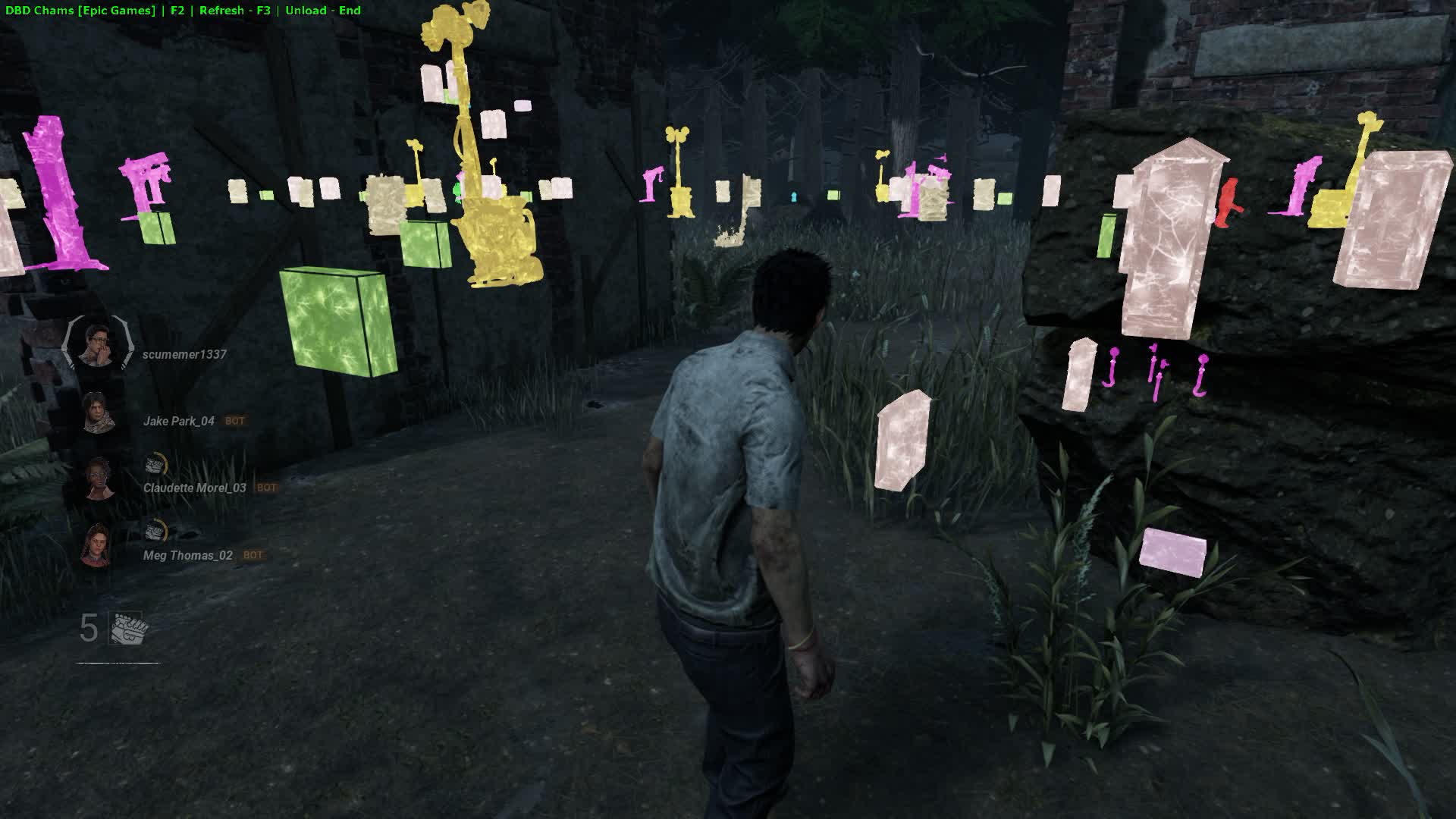
How the aura works: Please note that the aura only traces the outline of an object and only lights up the part of it that is hidden from you by some obstacle (a wall, a tree and so on). Objects that are in your direct line of sight will not be highlighted!

VIDEO
SCREENSHOTS
Description

CHAMS DBD from the Soft Hub team is a specialized wallhack, a cheat for Dead by Daylight built around one thing: the "Chams" (Aura) feature. This software is made for players who want something simple and dependable. Instead of bloated menus and dozens of toggles, you get a single feature, and it's the one that matters most: the ability to see every key character and object on the map straight through any obstacle. 

This DBD cheat works just as well for survivors as it does for killers. As a survivor, you always know where the killer, the generators and the totems are. As a killer, no survivor can hide from you. CHAMS is your key to full tactical control over the map.

Product features

Chams Auras (True Vision)

Killer & Survivor Aura

Through walls. Turn on a permanent aura (like the one from perks) on every character. You see their silhouettes across the whole map at any point in the match.

Generators & Totems

Strategy. Highlights generators and totems. Find Hex totems without the "Small Game" perk and control the generator triangle.

Pallets & Windows

Mind games. See every pallet and window during a chase. Plan your escape or cut-off route knowing where the resources for a save are.

Custom Colors

Your style. Tune the aura colors to your taste. Make the killer bright red and the hatch purple. Full visual customization.

Known issues & fixes

Real questions from our support, with the fixes that worked. Based on user requests for this product.

Loader hangs during loading or shows MPRC / DPRC error «previous load attempt was unsuccessful»

These errors indicate a previous load did not complete cleanly, or conflicting anticheat software is present on the system.

  • Uninstall Vanguard (Valorant Anti-Cheat) and FaceIt AC if they are installed.
  • Download the Sordum utility (archive password: sordum), run it, click «Search», and wait for it to finish.
  • Perform a full PC restart and make sure Windows Defender is disabled.
  • Launch the loader as Administrator.
Kaspersky or another antivirus is blocking the launcher — how to fix?

Third-party antivirus software (especially Kaspersky and Norton) conflicts with the launcher. You need to fully uninstall the antivirus — disabling it is not enough.

  • Uninstall Kaspersky / Norton via "Programs and Features" or the vendor's dedicated removal tool.
  • Restart your PC after uninstalling.
  • Make sure no antivirus components remain in the installed programs list.
  • Windows Defender is sufficient — disable real-time protection temporarily if prompted.
Launcher file won't download or is blocked by the browser

Some browsers have built-in protection that blocks downloading and running loader executable files.

  • Open browser settings and disable the built-in protection feature (e.g. Protect / Safe Browsing).
  • If the file still won't download from the main server, install the MEGA extension and download via it.
  • Note: each user gets an individual launcher file — it cannot be shared with others.
Loader shows an error on startup — do I need a VPN, and what to check in BIOS?

If the loader throws an error on startup, first try connecting a VPN — the VPN is only required during the download and activation stage; once the loader is running you can disconnect it.

If VPN does not help, check the following in BIOS and Windows settings:

  • Secure Boot must be disabled in BIOS.
  • Core Isolation (Memory Integrity) must be disabled. Find it in Windows Security → Device Security → Core Isolation.

After changing these settings, reboot and try launching the loader again.

Windows Defender flags the loader as a Trojan — is this normal?

Yes, this is a false positive. The loader is protected with obfuscation and VMProtect — standard anti-reverse-engineering measures that antivirus software often flags as suspicious. The file is safe. Before launching, disable real-time protection in Windows Defender and add the loader folder to exclusions.

All issues & general troubleshooting
TARIFFS
99

Subscribe to learn when this product is updated.

Got a question? Ask before you pay

We'll help you choose and sort out any launch issue. Ask us anything before buying, we're always on your side.

Support 10:00–22:00, sometimes we reply at night too
Ask a question
Update history
  • 01.05.2026 Frozen
    Sent for fixes, time frozen
  • 28.04.2026 Frozen
    Sent for update, time frozen
  • 05.04.2026 Working
    Updated, time unfrozen

Available tariffs

1 day
99
SUBSCRIBE
7 days
500
SUBSCRIBE
30 days
1000
SUBSCRIBE
Reviews about Soft Hub DBD Chams Cheat

This product has 1 review across 70 sales, only about 1.43%. Most satisfied buyers never write a review, the ones who do are usually those who ran into a question. So do not judge the product by the number or the tone of reviews alone, weigh them against how many people actually bought it.

4.8 / 5
1 review · 70 sales on Digiseller
How the rating is calculated

Most satisfied buyers never leave a review — people write mainly when something went wrong, so text reviews skew negative. The score is smoothed over every sale, not just the written reviews.

rating = (G + S + 10·0.9) / (N + S + 10) × 5

  • G — sum of review positivity (5★ = 1, 1★ = 0)
  • N — number of text reviews = 1
  • S = (sales − N) × 0.15 — silent satisfied buyers

1 reviews against 70 sales — only 1.43% of buyers wrote anything.

Customer Recommends
Verified purchase · Digiseller 07.03.2026

повешусь если апдейты перестанут выходить

Your review

Reviews are published after moderation.

Join our gaming community chat

Discuss current cheats from developers and how to use them effectively in popular online games. Share tactics, exchange useful info and find like-minded players in our community.

1 900+Members
24/7Online
Join our gaming community chat

Technical support

Run into a technical issue? Our team of experts will help. We handle all requests in a live queue, so please be understanding if it sometimes takes a little wait. We guarantee that no request goes unanswered.

Availabilityfrom 10:00 to 23:00
Fast responseIn queue order
Get help
Technical support
PROCHEAT

PROCHEAT news channel

Follow product status changes, update history and important announcements.

Subscribe

Latest updates

01.05.2026 15:51
Frozen
Sent for fixes, time frozen
28.04.2026 17:50
Frozen
Sent for update, time frozen
05.04.2026 08:25
Working
Updated, time unfrozen
04.04.2026 23:45
Working
Updated, time unfrozen
01.04.2026 21:10
Frozen
Sent for fixes, time frozen
Open full history
Ask a question


