
Mason Apex FULL: private software for Apex Legends
 Mason
Mason

User information
⚠️ System Requirements ⚠️
- Invisibility support on video or screenshots: Yes.
- BIOS boot mode: UEFI only.
- System disk boot record format: GPT only.
- Additional Windows system requirements: You must enable VT-x / VT-d (Virtualization) and Hyper-V, and also disable Secure Boot.
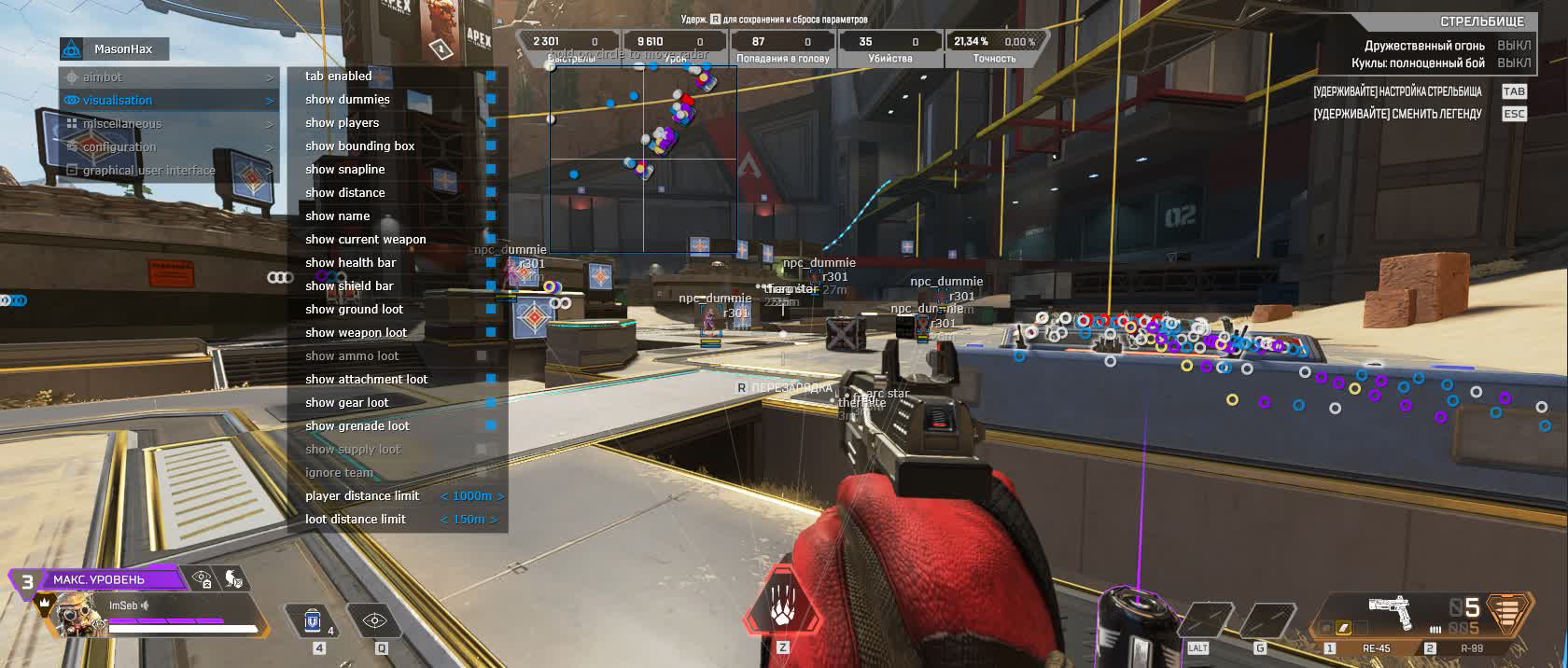
**APEX MASON FULL** is the top-tier and most feature-packed version of the cheat from developer **Mason** for Apex Legends. This product is built for players chasing the maximum edge in the arena, packing a huge set of features to control the gameplay. From a precise Aimbot with deep customization to a detailed ESP that shows you everything you need to know about enemies and valuable loot.
Unlike the "Lite" version, "FULL" delivers the complete range of features, including recoil reduction, plus a system for saving and loading configs that lets you instantly adapt to any situation. All of it is backed by a high level of safety and full invisibility on video and screenshots.
Product features
Aimbot (Automatic)
Auto-Switch & Bone
Multi-kill. The aimbot automatically switches to the next target in range after a kill. Pick your bone (Head/Chest) for maximum damage.Smooth & Radius
Legit. Tune the smoothness (Smooth) and the lock-on radius. Make your aim soft or aggressive depending on the situation.Visualisation (Scanner)
Player & Dummy ESP
Practice and Combat. The ESP works on real players as well as on dummies on the firing range. See Class, Weapon, HP and Shield.Loot Rarity Filter
Sorting. Filter loot by rarity. Show item names with a hotkey so your screen stays clean.Miscellaneous & Config (Optimization)
Recoil Control (%)
Laser. Reduce recoil by any percentage (from 0 to 100). Completely remove vertical and horizontal shake.CPU & Battle Mode
Performance. A CPU resource-saving mode. Battle Mode hides all loot at the press of a button, leaving only enemies.Clipboard Configs
Sharing. Save and load your settings through the clipboard (as text). Easily share configs with friends.Known issues & fixes
Real questions from our support, with the fixes that worked. Based on user requests for this product.
The cheat stopped working or won't open after a game update — is that normal?
Yes, that's expected: whenever the game gets an update, the software needs to catch up too, and its features can be unavailable in the meantime.
Check the product status on the site. If it already shows as active but the program still won't run, try re-downloading the loader — that sometimes fixes things right after a patch.
Entered the key to download the loader but nothing downloads , just redirects to the instruction page
If the browser blocks the download or the redirect does not trigger the file, contact support , an operator will send you a direct download link for the loader.
What order should I launch the cheat and spoofer in to avoid errors?
Launch everything in a strict order: reboot your PC first, then start the loader, then the spoofer, and only after that the game.
If the game crashes or you close it, repeat the whole sequence starting with a reboot.
Can I move my cheat to another computer if I switched PCs?
The key is bound to a single device (one key = one computer), and there's no automatic transfer.
To move activation to a new PC, contact support and explain the situation — they may ask you to confirm the device change before resetting the binding manually.
Why did the cheat stop working after I updated Windows to a new build?
The product requirements list specific supported Windows builds. If you updated your system to a build that isn't on that list yet, compatibility can temporarily break.
Check the current list of supported builds on the product page and reach out to support if you need more help.
Do I really have to run the loader from a USB flash drive?
Yes, in some cases the loader has to be launched specifically from a USB flash drive as part of the protection mechanism.
Copy the loader file onto the flash drive and run it from there instead of a local disk.


 Join all games chat





