
Phoenix Cheat for Ark Survival Evolved
 PHOENIX

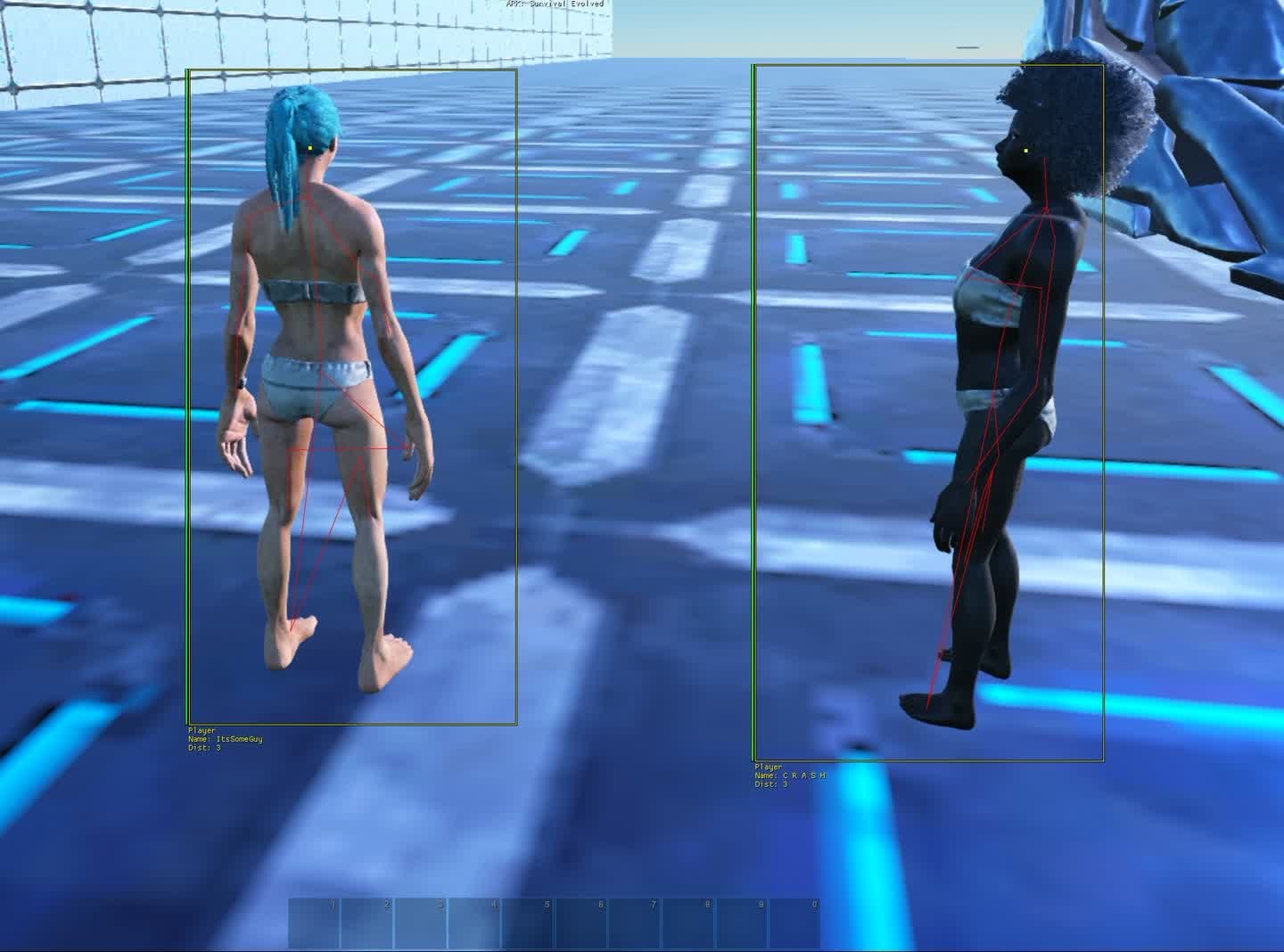
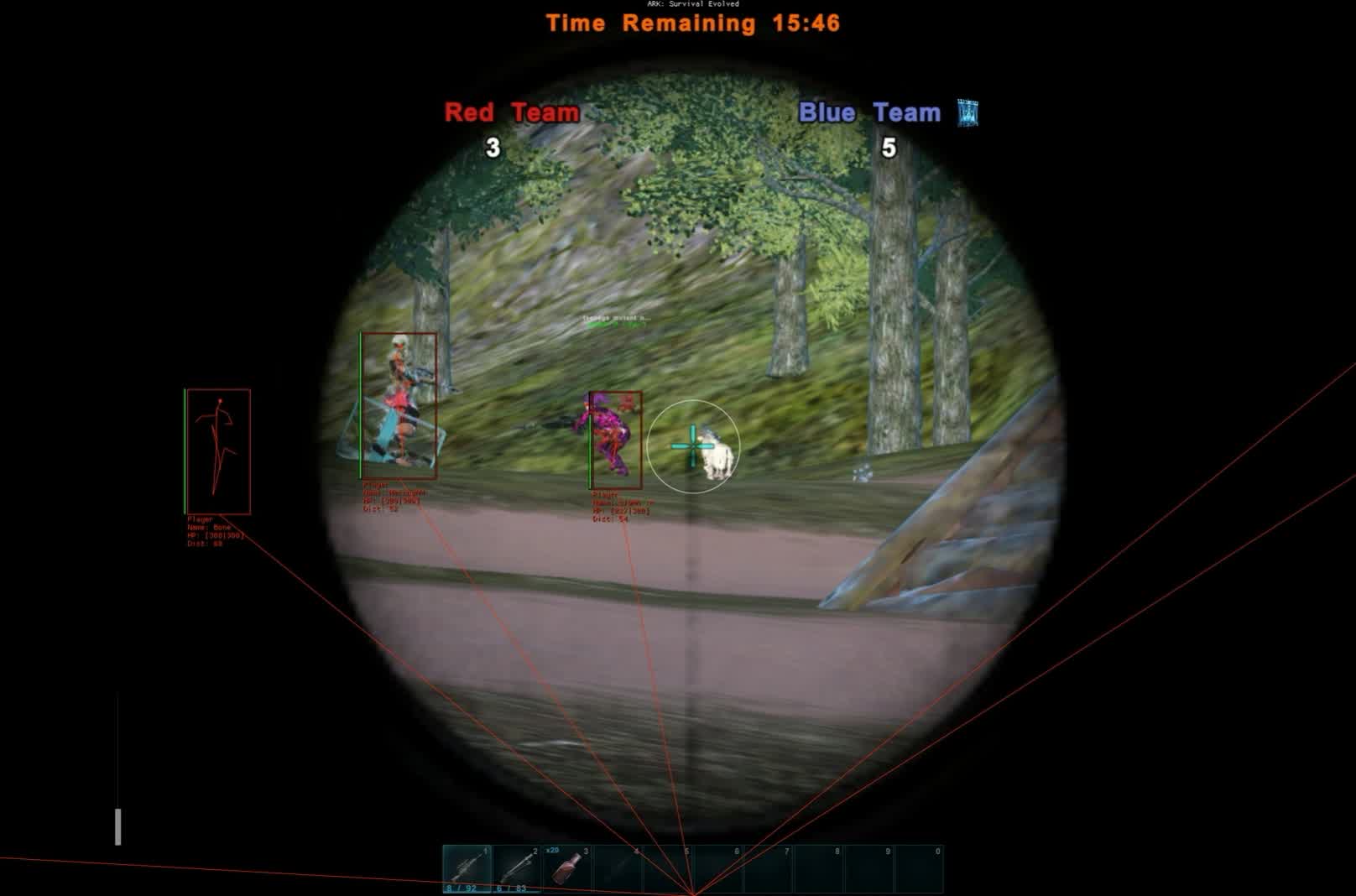
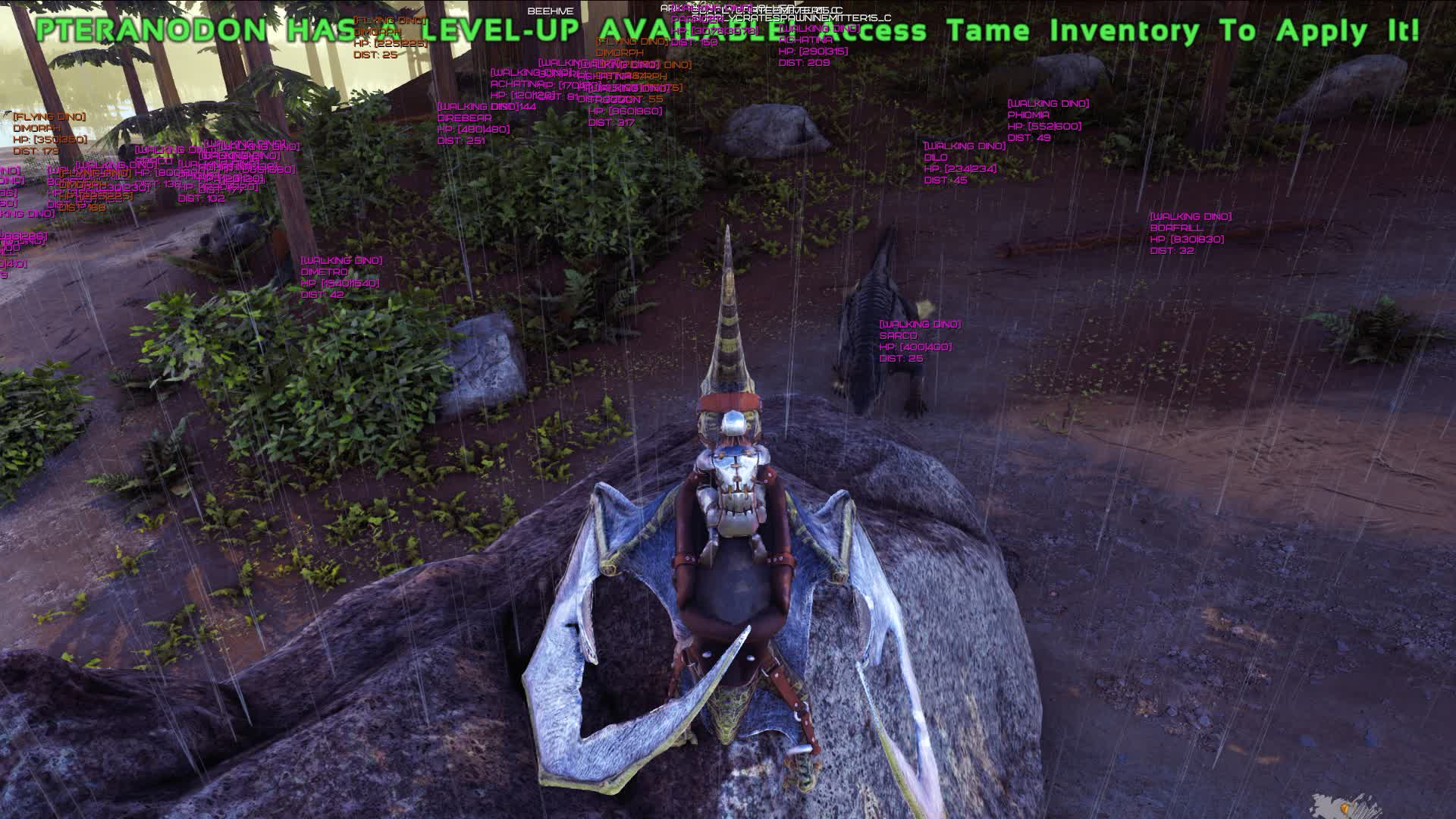
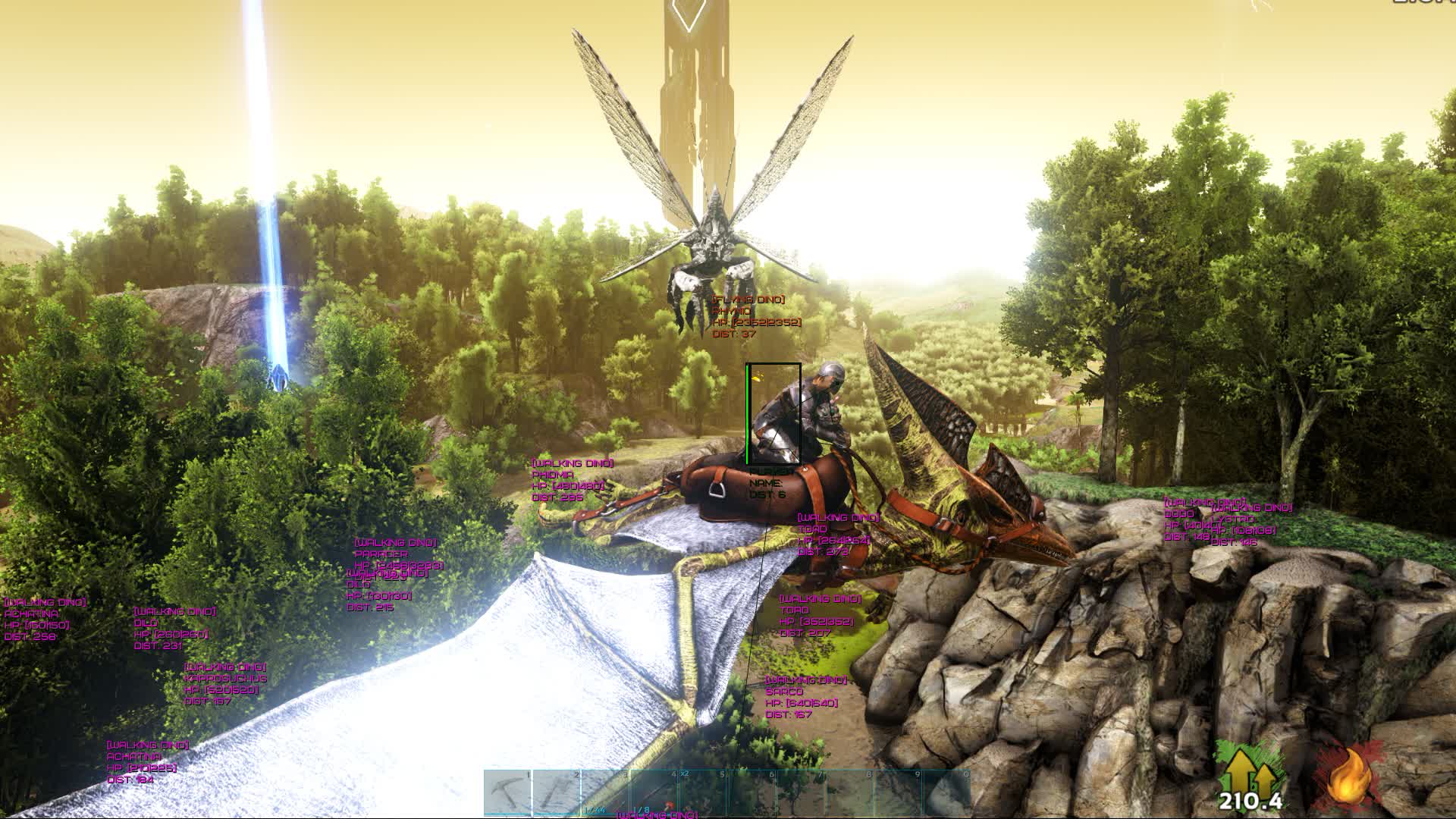
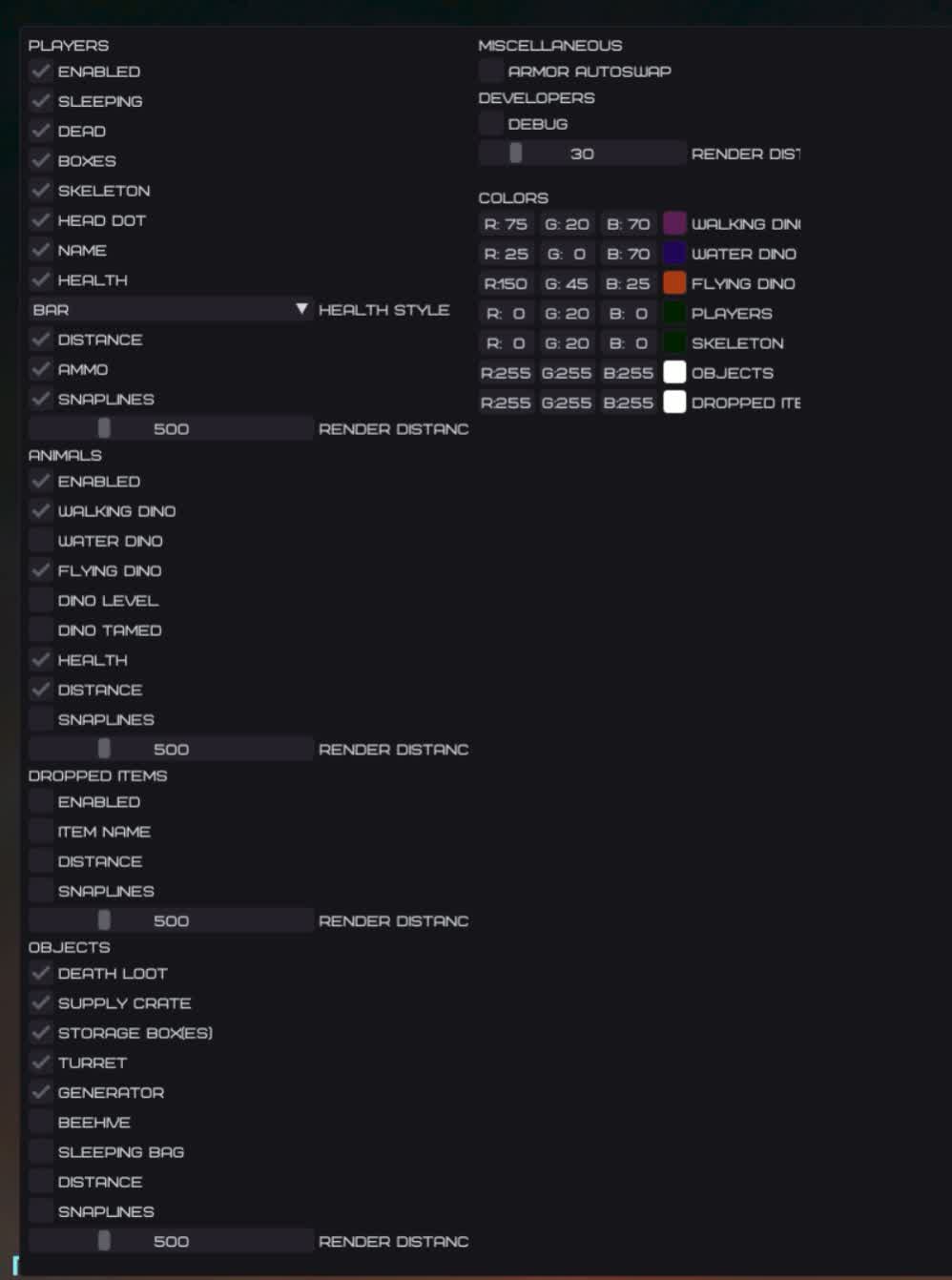
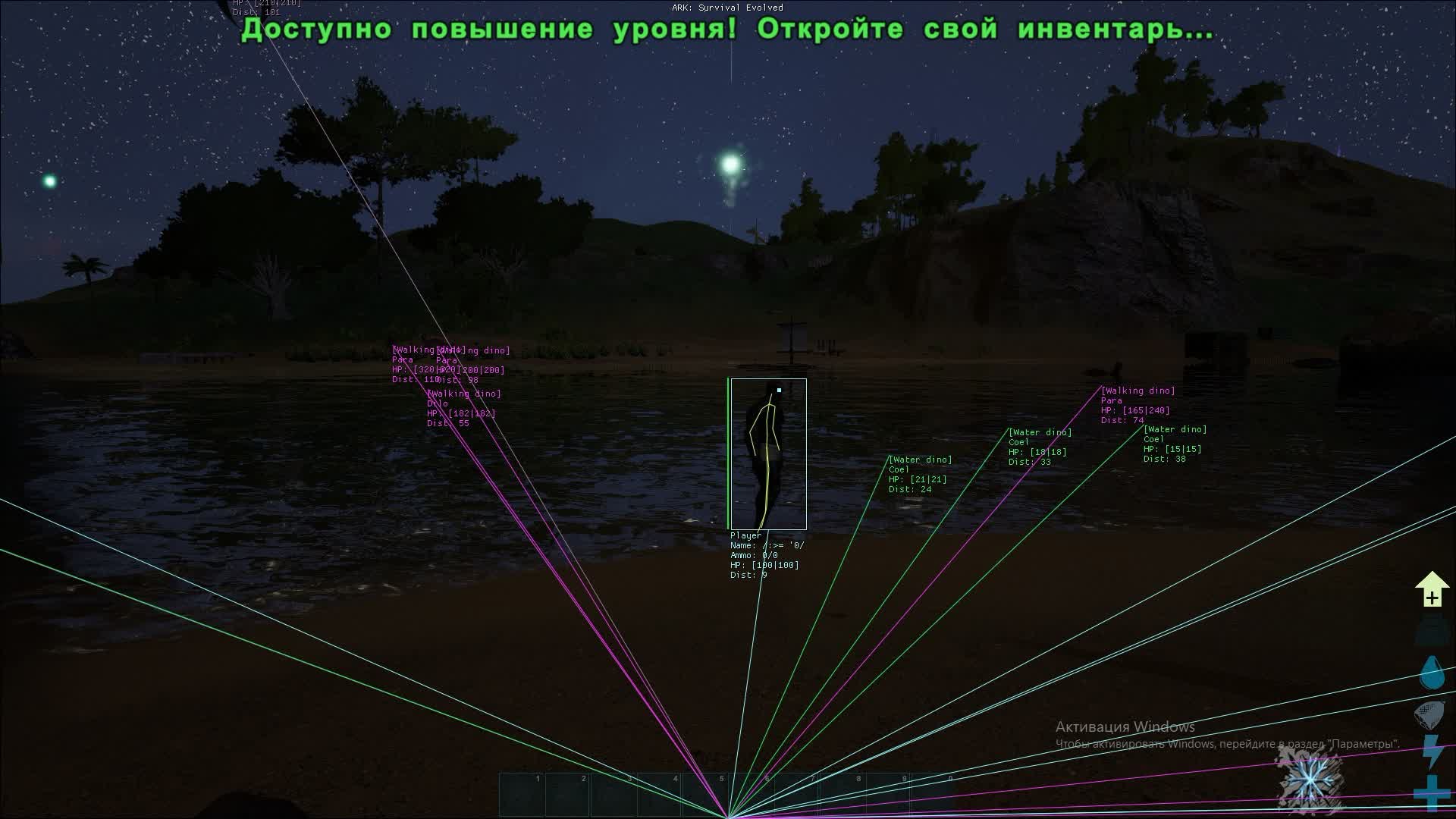
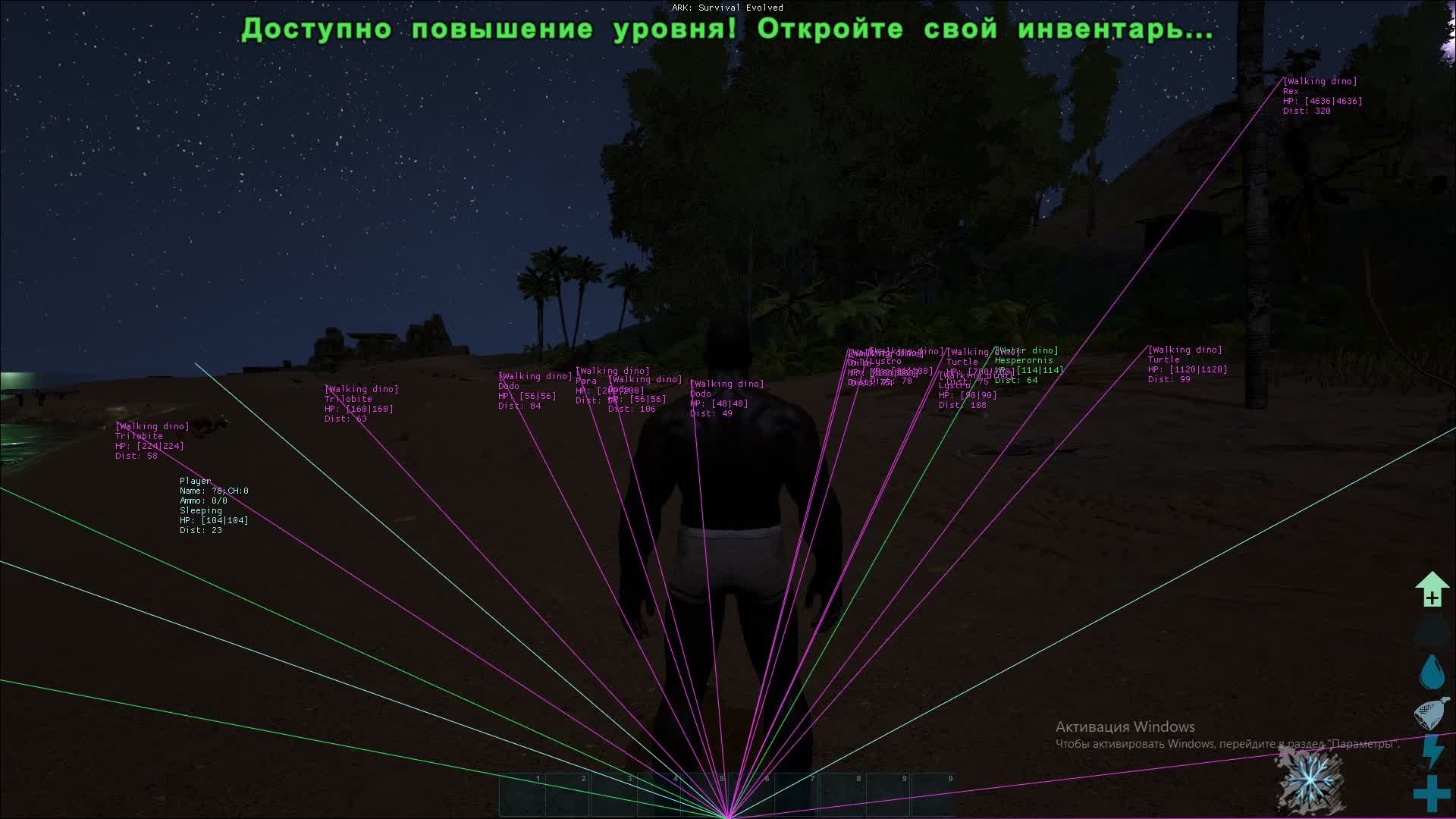
Tired of being a beach bob and raptor food? Phoenix for Ark Survival Evolved is your ticket into an alpha tribe. This cheat gives you full control: spot enemies from kilometers away, find top-stat dinos for breeding in minutes, and raid any base knowing exactly where every turret and bed sits. No more surprise ambushes from the bushes or random offline deaths. The built-in HWID Spoofer keeps your hardware safe if GGG... well, Wildcard decides to run a ban wave. Survive, dominate, and never get raided offline again.
Product features
Player ESP (Wallhack on players)
Boxes & Skeleton
See enemies through walls. Skeletons show their pose: is the guy sitting in an ambush, crafting ammo, or just lying in a mesh? Full situational awareness at all times.Sleeping & Dead
Find sleepers with good loot and check corpses after a fight. Don't let an enemy loot your teammate's body and walk away clean.Info (Name, Health, Distance)
All info on screen: username, current HP, and distance to target. Know your enemy by face and pick the perfect moment to push.Ammo ESP
Track ammo in the enemy's weapon. If they're empty or reloading, push in and take the easy frag.Head Dot & Snaplines
Headpoint marker for sniper precision plus snaplines to targets so you never lose track of them in thick jungle or a dark cave.Dino ESP (Wallhack on dinosaurs)
Dino Filter
Looking for a 150 Giga or Rex? Filter out the trash and see only high-level spawns. Save hours of taming runs searching for top stats.Walking / Flying / Water Dino
Separate highlights: wyverns, tusoteuthis, or carcharodontosaurus. Turn on only what you need right now.Stats (Health, Level)
Check a wild dino's stats before firing a single tranq. Don't waste narcotics and time on a dino with garbage stats.Tamed ESP
Instantly tell wild mobs from enemy tames. Spot a trap before you walk into it and find where enemies hide their "pocket" stashes.Structure & Item ESP (Raid and Loot)
Raider's Dream
See turrets, generators, vaults, and beds through walls. Find the weak spots in any base's defense and take everything worth taking.Loot ESP
Highlights all loot types: boss drops, body bags, and airdrops. Not a single supply crate disappears in the grass after a mass PvP fight.BeeHive
Quick bee hive locator. Forget running through forests for hours just to grab honey for veggie cakes.Utility
Auto-Flak Changer
Auto-swaps broken armor. The cheat equips a fresh set from your inventory mid-fight. Stay alive while everyone else fumbles with their inventory screen.No Grass
Disables grass for a crystal-clear view. No "rats" hiding in bushes and perfect visibility on small objects.Render Distance
Adjust the wallhack render distance to match your PC. Max info or max FPS, your call.Customization
Flexible color settings. Make the ESP visuals comfortable and easy on your eyes exactly the way you like.HWID Spoofer
Built-in hardware protection. Spoofs your PC's ID so you can bypass hardware bans and play without worry.Known issues & fixes
Real questions from our support, with the fixes that worked. Based on user requests for this product.
The cheat crashes right when I launch the game, or right after the injection sound, even though it worked before
This is usually caused by a conflict with third-party software or antivirus on your system — leftover files from other programs or protection drivers can block the launch.
- Ask support for the compatibility-check utility, run it, and send a screenshot of the scan results so they can spot the conflicting software.
- Remove any programs support flags as conflicting.
- Temporarily disable real-time antivirus protection and add the program's folder to exclusions.
- Then restart both the program and the game.
When activating my key or resetting the hardware binding it says the request is already pending — what should I do?
This message means the request to reset your key's hardware binding is already queued, was used recently, or a previous reset was interrupted (for example, by a reboot before it finished). There is also a cooldown period between resets.
- Wait a few minutes and try activating again.
- If the error persists, contact support with your activation key — they can complete the reset manually.
- If you recently switched computers or changed hardware, be ready to confirm this, for example with a purchase receipt, since frequent hardware resets may require verification.
The loader says to disable antivirus, WDFilter or core isolation even though it's already off — what do I do?
This warning usually appears when antivirus files or drivers are still left on the computer even after a regular uninstall, or when core isolation (Memory Integrity) isn't fully disabled.
- Fully disable Windows Defender and any third-party antivirus, including real-time protection.
- Turn off core isolation in Windows security settings and restart the computer.
- Add the loader folder to your antivirus exclusions.
- If the warning still won't clear, contact support — they can provide a utility to check for leftover drivers and confirm the system is fully clean.
My activation key won't work — it says it's already linked to another computer
Your activation key is tied to one computer's hardware (HWID), and by default the rule is one key per computer. Activation is locked to whichever device uses it first, so be careful sharing the loader link or access with other people.
To use the key on a new computer, contact support and provide your key so they can reset the hardware lock manually. Keep in mind that support may decline the reset if you request it too often.
Loader won't launch, closes instantly or shows an access error
The archive password for the diagnostic utility is sordum. Download the Sordum utility (available from technical support), launch it, click Search, and send a screenshot of the results to support.
Make sure your antivirus is fully removed or disabled (Kaspersky, Norton, Windows Defender). If a third-party antivirus is installed, uninstall it via Programs and Features and reboot.
Move all loader files to your Desktop and run the .exe from there. If the issue persists, re-download the loader from the site and launch it as Administrator.
The loader won't download from the link or can't find a server on startup — what should I do?
If the download link won't open, the file downloads empty, or the loader shows a download error or gets stuck searching for a server, it's usually your internet provider blocking the connection.
Try connecting a VPN, switching browsers, and launching the loader again. If the error still appears after that, contact support — they can provide an alternative link or a fresh build of the loader.
Loader loads endlessly or takes forever to start, server unreachable
The most common cause is ISP-level blocking of the activation servers. Connect to a VPN and try launching the loader again. In your VPN settings, switch to Proxy mode and pick the server with the lowest ping.
If that does not help, reboot your PC and try again. If the loader still fails to load, third-party software or Windows settings may be interfering — contact support.
After a game update the loader says no servers are available or that the cheat is being updated
After a major game update the developer needs time to adapt the cheat to the new version — during this period the loader will show no available servers or an "updating" status, and you won't be able to launch or activate the program.
Wait for the official announcement that the update is finished on the product page or in the support news. The waiting time isn't deducted from your subscription — once the update is done, access returns automatically and your remaining time keeps counting as normal.
Console shows 'load module' and closes, loader fails to load the cheat
This is typically caused by leftover files from previous sessions or corrupted Windows system components. Follow these steps in order:
- Download and run the Sordum utility (available from technical support; archive password: sordum), click Search, and wait for it to finish — it removes leftover directories from prior loader runs.
- Open Command Prompt as Administrator and run in sequence: DISM /Online /Cleanup-Image /RestoreHealth, then sfc /scannow. Wait for each to complete, then reboot.
- If the issue persists, try switching your DNS or changing your VPN server/location, then attempt the loader again.
- If nothing helps, record a video of the full launch process and send it to support.
After injecting the loader closes, no menu appears or the game crashes when launching with the cheat
- When injecting, keep the game window active (in focus), not the loader window.
- Remove any automatic memory-cleaning tools (e.g. MemReduct) — they conflict with the injector.
- Reinstall all Visual C++ Redistributable packages: uninstall all existing versions and download fresh ones.
- If the error persists, make sure Core Isolation / Memory Integrity is disabled in Windows: Settings → Windows Security → Device Security → Core Isolation.
The cheat menu doesn't open with the hotkey after injection — what do I do?
The menu often opens only once you are actually inside a match, not in the lobby — try pressing the hotkey again after the round starts; sometimes features activate with a delay of a few minutes. Also switch the game to windowed mode — in some cases the menu appears automatically once you do.
Try the alternate hotkeys listed in your product's instructions (for example End or F2). If nothing helps, describe the issue to support — it may be a conflict with antivirus software or a third-party overlay blocking the menu from showing.
How do I use the spoofer correctly — when to run it and in what order with the cheat?
The spoofer changes your device data only until the next PC reboot — after every restart you need to run it again before launching the game, otherwise the system will see your original hardware data.
There's a specific launch order: start the cheat first, then the spoofer. The spoofer also only works while the related subscription is active — once it ends, the effect is gone.
Updater.exe is running in Task Manager but the loader window never appears
The most likely cause is a non-standard (modified or stripped) Windows build. The loader requires a clean, official Windows installation.
- Reinstall Windows using an official image.
- As a temporary workaround, try launching the loader with a VPN enabled.
- Make sure Vanguard (Valorant anti-cheat) is fully uninstalled — it can interfere with the launch.
Key not accepted after PC reboot or error when entering the key in the loader
After a reboot, a key can stop working due to a conflict with the spoofer or a changed system state. Contact support — an operator will issue a replacement key. To speed things up, provide your current key upfront.
My antivirus deletes the loader files right after I download them
Antivirus software often flags the loader as a threat by mistake and deletes its files — this is a false positive.
- Add the loader folder to your antivirus exclusions
- Turn off real-time protection before downloading and launching it
- If the files were already deleted, download the program again after setting up the exclusions
Where do I find the download link for the program after buying it?
The download link and installation instructions are provided together with your purchase.
If you can't find them, contact support with your order number and they'll resend the link.
Does a spoofer fully protect against a hardware (HWID) ban?
No, a spoofer doesn't provide a full guarantee. Some anti-cheat systems can still detect the spoofed device data, so this method is considered risky and doesn't help in every case.
If you still get hardware-banned while using a spoofer, contact support to reset the hardware binding.
Cheat not launching or showing an error after an update
If the cheat stopped working or throws an error, an update has likely been released. Download the new loader from your account or via the link provided at purchase, then launch it again.
The screen goes black after launching the game with the cheat running, even though the cheat's menu still opens with its hotkey — how do I fix it?
Turning off windowed game optimizations in Windows settings usually fixes this: right-click the desktop → "Display settings" → "Graphics" → "Change default graphics settings" → disable "Optimizations for windowed games."
Then restart the game.


 Join all games chat





