отличный продавец
Battlefield 4 Phoenix Cheat
This is a private cheat for Battlefield 4 from the well-known developer Phoenix. The product is built for players who value a clean, legit playstyle. The software focuses on giving you accurate visual information and help with your shots without making the game too obvious to anti-cheats and other players. It's the perfect solution for anyone who wants to improve their results while keeping the feeling of a fair fight.
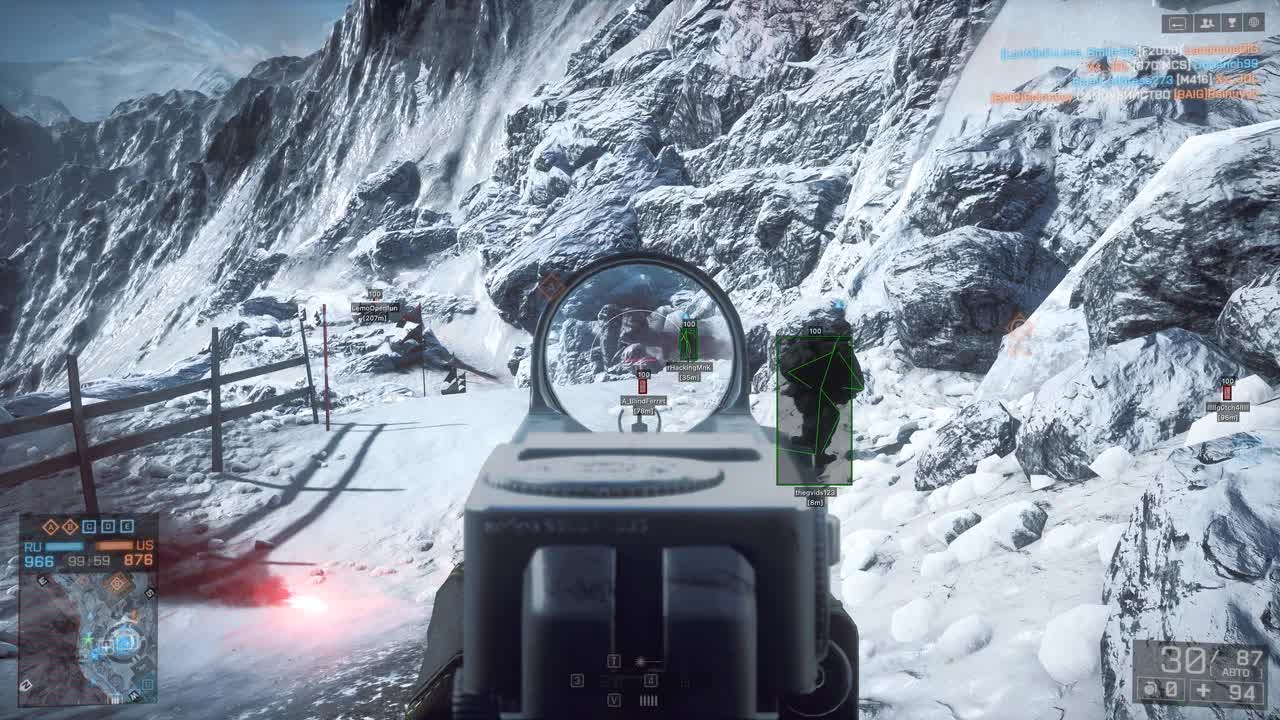
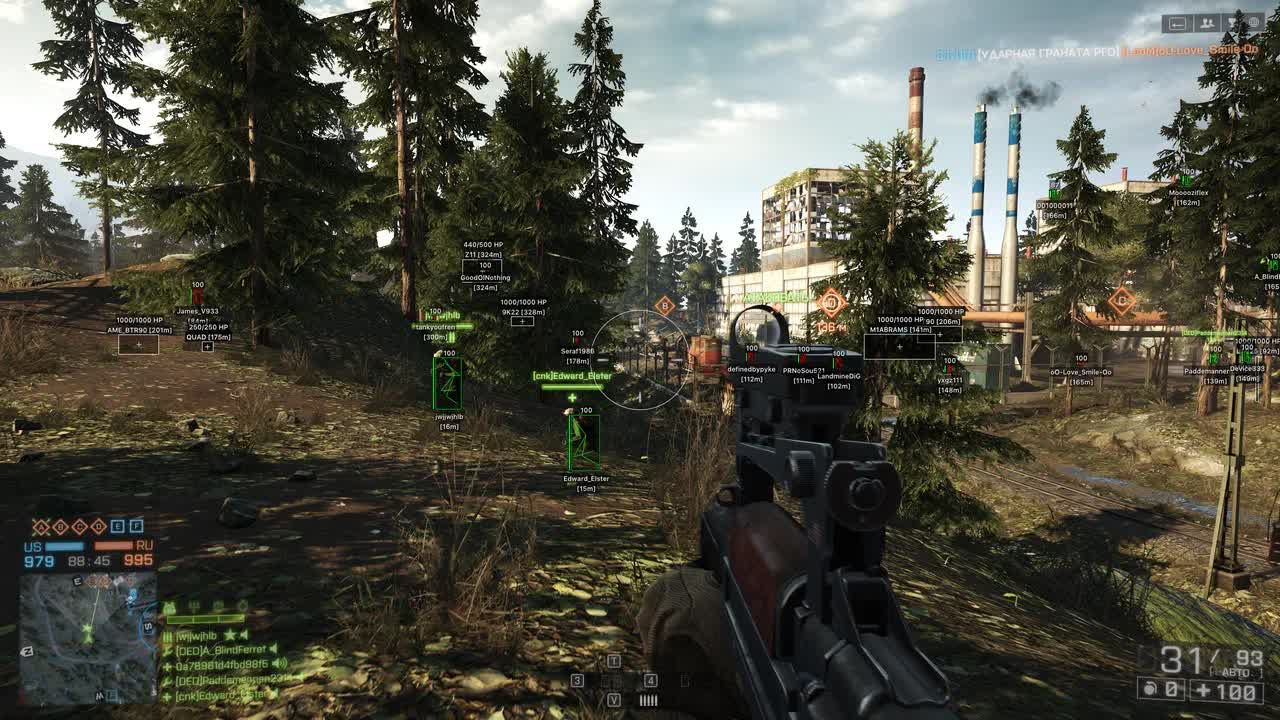
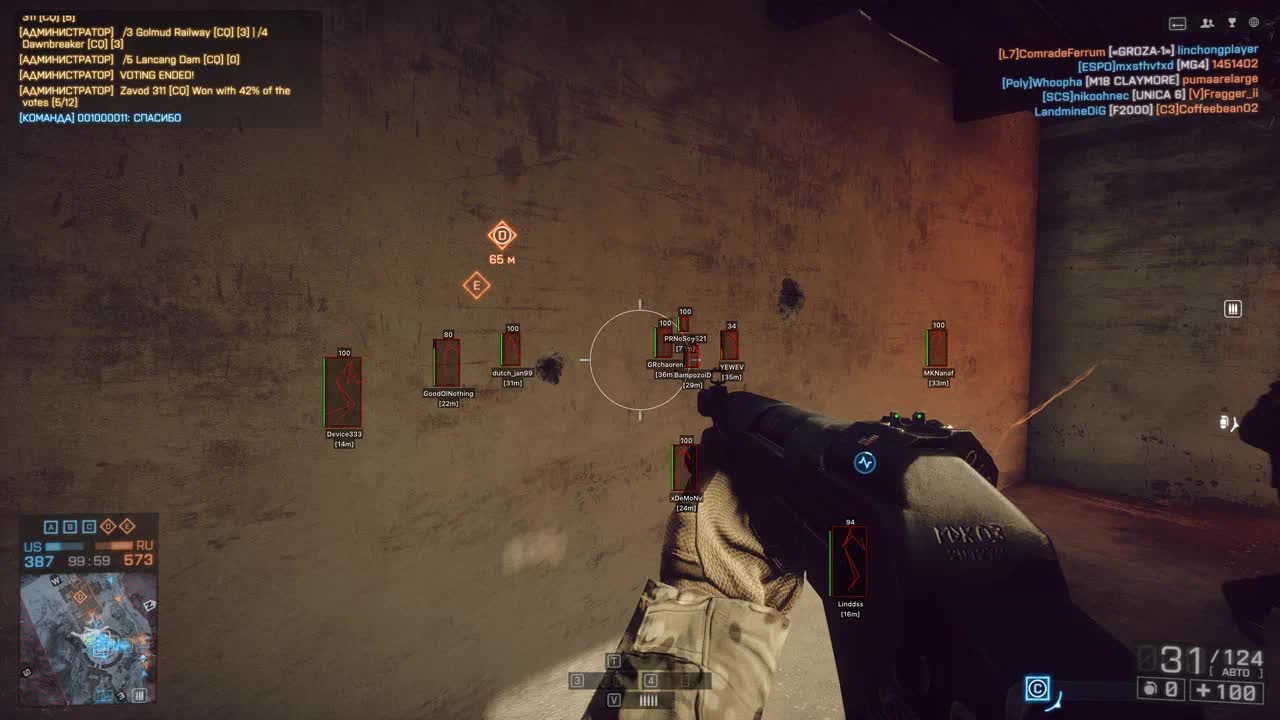
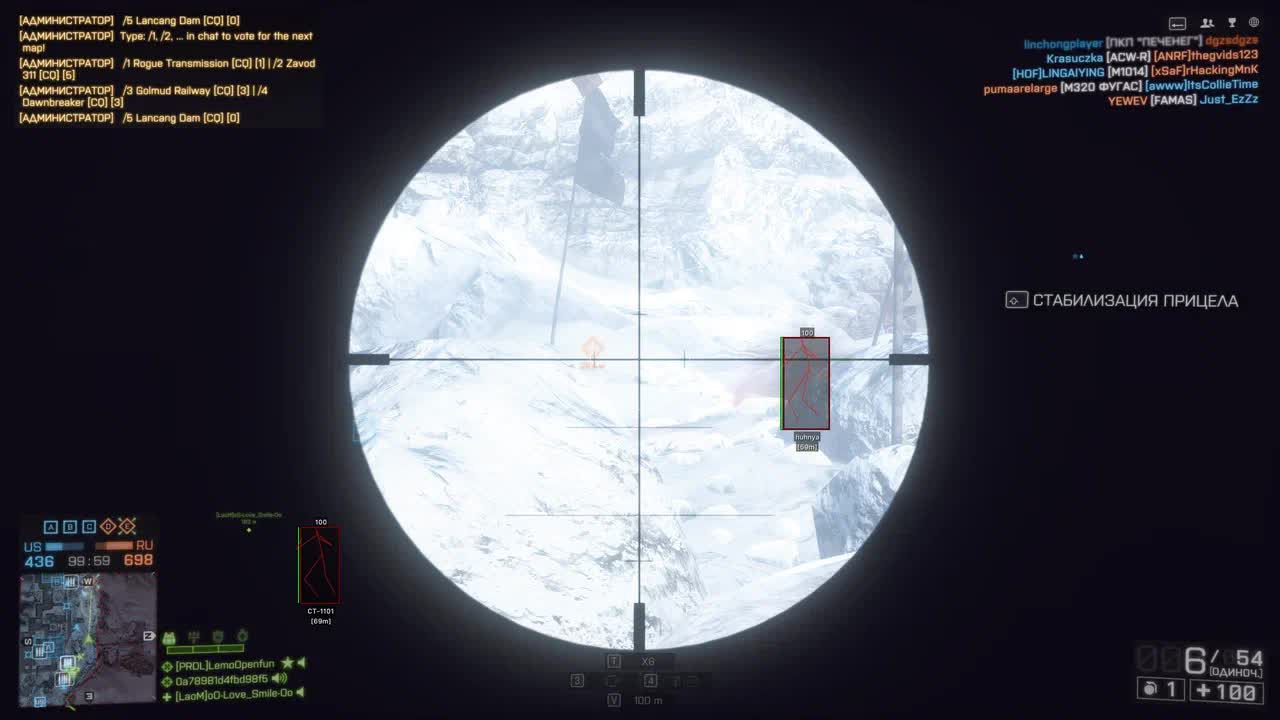
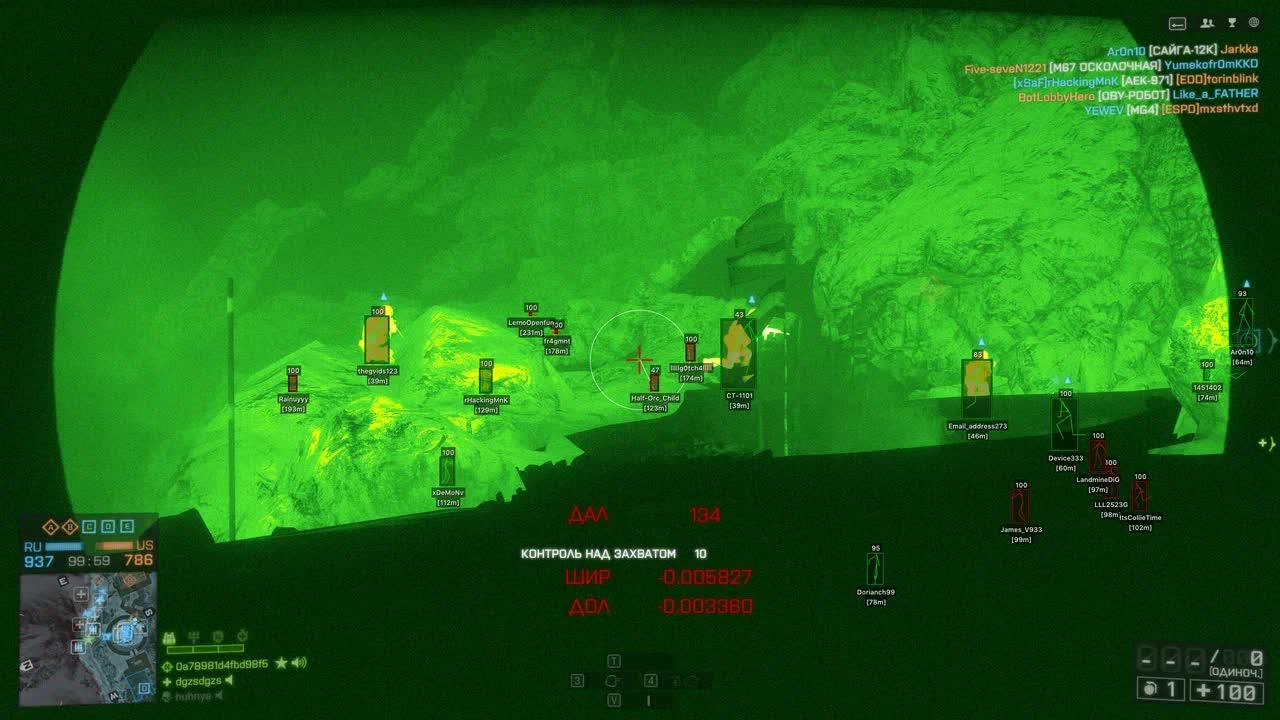
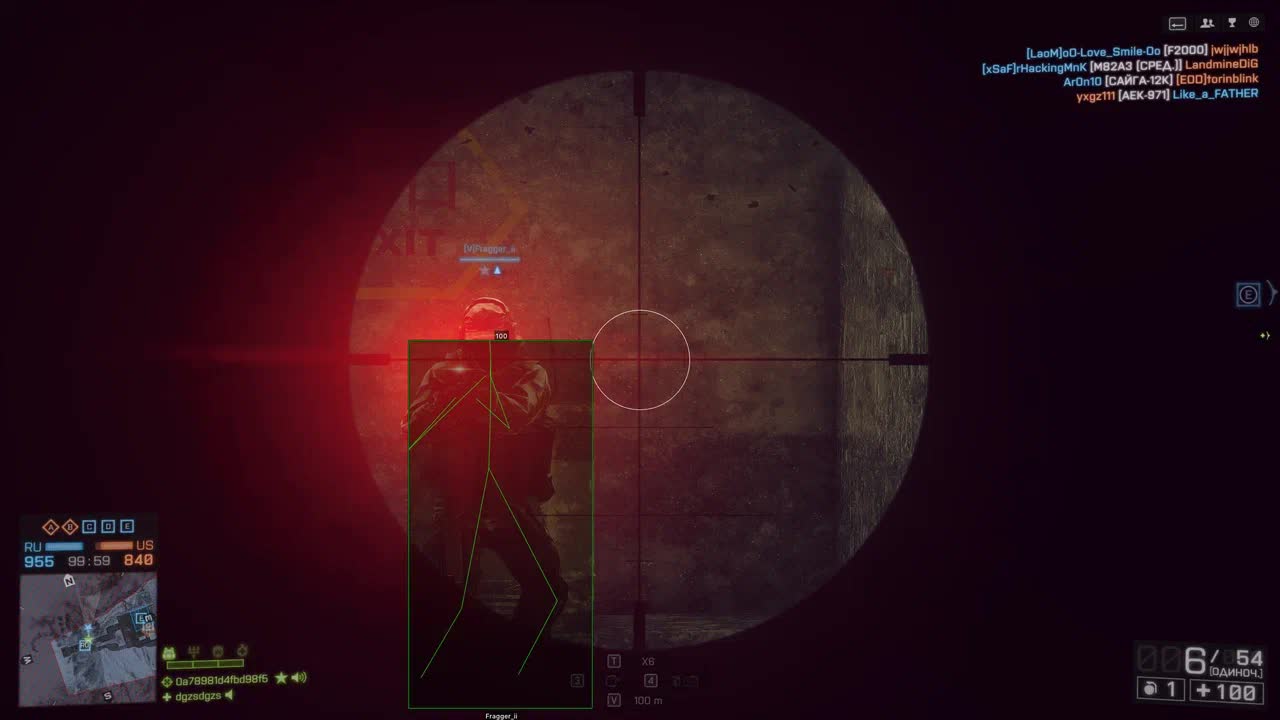
This Battlefield 4 cheat includes every feature you need for comfortable play: a fully configurable Aimbot, detailed ESP with different display styles, and handy Misc functions for full control over your weapon. The menu is in Russian and English, which makes setup simple and intuitive. Phoenix is reliability and quality in one product.
Product features
Legit Aimbot (Veteran Accuracy)
Aim Key & Bone
Fire control. Activate aim on a held key so you don't get flagged. Pick the head for a sniper one-shot or the torso for a reliable spray from your rifle.Visible Check & Smooth
Smart shooting. The aim won't snap to an enemy behind a wall. Dial in the smoothness (Smooth) so your tracking looks like real pro-player skill, not the work of a cheat.FOV & Draw FOV
Kill zone. Adjust the capture radius to fit your playstyle. The visual circle shows the area where enemies don't want to be.ESP (Tactical Grid)
Box Types & Filled
Clear view. Pick a box style (2D, 3D, Ugly) and add a fill so enemies stand out against the explosions and smoke of the operation.Skeleton & Snaplines
X-ray. The skeleton shows whether a camper is sitting in the bushes or lying on a roof. Snaplines (lines) keep you from losing targets in the chaos of a 64-on-64 fight.Health & Distance
Threat assessment. See the exact distance to lead your shots and the enemy's remaining HP. Finish off the wounded and don't waste rounds.Vehicle ESP
(Boxes) Vehicles like the back of your hand. See tanks, choppers and jets through buildings. Don't let an enemy AA gun catch you off guard.MISC (Firepower)
No Recoil
Laser lock. Forget about the recoil on the AEK-971 or FAMAS. The whole magazine hits dead on target, turning any weapon into a kill machine.No Spread
Accuracy on the move. Turning off spread lets you shoot mid-jump or at a full sprint with perfect grouping.Custom Colors & Language
Your interface. Full color customization for the ESP and a menu in Russian. Make the cheat fit you exactly.Known issues & fixes
Real questions from our support, with the fixes that worked. Based on user requests for this product.
Loader won't launch, closes instantly or shows an access error
The archive password for the diagnostic utility is sordum. Download the Sordum utility, launch it, click Search, and send a screenshot of the results to support.
Make sure your antivirus is fully removed or disabled (Kaspersky, Norton, Windows Defender). If a third-party antivirus is installed, uninstall it via Programs and Features and reboot.
Move all loader files to your Desktop and run the .exe from there. If the issue persists, re-download the loader from the site and launch it as Administrator.
Loader loads endlessly or takes forever to start, server unreachable
The most common cause is ISP-level blocking of the activation servers. Connect to a VPN and try launching the loader again. In your VPN settings, switch to Proxy mode and pick the server with the lowest ping.
If that does not help, reboot your PC and try again. If the loader still fails to load, third-party software or Windows settings may be interfering — contact support.
Console shows 'load module' and closes, loader fails to load the cheat
This is typically caused by leftover files from previous sessions or corrupted Windows system components. Follow these steps in order:
- Download and run the Sordum utility (archive password: sordum), click Search, and wait for it to finish — it removes leftover directories from prior loader runs.
- Open Command Prompt as Administrator and run in sequence: DISM /Online /Cleanup-Image /RestoreHealth, then sfc /scannow. Wait for each to complete, then reboot.
- If the issue persists, try switching your DNS or changing your VPN server/location, then attempt the loader again.
- If nothing helps, record a video of the full launch process and send it to support.
After injecting the loader closes, no menu appears or the game crashes when launching with the cheat
- When injecting, keep the game window active (in focus), not the loader window.
- Remove any automatic memory-cleaning tools (e.g. MemReduct) — they conflict with the injector.
- Reinstall all Visual C++ Redistributable packages: uninstall all existing versions and download fresh ones.
- If the error persists, make sure Core Isolation / Memory Integrity is disabled in Windows: Settings → Windows Security → Device Security → Core Isolation.
Updater.exe is running in Task Manager but the loader window never appears
The most likely cause is a non-standard (modified or stripped) Windows build. The loader requires a clean, official Windows installation.
- Reinstall Windows using an official image.
- As a temporary workaround, try launching the loader with a VPN enabled.
- Make sure Vanguard (Valorant anti-cheat) is fully uninstalled — it can interfere with the launch.
Key not accepted after PC reboot or error when entering the key in the loader
After a reboot, a key can stop working due to a conflict with the spoofer or a changed system state. Contact support — an operator will issue a replacement key. To speed things up, provide your current key upfront.
Battlefield 4 Phoenix shows error on launch / no connection to cheat server
If the cheat shows an error on launch or cannot connect to the server, the issue is typically caused by Windows Defender or antivirus blocking the connection.
- Download the Sordum Defender Control utility (archive password: sordum).
- Launch the utility, click Search, and wait for it to finish.
- Restart the cheat , the connection should be established.
If the error persists after these steps, take a full desktop screenshot and contact support.
PHOENIX




