Mason Cheat for Deadlock: Smart Aim Assist and Detailed ESP

Working
Mason Mason
Last update 03.08.2026 This date shows when the software was last updated. An old date doesn't mean the software stopped working! Most likely the developer just had nothing new to add. If you have any doubts, you can always check the current status with our support team.
Add another cheat from this game too — to compare them.
Deadlock Mason
Steam
Windows support: 10: all builds; 11: 21h2, 22h2, 23h2
Menu language: English
Spoofer:No
USB drive:No
BIOS:No
VIDEO
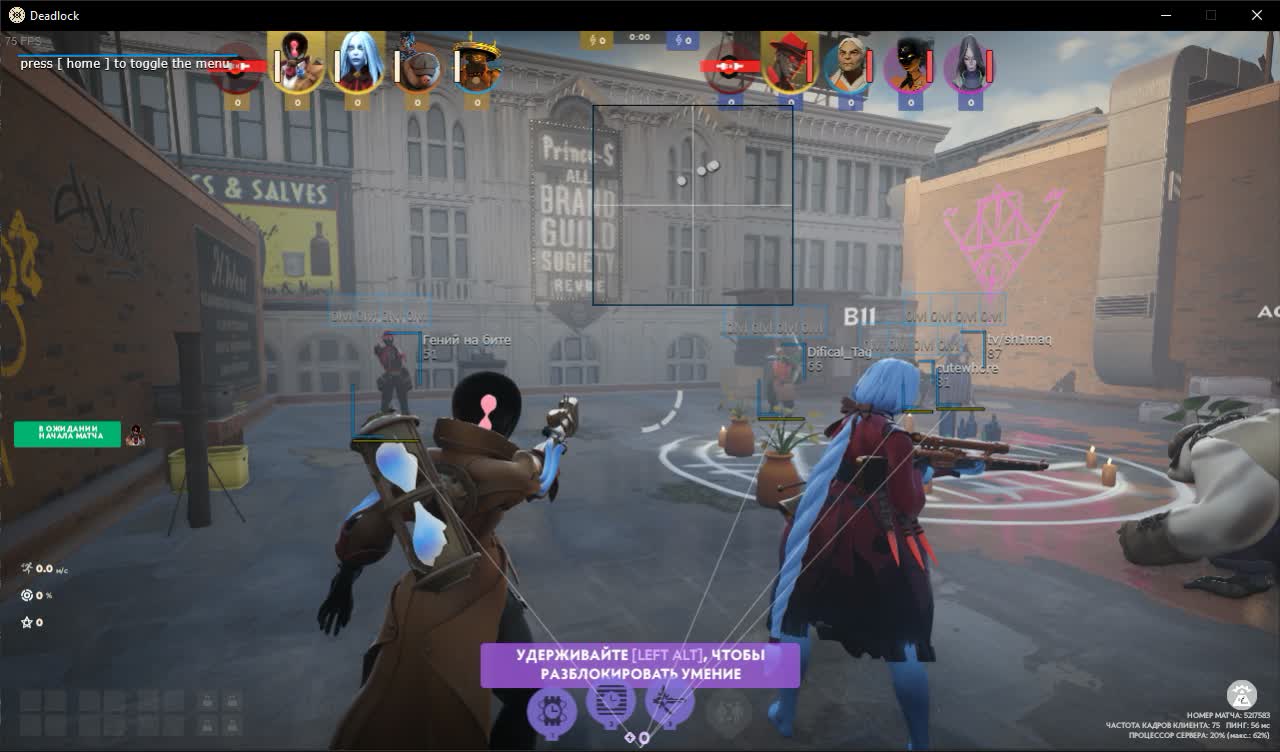
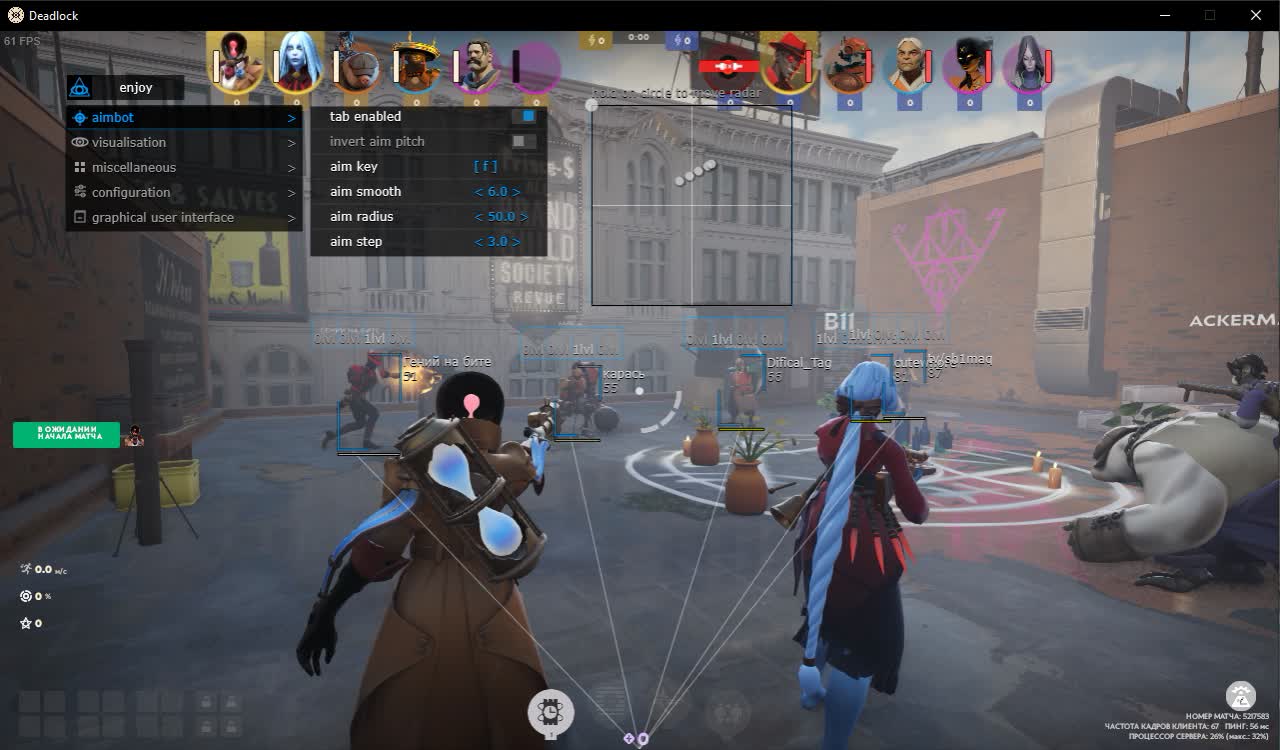
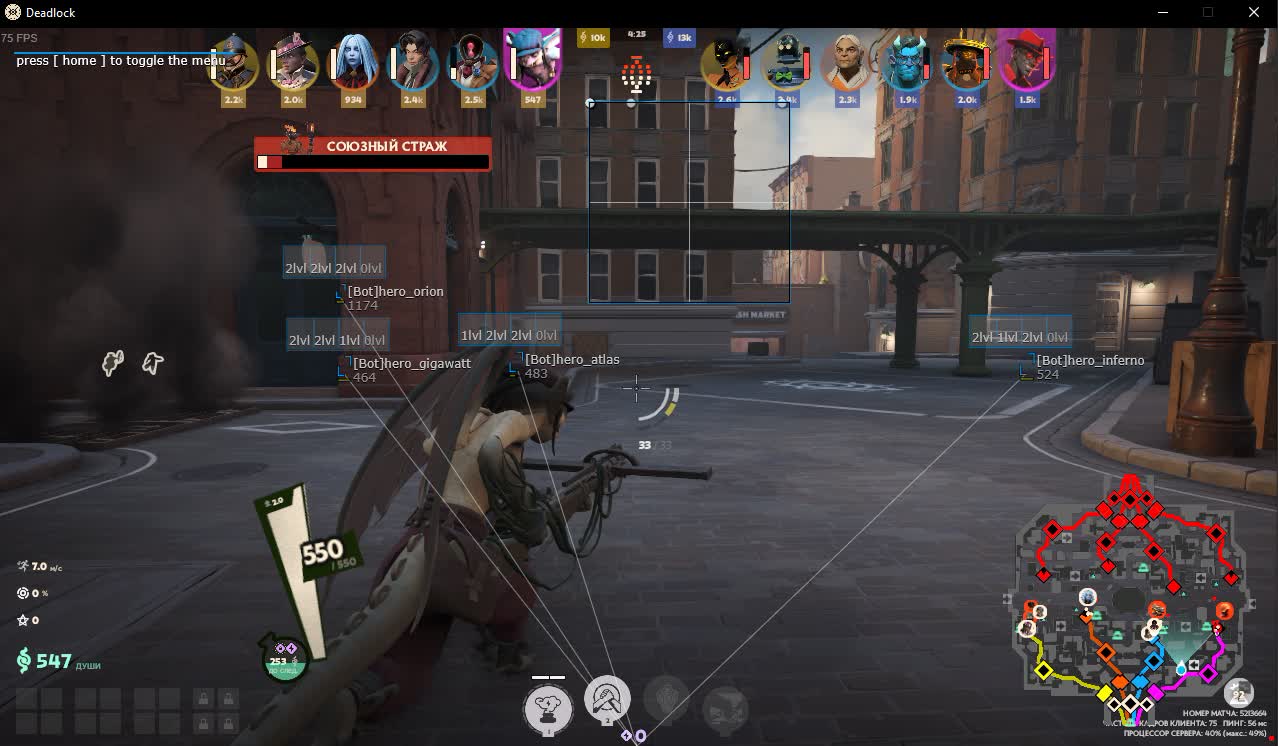
SCREENSHOTS
Description

We present a cheat for Deadlock from the Mason developer, a simple, reliable, and effective solution for players who value an easy setup that just works. The product focuses on two key areas: aiming help (Aim Assist) and clear visual information (Visualisation). The cheat is not loaded down with overcomplicated features, which makes it easy to configure and safe to use.

With the flexible Aim Assist you can noticeably improve your accuracy while keeping your movement looking natural. The detailed ESP shows you everything you need to know about enemies, their health, and even how far they have leveled up their abilities. If you are after a clear, effective tool to dominate in Deadlock, then Mason is your pick.

Product features

AIM ASSIST (Help in a Fight)

Aim Key & Smooth

Legit control. Bind aim to a hold and tune the smoothing (Smooth) so your shooting looks natural. Nobody will suspect a thing on the replay.

Aim at Souls

Soul hunter. The aimbot locks onto dropping souls on its own. Do not let an enemy snag a single one, take all the lane economy for yourself.

Radius & Auto Switch

Kill zone. Set the lock radius and turn on auto target switch. After a kill the aim instantly jumps to the next enemy for a kill streak.

VISUALISATION (Reading the Game)

Show Skill Bar

Know the enemy inside out. See which abilities the enemy has leveled up (1, 2, 3, or ult). Do not push an enemy who already has a dangerous skill ready.

Show Souls

Economic vision. Highlights every soul on the screen. Do not miss a single chance to grow your net worth.

Box, Health & Snaplines

Tactical grid. Boxes, HP bars, and lines to targets. Full control over enemy positioning in a teamfight.

Ignore Team

Clean screen. Turn off ally highlights so you do not get distracted. Focus only on the ones you need to kill.

GUI & CONFIG (Convenience)

Radar Settings

Eyes on the back of your head. Set the size and position of the radar. Spot flank routes and ganks even when the enemy is out of view.

Save CPU

Optimization. Play without lag even on weak hardware. Turn on the CPU resource saving mode for stable FPS in teamfights.

Save/Load Config

Share your settings. Save your config to the clipboard and send it to a friend in a second. Quick setup before a match.

Known issues & fixes

Real questions from our support, with the fixes that worked. Based on user requests for this product.

The cheat stopped working or won't open after a game update — is that normal?

Yes, that's expected: whenever the game gets an update, the software needs to catch up too, and its features can be unavailable in the meantime.

Check the product status on the site. If it already shows as active but the program still won't run, try re-downloading the loader — that sometimes fixes things right after a patch.

Entered the key to download the loader but nothing downloads , just redirects to the instruction page

If the browser blocks the download or the redirect does not trigger the file, contact support , an operator will send you a direct download link for the loader.

What order should I launch the cheat and spoofer in to avoid errors?

Launch everything in a strict order: reboot your PC first, then start the loader, then the spoofer, and only after that the game.

If the game crashes or you close it, repeat the whole sequence starting with a reboot.

Can I move my cheat to another computer if I switched PCs?

The key is bound to a single device (one key = one computer), and there's no automatic transfer.

To move activation to a new PC, contact support and explain the situation — they may ask you to confirm the device change before resetting the binding manually.

Why did the cheat stop working after I updated Windows to a new build?

The product requirements list specific supported Windows builds. If you updated your system to a build that isn't on that list yet, compatibility can temporarily break.

Check the current list of supported builds on the product page and reach out to support if you need more help.

Do I really have to run the loader from a USB flash drive?

Yes, in some cases the loader has to be launched specifically from a USB flash drive as part of the protection mechanism.

Copy the loader file onto the flash drive and run it from there instead of a local disk.

All issues & general troubleshooting
TARIFFS
$1.05
BUY What happens after payment?
Got a question? Ask before you pay

We'll help you choose and sort out any launch issue. Ask us anything before buying, we're always on your side.

Support 10:00–22:00, sometimes we reply at night too
Ask a question
Update history
  • 03.08.2026 Working
    Updated, time unfrozen
  • 03.08.2026 Frozen
    Sent for update, time frozen

Available tariffs

1 day
$1.05
START PURCHASE
7 days
$3.75
START PURCHASE
30 days
$6.46
START PURCHASE
Reviews about Deadlock Mason
170 sales on Digiseller No text reviews yet — be the first to leave one.

Your review

Reviews are published after moderation.

Join our gaming community chat

Discuss current cheats from developers and how to use them effectively in popular online games. Share tactics, exchange useful info and find like-minded players in our community.

1 900+Members
24/7Online
Join our gaming community chat

Technical support

Run into a technical issue? Our team of experts will help. We handle all requests in a live queue, so please be understanding if it sometimes takes a little wait. We guarantee that no request goes unanswered.

Availabilityfrom 10:00 to 23:00
Fast responseIn queue order
Get help
Technical support
PROCHEAT

PROCHEAT news channel

Follow product status changes, update history and important announcements.

Subscribe

Legit Play with Aim Assist from Mason in Deadlock

Plenty of players want to improve their shooting in Deadlock, but they are afraid to use an aimbot because of the ban risk. The Mason cheat offers the perfect solution, an Aim Assist feature built for the most legit play possible. Unlike "rage" aimbots that snap the aim to the head instantly, Mason's Aim Assist works differently.

You can finely tune the aim smoothing (Aim smooth) and the working radius (Aim radius). That means the cheat only helps you pull the aim onto the target instead of doing all the work for you. Your movement will look natural, like an experienced player. This kind of aiming help lets you focus on tactics and ability usage, knowing you will not miss at the decisive moment.

Tactical Advantage with ESP from Mason

The visual features (ESP) in the Mason cheat for Deadlock are not just about showing enemies through walls. One of the unique parts of this product is the "Show skill bar" feature. It displays a panel that shows which abilities your opponent has leveled up and to what level. That gives you a huge tactical advantage.

Knowing that an enemy has not maxed an ultimate or escape yet, you can attack with confidence. If you see that an opponent has the maximum level of their main attacking ability, you will be ready for a heavy combo. Combined with the standard display of health, nicknames, and distance, this feature turns the Mason ESP into a powerful tool for analyzing the game and making the right tactical calls at any moment of the match.

Simple and Convenient: Why Pick Mason for Deadlock

The Deadlock cheat market is full of complex products with dozens of features that are easy to get lost in. The Mason developer went the other way and built a cheat that is as simple and convenient to use as possible. There is no overloaded menu or confusing settings here. The whole feature set is split into four clear tabs, and setup takes only a couple of minutes.

The config system deserves special attention. You can save all your settings to the clipboard with one button, then load them back just as easily. This is incredibly handy if you play on different accounts or want to share your config with a friend. The "Save cpu" feature also shows care for users with weaker computers. If you are after a reliable, lightweight, and effective cheat with no extra fluff, then Mason is your pick.

Latest updates

03.08.2026 09:23
Working
Updated, time unfrozen
03.08.2026 06:56
Frozen
Sent for update, time frozen
Open full history
from $1.05 Choose a plan
Ask a question


