
Dullwave private cheat for Fortnite: clean ESP for serious players
 Dullwave

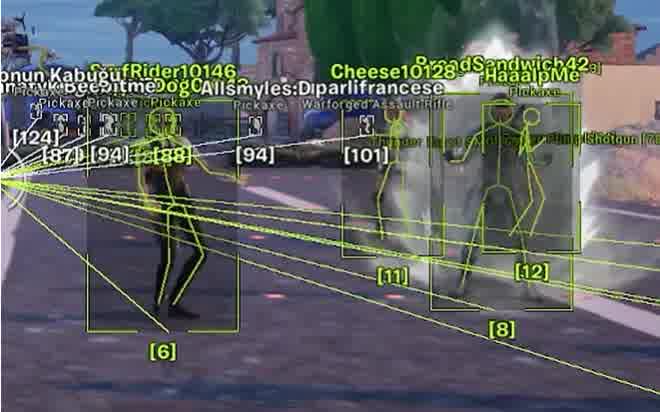
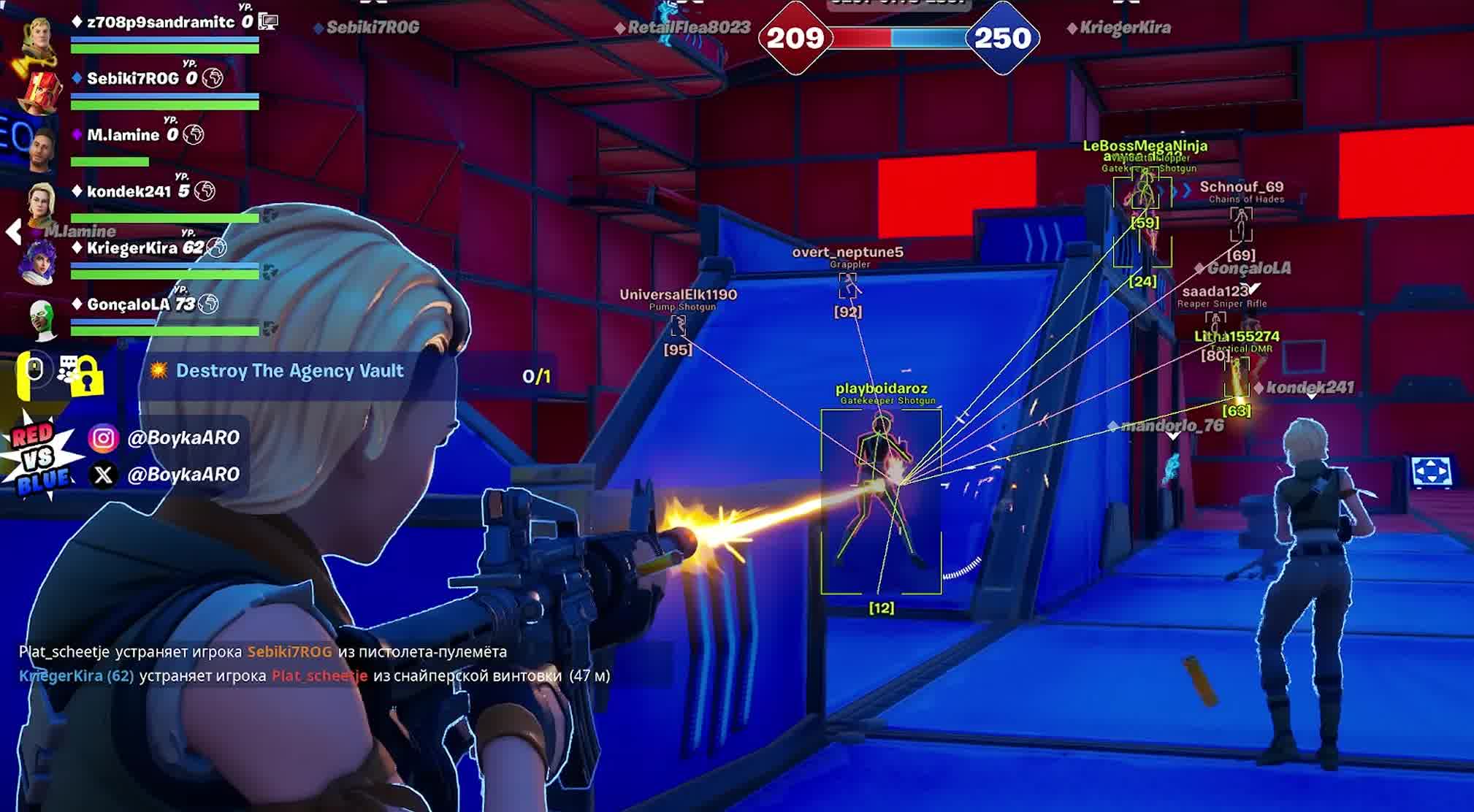
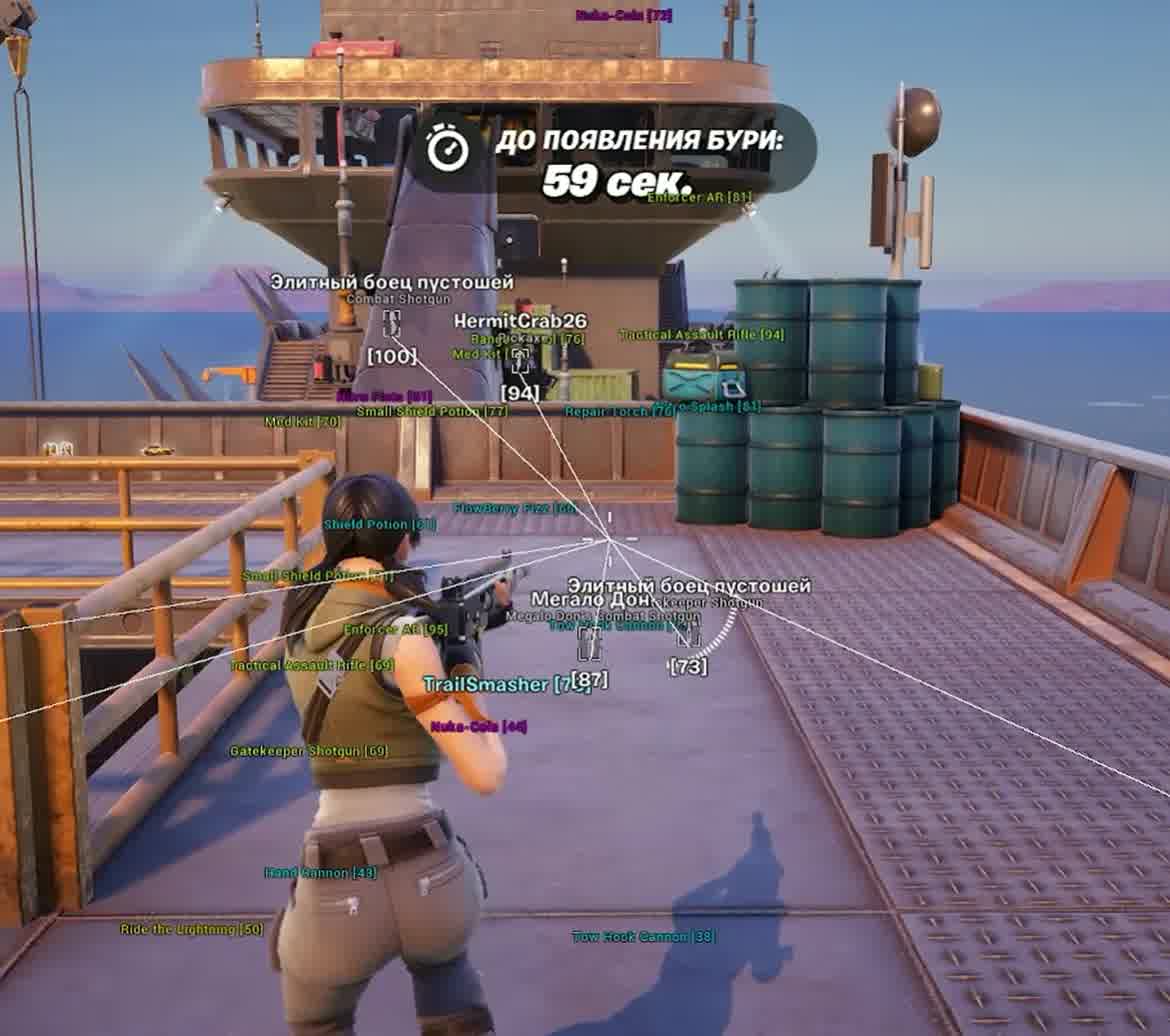
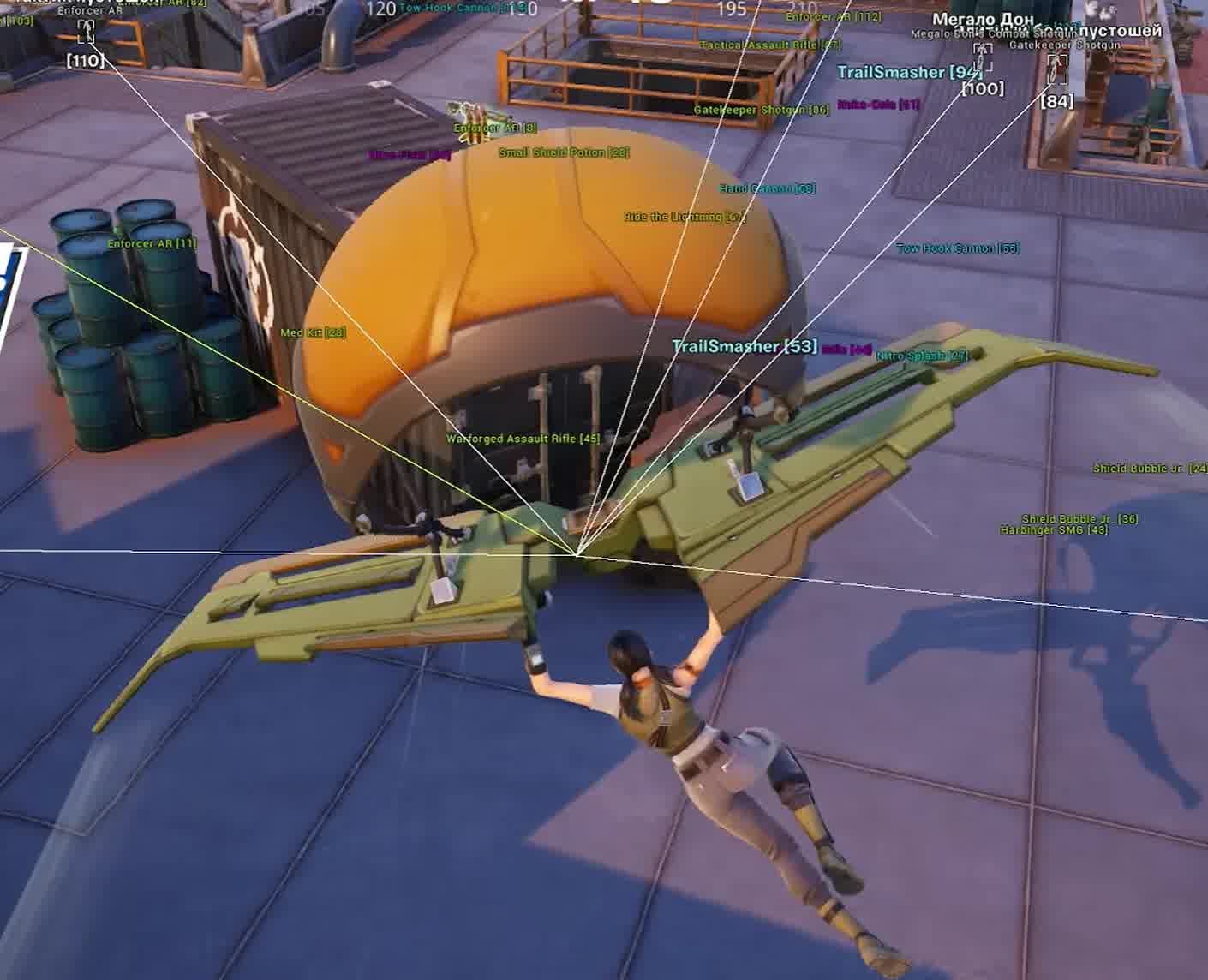
If you want to buy a cheat for Fortnite that gives you the maximum tactical edge without risky features, then Dullwave is your pick. This private Fortnite cheat was built specifically for smart players who value information. It's fully focused on ESP, letting you see everything you need to win while staying in the shadows.
With this cheat you'll get detailed info on enemy positions, their weapons and vehicles. And the advanced Loot ESP with a tier filter helps you instantly find the best gear and chests. This Fortnite private cheat is the perfect tool for anyone who wants to buy a Fortnite cheat and play at a high level, relying on their own tactics and accurate intel.
Product features
Player ESP (Clear View)
Box & Filled
Contrast in a fight. Boxes with semi-transparent fill (Filled) stand out perfectly against Fortnite's bright graphics. No enemy blends into the surroundings.Skeleton & Head
Read their movement. The skeleton shows whether an enemy is crouched behind cover or aiming at you. The highlighted head helps you line up your aim for a sniper shot.Info & Snaplines
Intel to win. See the nickname, distance and the weapon in your opponent's hands. Snaplines point you toward enemies, even when they're far away.Vehicle ESP
Mobility. Find a car or bike faster than the storm. Track enemy movement in vehicles.Loot ESP (Fast Start)
Chest & Ground Loot
Don't miss the gold. Highlights chests and ground loot. Find weapons first when dropping into a hot spot.Tier Filter
No junk. Filter out grey and green guns. See only blue tier and above to grab top-tier loadouts from the first minutes.Known issues & fixes
Real questions from our support, with the fixes that worked. Based on user requests for this product.
The cheat freezes or closes on launch, the menu doesn't appear, or features like ESP and aim don't work — what could be causing this?
This is usually caused by the loader conflicting with your antivirus or other software on your PC. Try these steps in order:
- Add the loader folder to your antivirus and Windows Defender exclusions — it can silently delete or block its files.
- Temporarily disable real-time protection and launch the loader again.
- Close background programs, overlays, and recording software before starting the game.
If that doesn't help, contact support — they'll give you a compatibility-check utility to run, then ask for a screenshot of the result for accurate diagnosis.
Cheat stopped working after PC reboot , loader shows OK but the game won't start
After each reboot, Windows Defender or another antivirus may restore its settings and block the loader files. Make sure protection is disabled, then click Start Game in the loader again.
Also verify that Valorant Anti-Cheat (vgc / vanguard) is fully uninstalled , it conflicts with the loader.
After a game update the cheat stopped working and the loader shows access as temporarily frozen — is that normal?
Yes, that's expected. After a major game update, the cheat is temporarily taken offline for an update — during this time the loader may show your access as frozen, but your subscription time is not being used up.
You don't need to reinstall or re-download the loader manually — access turns back on automatically once a new version is released for the current game patch. You can ask support for an estimated timeframe.


 Join all games chat





