Шлак полный
ARC Raiders Cheat by Dullwave
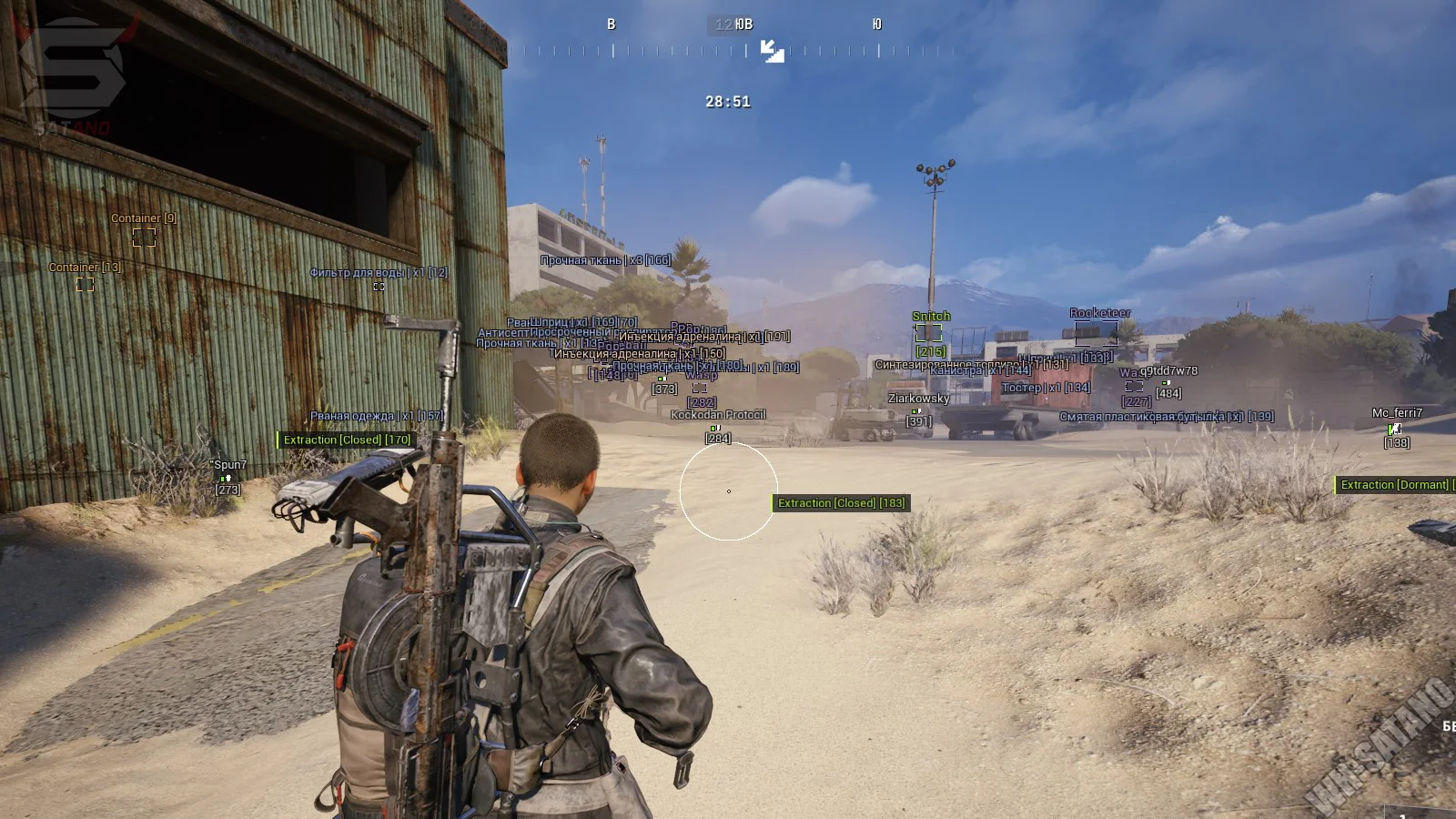
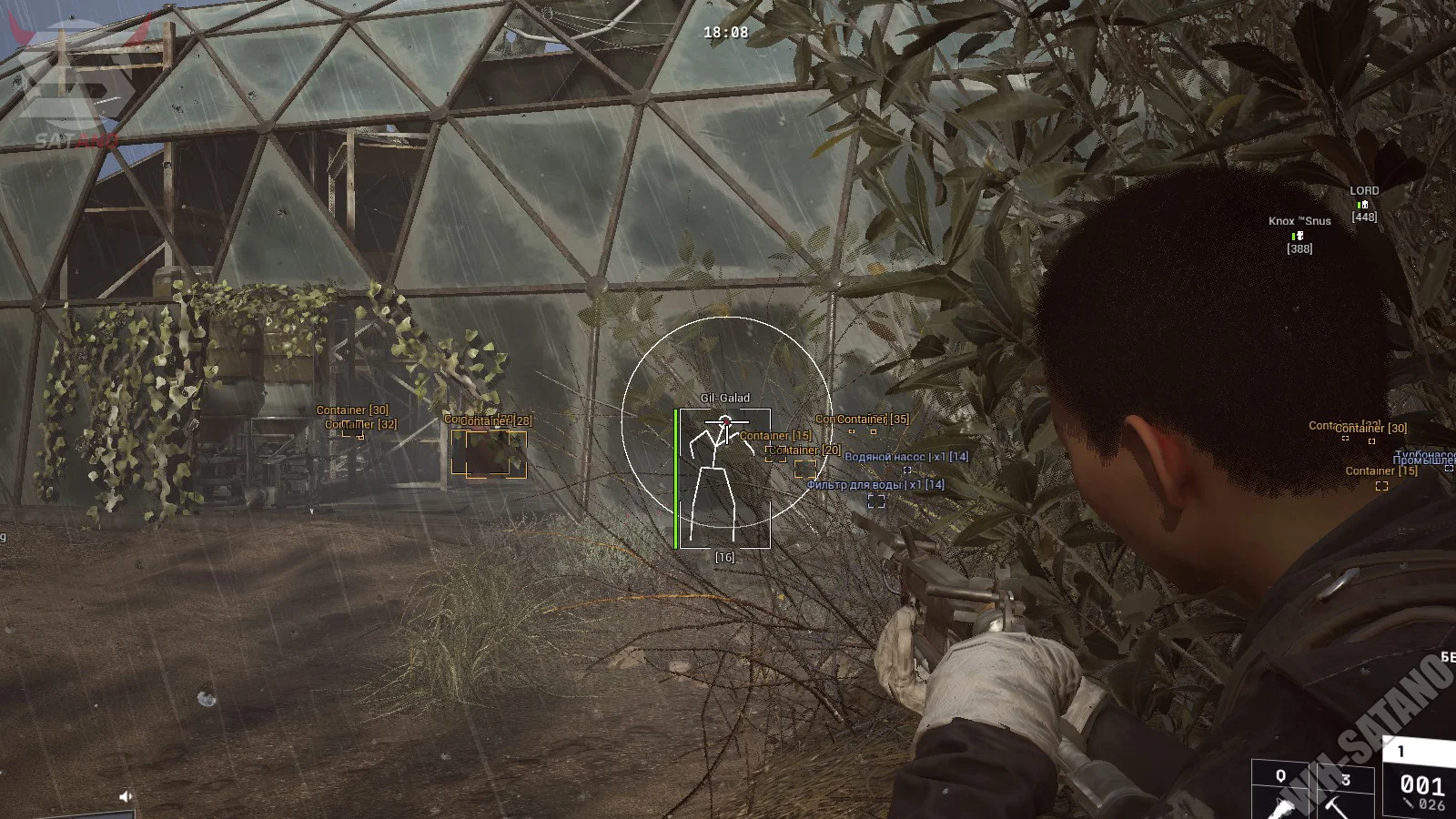
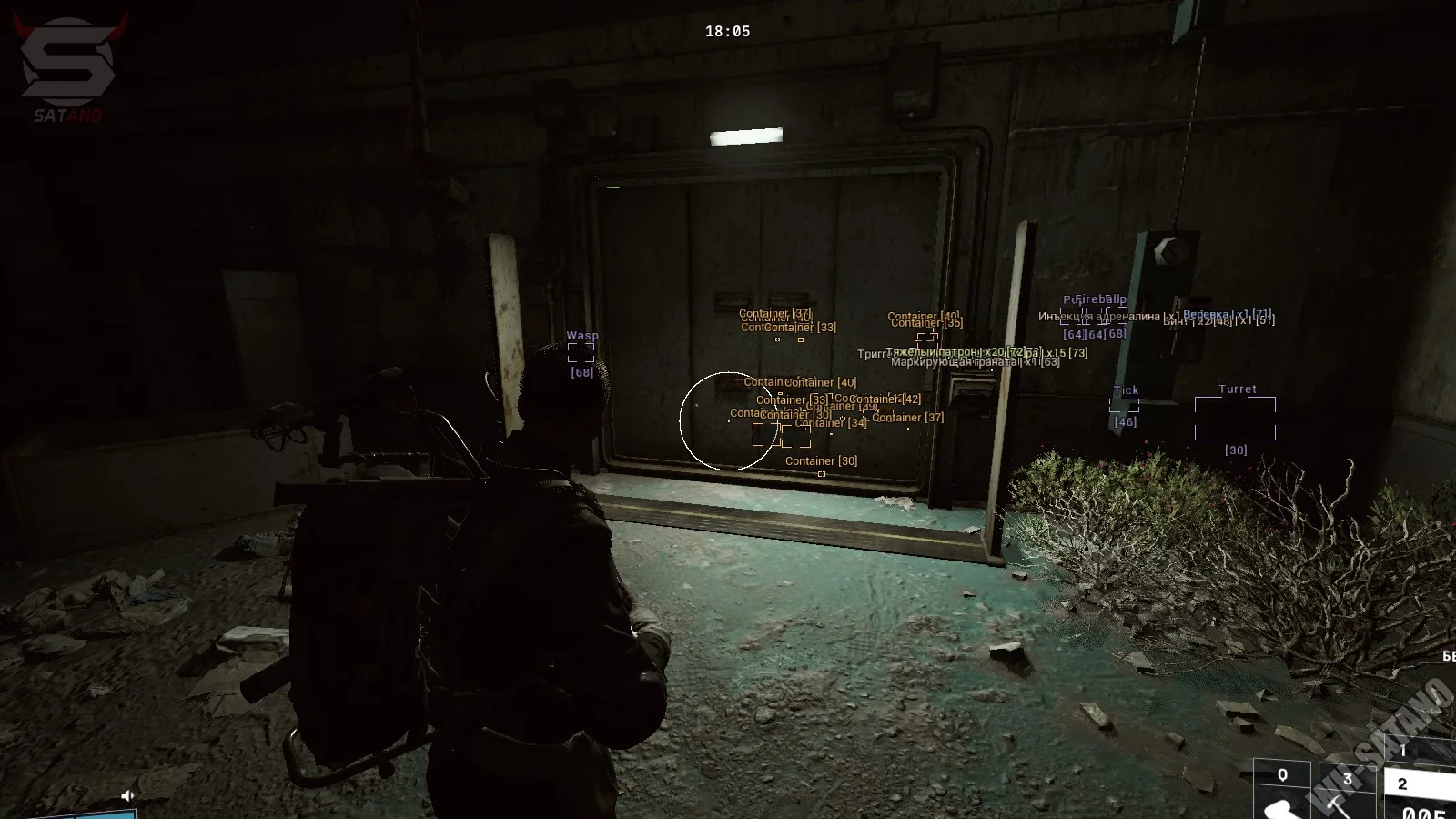
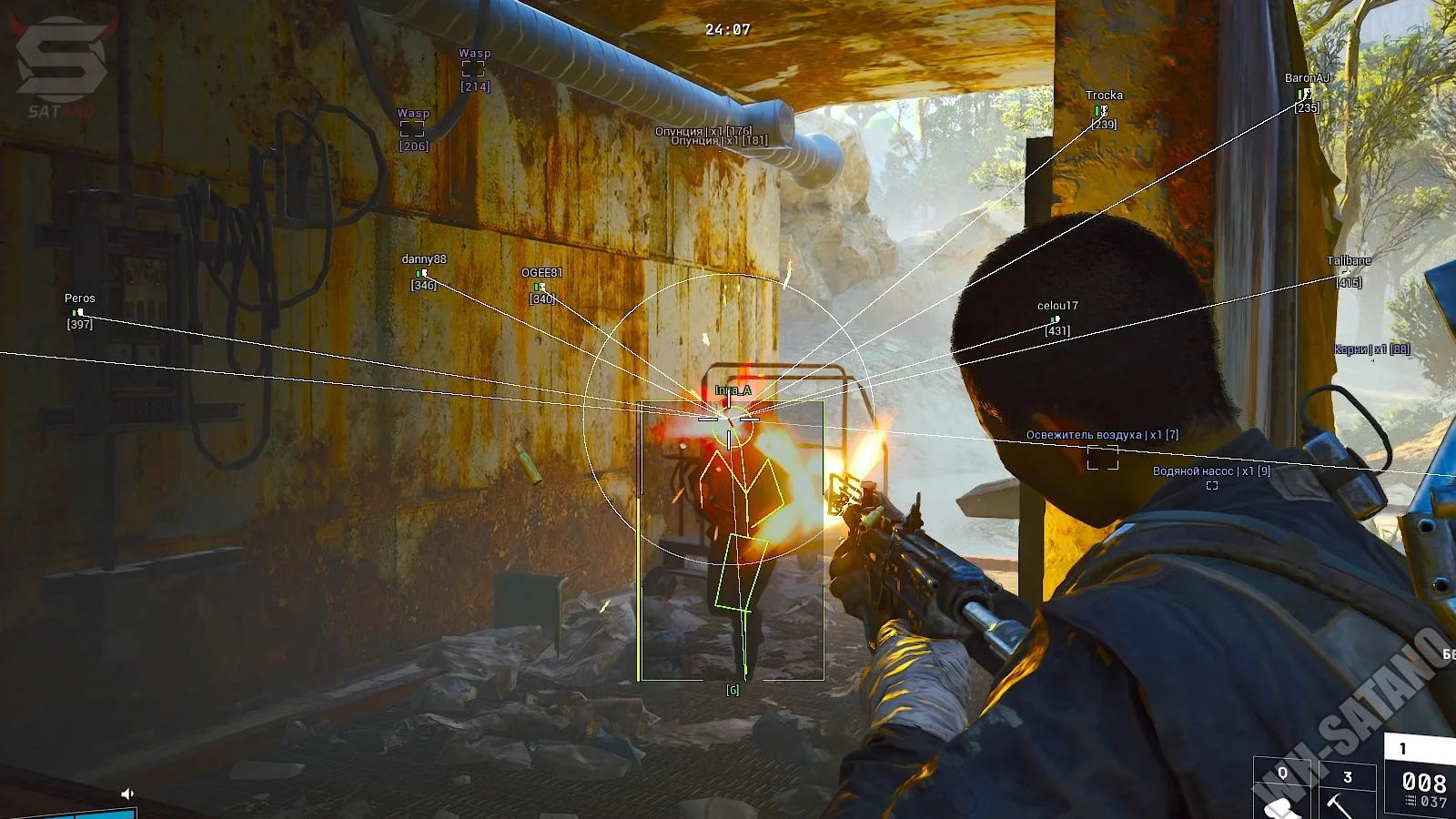
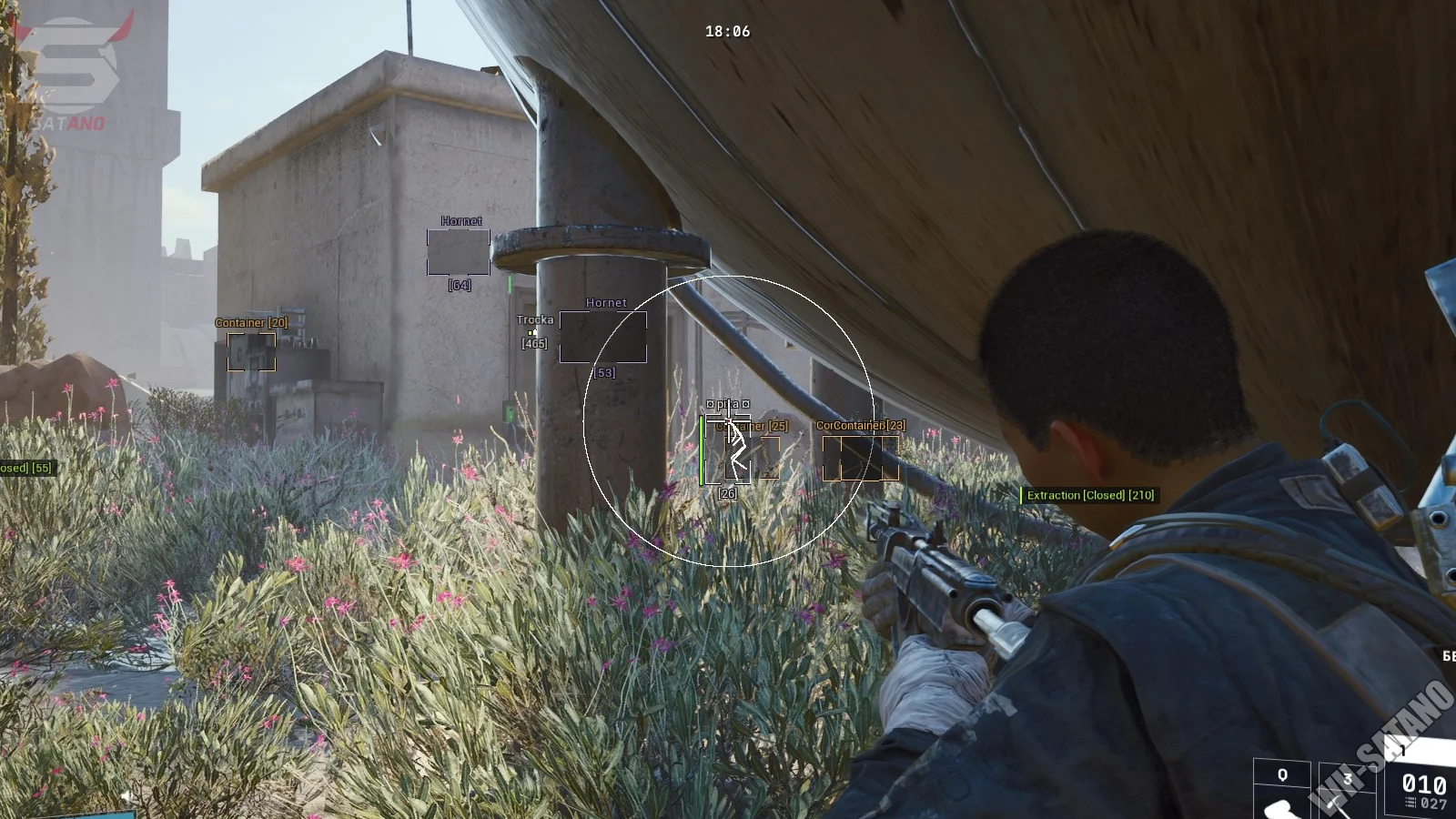
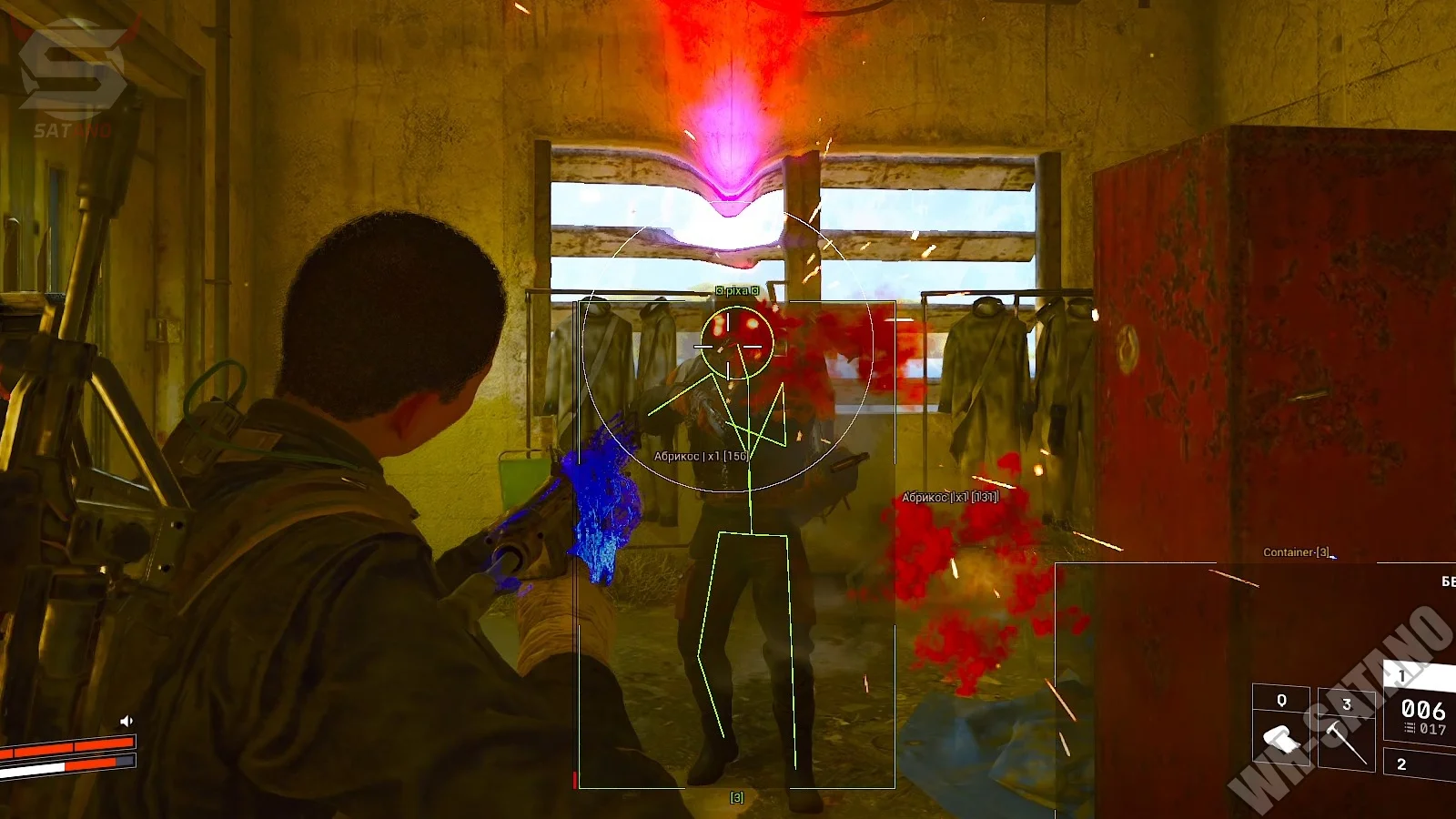
Dullwave for Arc Raiders is quality software from the Dullwave developer, known for reliable cheat solutions in shooter games. The cheat offers a solid balance between powerful features and safety. Its main advantage is the Humanize system for the aimbot, which makes crosshair movements look natural and hides software use from observers. Combined with a detailed ESP that shows not just players and robots but every loot type (recipes, currency, and more), Dullwave is a dependable tool for productive raids. Battle Mode lets you instantly clear extra information from the screen mid-fight, leaving only enemy positions visible.
Product features
Aimbot (Aim)
Enabled
Enables or disables the auto-aim function.Aim Key
Assigns a hotkey to activate the aimbot during gameplay.Bones
Selects the specific body part (bone) the aimbot targets: head, torso, etc.Draw FOV
Draws the aimbot capture radius as a circle on screen.Aim Lock
Hard-locks the crosshair onto the selected target until it goes down.Humanize
Smoothing algorithm that mimics natural hand movement for safer-looking aim.Invisibles
Lets the aimbot track targets that are invisible or hard to see.Draw Snapline
Draws a line from screen center to the aimbot target.Ignore Knocked
Aimbot automatically skips already downed enemies.FOV
Adjusts the size of the target capture area (aimbot circle radius).Smooth
Controls aim smoothness for more comfortable and less obvious tracking.Distance
Sets the maximum range at which the aimbot searches for targets.Players ESP (Wallhack)
Player ESP
Main toggle for displaying player info through walls.Style
Visual style for enemy boxes: full outline or corners only.Health Bar
Shows current enemy health as a bar.Nickname
Displays player nicknames above their models.Distance
Shows exact distance to target in meters.Skeleton
Draws a skeleton over the player model to show their pose behind cover.Snapline
Lines from your character to enemies for quick orientation.Weapon
Shows the weapon currently in the enemy's hands.Filled
Fills box backgrounds with a semi-transparent color for better visibility.Head
Separate marker (dot or circle) on each enemy's head.Extraction
Shows extraction point locations on the map.Arc
Separate display of Arc robots through obstacles.Corpse
Highlights bodies of killed players and robots for quick looting.Max Distance
Sets the maximum draw distance for players, robots, corpses, and extraction points.Items ESP (Loot Wallhack)
Enabled
Global toggle for item display.Style
Sets how item labels appear: text, icons, etc.Show Count
Shows item stack count (ammo, resources, etc.).Draw Box
Draws boxes around items on the ground.Filled
Fills item box backgrounds for contrast.Crafting Reagent
Highlights reagents needed for crafting.Crafting Part
Shows parts and components used to create items.Melee Weapon
Highlights melee weapons.Other Items
Catches miscellaneous items not in the main categories.Ammunition
Shows all ammo types.Consumable
Highlights consumables: food, water, buffs.Containers
Shows locations of crates, bags, and other loot containers.Meta Item
Highlights especially valuable or quest items.Generator
Highlights generators.Backpack
Shows backpacks lying on the ground.Currency
Highlights in-game currency.Unarmed
Filters for items that are not weapons.Recipe
Shows recipes and schematics.Gadget
Highlights gadgets and devices.Armor
Shows armor and protective gear.Heal
Highlights medkits and medical items.Item Distance
Sets the draw distance for regular items.Container Distance
Sets the draw distance for containers.Misc
Battle Mode
Emergency toggle: one key hides all Loot ESP, leaving only enemy markers for a clean combat view.Custom ESP Colors
Full color palette customization for all ESP elements.Debug ESP
Developer tool that shows the IDs of all nearby objects. Useful for adding new items to filters (send screenshots).Known issues & fixes
Real questions from our support, with the fixes that worked. Based on user requests for this product.
The cheat freezes or closes on launch, the menu doesn't appear, or features like ESP and aim don't work — what could be causing this?
This is usually caused by the loader conflicting with your antivirus or other software on your PC. Try these steps in order:
- Add the loader folder to your antivirus and Windows Defender exclusions — it can silently delete or block its files.
- Temporarily disable real-time protection and launch the loader again.
- Close background programs, overlays, and recording software before starting the game.
If that doesn't help, contact support — they'll give you a compatibility-check utility to run, then ask for a screenshot of the result for accurate diagnosis.
Cheat stopped working after PC reboot , loader shows OK but the game won't start
After each reboot, Windows Defender or another antivirus may restore its settings and block the loader files. Make sure protection is disabled, then click Start Game in the loader again.
Also verify that Valorant Anti-Cheat (vgc / vanguard) is fully uninstalled , it conflicts with the loader.
cheat menu won't open after injecting into ARC Raiders Dullwave
The menu doesn't open right away. First press F2 to inject and wait for the confirmation sound (about 20 seconds) — that signals the cheat has loaded. Only after that, press Insert to open the menu window.
If the menu still doesn't appear after this sequence, contact support — the loader version or keybind may need to be checked.
Dullwave ARC Raiders cheat won't launch, shows an error on startup
If you get an error when starting the cheat, the most common cause is your ISP or regional network blocking the connection to the loader servers.
Connect via a VPN before launching the cheat, then run the loader again. In most cases this resolves the issue immediately.
After a game update the cheat stopped working and the loader shows access as temporarily frozen — is that normal?
Yes, that's expected. After a major game update, the cheat is temporarily taken offline for an update — during this time the loader may show your access as frozen, but your subscription time is not being used up.
You don't need to reinstall or re-download the loader manually — access turns back on automatically once a new version is released for the current game patch. You can ask support for an estimated timeframe.
Dullwave




