
Dullwave Cheat for Marvel Rivals: Become a Superhero with a Legit Aimbot!
 Dullwave

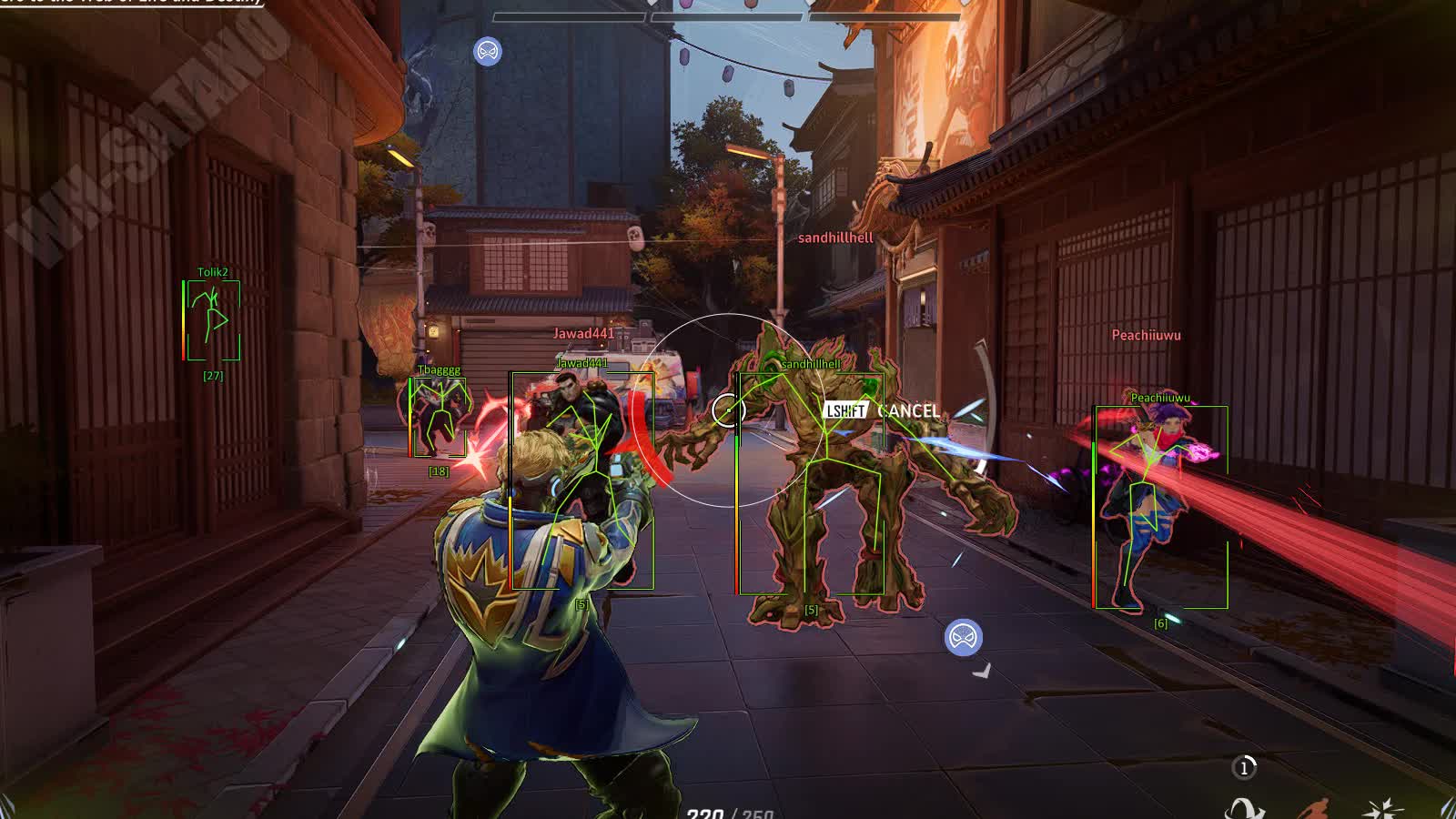
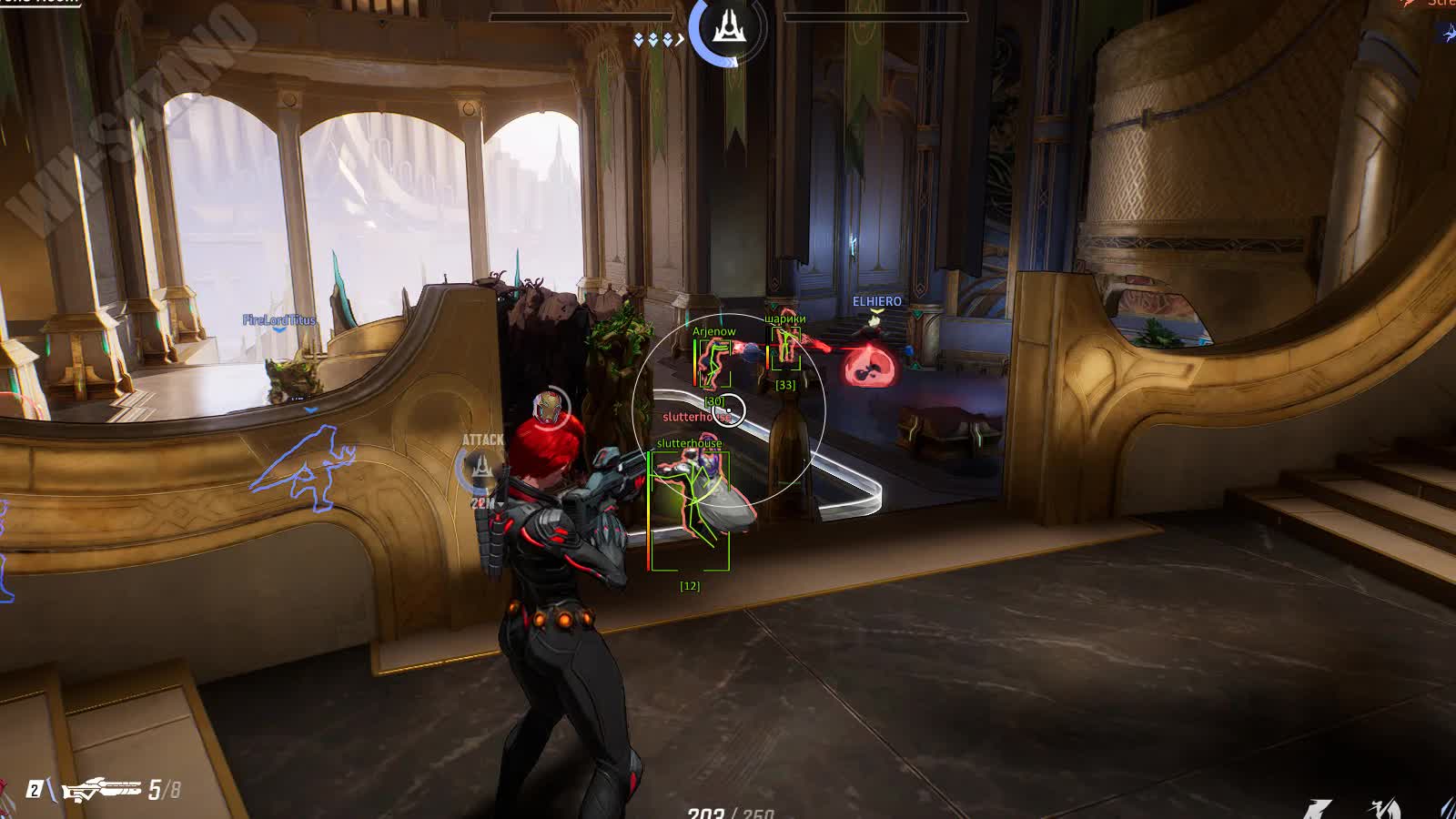
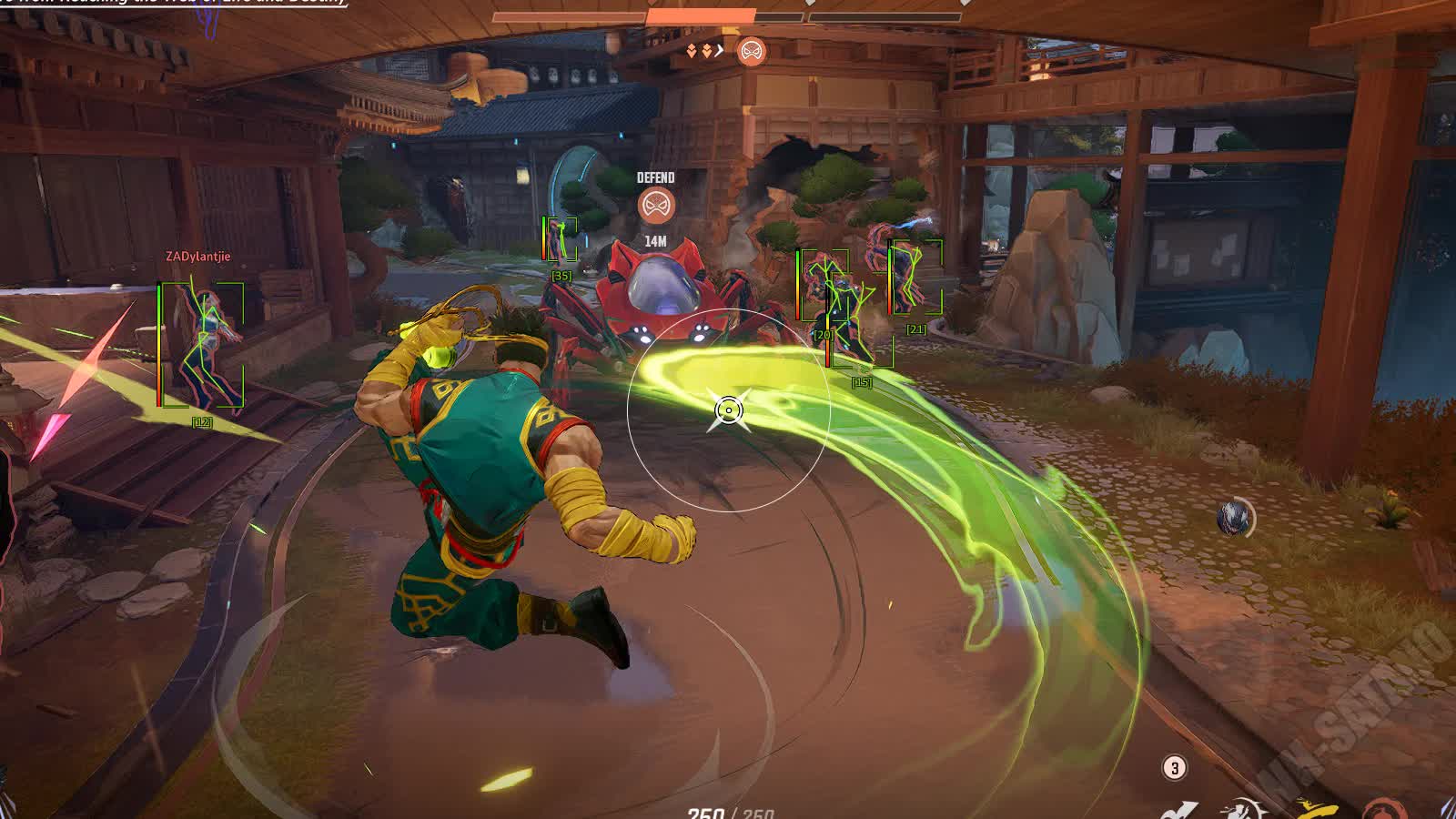
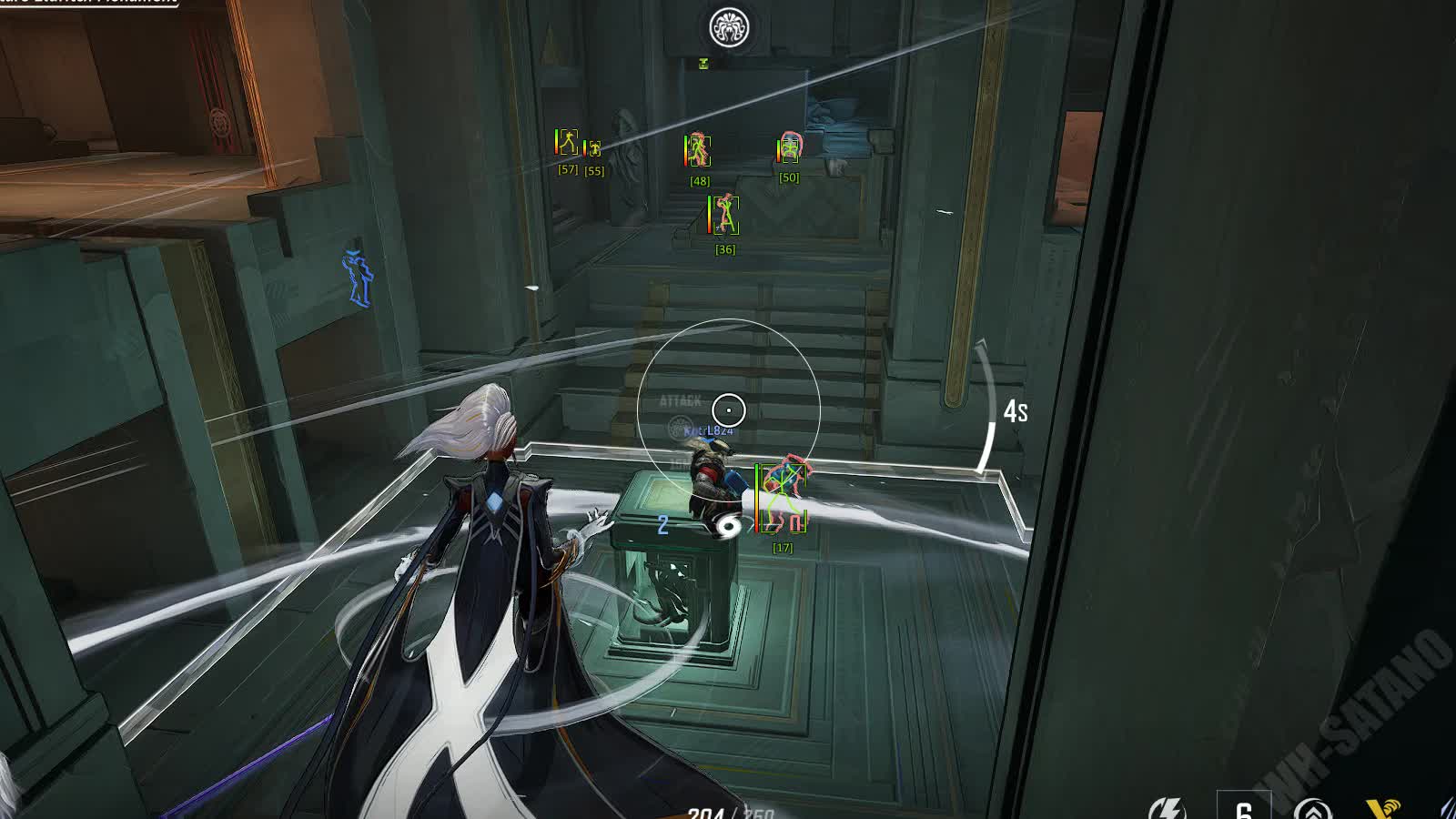
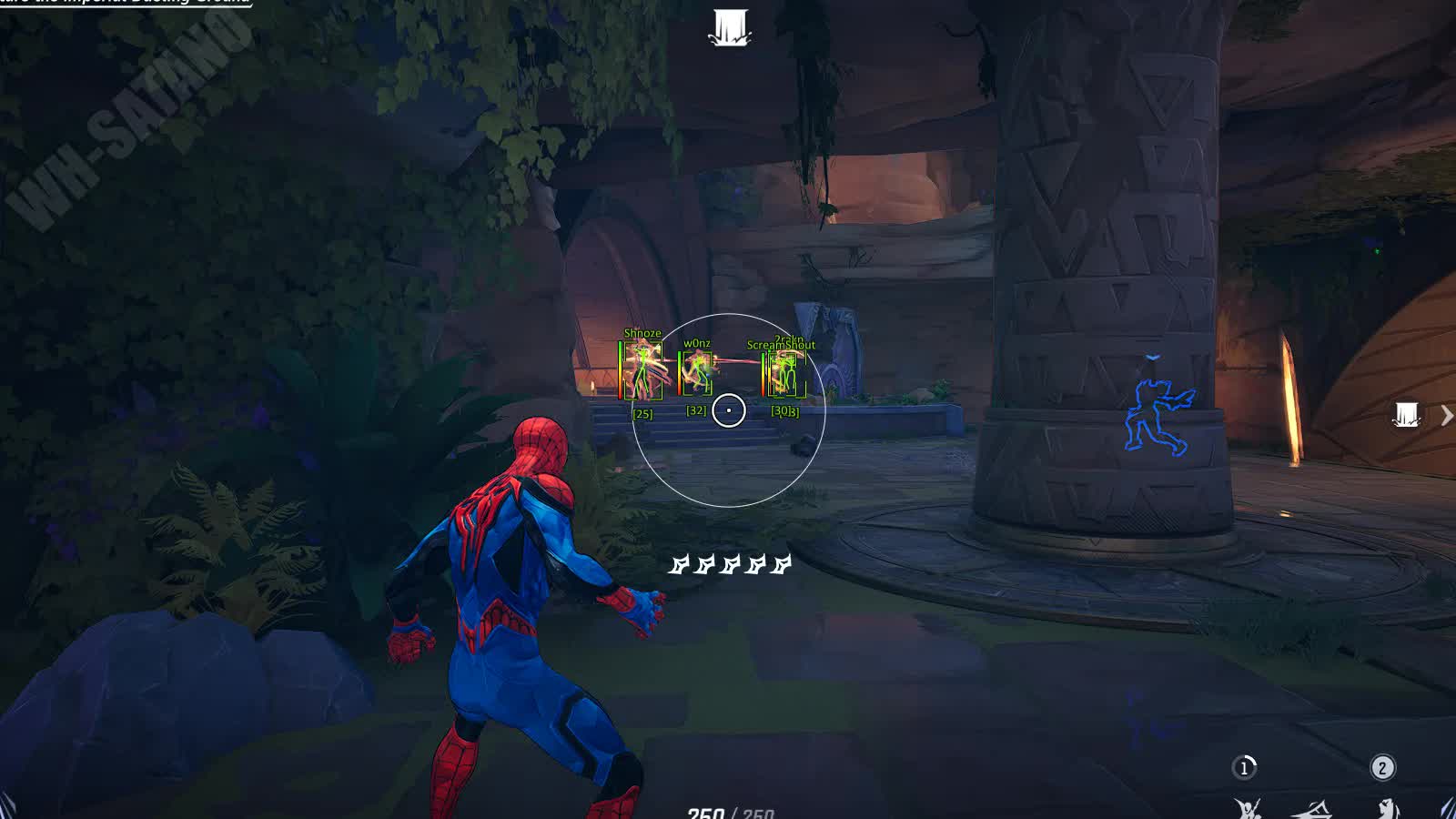
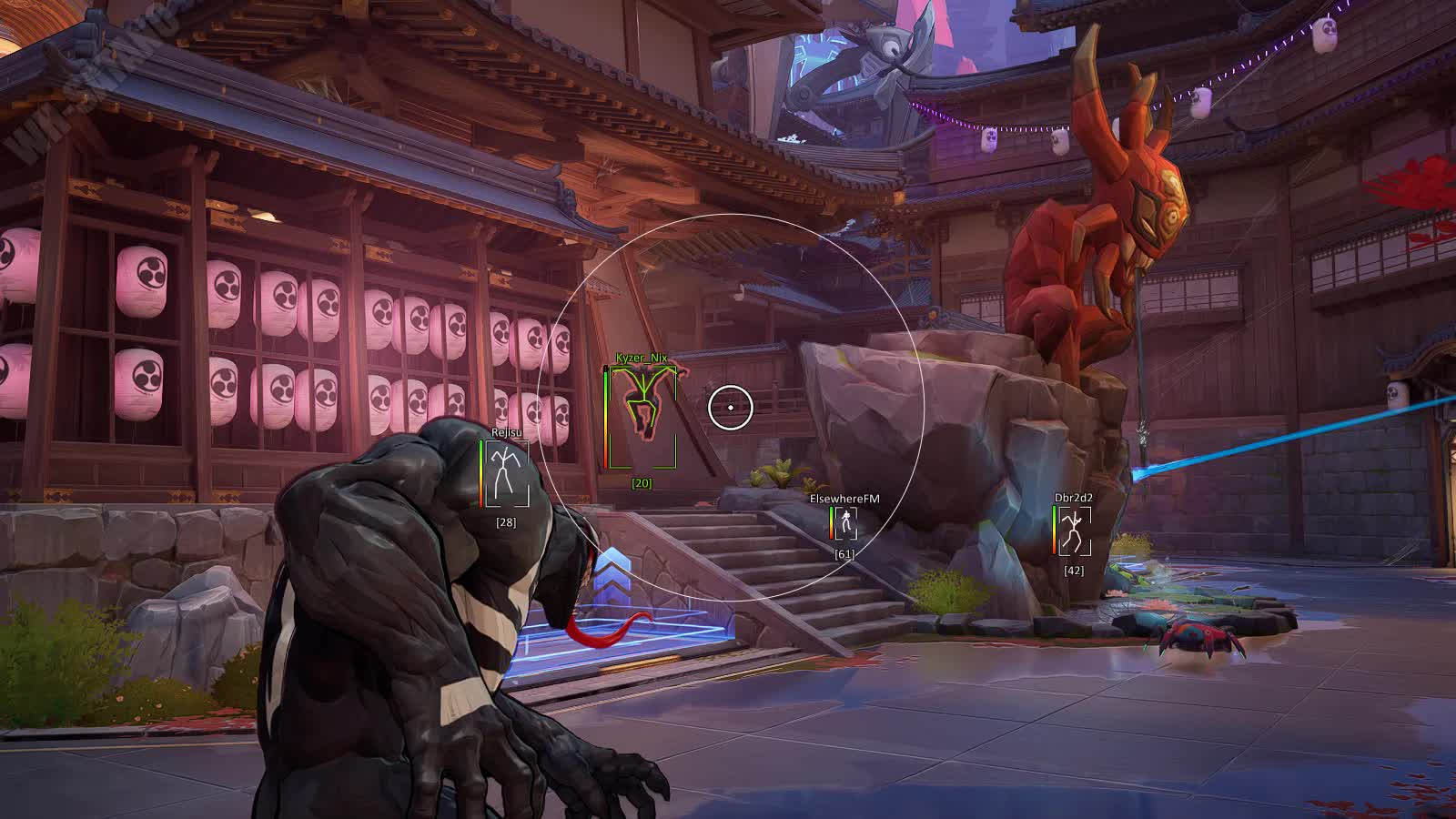
Storm into the colorful, fast-paced battles of Marvel Rivals with the tactical edge delivered by the cheat from developer Dullwave. This product is built to give you an advantage without breaking the natural flow of the game.
The key feature is the Aimbot with "Humanize" mode, which simulates human movement to make your aim precise yet as legit as possible. Backed by a classic ESP (Wallhack), this cheat lets you see enemies through walls and stay ready for every fight, turning you into the most valuable player on the battlefield.
Product features
Aimbot (Legit Shooting)
Control and Activation
Toggle the aimbot on a convenient key (Bind). The Humanize feature smooths out cursor movement, mimicking a human hand, perfect for anyone who doesn't want to get caught.Behavior Settings
Pick the priority bone to aim at. Visible Check lets you decide: only shoot visible targets or try to shoot through walls (where possible).Visual Feedback
Adjust the FOV circle and its color to match your interface. The Snapline always shows exactly who the aimbot is currently locked onto, so you never lose control.Aim Smoothness
Tune Smooth: the higher the value, the softer the lock-on. Find the balance between robot-like precision and natural movement.Player ESP (Tactical Wallhack)
Display Style
Choose between full 2D boxes or minimalist corners. Skeletons show the enemy's exact pose, whether they're crouching, jumping, or using an ultimate.Information
HP bar, nickname, and distance to target. All the key info above an enemy's head helps you assess the threat instantly.Enemy Focus
The Enemy Only filter hides teammates, leaving only targets on your screen. Snapline lines point toward the nearest enemies.Known issues & fixes
Real questions from our support, with the fixes that worked. Based on user requests for this product.
The cheat freezes or closes on launch, the menu doesn't appear, or features like ESP and aim don't work — what could be causing this?
This is usually caused by the loader conflicting with your antivirus or other software on your PC. Try these steps in order:
- Add the loader folder to your antivirus and Windows Defender exclusions — it can silently delete or block its files.
- Temporarily disable real-time protection and launch the loader again.
- Close background programs, overlays, and recording software before starting the game.
If that doesn't help, contact support — they'll give you a compatibility-check utility to run, then ask for a screenshot of the result for accurate diagnosis.
Cheat stopped working after PC reboot , loader shows OK but the game won't start
After each reboot, Windows Defender or another antivirus may restore its settings and block the loader files. Make sure protection is disabled, then click Start Game in the loader again.
Also verify that Valorant Anti-Cheat (vgc / vanguard) is fully uninstalled , it conflicts with the loader.
After a game update the cheat stopped working and the loader shows access as temporarily frozen — is that normal?
Yes, that's expected. After a major game update, the cheat is temporarily taken offline for an update — during this time the loader may show your access as frozen, but your subscription time is not being used up.
You don't need to reinstall or re-download the loader manually — access turns back on automatically once a new version is released for the current game patch. You can ask support for an estimated timeframe.


 Join all games chat





