very good!
Become a force to be reckoned with on the battlefield with the cheat for Marvel Rivals from trusted developer Ancient. This product is built for players who value clean efficiency and stability. In fast-paced fights where heroes fly, teleport and tear up the environment, accuracy and awareness become your main weapon.
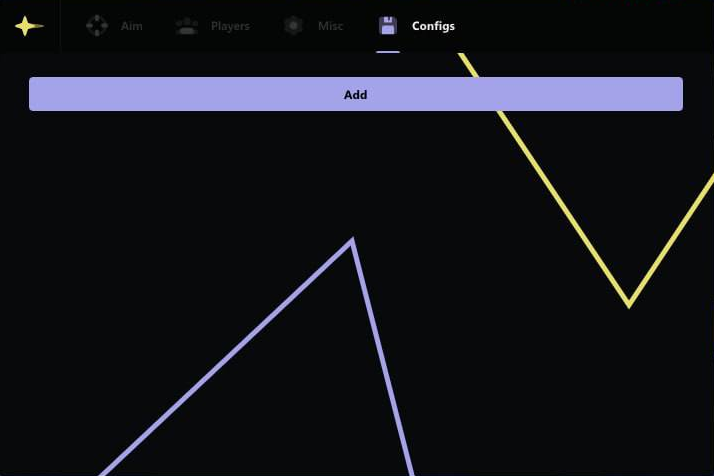
This software offers a perfectly balanced set of features: an advanced Aimbot with flexible settings and a clean ESP that doesn't clutter your screen with junk info. With a convenient system for saving and sharing configs, you'll always be ready for battle.
Product features
AIM (Aimbot)
Fine-tuned AIM
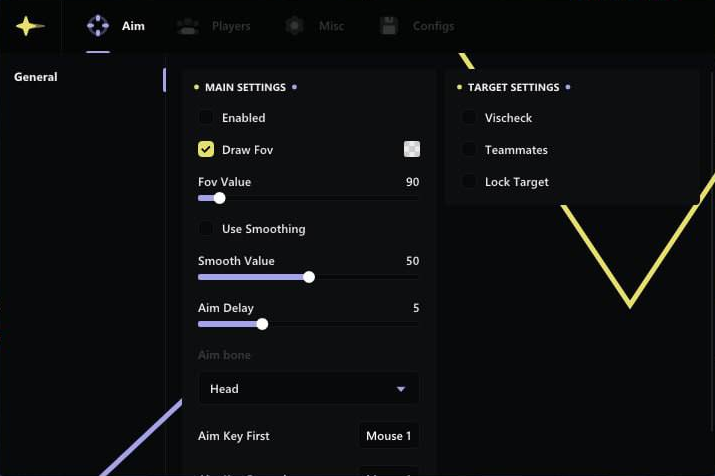
Turn on the aimbot, adjust the FOV radius, smoothness and trigger delay. Tune the behavior to your style, from gentle support to aggressive DPS.Target selection by hitbox
Lock onto exactly where you want the damage: head for crits, neck or body for steady hits on heroes that are always on the move.Target lock and filters
Lock your target and don't let go until it goes down. Ignore teammates and enemies behind walls so the aimbot only works on real threats.ESP (Visuals)
Full combat visuals
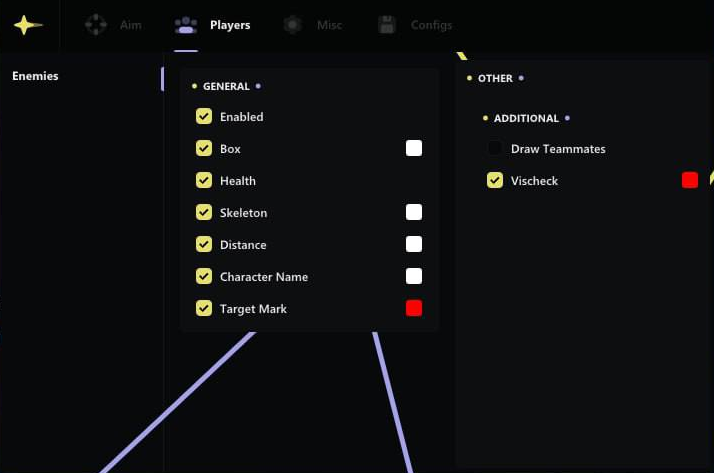
Boxes, skeletons, health bars, names and distance, all the key info on the enemy right on your screen. Easy to read who you can take down on your next cast.Coloring and visibility
Customize colors for enemies and allies, and when an enemy is in direct line of sight the color changes, instantly clear who's already in range of your damage.AIM target marker
A separate highlight for the aimbot's current target. You always see who the next volley is going to, even in the most brutal teamfight.FPS and optimization
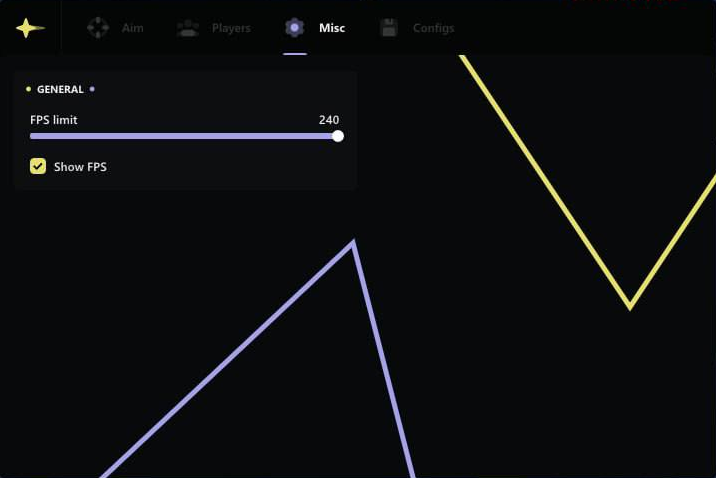
An FPS cap and a current-frames display help keep the picture smooth even during massive brawls packed with effects.Config (Configuration)
Profile system
Create separate configs for different heroes or roles, sniper, bruiser, mage. Load the preset you need in a couple of seconds before the match.Saving and sharing
Save and load your settings, share ready-made configs with teammates so your whole squad plays at the same comfort level.Known issues & fixes
Real questions from our support, with the fixes that worked. Based on user requests for this product.
The cheat's menu or overlay won't open with the hotkey after installing it
This is usually caused by antivirus software or third-party overlays intercepting the hotkey.
- Add the program and its folder to your antivirus exclusions, including Windows Defender.
- Close third-party overlays (GPU software, screen recorders, voice chat apps) — they can block the menu from showing.
- Open the menu while you're actually in a match, not in the lobby or main menu.
- Run the loader and the game in windowed or borderless mode.
- Fully close and relaunch the loader, and try running it as administrator.
If the menu still doesn't appear, record a video of the launch process from start to loading into the game and send it to support.
The computer goes to a black screen or restarts after launching the cheat
This is most often caused by antivirus software interfering with the process during injection.
- Add the program and the loader folder to your antivirus exclusions, including Windows Defender.
- Close other overlays and unnecessary background programs before launching.
If the issue continues, record a video of the entire launch process and contact support — without a recording it is hard for the developer to pinpoint the cause.
Hyper-V error / 'Please make sure PIN is not set' when launching the loader
Hyper-V must be fully disabled and the Windows PIN sign-in option must be removed (Settings → Accounts → Sign-in options).
If disabling Hyper-V through Windows Features doesn't work, run the following in an Administrator PowerShell session:
- takeown /F "C:\Windows\System32\hvix64.exe"
- icacls "C:\Windows\System32\hvix64.exe" /grant *<SID>:F
- Repeat for hvax64.exe, then delete both files with del.
Reboot and try the loader again.
I launch the loader but the window never appears / loader doesn't open
To diagnose the issue, follow these steps:
- Download the Sordum utility (available from technical support; archive password: sordum).
- Run it, click Search, and wait for the scan to finish.
- Take a screenshot of the result and send it to support , this allows the team to identify the exact cause.
The cheat I bought went into maintenance status after a game update — does my subscription time run out
No, subscription time is not consumed while the cheat is under maintenance after a game patch.
Wait for the update to finish — this usually takes anywhere from a few hours to a couple of days. If the wait drags on too long, you can contact support and ask for downtime compensation.
Loader fails to start when FaceIT anti-cheat is installed
FaceIT Anti-Cheat is incompatible with this software. Completely uninstall FaceIT Anti-Cheat via Windows «Apps & Features», then reboot your PC and launch the loader again.
The cheat says my installed Windows version is not supported
Some cheat versions are not yet compatible with the very latest Windows builds.
In that case, the fix is to roll back to an earlier stable Windows version that the program is confirmed to work with. If you are unsure about compatibility, check the supported versions with support before buying.
After switching game accounts, the cheat stops launching or working
If the cheat was working but stopped attaching or launching after you switched to a different game account, restarting your computer usually fixes it.
- fully close the loader and the cheat;
- restart your computer;
- launch the loader and cheat again under the account you need.
If the issue happens again after restarting, try connecting through a VPN.
The instructions page or account area on the site won't load
If the page with instructions, the loader, or your account area won't load, it's usually because your internet provider is blocking access.
- try opening the page through a VPN;
- check whether the site loads on mobile data instead;
- if the problem persists, contact support — they can send you the materials another way.
Do I need to clean my system before installing a different cheat
A special system cleanup usually is not necessary.
It is enough to fully uninstall the previous loader before installing a new cheat, to avoid conflicts between programs.
Ancient




