Ancient Warzone Cheat: Private Software for Dominating Call of Duty!

Working
Ancient Ancient
Last update 20.08.2026 This date shows when the software was last updated. An old date doesn't mean the software stopped working! Most likely the developer just had nothing new to add. If you have any doubts, you can always check the current status with our support team.
Add another cheat from this game too — to compare them.
Ancient Warzone
Steam
Windows support: 10: all builds; 11: all builds
Menu language: English
Spoofer:No
USB drive:No
BIOS:No

User information

Stop adapting, it's time to dominate. Take control of the game with the Ancient Warzone cheat!

VIDEO
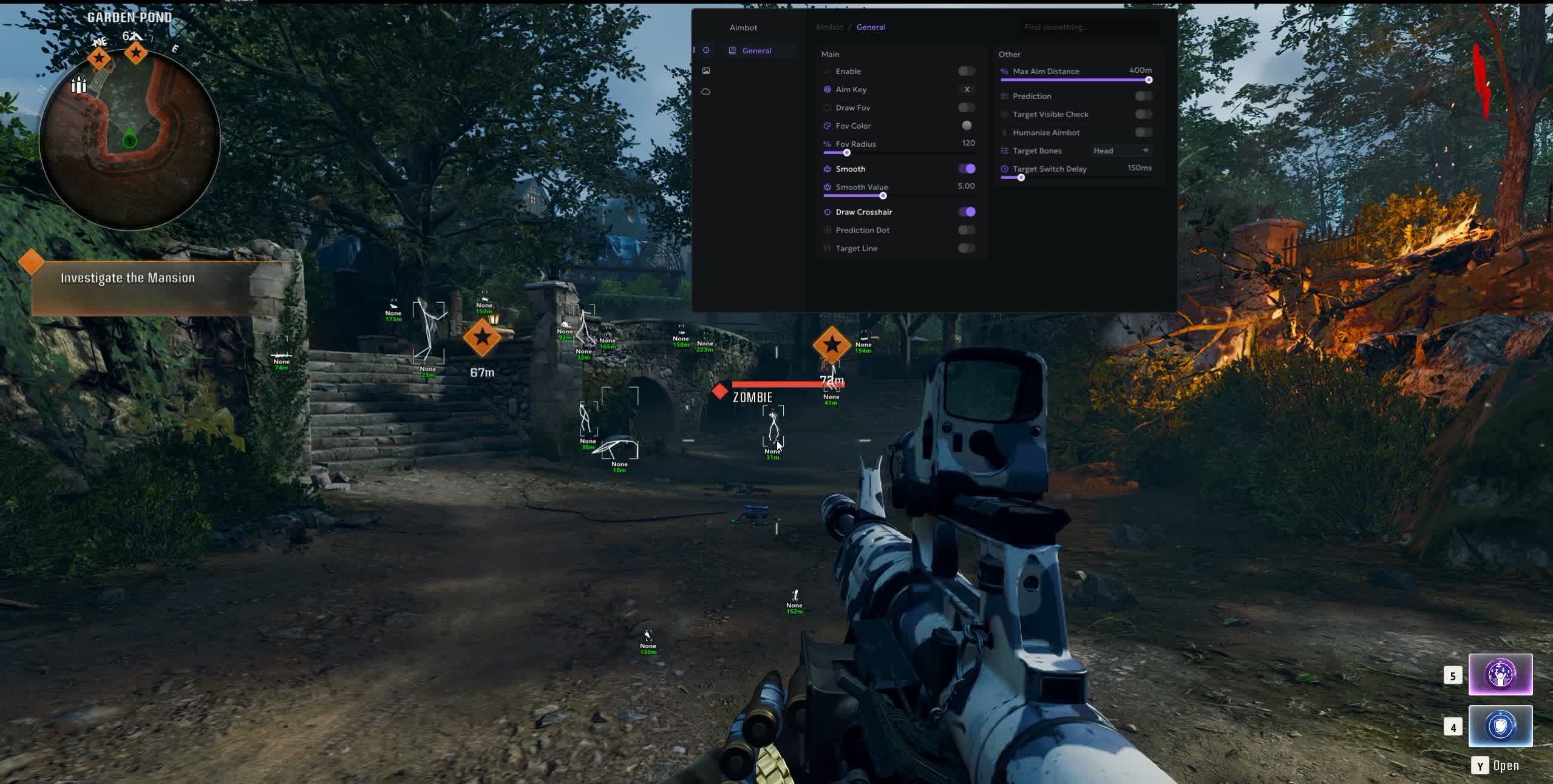
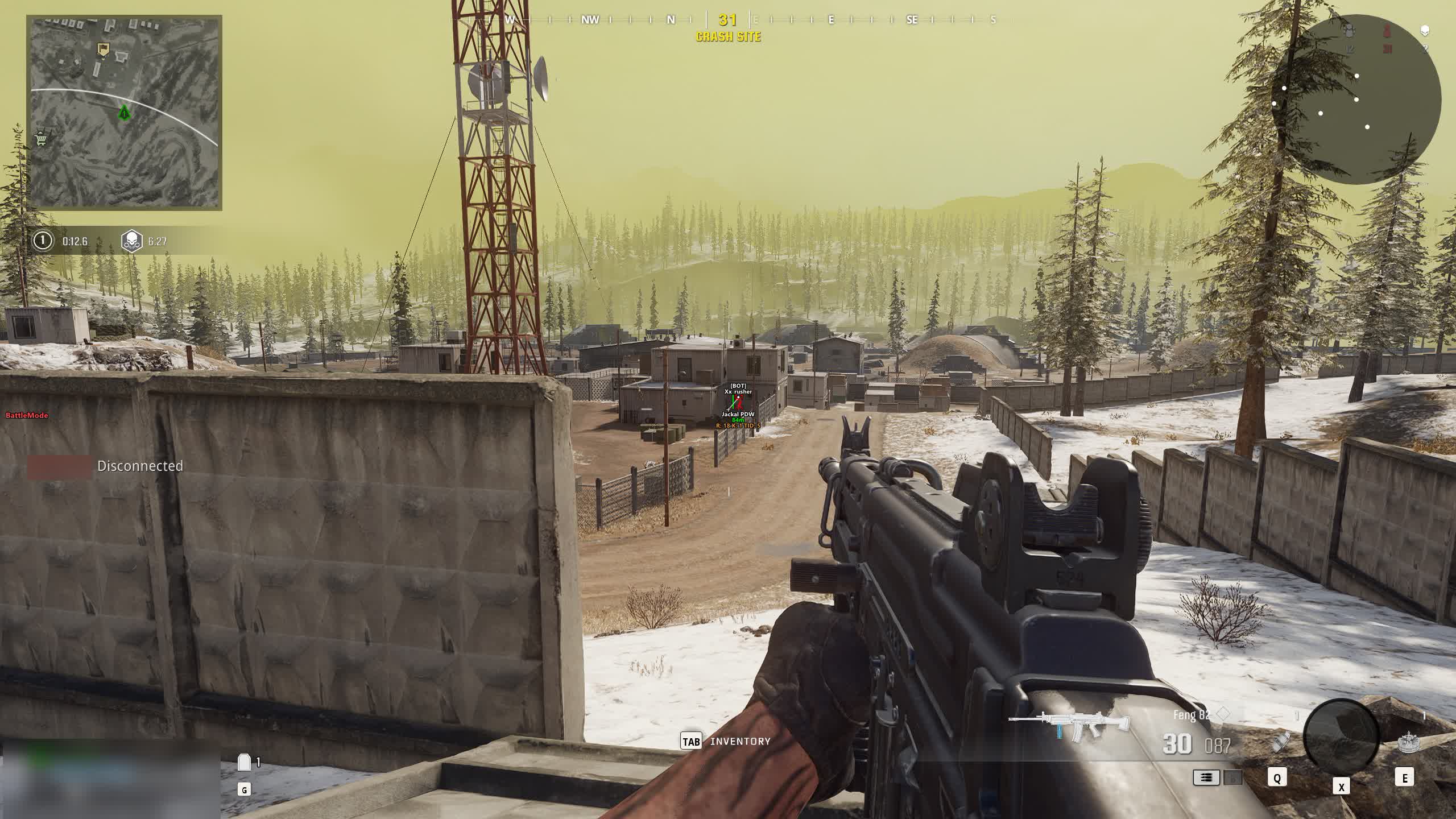
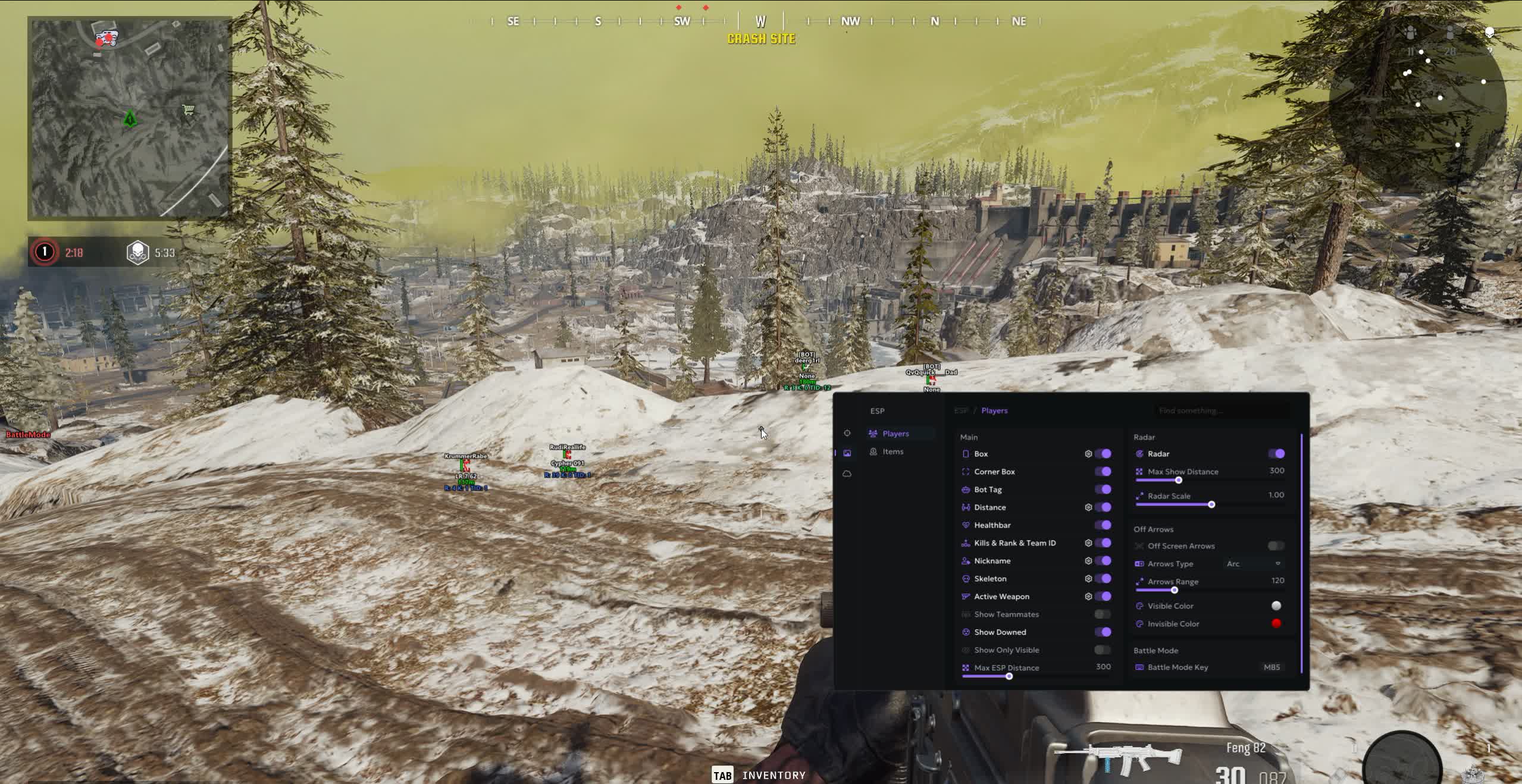
SCREENSHOTS
Description

In the fast-paced, brutal world of Call of Duty: Warzone, victory is decided by milliseconds and precision. The Ancient Warzone cheat is your ticket to the top tier, a high-tech tool from the Ancient team built for those who want absolute control. This product offers more than just help, it gives you a full-blown tactical edge.

With an advanced Aimbot that predicts enemy movement and incredibly detailed ESP with a loot filter, you'll stop being a victim of circumstance and start dictating your own rules. Add the "Battle Mode" for maximum focus in a fight, plus a convenient config system, and you've got the perfect tool for domination.

Product features

AIM (Professional Setup)

Humanize & Prediction Dot

Maximum legitness. The Humanize feature makes your aim movements look natural, while the Prediction Dot tells you exactly where to shoot manually.

Target Delay & Bone Select

Smart control. A delay when switching targets hides the aimbot's work. Pick any body part: from the head to the pelvis, so you don't get flagged by spamming only headshots.

ESP (Combat Efficiency)

Off Arrows & Battle Mode

Peripheral vision. Arrows show enemies beyond the edges of your screen. Flip on Battle Mode with a single key to clear out the clutter (Loot/names) and see only enemy skeletons in the chaos.

Rank & Kills Info

Threat scanner. See the rank, kill count and team ID of the enemy. Know whether it's worth pushing a sweat or if there's a newbie in front of you.

Items (Flexible Looting)

Categories & Colors

Your interface. Set the color and distance for each loot category separately. Make cash green and legendary weapons gold.

Global Distance

Optimization. Adjust the loot draw distance (1-1000m) so you don't clutter your screen and only see the nearest resources.

Settings (Convenience)

Config System

Share your settings. Create, save and swap configs with friends. Carry your perfect setup over to any account.

Development history

20.08.2025

"Winner's Arsenal" Update for Ancient Warzone

⚡️ Massive Ancient Cheat Update for COD: Warzone! ⚡️

We've shipped a large-scale update packed with new tactical options, improved customization, and increased stability.

✅ What's new:

🎯 Aimbot Improvements:
  • Target ignoring: Added options to ignore bots and knocked players during targeting.
  • Lock Target: New "Lock Target" feature to keep your crosshair locked onto a single enemy.
  • Natural aiming: Added "Randomize Bone" option for random bone selection, making aimbot movement look more legit.
👁️ Visual & Tactical Improvements (ESP):
  • Smart lines: Lines to players are now only drawn when the target is in direct line of sight.
  • ESP customization: You can now toggle Kill count, Rank, and Squad number displays individually.
  • Explosives ESP: Added display for throwables and explosives (grenades, C4, mines).
  • Dynamic FOV: Aimbot radius now automatically adjusts based on whether you're aiming down sights.
⚙️ UI & Quality of Life:
  • Radar customization: You can now drag the radar anywhere on screen and customize its colors.
  • Gamepad support: Full "Controller Mode" has been added.
🛠️ Bug Fixes:
  • Fixed a bug where the aimbot could fail to work in certain situations.

Thanks for choosing us! Update now and experience total control over the battlefield!

Known issues & fixes

Real questions from our support, with the fixes that worked. Based on user requests for this product.

The cheat's menu or overlay won't open with the hotkey after installing it

This is usually caused by antivirus software or third-party overlays intercepting the hotkey.

  • Add the program and its folder to your antivirus exclusions, including Windows Defender.
  • Close third-party overlays (GPU software, screen recorders, voice chat apps) — they can block the menu from showing.
  • Open the menu while you're actually in a match, not in the lobby or main menu.
  • Run the loader and the game in windowed or borderless mode.
  • Fully close and relaunch the loader, and try running it as administrator.

If the menu still doesn't appear, record a video of the launch process from start to loading into the game and send it to support.

The computer goes to a black screen or restarts after launching the cheat

This is most often caused by antivirus software interfering with the process during injection.

  • Add the program and the loader folder to your antivirus exclusions, including Windows Defender.
  • Close other overlays and unnecessary background programs before launching.

If the issue continues, record a video of the entire launch process and contact support — without a recording it is hard for the developer to pinpoint the cause.

Hyper-V error / 'Please make sure PIN is not set' when launching the loader

Hyper-V must be fully disabled and the Windows PIN sign-in option must be removed (Settings → Accounts → Sign-in options).

If disabling Hyper-V through Windows Features doesn't work, run the following in an Administrator PowerShell session:

  • takeown /F "C:\Windows\System32\hvix64.exe"
  • icacls "C:\Windows\System32\hvix64.exe" /grant *<SID>:F
  • Repeat for hvax64.exe, then delete both files with del.

Reboot and try the loader again.

I launch the loader but the window never appears / loader doesn't open

To diagnose the issue, follow these steps:

  • Download the Sordum utility (available from technical support; archive password: sordum).
  • Run it, click Search, and wait for the scan to finish.
  • Take a screenshot of the result and send it to support , this allows the team to identify the exact cause.
The cheat I bought went into maintenance status after a game update — does my subscription time run out

No, subscription time is not consumed while the cheat is under maintenance after a game patch.

Wait for the update to finish — this usually takes anywhere from a few hours to a couple of days. If the wait drags on too long, you can contact support and ask for downtime compensation.

Loader fails to start when FaceIT anti-cheat is installed

FaceIT Anti-Cheat is incompatible with this software. Completely uninstall FaceIT Anti-Cheat via Windows «Apps & Features», then reboot your PC and launch the loader again.

The cheat says my installed Windows version is not supported

Some cheat versions are not yet compatible with the very latest Windows builds.

In that case, the fix is to roll back to an earlier stable Windows version that the program is confirmed to work with. If you are unsure about compatibility, check the supported versions with support before buying.

After switching game accounts, the cheat stops launching or working

If the cheat was working but stopped attaching or launching after you switched to a different game account, restarting your computer usually fixes it.

  • fully close the loader and the cheat;
  • restart your computer;
  • launch the loader and cheat again under the account you need.

If the issue happens again after restarting, try connecting through a VPN.

The instructions page or account area on the site won't load

If the page with instructions, the loader, or your account area won't load, it's usually because your internet provider is blocking access.

  • try opening the page through a VPN;
  • check whether the site loads on mobile data instead;
  • if the problem persists, contact support — they can send you the materials another way.
Do I need to clean my system before installing a different cheat

A special system cleanup usually is not necessary.

It is enough to fully uninstall the previous loader before installing a new cheat, to avoid conflicts between programs.

All issues & general troubleshooting
TARIFFS
$4.00
BUY What happens after payment?
Got a question? Ask before you pay

We'll help you choose and sort out any launch issue. Ask us anything before buying, we're always on your side.

Support 10:00–22:00, sometimes we reply at night too
Ask a question
Update history
  • 20.08.2026 Working
    Received an update
  • 20.08.2026 Frozen
    Sent for update, time frozen
  • 17.08.2026 Working
    Received an update

Available tariffs

1 day
$4.00
START PURCHASE
3 days
$8.00
START PURCHASE
7 days
$13.00
START PURCHASE
30 days
$30.00
START PURCHASE
Reviews about Ancient Warzone
216 sales on Digiseller No text reviews yet — be the first to leave one.

Your review

Reviews are published after moderation.

Join our gaming community chat

Discuss current cheats from developers and how to use them effectively in popular online games. Share tactics, exchange useful info and find like-minded players in our community.

1 900+Members
24/7Online
Join our gaming community chat

Technical support

Run into a technical issue? Our team of experts will help. We handle all requests in a live queue, so please be understanding if it sometimes takes a little wait. We guarantee that no request goes unanswered.

Availabilityfrom 10:00 to 23:00
Fast responseIn queue order
Get help
Technical support
PROCHEAT

PROCHEAT news channel

Follow product status changes, update history and important announcements.

Subscribe

Latest updates

20.08.2026 22:23
Working
Received an update
20.08.2026 16:07
Frozen
Sent for update, time frozen
17.08.2026 21:21
Working
Received an update
07.08.2026 16:47
Working
Received an update
07.08.2026 16:22
Frozen
Sent for update, time frozen
Open full history
from $4.00 Choose a plan
Ask a question


