
Ghost Cheat for Marvel Rivals: Tactical Dominance on the Battlefield!
 Ghost
Ghost

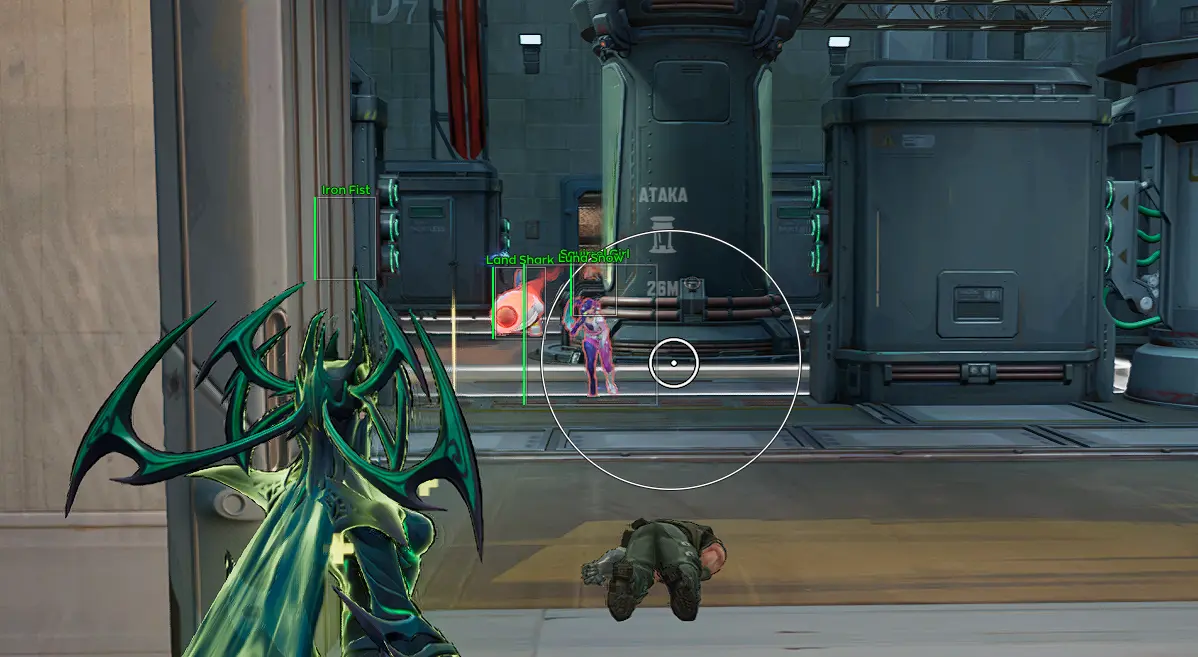
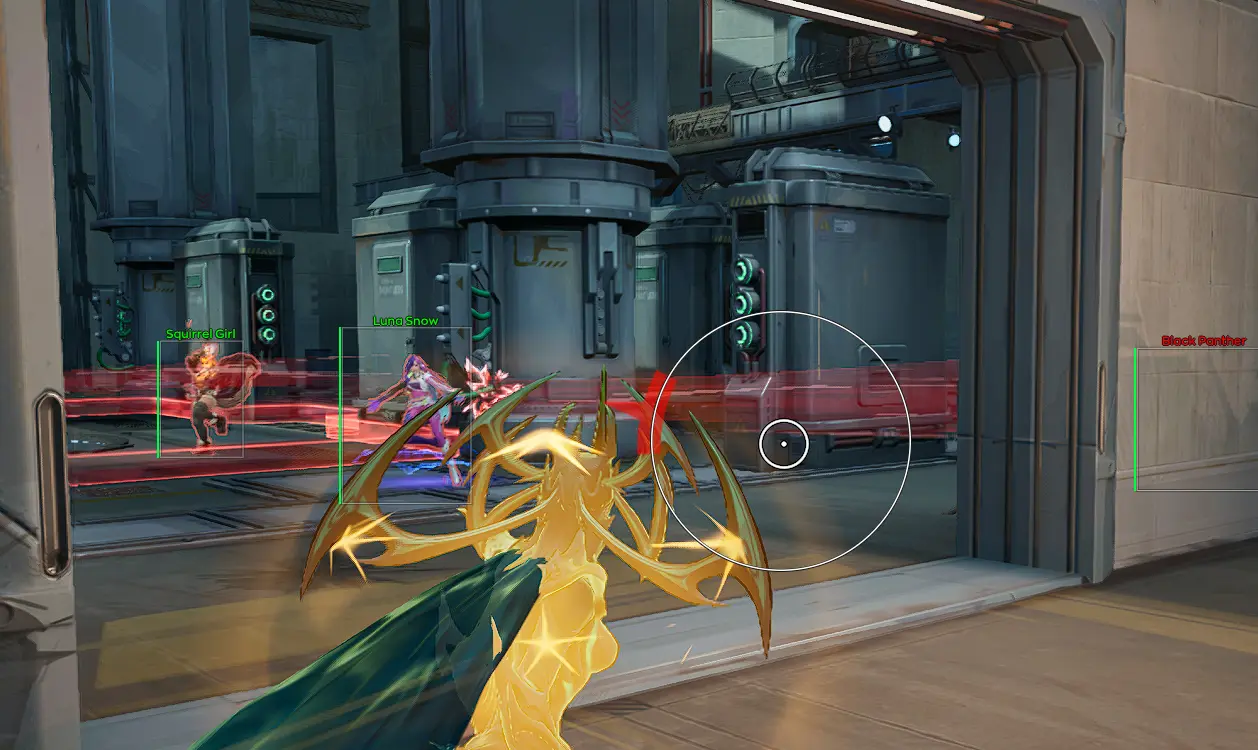
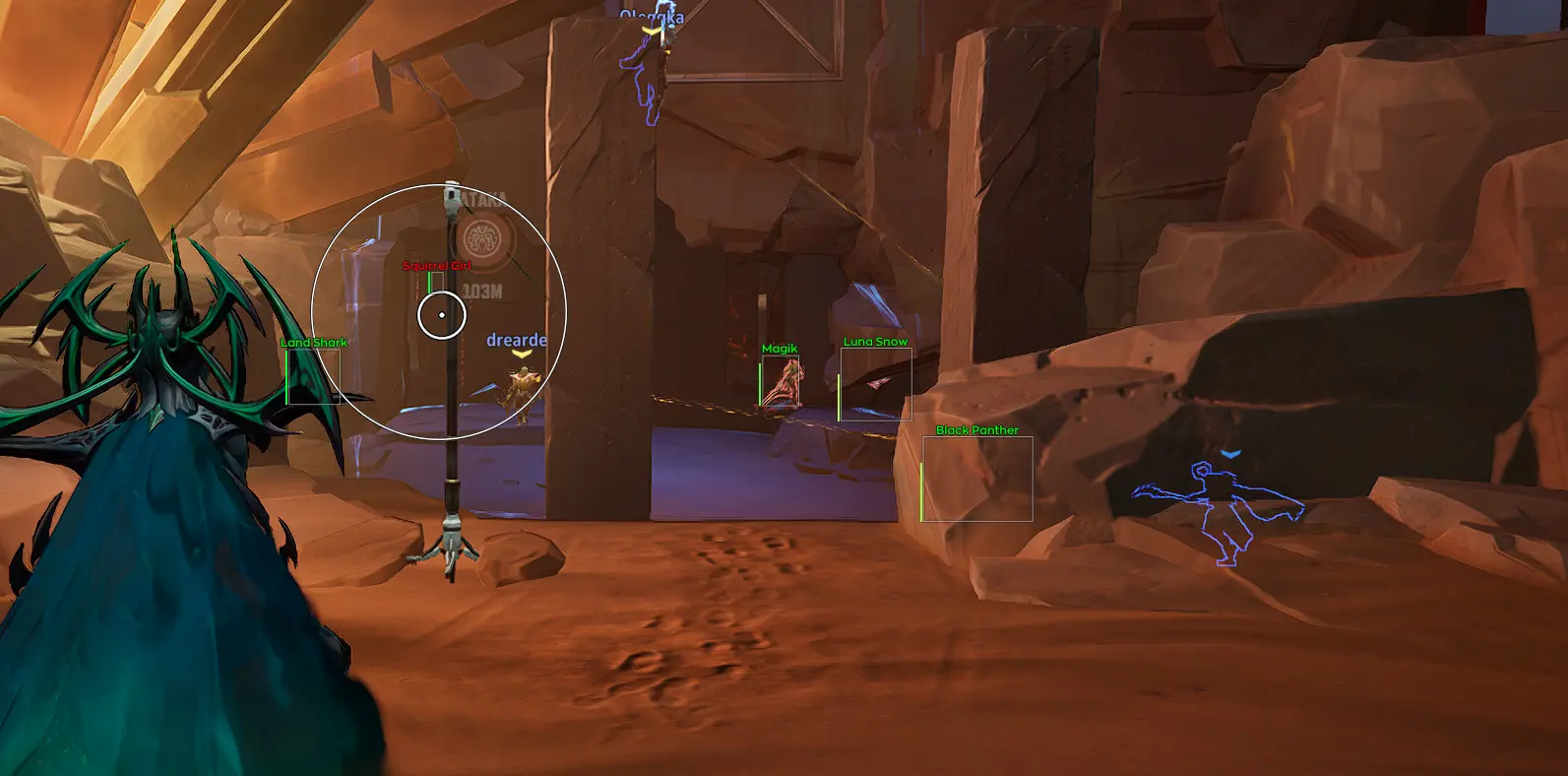
In the fast-paced, unpredictable battles of Marvel Rivals, precision and information win the fight. The Marvel Rivals cheat by developer Ghost is your reliable tool for achieving exactly that. The product is built for players who value efficiency and minimalism, with no clutter or distracting features.
This software offers a carefully tuned set of the most essential features: a precise Aimbot with prediction for shooting at moving targets and a clean, easy-to-read ESP. Nothing extra, just what you need for consistent wins and domination on the hero battlefield.
Product features
AIM (Precision with Prediction)
Basic aim settings
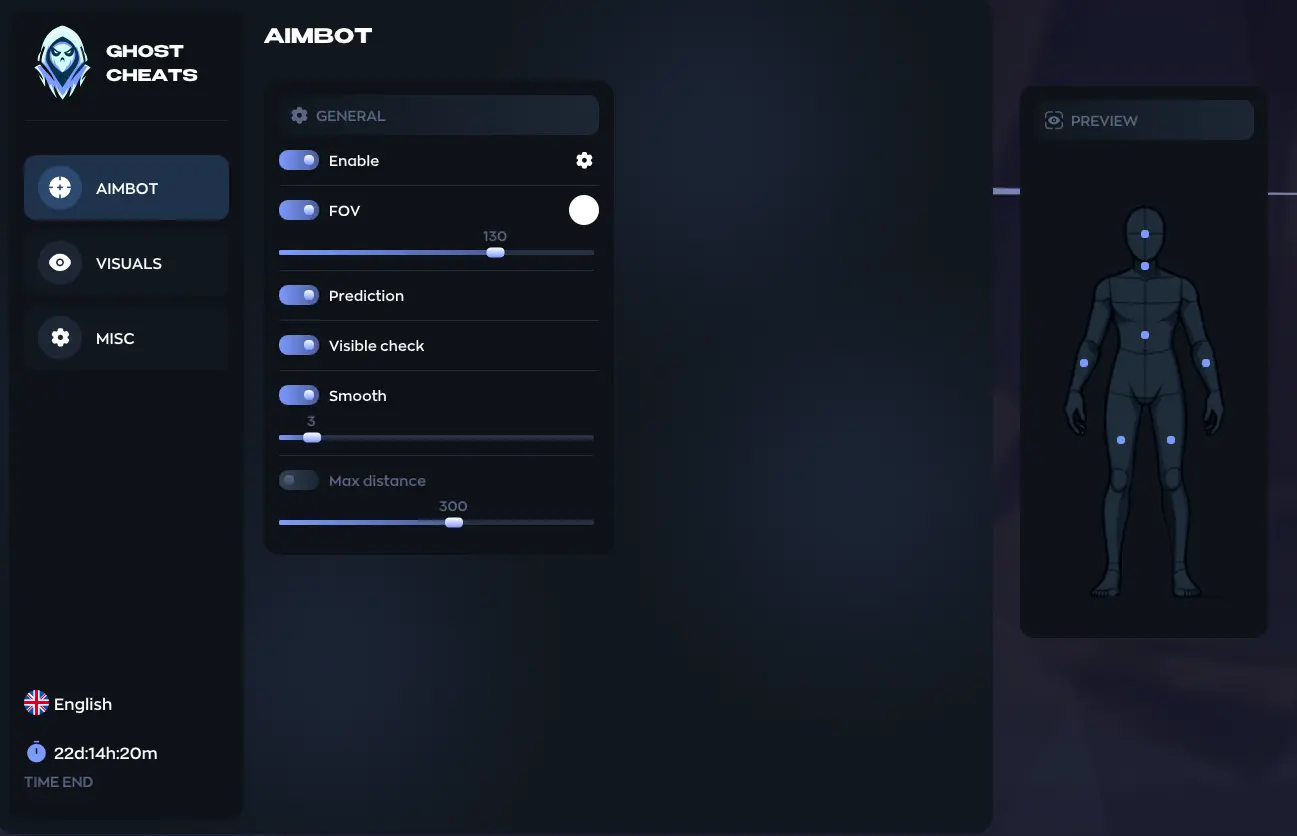
Adjust the FOV radius and aim smoothing. Set the maximum distance so the aimbot only works within your hero's effective range.Prediction
Forget about missing flying targets. The Prediction feature automatically calculates the enemy's movement so your projectile meets them right on point.Visibility check
VisibleCheck guarantees that the aim only locks onto enemies who are actually available to shoot, without sticking to enemies behind walls.VISUALS (Clear Vision)
Informative HUD
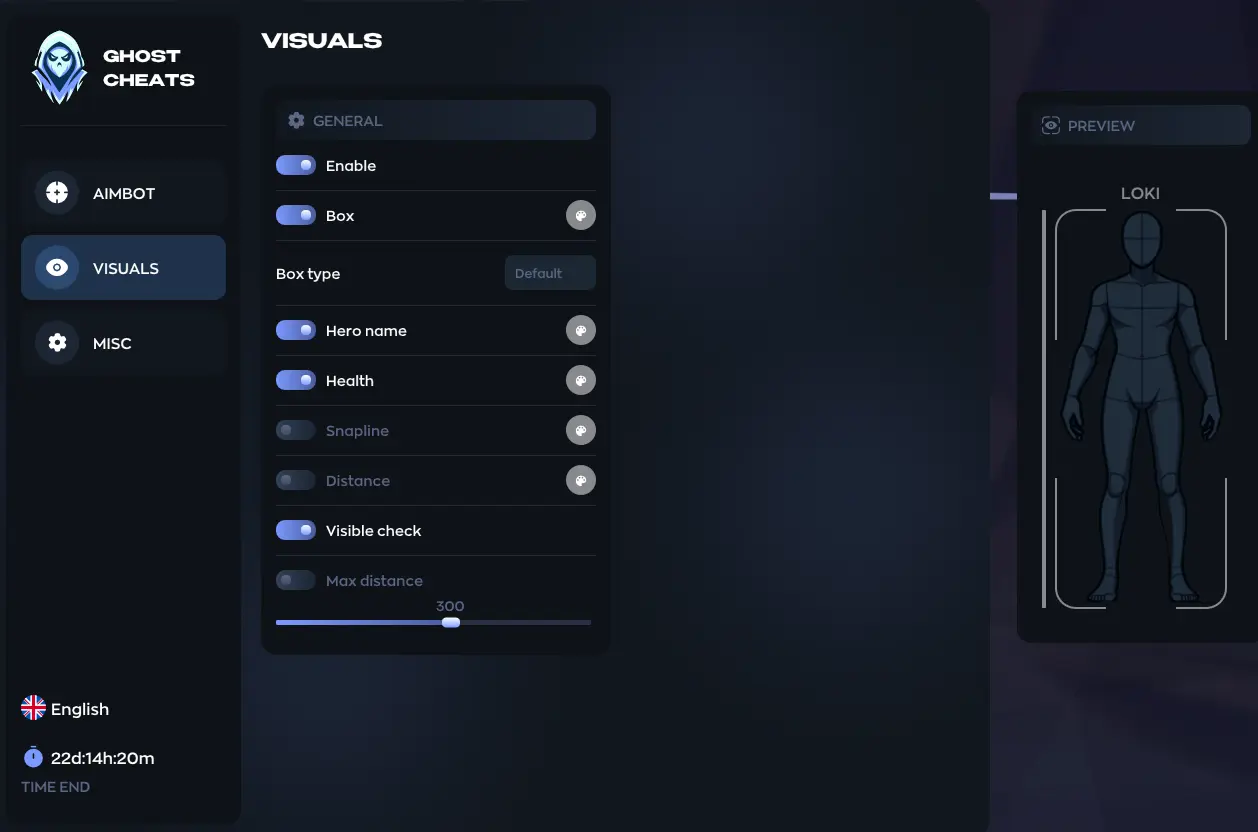
Different box types, hero name, distance and lines to enemies, minimal clutter, maximum useful information for quick decision-making.Dynamic colors
The visuals change color when an enemy steps out of cover. You'll instantly know when it's time to open fire, even with your peripheral vision.MISC (Controls)
Config system
Dialed in the perfect preset? Save it to a CFG. Easily load your settings before a fight without wasting time on recalibration.Known issues & fixes
Real questions from our support, with the fixes that worked. Based on user requests for this product.
The download site or loader won't open, or shows a connection error — what should I do?
- Try connecting through a VPN — access to the site or activation servers is sometimes blocked at the ISP or regional level.
- Check your internet connection and try downloading the file again.
- If the issue persists after using a VPN, contact support — they may ask for additional diagnostics of your system and a screenshot of the result.
I pasted my key into the loader but it says key not found or not active
Make sure you copy the key in full with no extra spaces at the beginning or end. If the error persists right after purchase, contact support and provide: a screenshot of the key from your payment confirmation, the key as plain text, and a screenshot of the error in the loader , the operator will forward this to the developer to verify activation.
Loader launched and says to open the game, but after starting the game the loader doesn't close and the cheat doesn't activate
Launch order matters: start the loader first and wait for the prompt to open the game, then launch the game , not the other way around. Do not start the product while the game is already running.
If the order is correct and the issue persists, download the Sordum utility (available from technical support; archive password: sordum), run it, click Search, and send a screenshot of the results to support , this helps diagnose conflicts on your system.
Loader closes by itself or loops on startup
Reinstall the loader and update your GPU drivers , this resolves the issue in most cases. If the loader still closes on its own, try launching with a VPN enabled, then fully reboot your PC.
If nothing helps, the developers may be actively working on a fix , check with support for the current status.
My account gets banned or flagged soon after I play with the cheat — what can I do?
If your account gets flagged or banned soon after using the software, this is usually anti-cheat detection on the game's side rather than a bug in the product. Registering a new account and using the hardware-spoofing feature (spoofer), if your product version includes one, usually helps. This doesn't guarantee you won't get flagged again. If your main account is already flagged, don't count on it being unbanned — it's better to switch to a new account.
The loader says my Windows version isn't supported — what should I do?
Only officially released builds of Windows 11 are supported — beta and Insider builds (early versions of updates that haven't been officially released yet) may not be supported by the loader. The opposite can also happen: a very old, long-unupdated system can also prevent the software from launching. Update Windows to the latest officially released version (not a beta channel) and try again.
After a game update the product stopped connecting, what should I do?
If the product stops connecting right after a game update, without any error messages, this is expected: the developer needs time to adapt it to the new game version.
The update usually takes about a day, sometimes less. Wait for it and start the loader again — everything will work automatically, no reinstall is needed.


 Join all games chat





