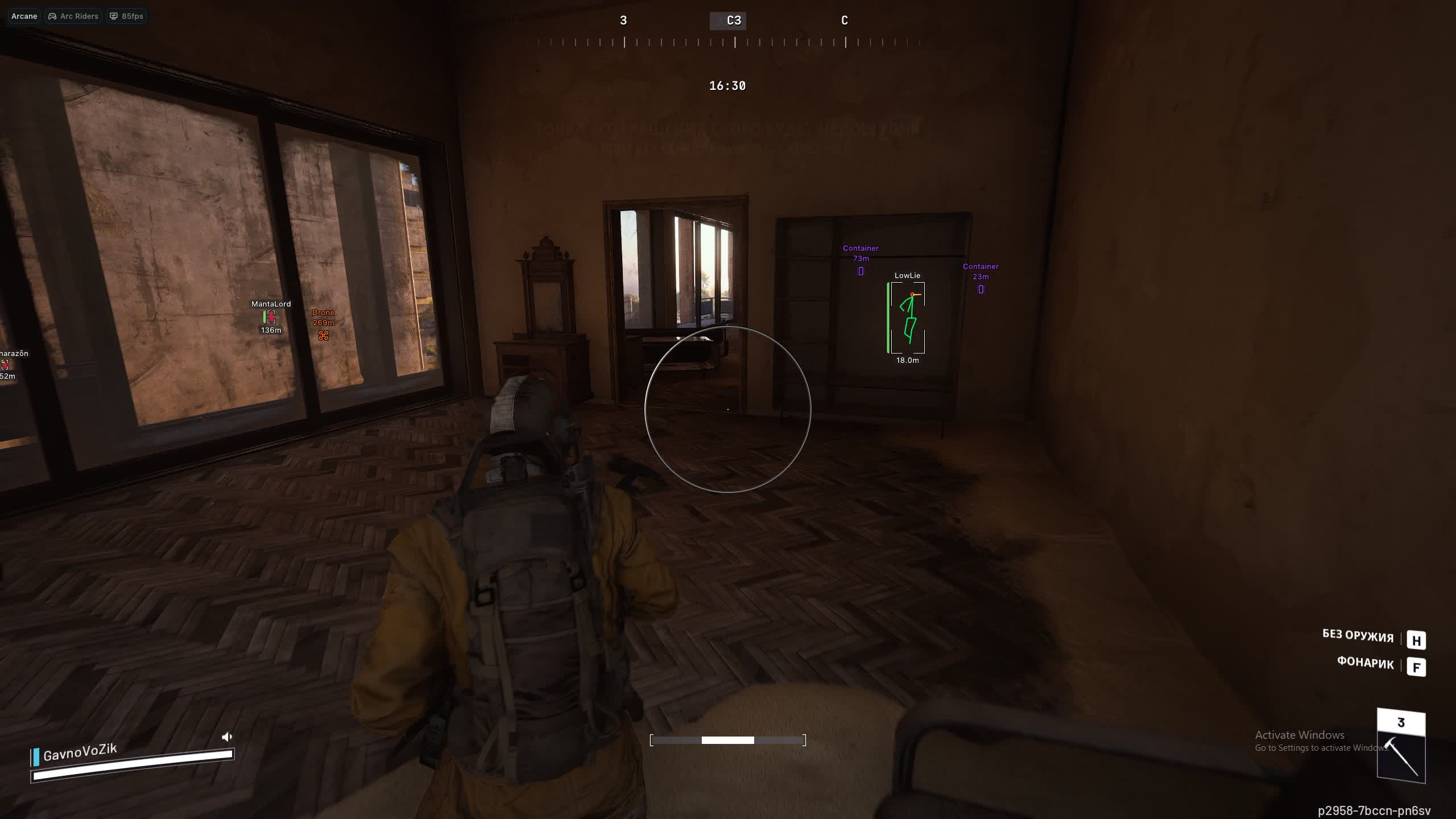
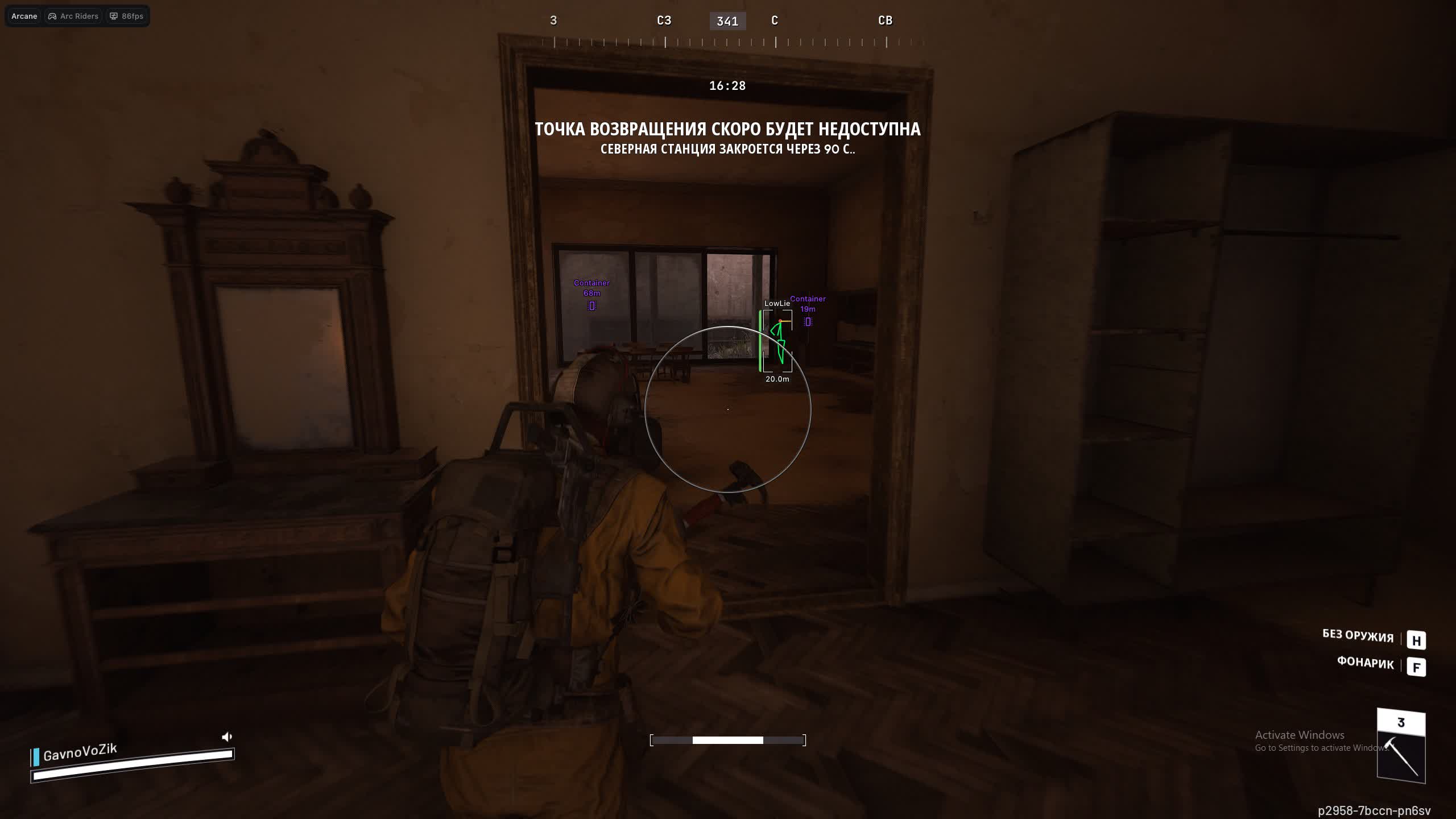
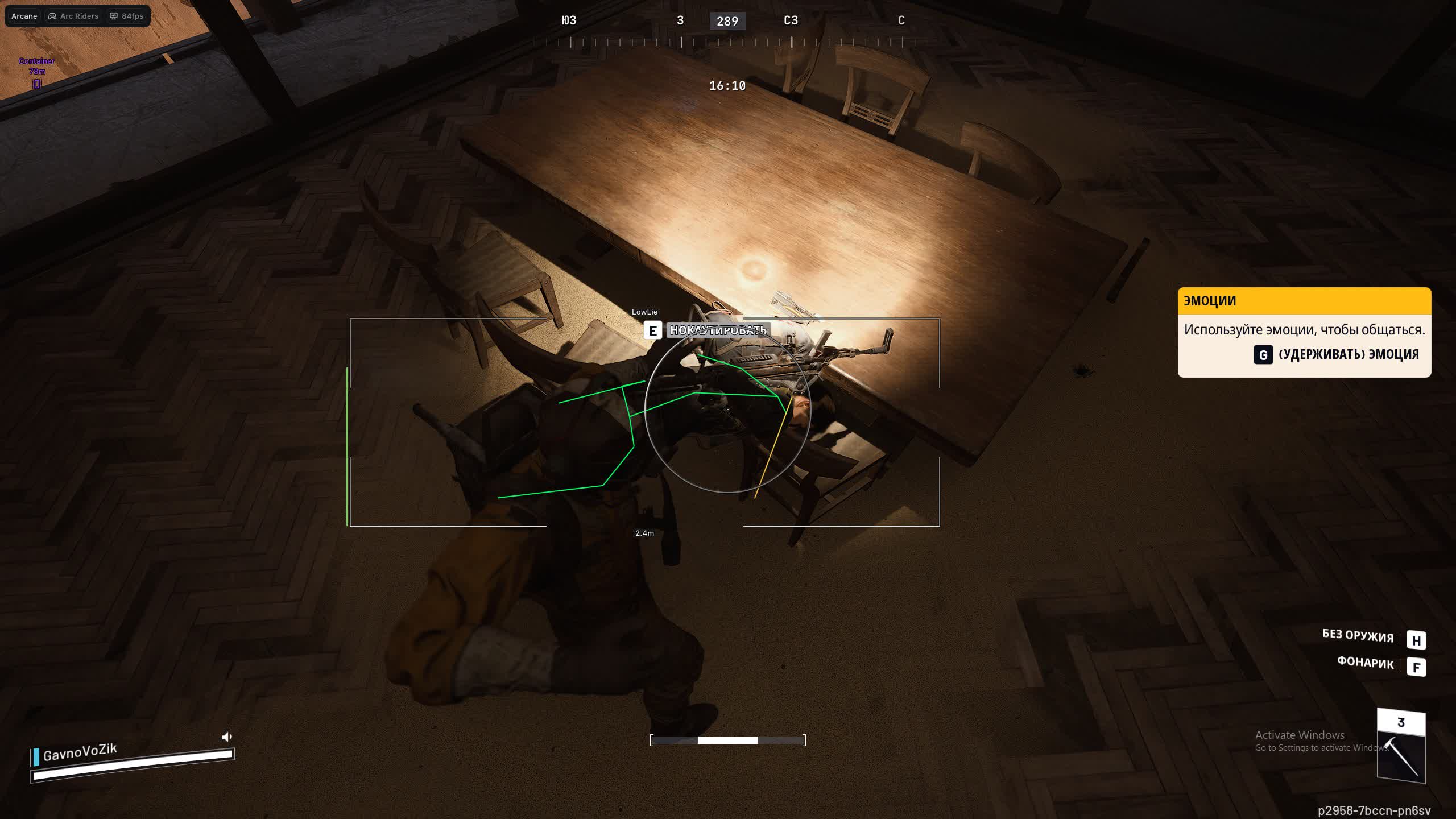
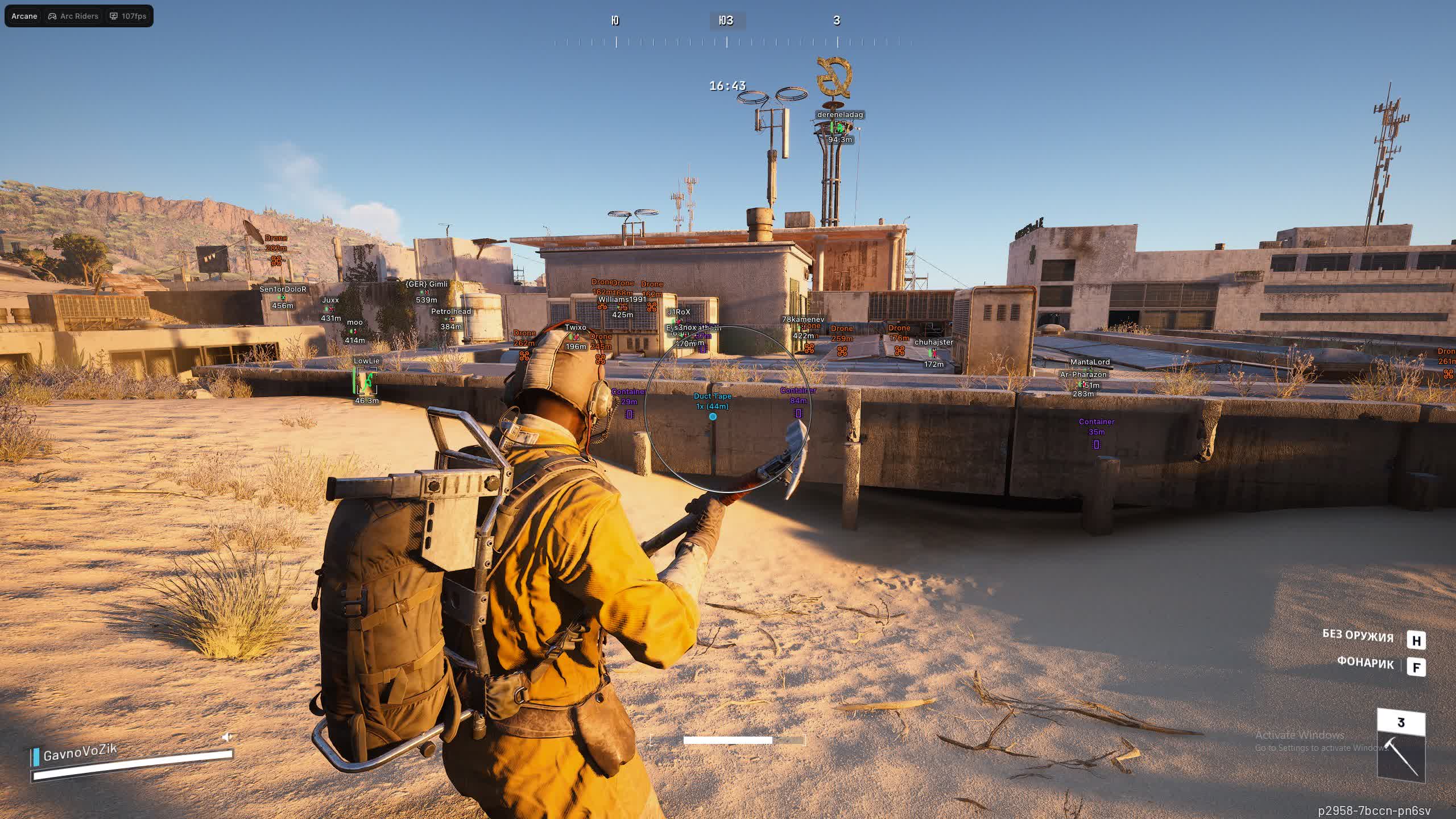
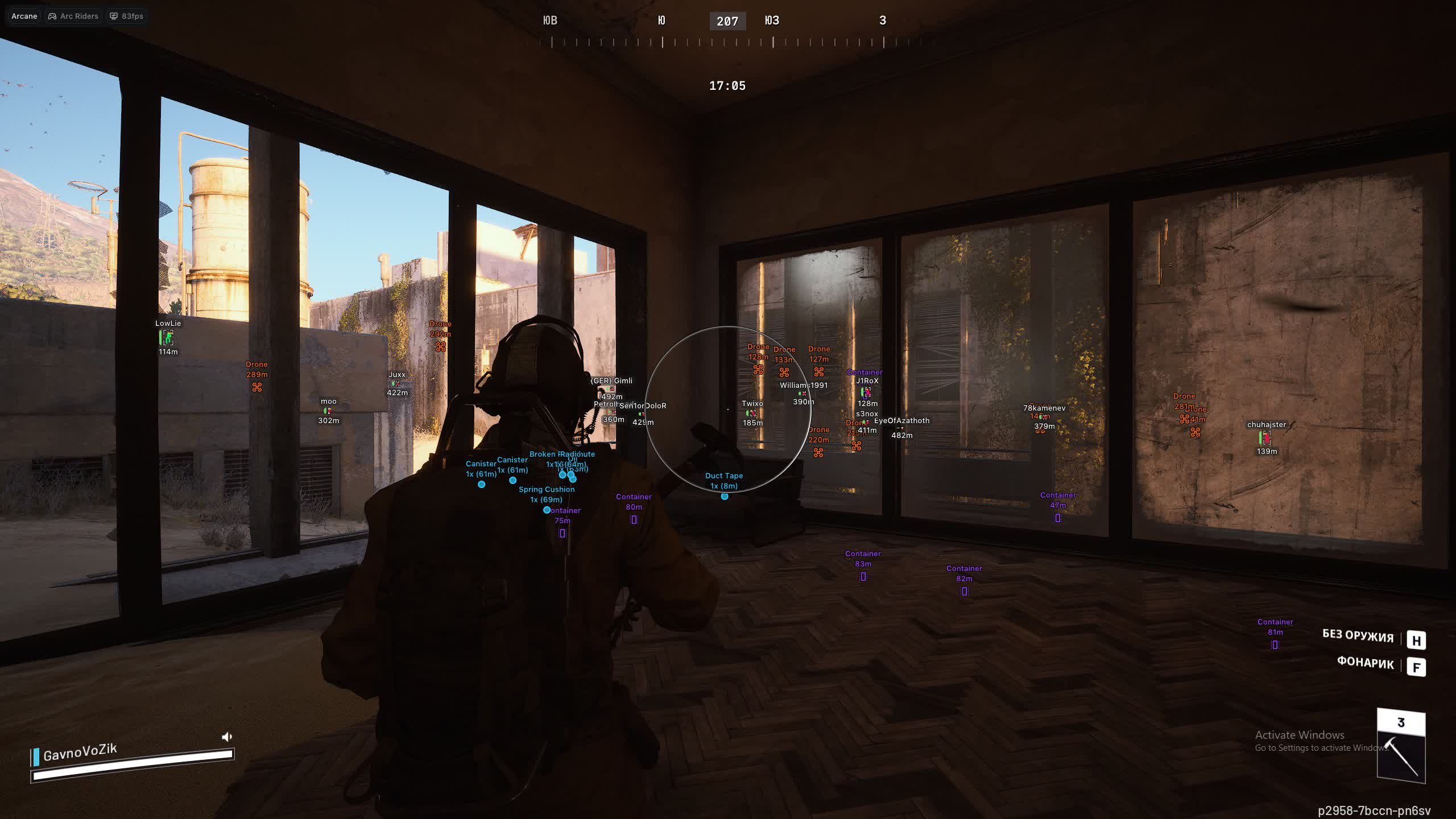
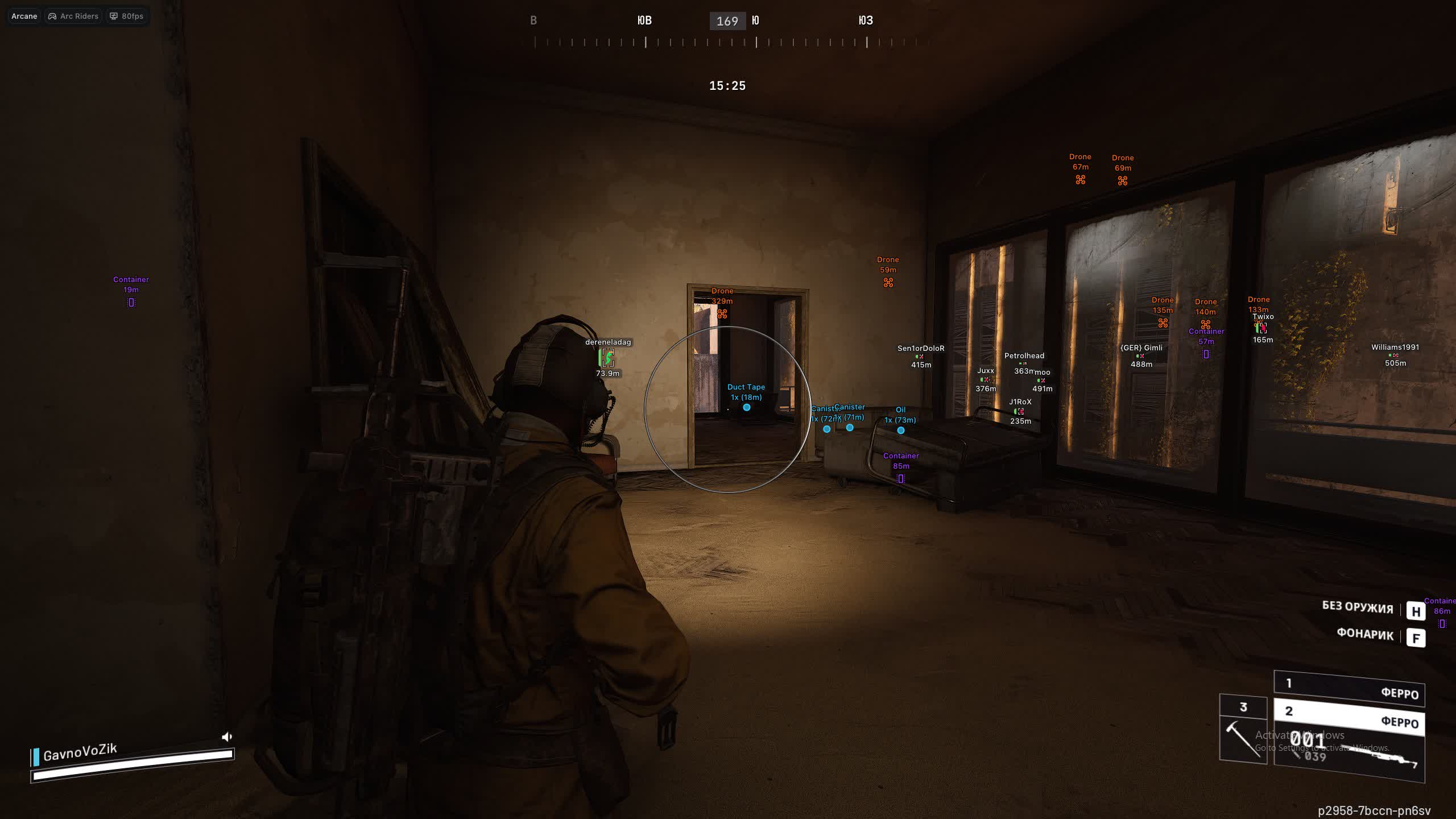
Полёт нормальный, всё работает, нареканий нет. Интерфейс приятный, мягкий, но к аиму после другого софта надо привыкнуть
Arc Raiders Cheat from Arcane
User information
You need a minimum of 12 GB of RAM on your computer, otherwise it won't run
Arcane for Arc Raiders is a modern, feature-rich cheat built for players who want full control over information and flexible settings. The product from Arcane gives you a powerful Aimbot with two activation keys and smart target selection logic, along with one of the most detailed ESPs on the market. Visualize everything that matters: from enemy skeletons and view lines to every container and dropped item. The handy 2D radar and deep interface customization, including themes and languages, make Arcane a solid pick for comfortable, dominant play.
Product features
AIMBOT (aim assist)
Enable & Mode
Turn on aim with a single key. Pick the mode that fits the moment: constant lock for an aggressive push, or hold-to-aim for clean, precise taps.Visibility Check & FOV
A smart visibility check keeps your aim from snapping to enemies behind walls. The FOV circle shows the zone where you are deadly.Dual Binds
Two binds, two tactics. Set one key for soft aim on long-range fights, and a second for a hard lock in close-quarters scraps.Target Filter & Knocked
Set your priorities: focus only live players, ignore bots, or finish knocked enemies so they can't get back up.Bone Selection Logic
Flexible aim logic: pick a specific point (head/chest), or let the cheat target the bone closest to your crosshair for maximum subtlety.Smooth & Distance
Tune the smoothing so your aim looks like a skilled hand, not a robot. Cap the distance so you don't out yourself sniping across half the map.ESP PLAYERS (visuals on players)
2D Boxes & Fill
Customize the boxes: full frames or just corners. Add fill or a gradient so enemies stand out against the grey ruins.Skeleton & Head Circle
X-ray in action: the skeleton shows the enemy's pose (crouched/prone), and a head circle helps you pre-aim for the headshot.Health Bar & View Line
The HP bar (gradient or solid) shows how much damage is left to deal. The view line warns you when an enemy is looking right at you.Visible Check Colors
Color-coded danger. The ESP changes color when an enemy steps into your direct line of fire. Instant reaction, no second-guessing.Filters (Bots/Team)
Don't clutter the screen. Set transparency for bots or hide teammates entirely so you only see real threats.ITEMS ESP (loot search)
Drones & Containers
See every loot drone and hidden container. Don't miss a single valuable resource, even one tucked away in thick grass.Stack & Distance
Info on item stack count and distance. Don't run for nothing toward an empty pickup, judge the value from afar.RADAR (tactical scanner)
Zoom & Transparency
Your personal recon drone. Adjust the radar zoom and marker transparency so you can read enemy positioning without taking your eyes off the crosshair.Target Filters
Choose who shows up on the radar: only PMC players, annoying bots, or everything at once. Full control over the battlefield.SETTINGS (comfort and safety)
Panic Key & Menu
Set a panic key for an emergency unload of the cheat to stay fully safe. The menu opens and closes in a single tap.UI Scale & Themes
Tailor the interface to yourself: scale (DPI) for 4K monitors and a theme choice (dark/light) to keep your eyes comfortable.Multi-Language
Interface in your native language. Russian, English, and Chinese are supported, so everything is clear without a translator.Known issues & fixes
Real questions from our support, with the fixes that worked. Based on user requests for this product.
The loader can't connect to the activation servers and shows no available servers
In most cases this happens because your internet provider blocks access to the activation servers — it isn't related to the software itself. Try the following:
- Turn on a VPN and start the loader again.
- Once it launches successfully, you can usually turn the VPN back off.
- If the error comes back next time, enable the VPN again before each launch.
Cheat shows FROZEN or loader says frozen — how to run?
This means the product is temporarily frozen for a scheduled update. No action is needed on your part — simply wait for the update to complete.
Your paid subscription time does not expire during a freeze: subscription days are not counted while the loader is unavailable. Monitor the product page for status changes — access will resume automatically once the update is released.
PC reboots automatically after launching the loader / system shuts down
A forced reboot or shutdown on loader start is most often caused by antivirus software or incorrect Windows security settings.
- If Kaspersky is installed, remove it completely using the official removal tool (Kavremover) rather than the standard "Programs and Features" uninstall. Reboot your PC afterwards.
- Make sure the following are disabled: Windows Defender real-time protection, Core Isolation, User Account Control (UAC), and the Vulnerable Driver Blocklist.
- Download the Sordum utility (available from technical support; archive password: sordum), run it, click Search, and send a screenshot of the results to support — this helps identify the conflicting component.
- After making changes, restart your PC and try again.
Antivirus blocks loader files or loader download stalls at zero speed
Windows Defender or a third-party antivirus is blocking the loader download or launch. Use the Defender Control utility (archive password: sordum): download it, run it, click Search, wait for the scan to finish, then click Disable.
After disabling protection, re-download and run the loader. You can re-enable protection through the same tool after your gaming session.
After disabling Secure Boot or Intel RST in BIOS Windows blocks account and resets PIN , what to do?
This happens because Windows protects the account when BIOS changes are detected. The fix is to reinstall Windows and skip creating a password and Microsoft account during setup: when prompted to sign in or create an account, click Skip.
After reinstalling without a linked account, BIOS changes will no longer trigger a lockout. If BitLocker asks for a recovery key, enter it , but on the next Windows install, skip account creation.
Blue screen (BSOD) or cheat not injecting into Arc Raiders when launching Arcane
- Make sure Virtualization and Hyper-V are enabled in BIOS.
- Download the Sordum utility (available from technical support), run it, click Search, and send a screenshot of the results to support , this helps identify conflicting software or services.
- Record a full launch video and upload it to YouTube so the developer can diagnose the issue.
Arcane loader for Arc Raiders shows "No available servers were found" — how do I fix it?
If the Arcane loader for Arc Raiders shows the No available servers were found error, connect through a VPN — in most cases this resolves the server availability issue. Once connected, start the loader again.
If the error persists even with a VPN, contact support — you may need to try a different VPN server or wait for availability to be restored on the developer's side.
Arcane Arc Raiders loader freezes, slider does not move, cheat does not start
Try connecting via VPN , the issue may be caused by activation server restrictions in your region. If VPN does not help, run the Sordum utility (available from technical support; archive password: sordum), click Search, and send the screenshot to support. The developer will use this information to assist you.
Aimbot in Arcane Arc Raiders does not work, cheat turns off by itself after a while
The aimbot and auto-shutdown issue is being investigated by the developer. To help speed up the fix, record a video using NVIDIA Overlay (or any screen recorder if the overlay is unavailable) and upload it to YouTube. The video should show the cheat settings and the moment the aim fails near an enemy.
Send the video link to support , the operator will forward it to the developer for analysis.
Arcane Arc Raiders cheat is frozen during update , when will it be back and will the downtime be compensated?
During an update the cheat is temporarily unavailable. The exact release timeline depends on the developer , support posts updates as soon as information is available.
Subscription downtime compensation is handled on a case-by-case basis through the developer , contact support directly to request it.
Launching the loader as administrator but nothing happens
Make sure you have read the included instructions carefully — the launch sequence is strict. The loader must be run as Administrator, and your antivirus must be fully disabled before starting.
If you followed every step and the loader still does nothing, contact support and describe exactly which step the process gets stuck on.
Can I use one license key on more than one computer
No, a key is bound to a single computer based on its hardware ID. You can't activate the same key on multiple devices at once — trying it on another PC won't work.
If you need to move your license to a different device, contact support.
Do I need to redownload the cheat after a game update
No, you don't need to download it again. After a game update the loader automatically pulls the current version the next time you start it.
The protection or spoofer module won't start, what should I do
This error is often related to CPU virtualization being disabled. Go into your BIOS and enable virtualization (VT-x for Intel or AMD-V for AMD), save the settings, and restart the loader.
If the error still appears, contact support for further diagnostics.
After starting the cheat my internet connection stops working
This can happen because of the built-in protection module (spoofer). Try disabling the spoofer in the loader settings and start the program again — your internet access should come back.
If you need the spoofer feature enabled, ask support about an alternative configuration.
Arcane




