
Hell Let Loose Cheat, Arcane
 Arcane

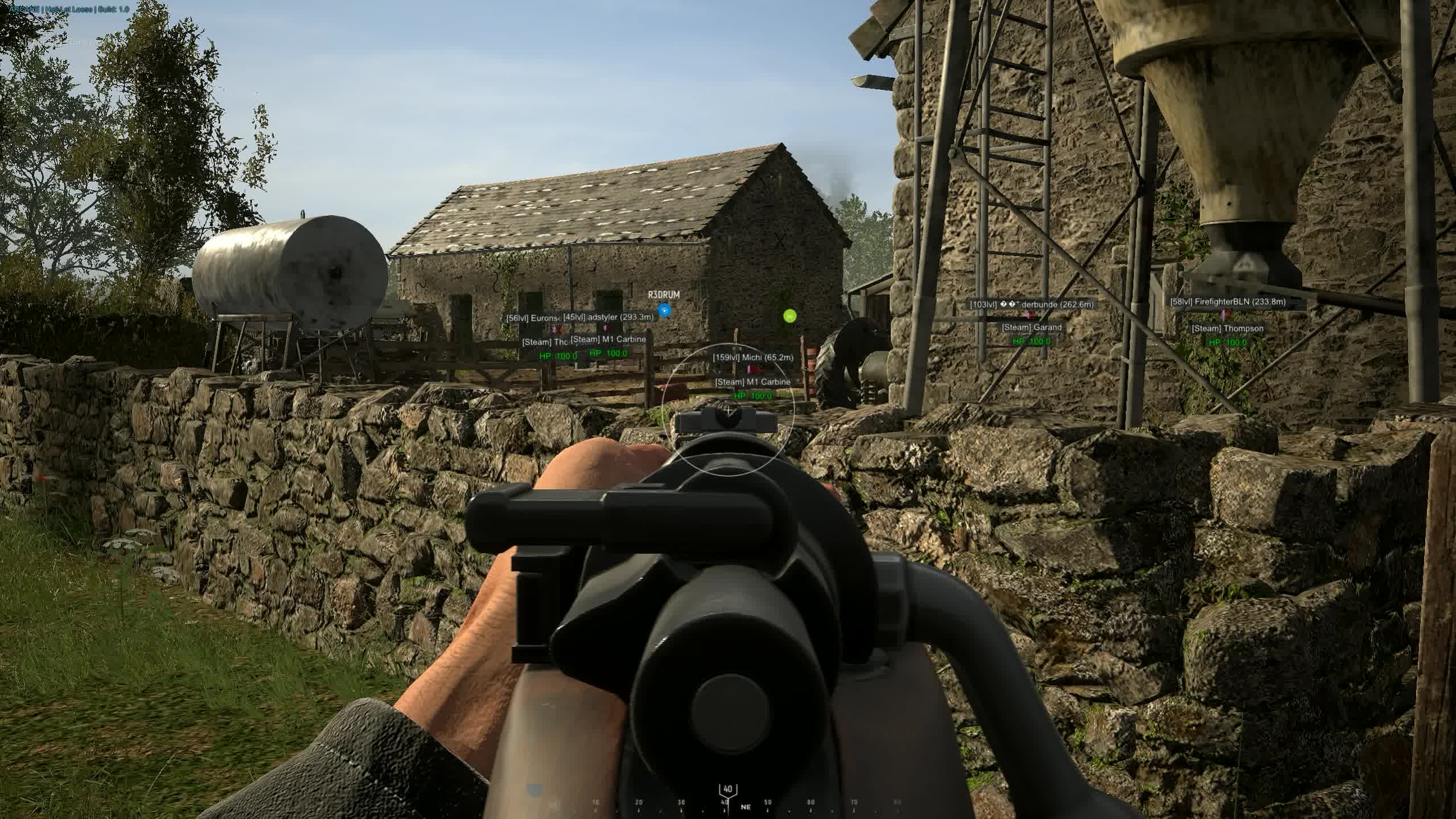
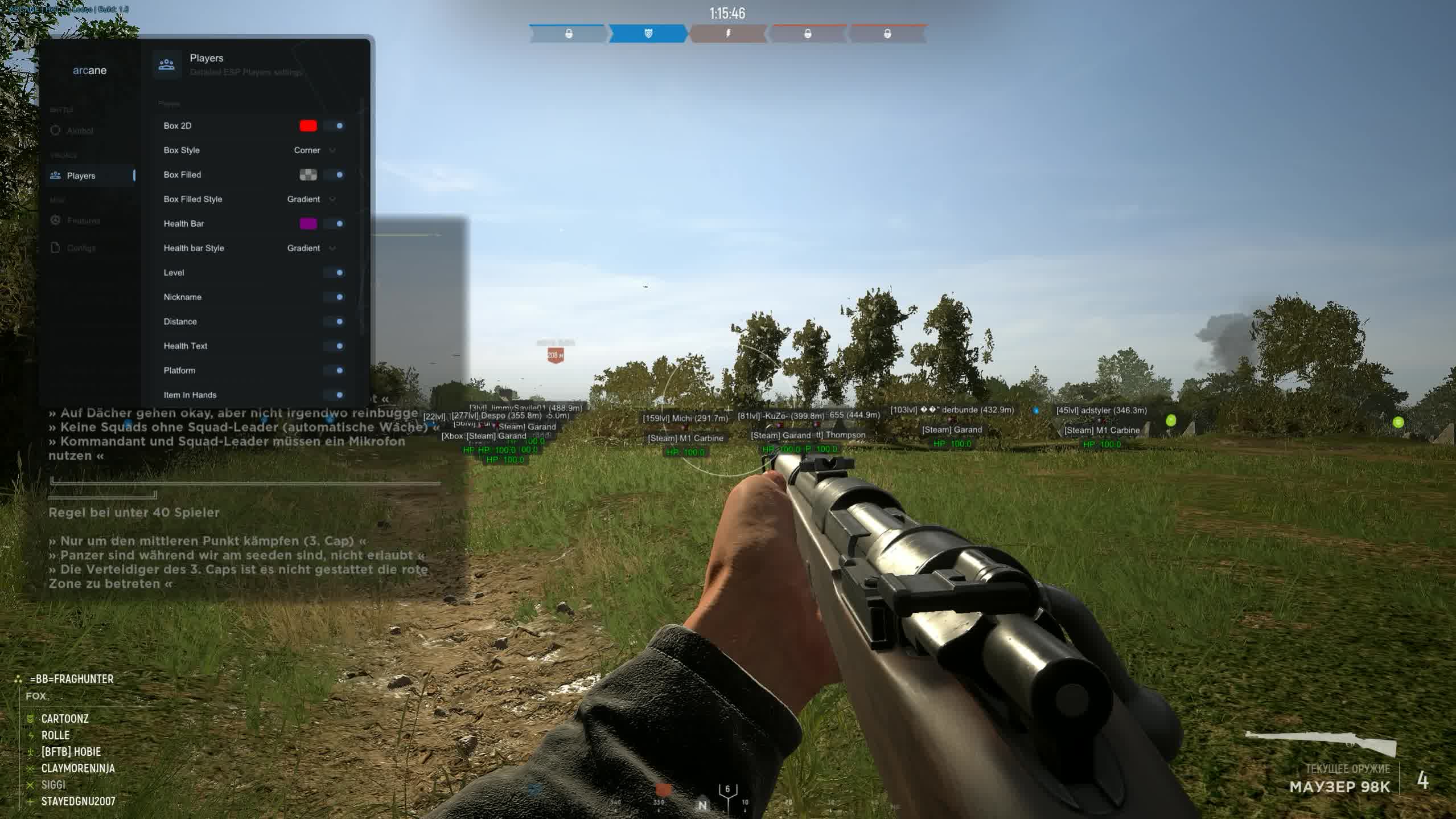
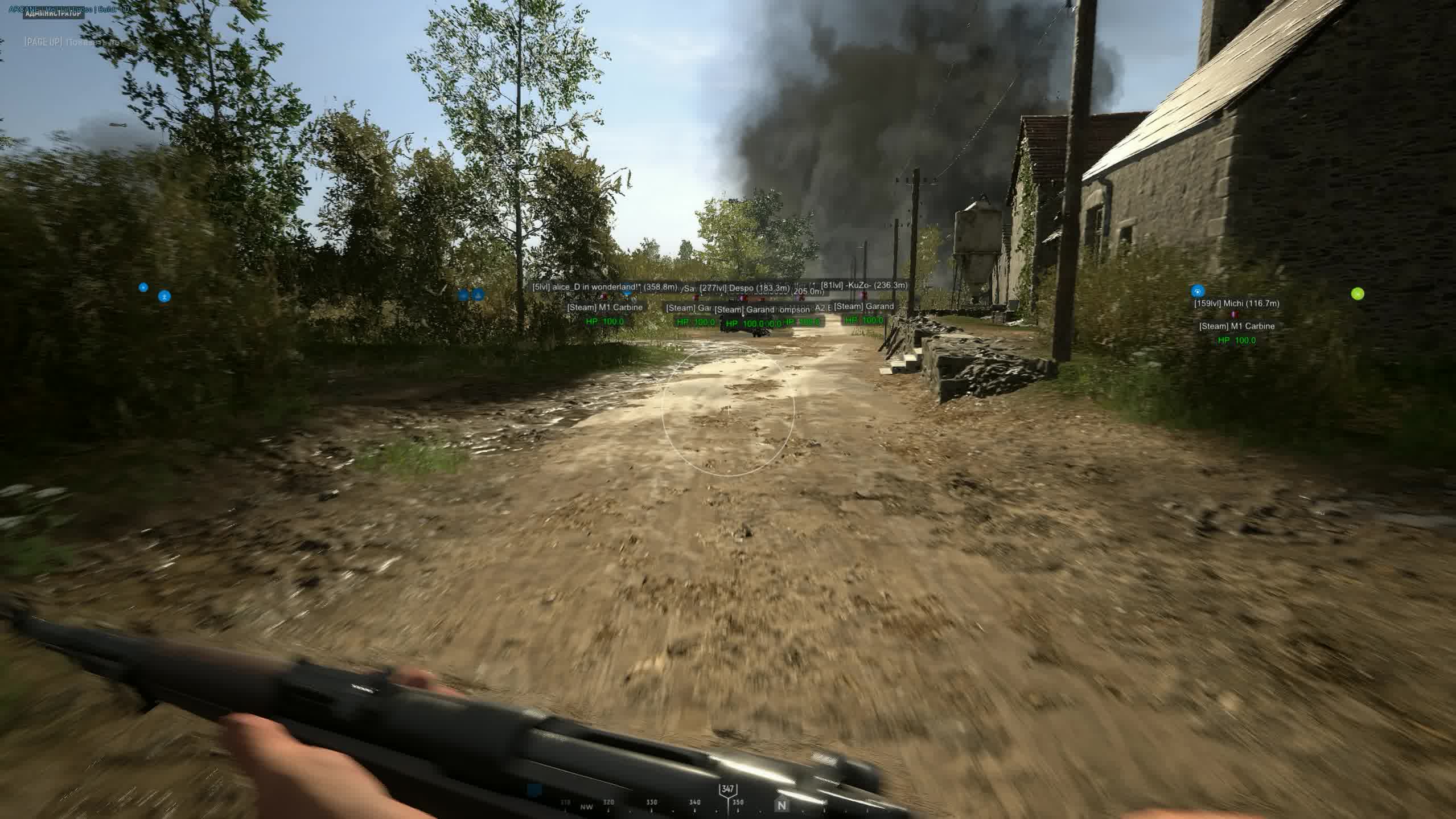
Soldier, if you're looking for a cheat that doesn't just hand you an advantage but becomes an extension of your own skill, you've found it. Arcane for Hell Let Loose is a professional tool that players value for how legit it looks and how stable it runs. This product is built for smart players who want more information and want to actually act on it, not just stomp lobbies with rage features.
Arcane focuses on what matters most: a precise Vector Aimbot with human-like behavior, and a detailed ESP that shows you everything from enemy garrisons to the platform your opponent is playing on (PC or console). The unique Battle Mode instantly turns off all the clutter and leaves only player ESP, so you can lock in during a fight. And for streamers and anyone who doesn't want to get exposed, there's full StreamProof, the cheat won't show up on recordings. On top of all that, the cheat has a built-in HWID Spoofer to protect you from hardware bans.
Product features
Aimbot (Vector precision)
Vector Aimbot & Humanize
Smart aim that mimics human movement. No sharp snapping, just smooth, accurate tracking that looks as natural as possible.No Recoil & Rapid Fire
A deadly combo. Forget about recoil and turn an ordinary rifle (M1 Garand or Gewehr) into a machine gun thanks to rapid fire mode.Smooth & Bones
Tune the smoothness to your own style. Pick the bone (head/body) and the distance so you stay effective at any range, from trench fighting to a sniper duel.Player ESP (Tactical awareness)
Box Filled & Health
High-contrast filled boxes. Enemies stand out clearly in dark forests or ruins. The HP bar or text tells you who to finish off first.Level & Platform
Know who you're up against. See the enemy's level and platform. Spot experienced veterans and new players from a distance.View Line & Snaplines
Threat control. The view line shows whether an enemy is aiming at your position, and snaplines (lines to targets) keep you from losing an opponent in the bushes.World ESP (Map control)
Garrisons & Outposts
Wipe out spawns. See enemy garrisons and outposts through walls. Cut off the enemy's reinforcements with one clean strike.Tanks & Supply Drops
Give vehicles no chance. See tanks and supply drops in advance. Set up an ambush or intercept a valuable supply shipment.Resources (Ammo/Fuel)
Everything for the front. Highlights ammo crates, fuel, and stationary guns. Always know where to restock your ammo.Unique features (Arcane)
Battle Mode
Focus mode. Cut all the junk (loot, vehicles) with one button and leave only enemies for a clean fight with no distractions.StreamProof
Streamer protection. The cheat is completely invisible to OBS and recording software. Capture content or stream without worrying about exposing the interface.Speedhack & FOV
Mobility and vision. Speed up to grab a point first, and change your field of view for better control of your flanks.HWID Spoofer
Built-in hardware protection. Play with peace of mind while your computer ID is spoofed, an extra layer of safety against bans.Known issues & fixes
Real questions from our support, with the fixes that worked. Based on user requests for this product.
The loader can't connect to the activation servers and shows no available servers
In most cases this happens because your internet provider blocks access to the activation servers — it isn't related to the software itself. Try the following:
- Turn on a VPN and start the loader again.
- Once it launches successfully, you can usually turn the VPN back off.
- If the error comes back next time, enable the VPN again before each launch.
Cheat shows FROZEN or loader says frozen — how to run?
This means the product is temporarily frozen for a scheduled update. No action is needed on your part — simply wait for the update to complete.
Your paid subscription time does not expire during a freeze: subscription days are not counted while the loader is unavailable. Monitor the product page for status changes — access will resume automatically once the update is released.
PC reboots automatically after launching the loader / system shuts down
A forced reboot or shutdown on loader start is most often caused by antivirus software or incorrect Windows security settings.
- If Kaspersky is installed, remove it completely using the official removal tool (Kavremover) rather than the standard "Programs and Features" uninstall. Reboot your PC afterwards.
- Make sure the following are disabled: Windows Defender real-time protection, Core Isolation, User Account Control (UAC), and the Vulnerable Driver Blocklist.
- Download the Sordum utility (available from technical support; archive password: sordum), run it, click Search, and send a screenshot of the results to support — this helps identify the conflicting component.
- After making changes, restart your PC and try again.
Antivirus blocks loader files or loader download stalls at zero speed
Windows Defender or a third-party antivirus is blocking the loader download or launch. Use the Defender Control utility (archive password: sordum): download it, run it, click Search, wait for the scan to finish, then click Disable.
After disabling protection, re-download and run the loader. You can re-enable protection through the same tool after your gaming session.
Loader freezes, slider does not move, cheat does not start
Try connecting via VPN — the issue may be caused by activation server restrictions in your region. If VPN does not help, run the Sordum utility (available from technical support; archive password: sordum), click Search, and send the screenshot to support. The developer will use this information to assist you.
Antivirus blocks the cheat or says "file is corrupted" on launch
Simply toggling the antivirus off from the tray icon is often not enough , it may keep running in the background. You need to fully uninstall the antivirus (e.g. Kaspersky) or disable real-time protection via system settings.
To confirm no AV components are still active, download the Sordum (available from technical support) diagnostic tool, run it, click «Search», and send a screenshot of the results to support.
Cheat menu doesn't open with F2, only a beep sound / Medal.tv is blocked
The Arcane cheat depends on Medal.tv to function. If Medal.tv is blocked by your ISP or a regional filter, the cheat will not start correctly.
Fix: add Medal.tv to your traffic filter's exception list, or use a VPN only during cheat launch. Once the game session starts, the VPN can be turned off.
Launching the loader as administrator but nothing happens
Make sure you have read the included instructions carefully , the launch sequence is strict. The loader must be run as Administrator, and your antivirus must be fully disabled before starting.
If you followed every step and the loader still does nothing, contact support and describe exactly which step the process gets stuck on.
Connection error after spoofing, loader fails to connect
If you get a connection error after spoofing, try connecting via VPN before launching the loader. The VPN is only needed to establish the initial connection , once the cheat is running, you can disconnect from VPN to avoid any impact on in-game ping.
Can I use one license key on more than one computer
No, a key is bound to a single computer based on its hardware ID. You can't activate the same key on multiple devices at once — trying it on another PC won't work.
If you need to move your license to a different device, contact support.
Do I need to redownload the cheat after a game update
No, you don't need to download it again. After a game update the loader automatically pulls the current version the next time you start it.
The protection or spoofer module won't start, what should I do
This error is often related to CPU virtualization being disabled. Go into your BIOS and enable virtualization (VT-x for Intel or AMD-V for AMD), save the settings, and restart the loader.
If the error still appears, contact support for further diagnostics.
After starting the cheat my internet connection stops working
This can happen because of the built-in protection module (spoofer). Try disabling the spoofer in the loader settings and start the program again — your internet access should come back.
If you need the spoofer feature enabled, ask support about an alternative configuration.


 Join all games chat





