
Hell Let Loose Cheat (SMG)
 SMG
SMG

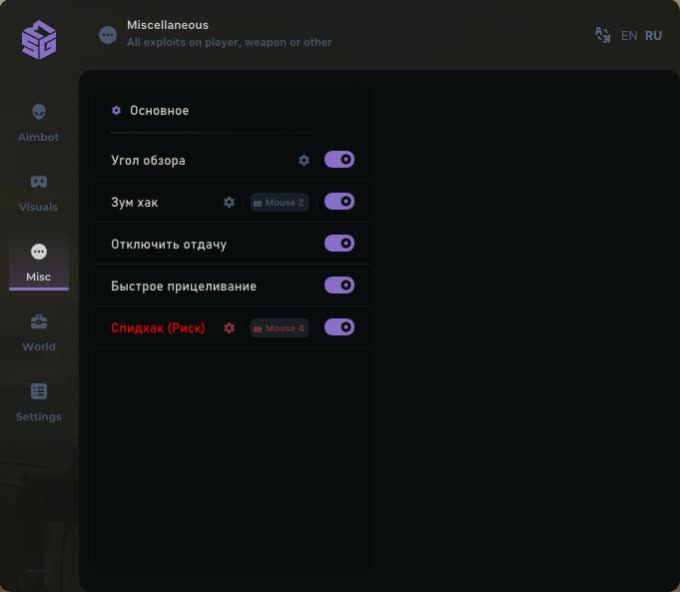
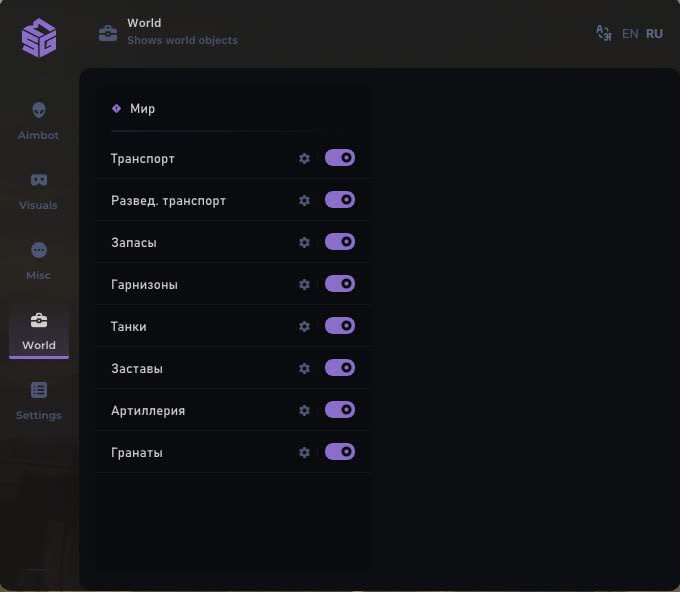
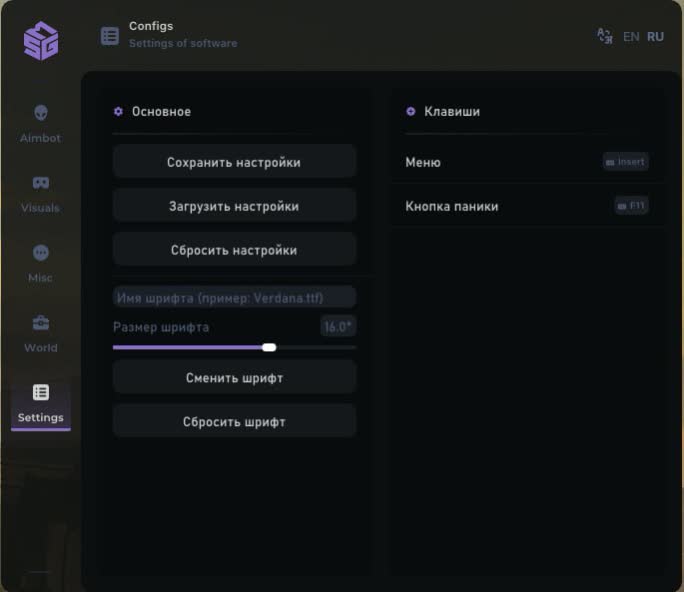
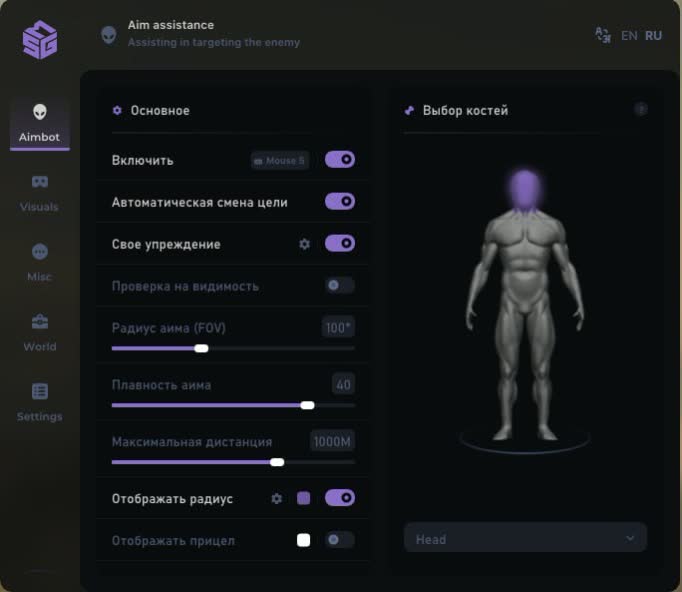
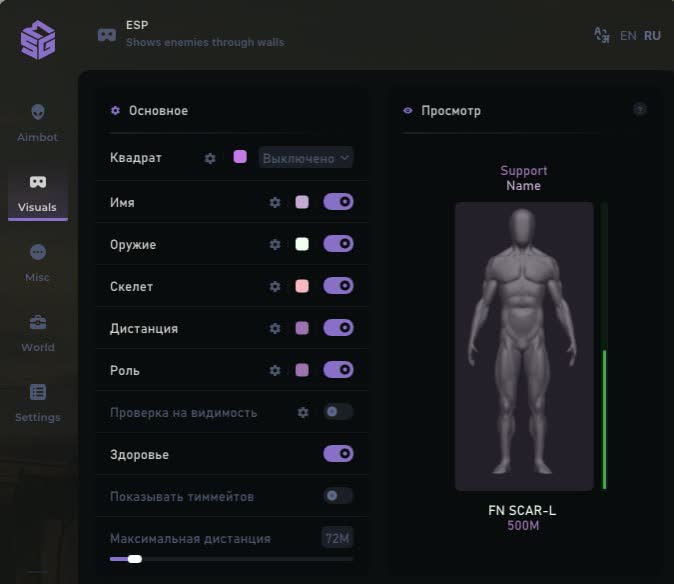
Soldier, this is SMG, a private cheat for Hell Let Loose from the well-known SMG developer. This product is built for anyone who's tired of being cannon fodder and finally wants to own the battlefield. With SMG you'll see every enemy hundreds of meters out, know their role and weapon, and track all enemy armor and fortifications in real time.
The software packs a powerful aimbot with automatic target switching, which matters a lot in the massive firefights HLL is known for, plus a complete set of visual options with color selection for every element. No Recoil turns your weapon into a laser, and Speedhack lets you reach objectives faster or pull back from danger. SMG is a full solution for taking complete control of the chaos of war.
Product features
AIMBOT (Accurate fire)
Bind & Auto-Switch
Trigger your aim with one key. In a big scrap the system switches to the next target on its own after a kill, turning you into a death machine.Prediction & Visibility
Built-in ballistic calculator. The cheat leads moving targets for you. The visibility check stops you from shooting into a fence and keeps you covered.FOV & Smooth
Tune the capture zone and smoothing. Make your tracking soft and natural so even on the replay the admin won't suspect the software.Bone & Crosshair
Pick your hit point: the head for a one-shot or the body for reliability. A custom crosshair lets you hipfire without ADS.VISUALS (Intel)
Role ESP
Know your enemy on sight. See the enemy's role: sniper, commander or machine gunner. Take out priority targets (officers and medics) first.Box, Skeleton & Weapon
Full x-ray. Boxes (corners or full), a skeleton so you read their stance, and the weapon in their hands. Don't push an MP40 into a machine gun out in the open.Visibility Check Colors
Color-coded threat indication. The text changes color when an enemy steps into your direct line of fire. React faster than a pro player.Team & Distance
Flexible setup. Turn on teammates for coordination or leave only enemies. Cap the distance so you don't see clutter on the huge maps.WORLD (Map control)
Garrisons & Outposts
The key to victory. See enemy garrisons and outposts (spawn points). Destroy the enemy's logistics and stop an assault before it starts.Tanks & Transport
Don't let a Tiger sneak up on you. Every vehicle is laid out in front of you, from supply trucks to heavy tanks.Supplies & Artillery
Control the resources. Intercept supply drops and pin down enemy artillery positions for counter-battery fire.Grenades Warning
Live longer in the trenches. Highlighted incoming grenades give you a second to run and survive.Misc (Advantage)
No Recoil & Fast ADS
Full weapon control. Zero recoil and instant aim-in. Out-shoot anyone 1 on 1 with no chance for the enemy.FOV Changer & Zoom
Widen your field of view up to 130 for peripheral vision, or use the zoom hack to turn an ordinary rifle into a sniper.Speedhack
(RISK) Turbo mode. Sprint boost up to x2.5. Grab objectives before everyone else or get out of a hopeless spot (use it wisely!).Settings (Comfort and Security)
Panic Key
Emergency reset. Turn off every feature with one key during a check or when an admin gets suspicious. Total cover.Configs & Fonts
Your personal setup. Save settings for different roles (sniper/assault) and change the interface fonts for maximum readability.Known issues & fixes
Real questions from our support, with the fixes that worked. Based on user requests for this product.
The cheat won't launch or shows an error — is my Windows version supported?
The software doesn't support every Windows version and build — the newest system updates in particular may not be supported yet, in which case the launch fails or the system blocks the driver as "unsafe".
- Check your exact version and build number in Windows Settings (System → About) and compare it with the list of supported versions on the product page.
- If your build is newer than the ones listed, or it's a non-standard/stripped-down Windows edition, stable operation isn't guaranteed — installing one of the supported official versions usually resolves it.
- Before purchasing, ask support which Windows version is required for the specific product — they can also tell you whether an update for your build is planned.
The program launches but nothing happens, or it gets blocked even though the antivirus was removed long ago
The most common cause is leftovers from previously installed antivirus or security tools: their drivers and background files keep interfering with the program even after the antivirus itself has been removed.
Contact support — they can point you to a dedicated utility that checks your computer for such leftovers and help you remove them properly. After cleaning up, restart your computer and launch the program again.
The cheat stopped working or shows an error after a game update — what should I do?
This is expected: after a major game update the developer needs time to adapt the program, usually anywhere from a few hours up to a day. Until the update is ready, the loader may fail to start or some features may work incorrectly.
- You don't need to update anything manually — the current version is pulled through the loader automatically.
- Check the product status on the website to see when the update is finished.
- If the program is temporarily unavailable due to an update, your subscription time is extended to cover the downtime.
- If it still won't launch a day after the game patch, contact support to check the update status.
Loader flashes briefly and disappears on startup — Windows security driver conflict
This is a common issue caused by Windows driver security components. Follow these steps:
- Download the Sordum utility (available from technical support; archive password: sordum), run it, click Search, and wait for it to finish.
- Apply the win_driver_OFF.reg file provided by support — it disables Windows driver signature enforcement. Reboot your PC afterwards.
- Make sure User Account Control (UAC) is disabled — the loader handles this automatically, but verify it manually if needed.
- If the issue persists, run sc query vgk, sc query faceit, sc query wdfilter in CMD and send a screenshot to support.
The program stopped working after a Windows update — what should I do?
Most software is built for specific Windows builds, and an automatic system update can make your system incompatible with the program's protection.
- After any major system update, compare your build with the supported Windows versions listed on the product page.
- If your build isn't supported, you'll need to roll back the update or reinstall Windows on a supported build.
- Ask support for the exact list of supported builds and advice for your specific case.
Loader connection error or infinite loading on startup — VPN or Network Manager required
Loader connection errors are usually caused by ISP-level blocking. Try the following steps:
- Enable a VPN (any country), launch the loader and click Inject. Once injected successfully, disable the VPN before starting the game.
- If VPN does not help: download the networkmanager.zip utility, run it, select «Find Best IP» and click Apply. Then try launching the loader again.
System freezes and mouse barely moves when entering the key in the loader
System freeze when entering the key is usually caused by HDR or antivirus conflicts. Do the following in order:
- Disable HDR in Windows display settings.
- Disable Windows Defender and make sure any third-party antivirus (e.g. Kaspersky) is fully uninstalled.
- Run the Sordum utility (available from technical support) to disable system security drivers, then reboot your PC.
Loader crashes or throws errors on startup — antivirus or Vanguard interfering
The most common cause is third-party antivirus or security software blocking the loader. Completely uninstall 360 Total Security, Vanguard (Valorant anti-cheat — must be uninstalled, not just disabled), and any other third-party antivirus.
After removal: download the Sordum utility (available from technical support; archive password — sordum), run it, click Search, and wait for it to finish. Then reboot your PC and try launching the loader again.
If errors persist, send a screenshot of your installed programs list to support. As a last resort, a clean Windows reinstall resolves the issue.
The menu doesn't open with the hotkey after launching the game
Switching the game to windowed mode is usually what fixes this — in fullscreen mode the menu hotkey may not respond.
- Finish all loader steps exactly as instructed, then start the game in windowed mode.
- Press the menu hotkey specified in the instructions only after the game has fully loaded.
- If the menu still doesn't appear, reinstall the program and try again from scratch; if the issue persists, contact support and attach a screenshot of what happens when you press the key.
Loader keeps asking to reboot the PC — stuck in a reboot loop
Run a system file repair: open Command Prompt as Administrator and execute two commands — first DISM /Online /Cleanup-Image /RestoreHealth, then sfc /scannow. After that, make sure Fast Boot is disabled in BIOS/UEFI, then reboot.
If the issue persists, a clean Windows reinstall is required. Use the Pro edition only — Home versions may lack required components for the loader to function correctly.
The loader won't open and says it can't find d3dx9_43.dll
This error means the computer is missing DirectX components the program needs to run. Download and install the official DirectX Redistributable package from Microsoft, then restart your computer.
If the error persists, update your graphics drivers and try launching again.
Can I use one key on several computers or after switching PCs?
An activation key is bound to the hardware of one specific device (HWID) the first time you run it, and it only works on that device — you can't use the same key on several computers at once, and launching it on another PC will just return an error.
If you switch computers or reinstall Windows, the hardware binding resets along with the system. After installing a supported Windows version on the new device, contact support — once your situation is confirmed, they may extend your key's validity to cover the time spent setting things up.
After running the spoofer some hardware serial numbers didn't change
Sometimes the spoofer doesn't change every component in a single run — for example the motherboard serial number can stay the same while the SSD and RAM are spoofed correctly. That's normal behavior for some setups.
Reboot your computer and run the program again. To confirm the result, compare your system info before and after running it — a hardware-checking tool works well for this. If nothing changes after several attempts, contact support.
Cheat menu doesn't open, pressing F2 causes a brief freeze but no menu appears
Make sure Hell Let Loose is running in DirectX 11 mode. In Steam, open the game's Properties → Launch Options and add -dx11, or select DirectX 11 in the game's own launcher.
After switching the mode, fully restart the game and try again.
Do I need to enable Discord screen-share bypass separately?
Discord screen-share bypass is built in and works automatically — there is no separate toggle for it. The key requirement is to choose "Game Capture" instead of "Screen Capture" when streaming; that way viewers will not see the program's window.


 Join all games chat





