CourierScript PUBG cheat: private ESP and aimbot

Working
Courierscript Courierscript
Last update 07.09.2026 This date shows when the software was last updated. An old date doesn't mean the software stopped working! Most likely the developer just had nothing new to add. If you have any doubts, you can always check the current status with our support team.
Add another cheat from this game too — to compare them.
CourierScript PUBG
Steam
Windows support: 10: all builds; 11: 21h2, 22h2, 23h2, 24h2, 25h2
Menu language: English
Spoofer:No
USB drive:Yes
BIOS:No
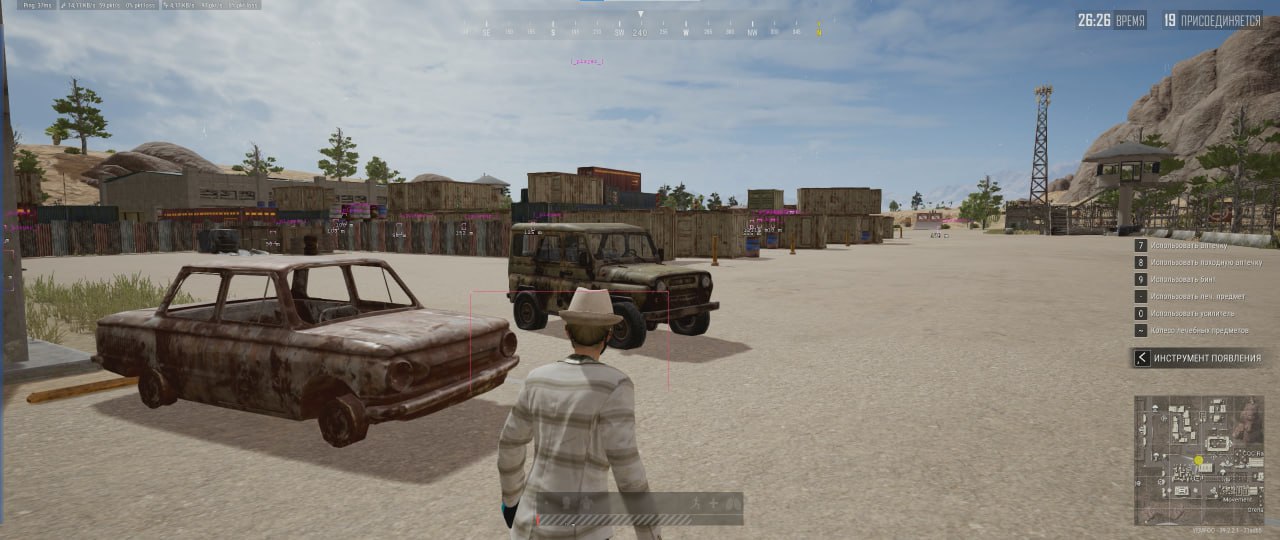
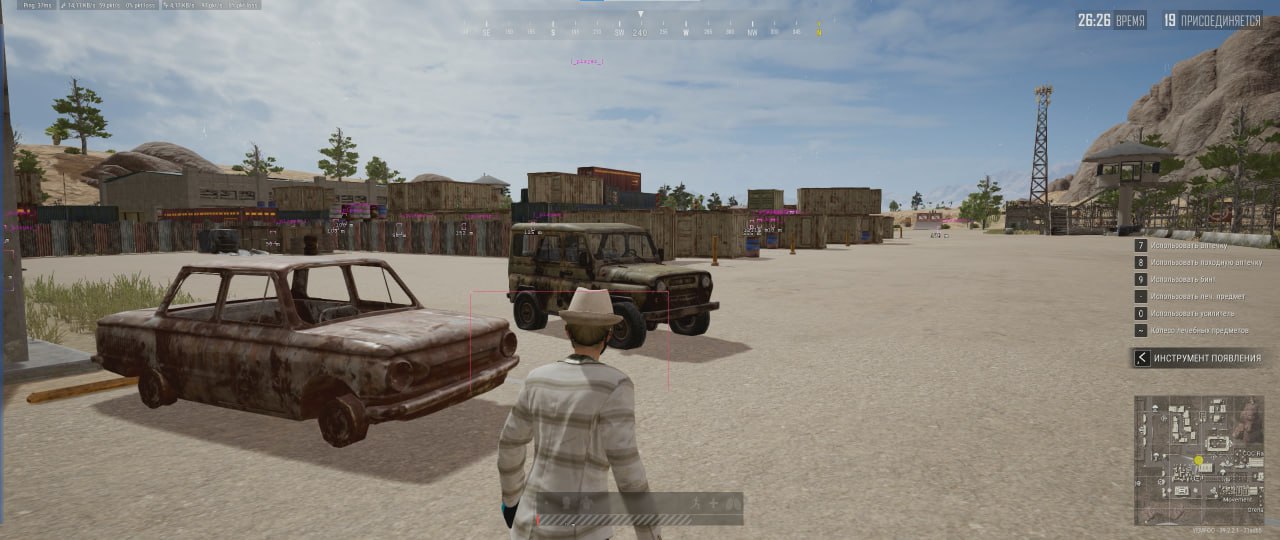
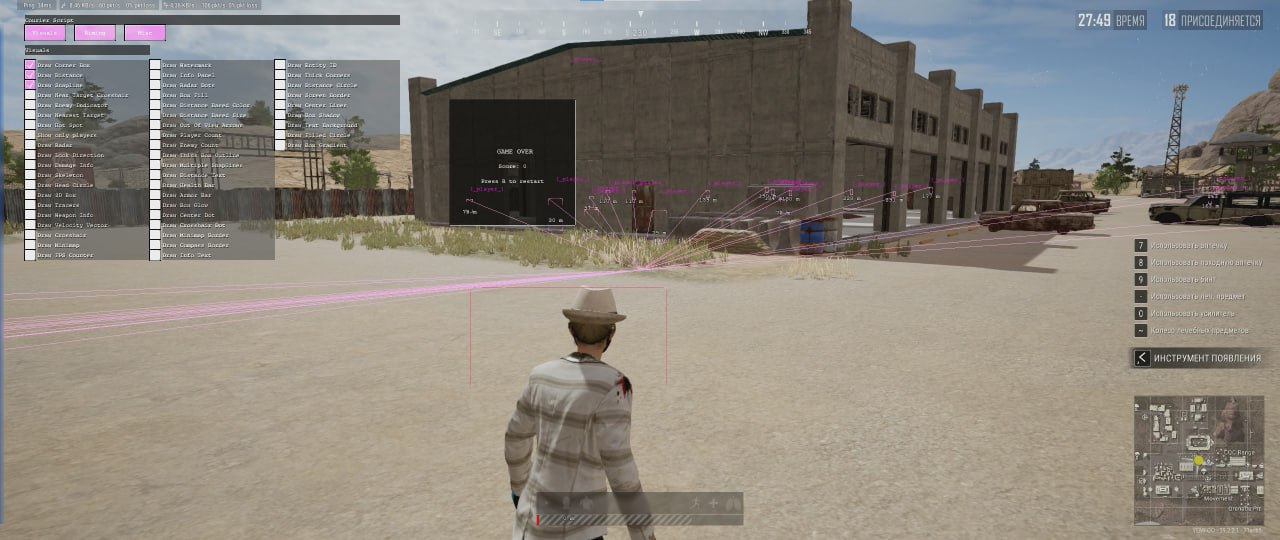
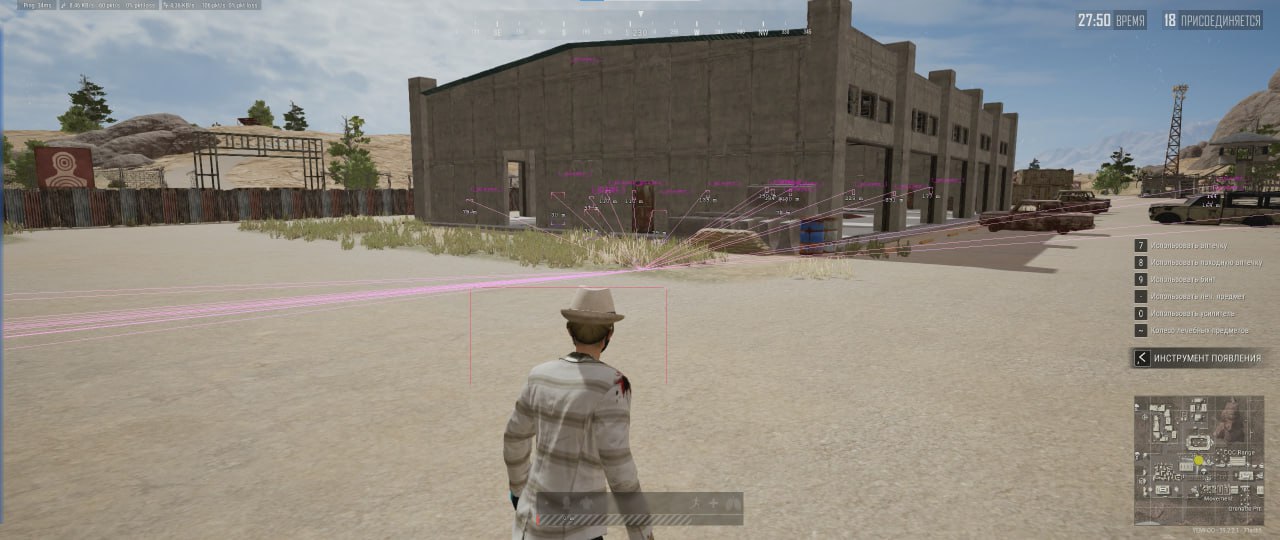
SCREENSHOTS
Description

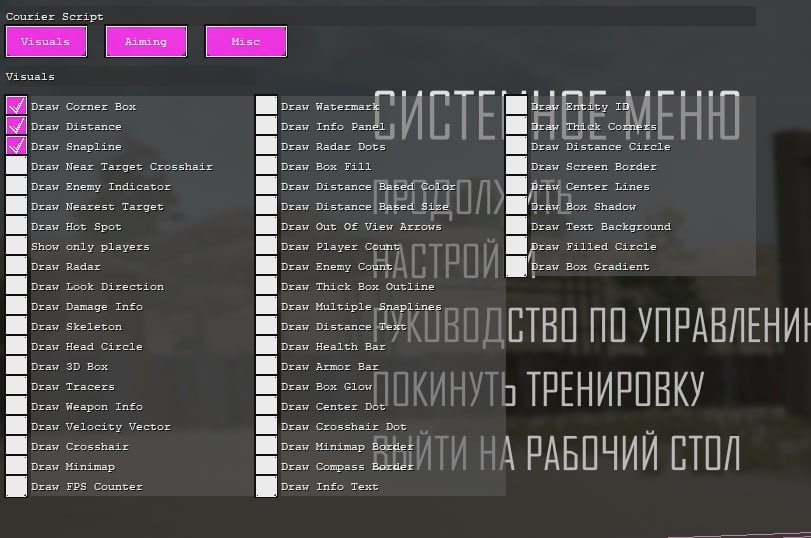
CourierScript is a software solution for PUBG built around maximum on-screen information and shooting assistance. What sets it apart from the competition is how deep the visual customization goes (Visuals). You can tune every interface element, from box line thickness to gradient fills and shadows.

The combat module packs advanced aiming assistance algorithms. The system factors in target movement speed and ballistics, compensating recoil and calculating the lead. That makes CourierScript a great pick for tactical play and aggressive gunfights at any range.

Product features

Visual features (players)

ESP Boxes

Several box styles: 2D/3D boxes, corner boxes, fill (Fill/Gradient), shadows and glow.

Skeleton & Head

Skeleton rendering and a circle around the head for precise aiming.

Info Bars

Health and armor bars, plus the weapon in hand and distance.

Indicators

Out Of View Arrows for off-screen enemies, enemy look direction and snaplines.

Tracers

Bullet tracer rendering to correct your fire.

Radar and Minimap

Draw Radar

External radar with dots marking enemy positions.

Draw Minimap

Overlays info on the in-game minimap.

Counters

Counters for live players and nearby enemies.

Combat features (Aiming)

Aim Assist

Helps pull your crosshair onto the target.

Prediction

Basic and advanced movement prediction (Velocity prediction) for shooting moving targets.

Recoil Compensation

Automatic weapon recoil compensation while firing.

Interface and More

Crosshair

Custom crosshair at screen center (several styles).

Info Panel

A panel with cheat status info and FPS.

Customization

Adjust colors, font sizes, transparency and line thickness.

Known issues & fixes

Real questions from our support, with the fixes that worked. Based on user requests for this product.

Why does the loader ask me to plug in a USB flash drive?

Some loader versions use hardware-based protection and require a regular USB flash drive to be plugged in while the software is running — this confirms the binding to your device. If the loader used to work without a flash drive and now asks for one, that usually means a program update changed this requirement.

  • Check the current instructions that came with your purchase — they specify whether a flash drive is needed for your particular version.
  • An actual physical USB flash drive is required — emulated or virtual drives will not work.
  • Some versions run directly from the flash drive: launch the loader straight from it and follow the on-screen prompts, no installation on your PC or in the game folder is needed.
Loader throws an error on startup and closes

If the loader throws an error and closes, follow these steps in order:

  • Run the Sordum utility (available from technical support; password: sordum), click Search, and send a screenshot , this helps detect hidden antivirus or security services.
  • Open Command Prompt as Administrator and run: DISM /Online /Cleanup-Image /RestoreHealth, then sfc /scannow , this repairs system files.
  • Try launching with a VPN enabled.
  • Make sure you are not using a permanent HWID spoofer , it corrupts system identifiers and can prevent the loader from working.

If none of these steps help, reinstall Windows and try again.

What is the password for the loader archive?

The archive password is: sordum.

Loader reports a conflict on startup , BIOS virtualization must be disabled

If the loader displays a conflict error on startup, enter BIOS and disable virtualization (Virtualization Technology / VT-x / AMD-V). Then relaunch the loader.

Additionally, disable UAC (User Account Control) in Windows settings , this can also interfere with injection.

Browser window does not open after starting the loader

Check your Windows version: press Win+R, type winver and press Enter. Send the version and build number to support , this helps diagnose compatibility issues.

Cheat launched, showed welcome screen, loaded 100%, but F1 hotkey doesn't work in PYBG

The cheat may not have updated correctly or required additional components are missing. Follow these steps:

  • Download and run the auxiliary utility (archive password: sordum).
  • Click the Search button and wait for the scan to complete.
  • Take a screenshot of the result and contact support , an operator will advise on next steps.
The cheat stopped working after a game update — what should I do?

After a major game update the software can stop working for a while: the loader may hang during launch, or nothing happens after starting, until the developer releases a version compatible with the new game build. Such products are usually marked unavailable on the site until a fix is out.

  • Reinstall the loader and try launching again — this sometimes clears the hang.
  • If that doesn't help, wait for the software to be updated for the new game version.
  • Downtime caused by an update is usually compensated by extending your subscription — check with support about this.
It says my key is already used or expired even though it's a brand new key

This usually happens when leftover activation files from a previous key or installation are still on your PC — they make the system treat the new key as already used.

Contact support: they can tell you which activation file to remove before entering the key again, or advise reinstalling the program via the official loader.

All issues & general troubleshooting
TARIFFS
$3.46
BUY What happens after payment?
Got a question? Ask before you pay

We'll help you choose and sort out any launch issue. Ask us anything before buying, we're always on your side.

Support 10:00–22:00, sometimes we reply at night too
Ask a question
Update history
  • 07.09.2026 Working
    Received an update
  • 02.09.2026 Working
    Received an update
  • 01.09.2026 Working
    Received an update

Available tariffs

1 day
$3.46
START PURCHASE
7 days
$13.84
START PURCHASE
30 days
$34.60
START PURCHASE
Reviews about CourierScript PUBG
31 sales on Digiseller No text reviews yet — be the first to leave one.

Your review

Reviews are published after moderation.

Join our gaming community chat

Discuss current cheats from developers and how to use them effectively in popular online games. Share tactics, exchange useful info and find like-minded players in our community.

1 900+Members
24/7Online
Join our gaming community chat

Technical support

Run into a technical issue? Our team of experts will help. We handle all requests in a live queue, so please be understanding if it sometimes takes a little wait. We guarantee that no request goes unanswered.

Availabilityfrom 10:00 to 23:00
Fast responseIn queue order
Get help
Technical support
PROCHEAT

PROCHEAT news channel

Follow product status changes, update history and important announcements.

Subscribe

Flexible interface customization

The CourierScript developers put real care into how readable everything is. You can set element colors based on distance (Distance Based Color), change font sizes and background transparency. Turning off the extras (teammate display, for example) clears up the screen. The custom crosshair (Crosshair) helps you hipfire when the game's stock crosshair is awkward or missing.

Latest updates

07.09.2026 16:33
Working
Received an update
02.09.2026 10:08
Working
Received an update
01.09.2026 16:09
Working
Received an update
26.08.2026 09:55
Working
Received an update
15.08.2026 13:02
Working
Received an update
Open full history
from $3.46 Choose a plan
Ask a question