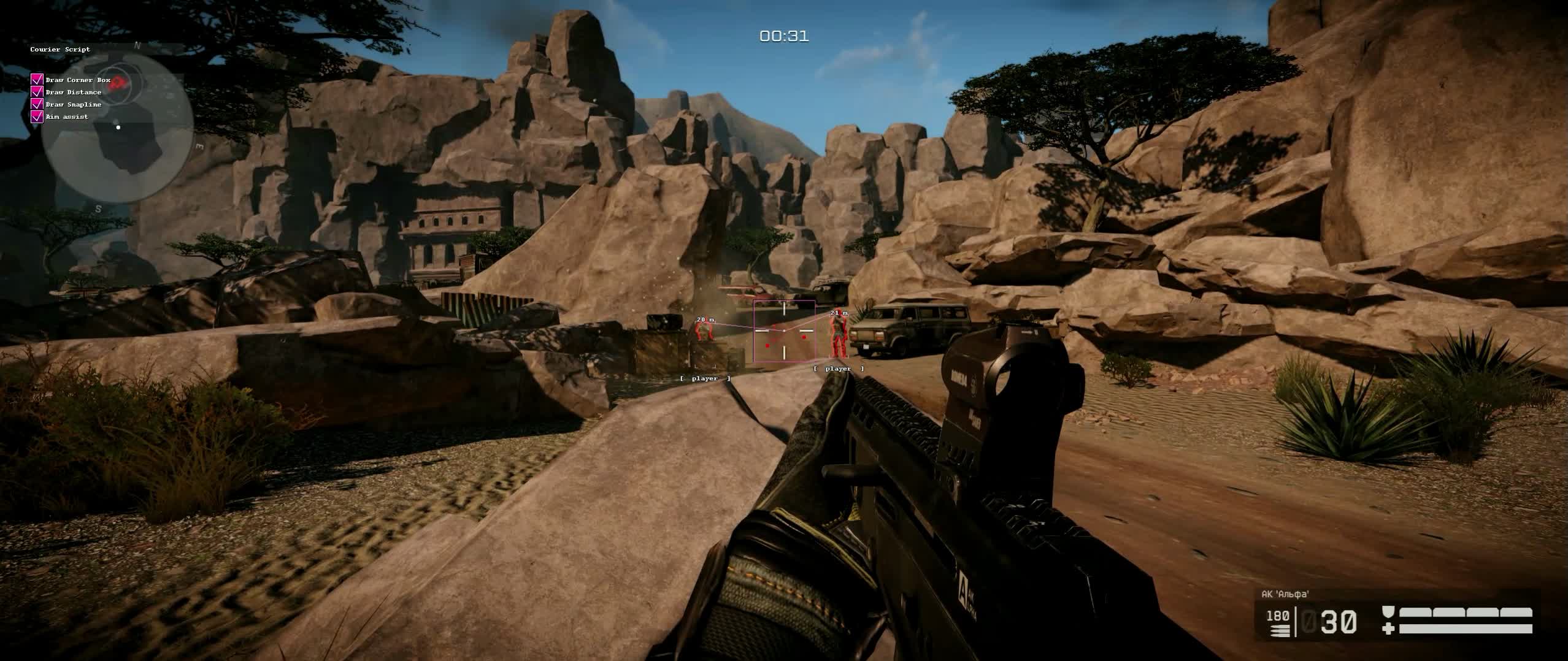
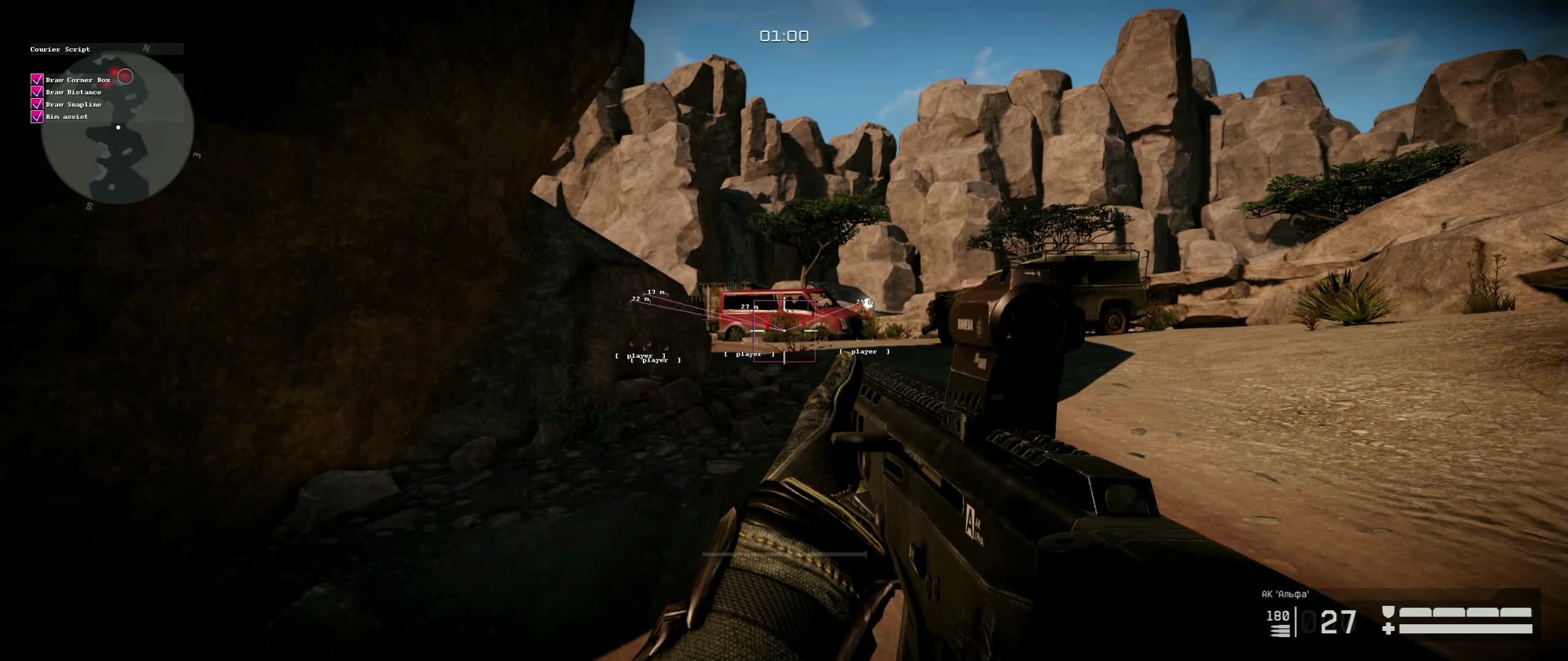
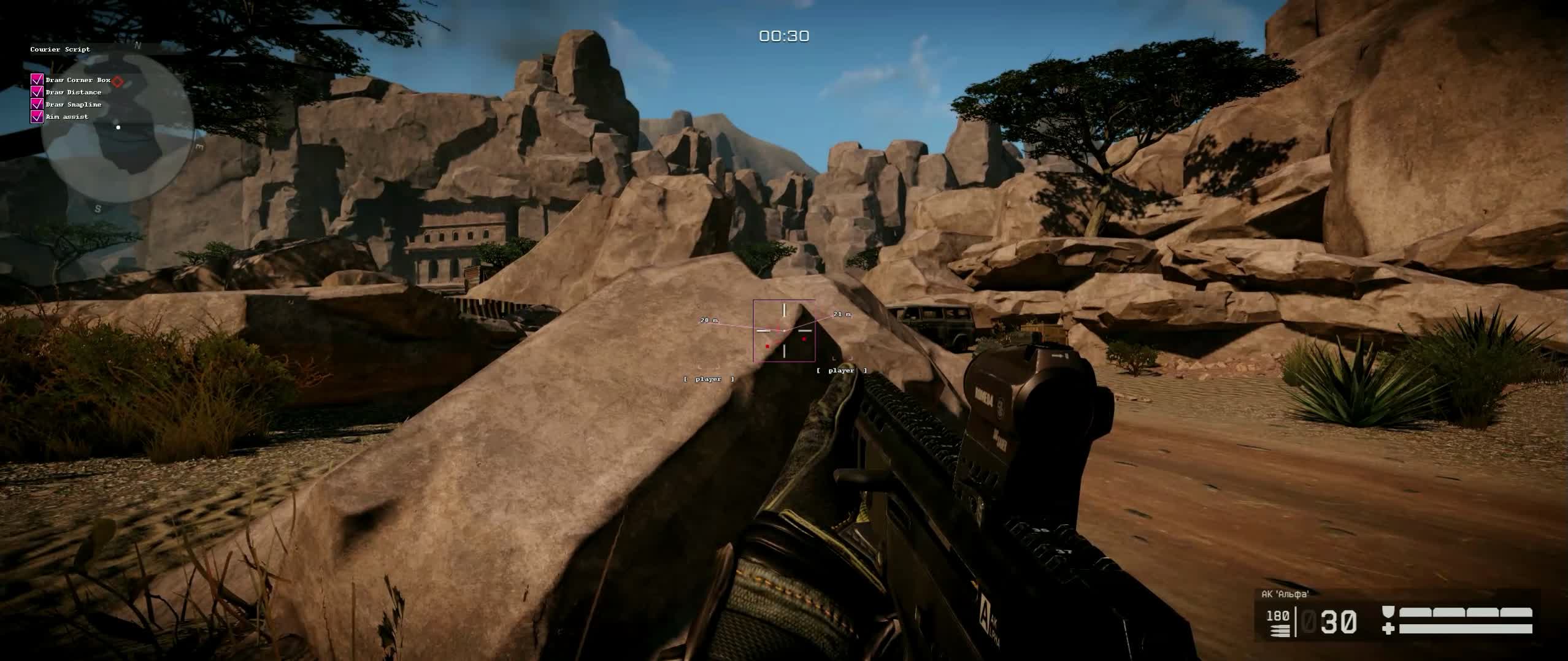
Покупал на день с 08.06 по 10.06 все работало отлично. 17.06.26 - Чит не работает. Запускается меню , но визуалы не показывает уже все перепробовал - бестолку. Поддержка бесполезная , пол дня только вижу что мне пишут скинуть скрины. Не советую. сначало не работал аим - скзаали что убрали на доработку. Теперь не работает и визуал вх
CourierScript is an affordable and effective solution for Warface players who want to improve their read of the situation on the battlefield. The main focus of this software is on the visual side (Visuals). The developer packed in a huge number of indicators, from classic boxes and skeletons to advanced movement vectors and view lines. This lets you read the game like an open book, knowing in advance where the enemy will come from and where they are looking.
The Aim Assist feature is built to be as soft and unobtrusive as possible, which makes CourierScript a great pick for "legit" play. You get a slight pull on your crosshair that compensates for human error without looking like a robotic aimbot. This is the perfect balance between account safety and performance in PvP matches and special operations.
Product features
Visuals
Draw Corner Box
corner boxes drawn around enemies2D / Filled Box
box style options: 2D outline or solid color fillSkeleton ESP
skeleton of the model drawn so you can read the enemy's poseHealth Bar
health bar with a gradient (Health Gradient)Draw Distance
distance to the target shown as numbers or textDraw Snapline
lines from the center of the screen to enemies (Team Line)View Direction
enemy's view vector (where the opponent is looking)Velocity Indicator
indicator of the target's speed and direction of movementVisibility Check
visibility check (changes color if the enemy is behind a wall)Team Indicator
color split between teams (Team Color Box)Aim Point
dot that shows where your aim assist is pointedHead/Body Dot
markers on the head and body to make aiming easierIn Air Indicator
marks enemies who are mid-jump or slidingAiming
Aim Assist
help with putting the crosshair on the enemy (legit)Prediction Line
lead line for shooting at moving targetsFOV Circle
shows the aim assist capture radiusCrosshair Distance
distance shown next to the crosshairClosest Indicator
pointer to the enemy closest to youKnown issues & fixes
Real questions from our support, with the fixes that worked. Based on user requests for this product.
Cannot disable Windows Defender before launching the cheat
To fully disable Windows Defender, download the Sordum utility (archive password: sordum). Run it, click Search, wait for the scan to complete, and send a screenshot of the result to support. Once Defender is disabled, relaunch the loader.
What is the password for the loader archive?
The archive password is: sordum.
Cheat menu opens but no functions work in-game
If the menu is visible but features are not working in-game, try the following:
- Restart your computer and relaunch the cheat.
- Switch the game to windowed mode.
- Make sure all antivirus and security software is fully disabled and removed.
If the issue persists, record a video of the full launch process (from start to entering the game) and share the link (YouTube) with support so the developer can review it.
Loader throws an error on startup and closes
If the loader throws an error and closes, follow these steps in order:
- Run the Sordum utility (password: sordum), click Search, and send a screenshot , this helps detect hidden antivirus or security services.
- Open Command Prompt as Administrator and run: DISM /Online /Cleanup-Image /RestoreHealth, then sfc /scannow , this repairs system files.
- Try launching with a VPN enabled.
- Make sure you are not using a permanent HWID spoofer , it corrupts system identifiers and can prevent the loader from working.
If none of these steps help, reinstall Windows and try again.
Cheat does not work on Windows 11 24H2 , which versions are supported?
CourierScript supports Windows 10 (all builds) and Windows 11 versions 21H2, 22H2, and 23H2. Windows 11 24H2 is not supported and there is no workaround , you will need to install a compatible version of Windows.
The current compatibility list is always listed on the product page.
Aiming tab does not open or has no effect
The aimbot feature has been temporarily disabled by the developer and is currently being reworked , it was removed due to a high risk of anti-cheat detection. All other features (visuals, ESP, etc.) continue to work normally.
Watch for cheat updates , the aimbot will be re-added after the rework is complete.
Key is bound to one PC , can it be transferred to another computer?
The CourierScript license key is bound to a single computer (1 key = 1 PC). Transferring the key to a different device is not supported.
If you are reinstalling Windows on the same computer, an HWID reset is not required , the binding is preserved. If you are changing hardware or switching to a different PC, contact support to discuss your options.
Loader reports a conflict on startup , BIOS virtualization must be disabled
If the loader displays a conflict error on startup, enter BIOS and disable virtualization (Virtualization Technology / VT-x / AMD-V). Then relaunch the loader.
Additionally, disable UAC (User Account Control) in Windows settings , this can also interfere with injection.
Browser window does not open after starting the loader
Check your Windows version: press Win+R, type winver and press Enter. Send the version and build number to support , this helps diagnose compatibility issues.
Courierscript