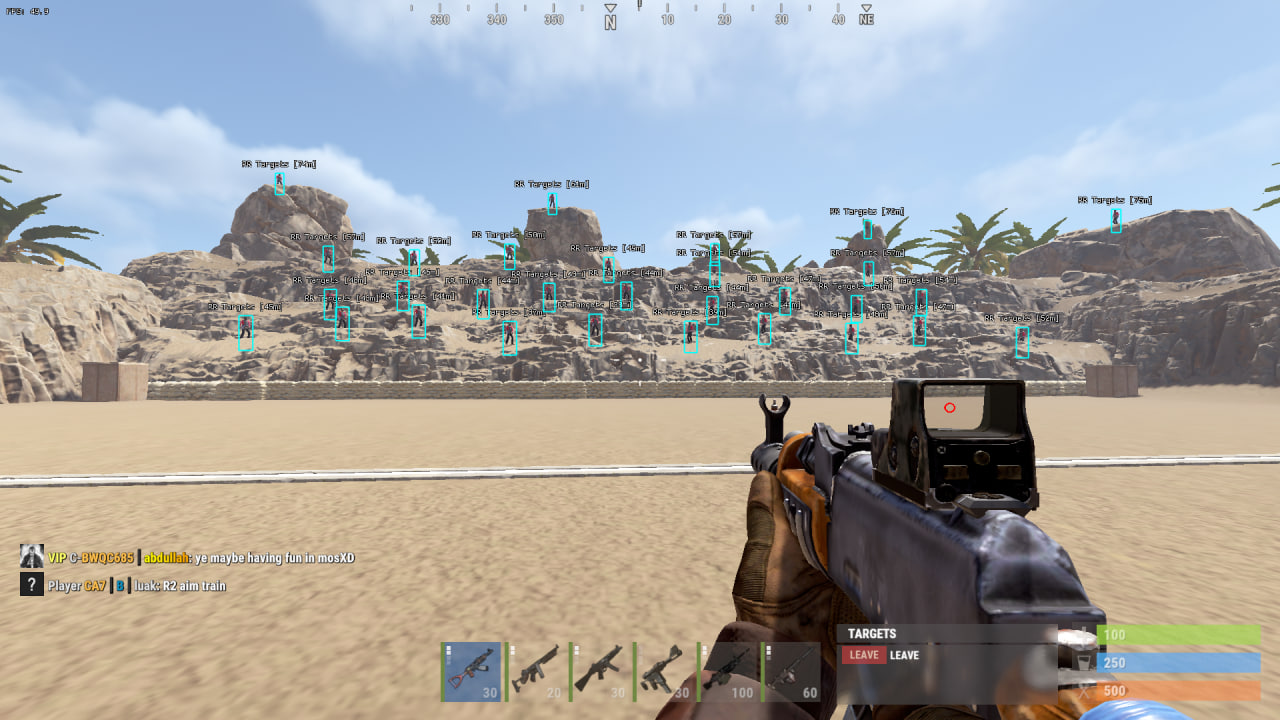
ЗАБАНИЛА СПУСТЯ 4 ЧАСА НА ПУСТОМ СЕРВЕРЕ👍 (ЗАБАНИЛ АНТИЧИТ)
CourierScript RUST ESP: private and lightweight software
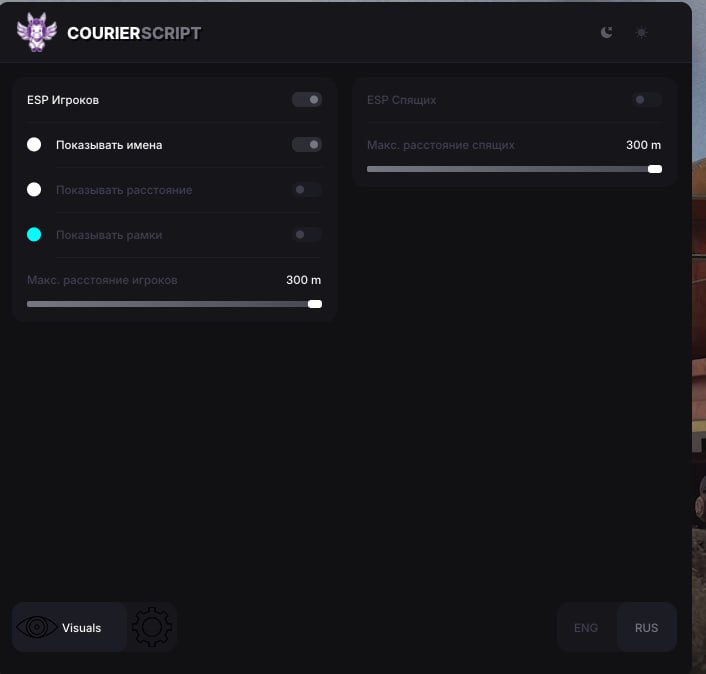
CourierScript RUST ESP is a minimalist solution for players who want just the basic visual control without paying extra for complex features like an aimbot or loot filters. The product is built with a focus on maximum performance and optimization.
The software gives you the most essential info about enemies: their location, names and distance. Limiting render distance to 300 meters lets you effectively control short and mid range, keeping the screen clear of clutter from far-off markers. A great pick for weak PCs or anyone looking for a "Legit" playstyle.
Product features
Player ESP
Show Names
Displays player nicknamesShow Distance
Distance to each enemyBox 3D / Full / Corner
Three box styles around enemiesMax Distance: 300m
Limits ESP render distanceBox (fill)
Highlights targets with a fillEnemy Line
Lines from you to playersRadar
Movable radar showing enemiesIndication Arrows
Arrow indicators for enemies off screenShow Corpse Label
Labels for corpsesShow Wounded Label
Labels for wounded playersPlayer Chams
White chams, players visible through any obstacleSleeping ESP
Show Names
Displays sleeping player nicknamesShow Distance
Distance to sleepersSleepers Max Distance
Limits sleeper render distanceMisc
FullBright
Full map lighting, night is no longer a problemSettings
Show FPS
Frames per second counterMenu Toggle Key
Assign the menu open keyUnload Key
Key to unload the cheat from the processVSync
Vertical syncAnti-Screenshot
Hides visuals when a screenshot is takenNotifications
Alerts for cheat eventsShow Visuals Status
Status indicator for visual featuresKnown issues & fixes
Real questions from our support, with the fixes that worked. Based on user requests for this product.
Why does the loader ask me to plug in a USB flash drive?
Some loader versions use hardware-based protection and require a regular USB flash drive to be plugged in while the software is running — this confirms the binding to your device. If the loader used to work without a flash drive and now asks for one, that usually means a program update changed this requirement.
- Check the current instructions that came with your purchase — they specify whether a flash drive is needed for your particular version.
- An actual physical USB flash drive is required — emulated or virtual drives will not work.
- Some versions run directly from the flash drive: launch the loader straight from it and follow the on-screen prompts, no installation on your PC or in the game folder is needed.
Loader throws an error on startup and closes
If the loader throws an error and closes, follow these steps in order:
- Run the Sordum utility (available from technical support; password: sordum), click Search, and send a screenshot , this helps detect hidden antivirus or security services.
- Open Command Prompt as Administrator and run: DISM /Online /Cleanup-Image /RestoreHealth, then sfc /scannow , this repairs system files.
- Try launching with a VPN enabled.
- Make sure you are not using a permanent HWID spoofer , it corrupts system identifiers and can prevent the loader from working.
If none of these steps help, reinstall Windows and try again.
What is the password for the loader archive?
The archive password is: sordum.
Antivirus blocking CourierScript from launching , how to fix?
Antivirus software (especially Kaspersky) blocks the loader even when disabled. You must completely uninstall the antivirus , turning it off is not enough.
After uninstalling, download the Antivirus Removal Tool (sordum): extract the archive with the password sordum, run it, click Search, and wait for it to finish , take a screenshot of the result. This removes leftover antivirus components that continue to block the cheat.
CourierScript menu does not open in-game , how to fix?
The menu opens with the DEL (Delete) key. The most common reason it does not appear is that the game is running in fullscreen mode. Switch Rust to Windowed mode.
Follow the correct launch order: start the loader first and wait for the cheat-ready confirmation, then open Rust. The menu will be available once you are in-game.
Browser window does not open after starting the loader
Check your Windows version: press Win+R, type winver and press Enter. Send the version and build number to support , this helps diagnose compatibility issues.
CourierScript loader says something is interfering , BIOS virtualization issue
If the loader displays a conflict error on startup, enter BIOS and disable virtualization (Virtualization Technology / VT-x / AMD-V). Then relaunch the loader.
Additionally, disable UAC (User Account Control) in Windows settings , this can also interfere with injection.
Bullets flying above the head , how to fix aim in CourierScript?
If bullets are hitting above the target, try rejoining the server , this often resolves the issue immediately. If it happens again, open the cheat menu and adjust the aimbot settings.
For support diagnosis, a short video clip (5,10 seconds) showing the issue is required.
The cheat stopped working after a game update — what should I do?
After a major game update the software can stop working for a while: the loader may hang during launch, or nothing happens after starting, until the developer releases a version compatible with the new game build. Such products are usually marked unavailable on the site until a fix is out.
- Reinstall the loader and try launching again — this sometimes clears the hang.
- If that doesn't help, wait for the software to be updated for the new game version.
- Downtime caused by an update is usually compensated by extending your subscription — check with support about this.
It says my key is already used or expired even though it's a brand new key
This usually happens when leftover activation files from a previous key or installation are still on your PC — they make the system treat the new key as already used.
Contact support: they can tell you which activation file to remove before entering the key again, or advise reinstalling the program via the official loader.
Courierscript