
Unnamed Cheat for RUST
 Unnamed

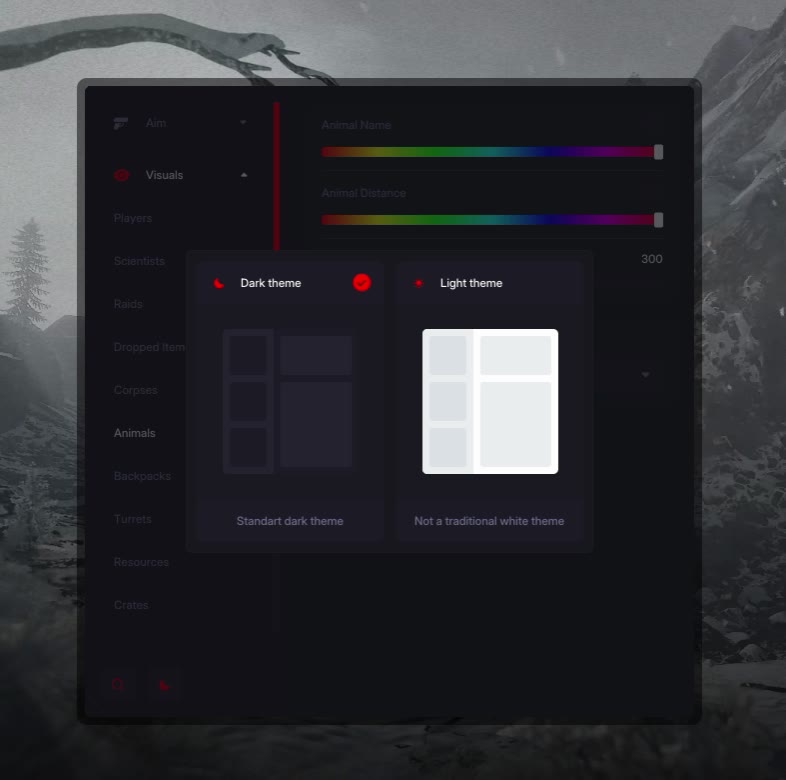
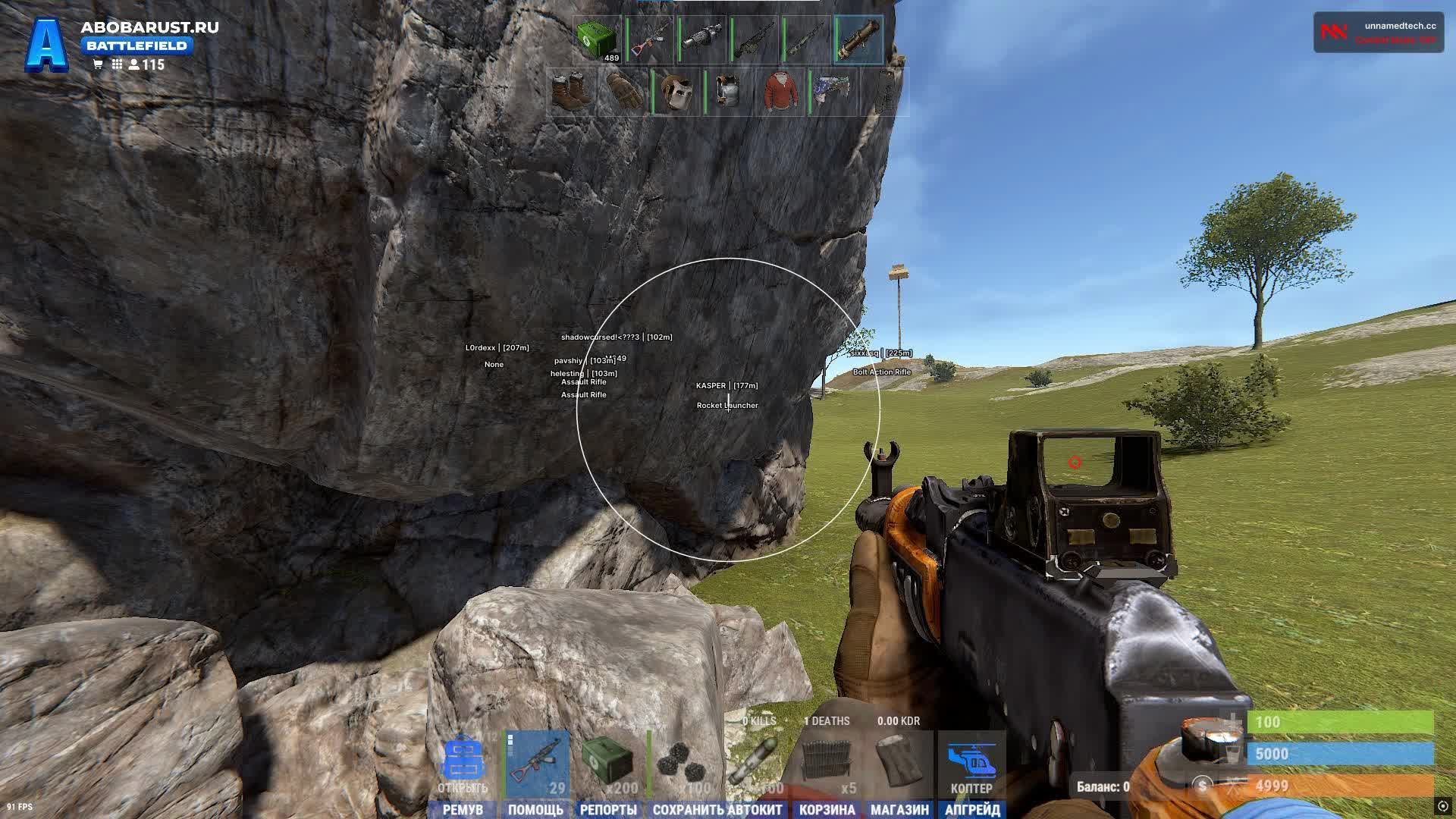
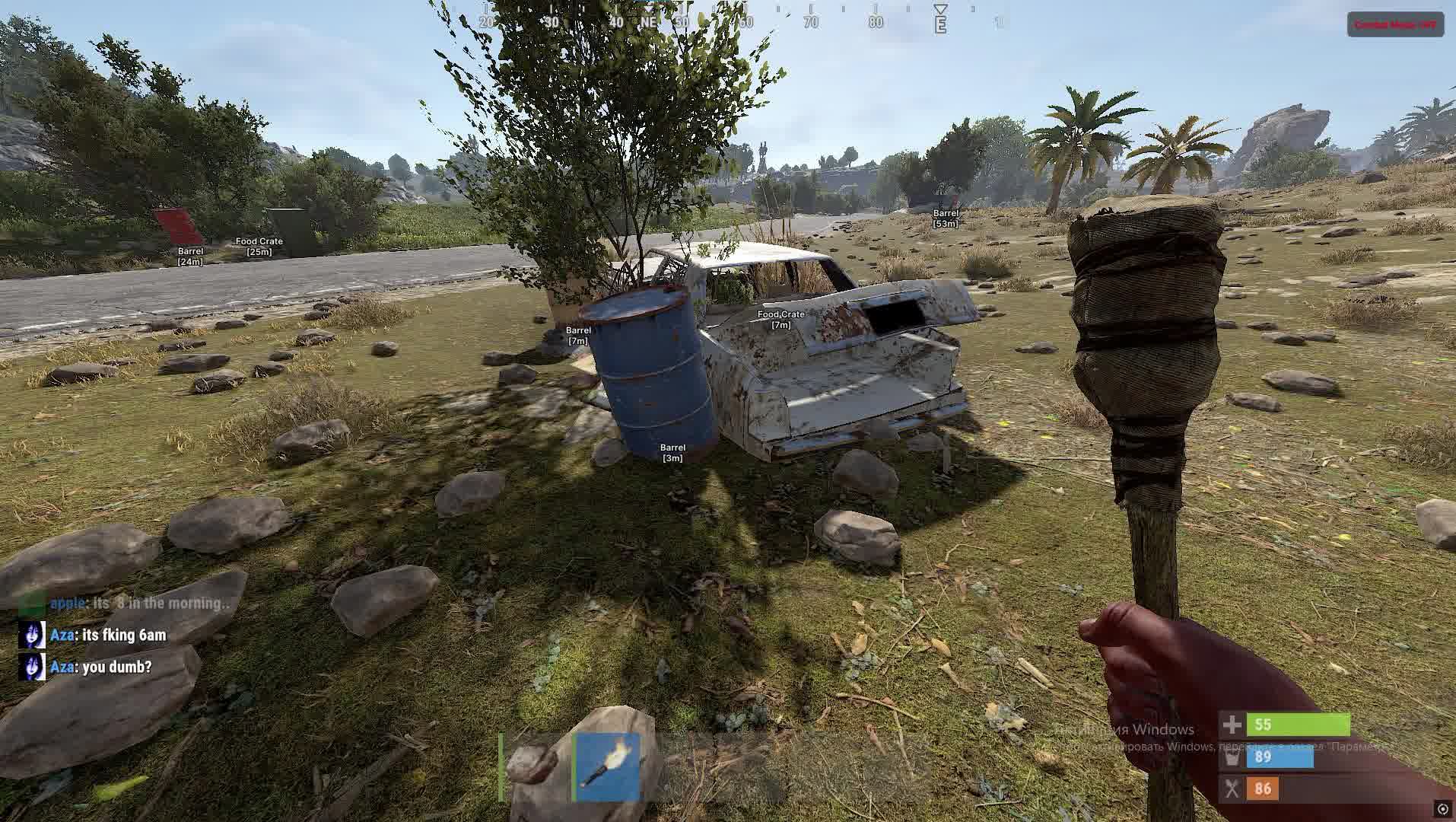
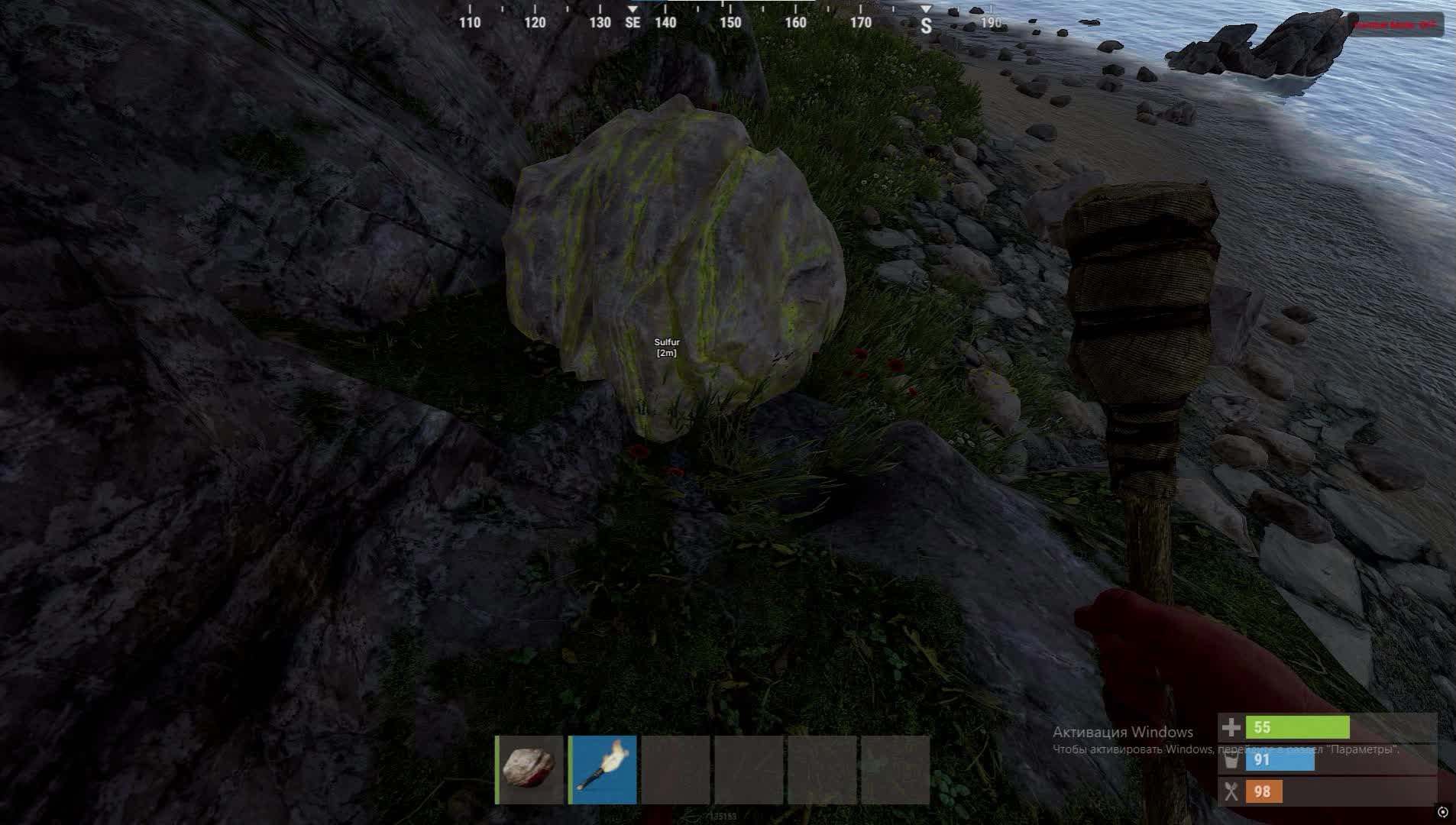
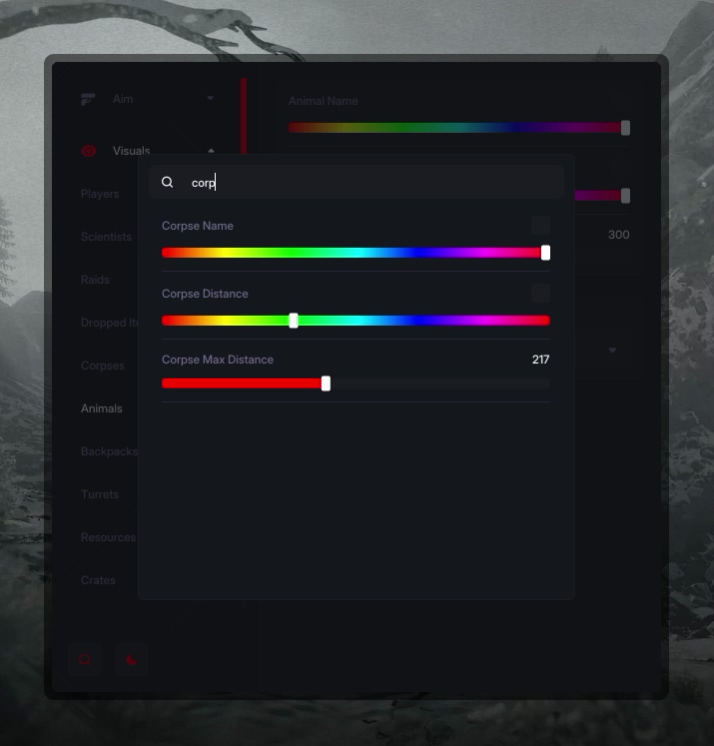
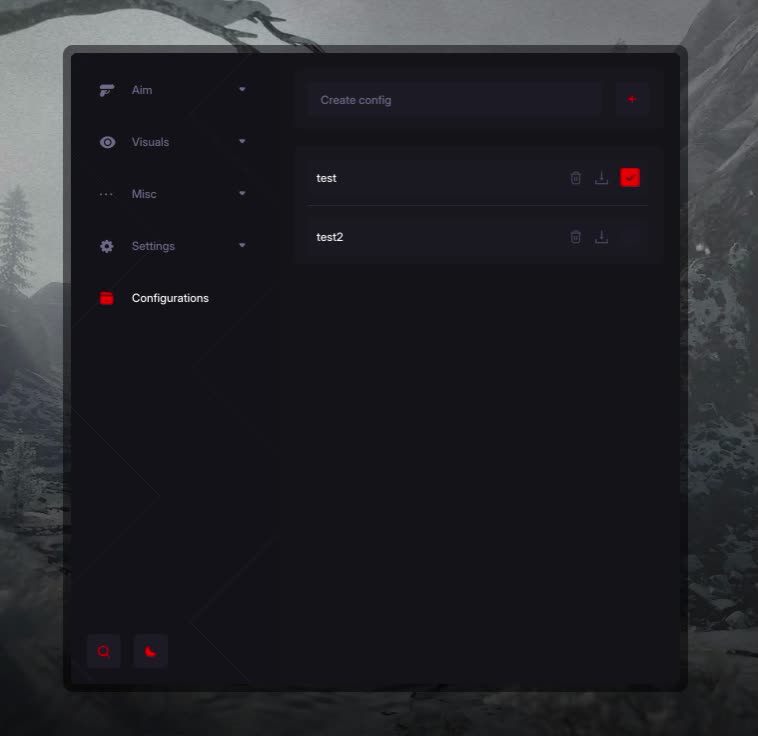
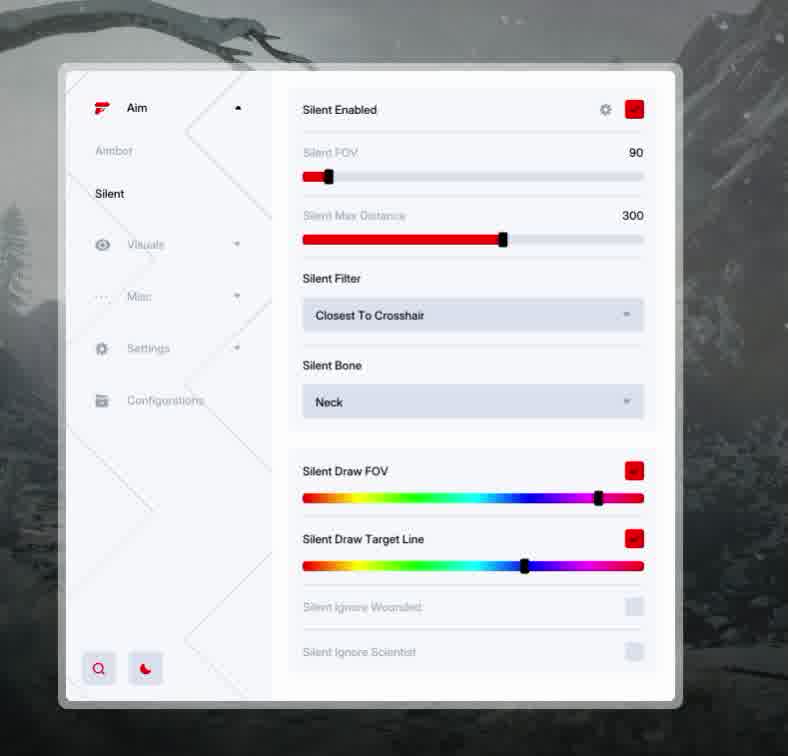
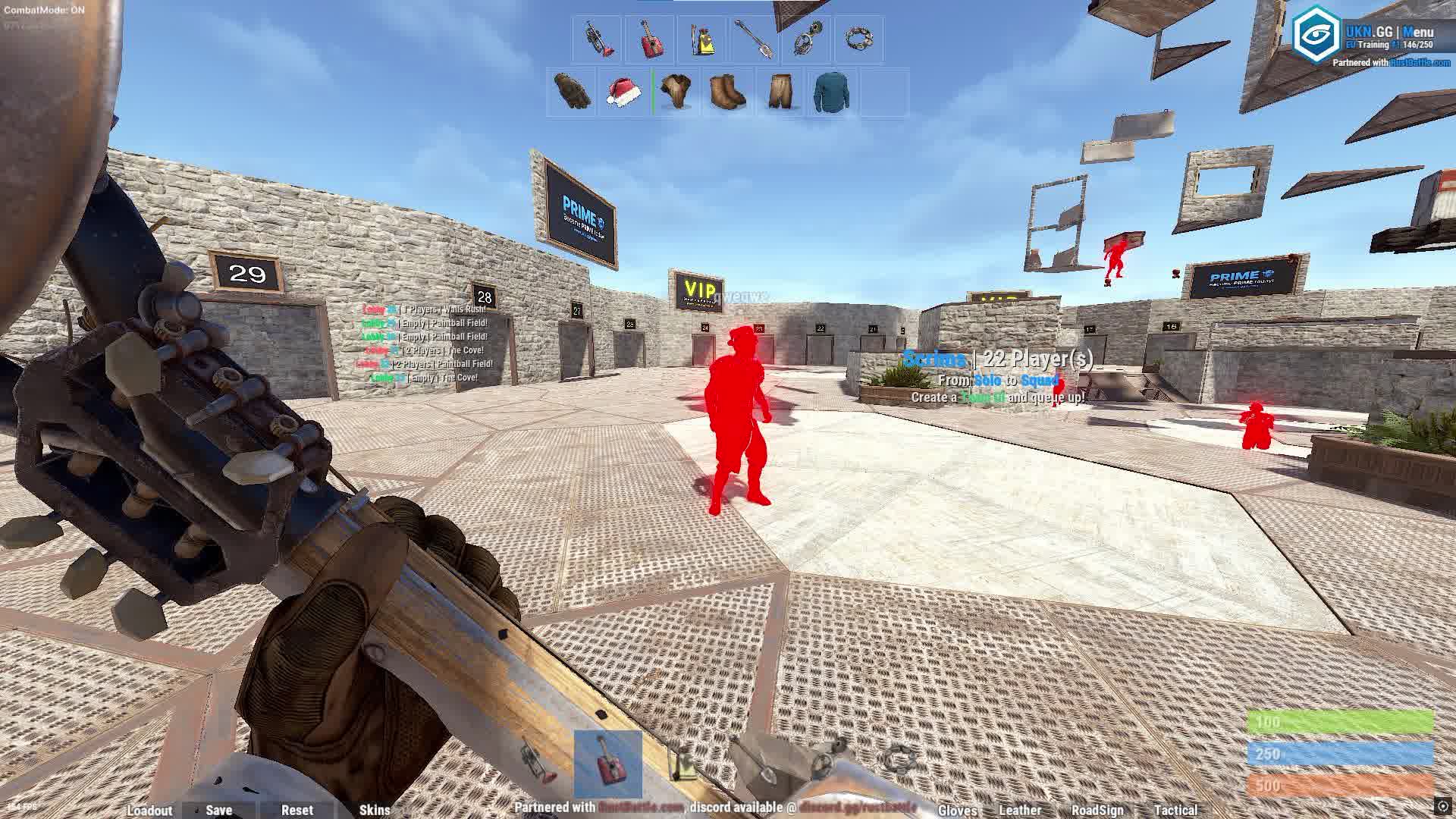
Unnamed is a powerful multifunction cheat for RUST, built by the Unnamed team for players who want to dominate the servers completely. The product packs two aimbot types you can pick from: Silent Aim for maximum stealth and Vector Aimbot for legit play with smooth tracking, plus a detailed ESP that lights up everything from players to the smallest resources.
The software is built around flexibility and convenience: you can switch between modes, tune every feature to your taste and save configs for different situations. Combat Mode lets you kill the World ESP with a single button during a fight so you don't get distracted by extra visuals. Unnamed is the perfect balance of power and control.
Product features
AIMBOT (Two Modes)
Playstyle
Your pick. Silent Aim (bullets fly on their own) or Vector Aimbot with smoothness for legit play. Prediction included. Set the bone, FOV and key. Ignore sleepers and bots. Full visualization of lines and radius.PLAYERS & BOTS (Recon)
Players
Details. Chams, boxes and skeletons. A unique feature, view of the hotbar and the weapon in hand. Separate settings for bots. Hide teammates, but see sleepers and the distance to them.WORLD ESP (Farm and Bases)
Resources and Loot
Riches. Highlight for trees, ore (stone/sulfur/metal), hemp and food. View of animals, corpses and dropped loot.Objects
Bases. Tool cupboards (TC), workbenches (with level!), sleeping bags and crates (Large/Small). View of barrels and containers through walls.MISC (Comfort)
Weapon and System
Control. Adjustable No Recoil (0-100%), No Sway and No Spread. Combat Mode Hotkey instantly turns off World ESP so you can focus in a fight. Customize font size, the aim and the config system.Known issues & fixes
Real questions from our support, with the fixes that worked. Based on user requests for this product.
My antivirus keeps deleting the loader files or blocking it from starting — what should I do?
This is usually caused by your antivirus or Windows built-in protection flagging the loader as a threat and deleting or blocking it.
- Add the loader's folder to your antivirus exclusions.
- Temporarily turn off real-time protection while you download, install, and activate.
- Download the loader again and launch it.
If the error persists, contact support — you may need an updated version of the loader.
Loader says Invalid key / key not working
This is a server-side issue, not a mistake on your part. Contact support and provide the key that arrived in your email after payment.
The operator forwards the key to the developer, who then issues a replacement. A new key usually arrives within a few hours depending on the developer's time zone.
No additional steps are required on your end while you wait — the loader and all files are already set up correctly.
Driver Error appears after entering the key in the loader — cheat won't start
A driver error usually indicates a conflict with installed software or a system environment issue. Follow these steps:
- Download the Sordum utility (available from technical support; the archive password will be provided by support).
- Launch it, click Search, and wait for the scan to finish.
- Send a screenshot of the results to the support chat — the developer will analyse the conflict and provide a fix.
After reinstalling Windows the HWID binding is lost — loader shows "HWID not found"
The key binding resets when you reinstall the OS. Contact support and provide your activation key — the operator will forward the request to the developer, who will reset the HWID on the server side. Re-enter the key in the loader after the reset is confirmed.
Note: one key works on one PC only. If your hardware has not changed, the reset is free of charge.
Loader CMD window opens and immediately closes, nothing happens
In most cases, using a VPN fixes the issue: start a VPN connection and then relaunch the loader. If your VPN has TUN mode enabled, disable it in the VPN settings and try again.
Additionally: download the Sordum utility (available from technical support; archive password: sordum), run it, click Search, and send a screenshot of the results to support — this helps diagnose what is blocking the launch.
If neither VPN nor Sordum (available from technical support) helps, contact support to escalate to the developer.
Loader shows 'under maintenance' or cheat is unavailable after a game update — how long to wait?
The loader is temporarily unavailable while the developer releases an update. This is a planned process that typically takes a few hours.
- Monitor the status on the website and in the news channel: t.me/procheatsupport
- Subscription time does not count down during a freeze — the timer is paused.
- Once the update is ready, the loader will work automatically. No additional steps are needed on your end.
The site is blocked in my country and I can't download the loader
Use a VPN to access the site and download the loader. Once the loader is downloaded and the cheat has been injected, you may disable the VPN — it does not need to remain connected during gameplay.
The cheat throws an error and won't work on a computer that has a virtual machine — why?
If a virtual machine is installed or running on your computer, the protection system may detect it and block the program, showing an error.
Remove the virtual machine from your computer, restart, and try launching the program again.


 Join all games chat





