сайт с инструкций не грузит, сам продавец игнорирует. товар не активировал но возврат не делают
Cheat Arc Raiders Unnamed: private software for ARC Raiders
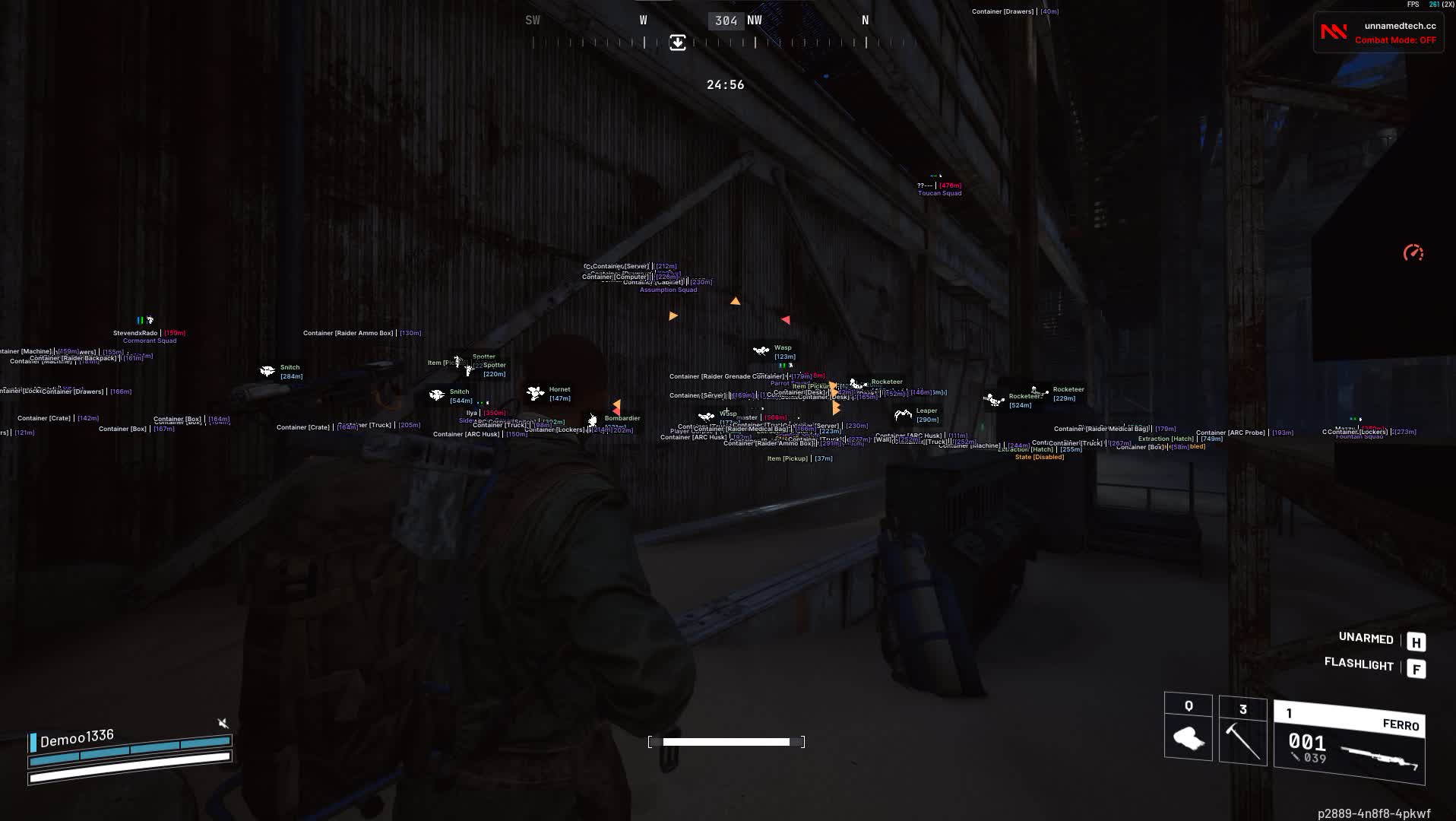
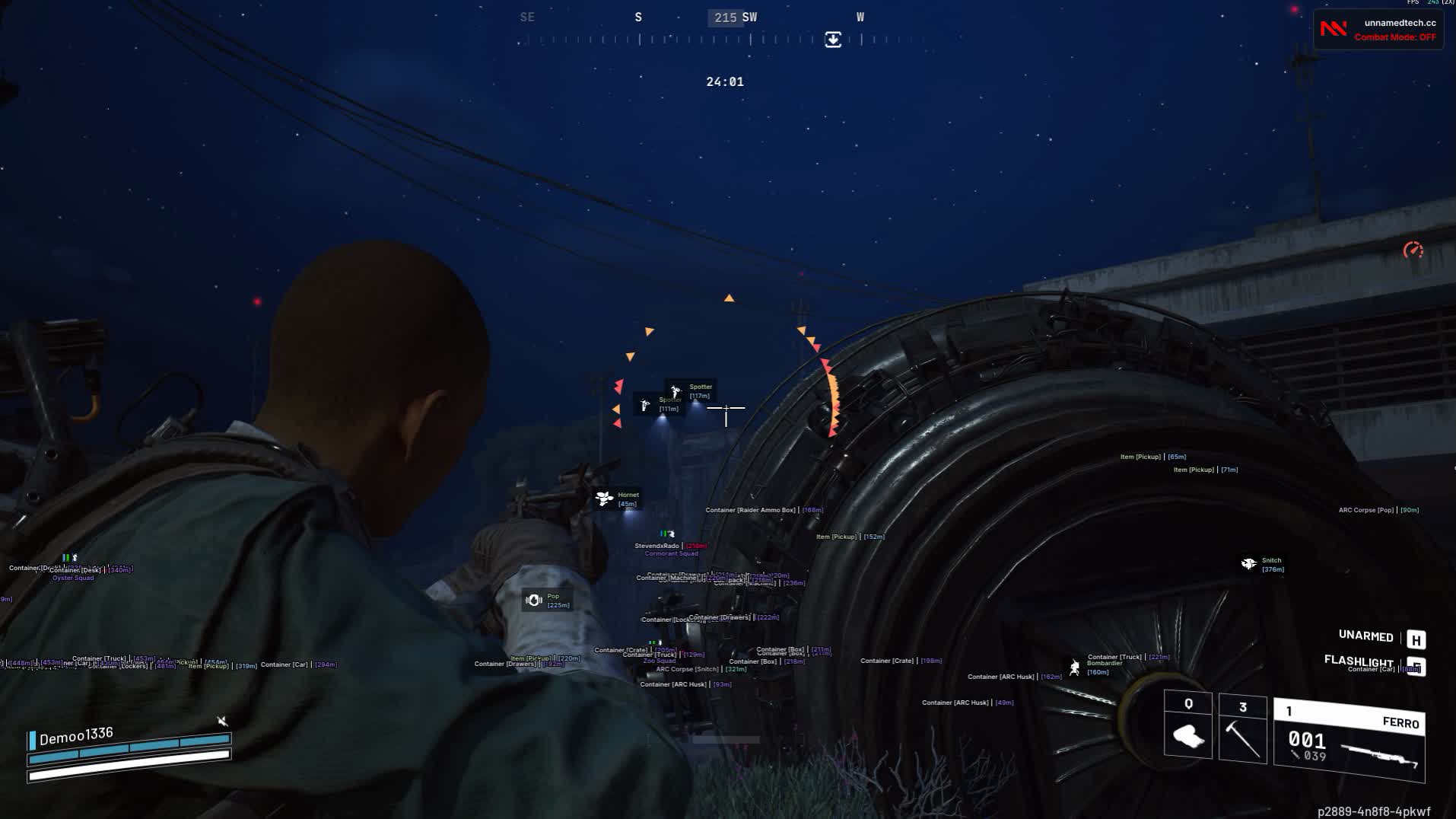
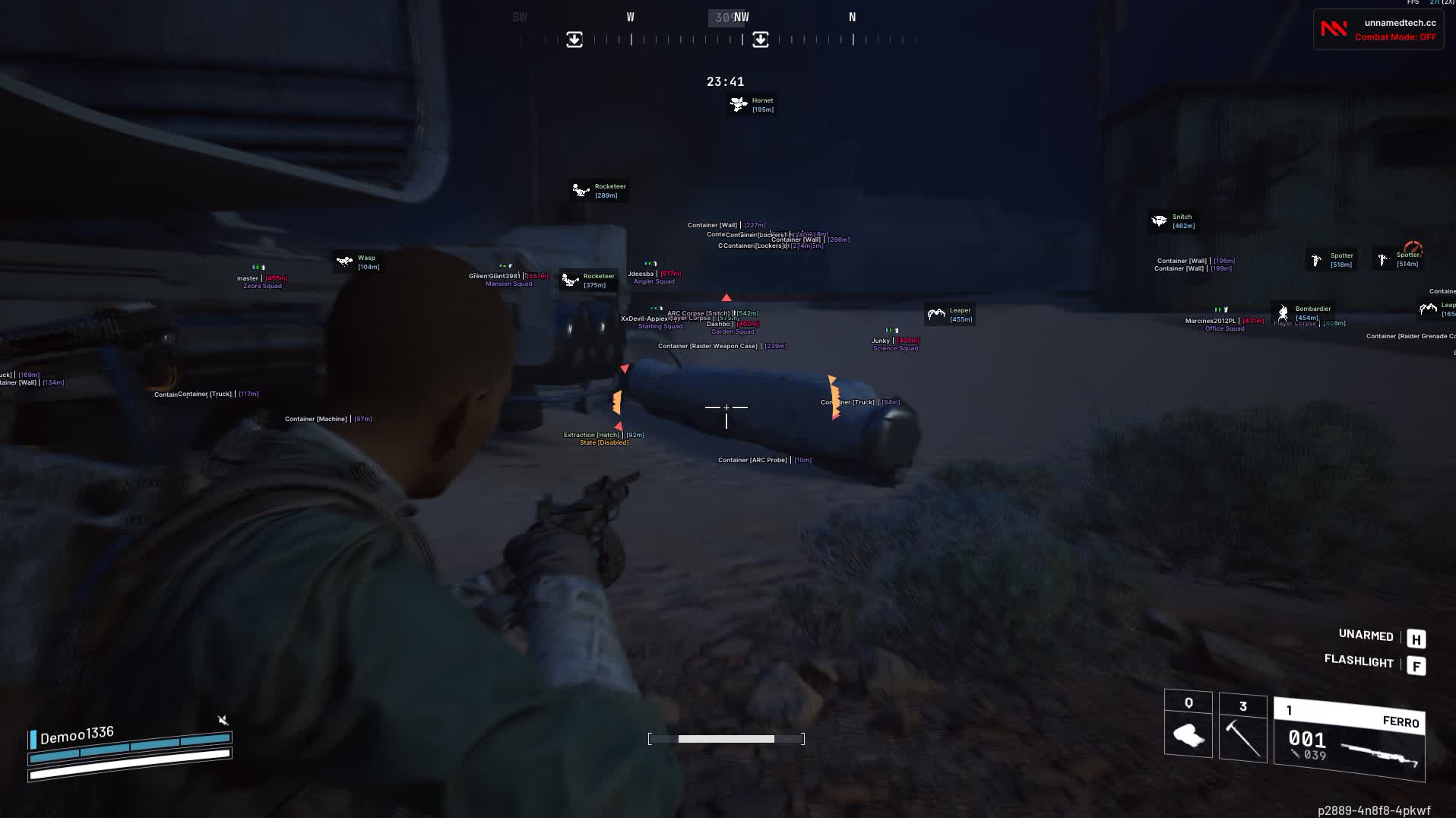
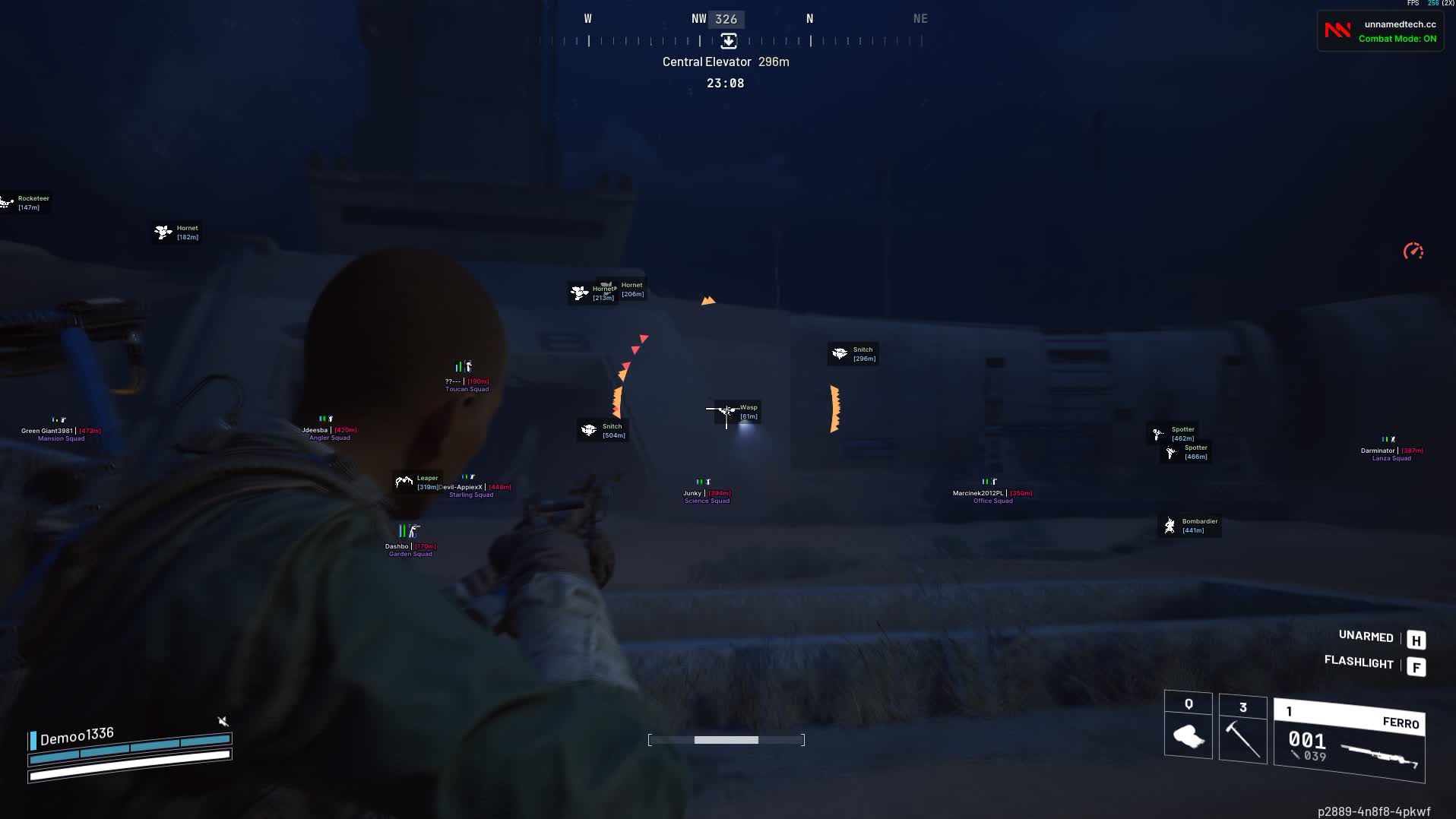
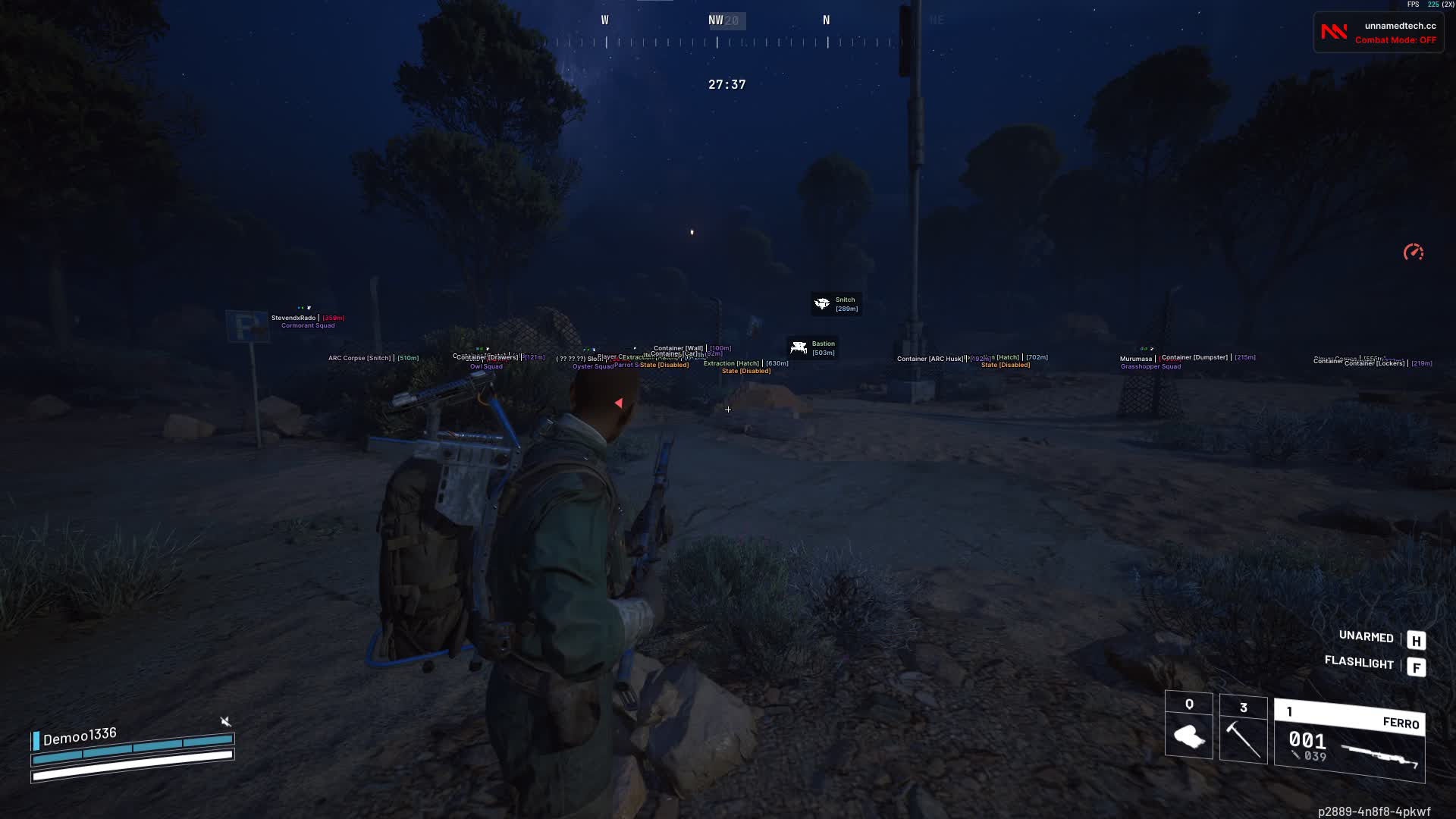
Arc Raiders Unnamed is an all-around tool for total control over the visual info on the map. The main focus is flexible ESP customization: you decide what entities show up on your HUD, whether it's players, ARC robots, corpses, extraction points, loot or containers. Every element has its own range and display settings. You can build a personal interface style: custom aim, font size, a Combat Mode that hides the extra clutter for PvP. This software is a perfect fit for anyone who values a clean map tuned exactly to their taste, instead of settling for the "stock" features.
Product features
AIMBOT (shooting assist)
Aimbot activation
Instantly turn the assist on with a single key. Be ready for a sudden fight with an enemy squad at any moment.FOV & Visuals
Set the capture zone (FOV) and turn on its drawing. See the radius on screen where the aimbot starts working, plus the line to your current target.Smooth & Speed
Adjust the smoothness and speed of the aim snap. Make it soft for legit play or lightning-fast for rage fights.Stickiness
Set up target sticking. The aim holds onto the enemy tightly, even if they spam slides or jumps.Filter & Bone
Pick your priority: players only, or also those annoying drones. Set the hit zone (head/body) to drop enemies fast.VISUALS PLAYERS (ESP on players)
Box, Skeleton & Head
The full visual set: a box, a skeleton to read the pose (crouching/prone) and a head marker for easy prefires.Full Info (Name, Health, Shield)
Everything on the enemy: name, distance, squad name, remaining HP and shields. Know when to push and when to back off.View Direction & OOF
View lines show where the enemy is looking, and OOF arrows warn you about a threat behind your back or from the flank.Distance Settings
Limit the ESP range so you don't clutter the screen with info about enemies on the other side of the map.VISUALS ARC (ESP on bots)
Bot Info & Icons
Tell Ticks from Rocketeers from far away. Unique icons, names and distance for each type of ARC machine.Custom Filter
Filter out the junk. Turn off the display of small drones and leave only the dangerous giants, or the other way around.WORLD (World and Loot)
Corpses & Loot
Don't miss loot on corpses and valuable resources in the grass. Highlights for crates and items with filtering by type.Extraction Points
Always know where the exit is. Status (open/closed) and distance to extraction points right on your screen.MISC (Other)
Combat Mode
Focus mode. Cut all the extra visuals (loot, crates) with one key, leaving only enemies for a clean fight.Custom Crosshair
A static aim in the center of the screen. Helps you shoot from the hip and control the center of the screen without aiming down sights.Font & Scale
Set the text size for your monitor. A readable interface is the key to reacting fast to information.Known issues & fixes
Real questions from our support, with the fixes that worked. Based on user requests for this product.
Loader says Invalid key / key not working
This is a server-side issue, not a mistake on your part. Contact support and provide the key that arrived in your email after payment.
The operator forwards the key to the developer, who then issues a replacement. A new key usually arrives within a few hours depending on the developer's time zone.
No additional steps are required on your end while you wait — the loader and all files are already set up correctly.
Driver Error appears after entering the key in the loader — cheat won't start
A driver error usually indicates a conflict with installed software or a system environment issue. Follow these steps:
- Download the Sordum utility (the archive password will be provided by support).
- Launch it, click Search, and wait for the scan to finish.
- Send a screenshot of the results to the support chat — the developer will analyse the conflict and provide a fix.
After reinstalling Windows the HWID binding is lost — loader shows "HWID not found"
The key binding resets when you reinstall the OS. Contact support and provide your activation key — the operator will forward the request to the developer, who will reset the HWID on the server side. Re-enter the key in the loader after the reset is confirmed.
Note: one key works on one PC only. If your hardware has not changed, the reset is free of charge.
Loader CMD window opens and immediately closes, nothing happens
In most cases, using a VPN fixes the issue: start a VPN connection and then relaunch the loader. If your VPN has TUN mode enabled, disable it in the VPN settings and try again.
Additionally: download the Sordum utility (archive password: sordum), run it, click Search, and send a screenshot of the results to support — this helps diagnose what is blocking the launch.
If neither VPN nor Sordum helps, contact support to escalate to the developer.
Loader shows 'under maintenance' or cheat is unavailable after a game update — how long to wait?
The loader is temporarily unavailable while the developer releases an update. This is a planned process that typically takes a few hours.
- Monitor the status on the website and in the news channel: t.me/procheatsupport
- Subscription time does not count down during a freeze — the timer is paused.
- Once the update is ready, the loader will work automatically. No additional steps are needed on your end.
The site is blocked in my country and I can't download the loader
Use a VPN to access the site and download the loader. Once the loader is downloaded and the cheat has been injected, you may disable the VPN — it does not need to remain connected during gameplay.
Arc Raiders cheat stopped working , what happened?
The cheat is temporarily unavailable , it has been taken offline for an update to support the latest game version. Wait for the update to complete; access will be restored automatically.
Unnamed




