Помогли с ошибкой все отзывчивые с покупкой 0 проблем ставлю 10/10
Phoenix Full for Alkad is a powerful cheat built for playing on modified Rust servers. The software is specifically adapted for the Alkad client and gives you a full set of tools to dominate. The main advantage of this cheat is its stable performance and its broad feature set, which covers everything a player needs: from precise shooting to full map control.
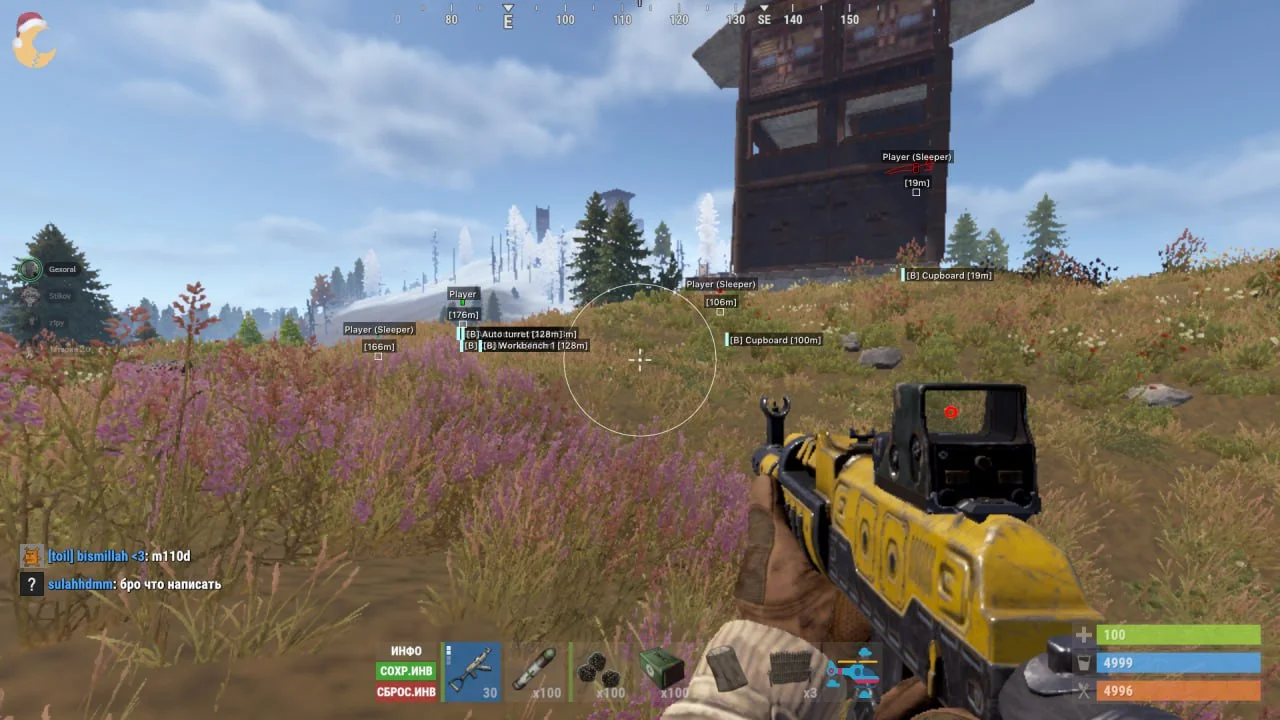
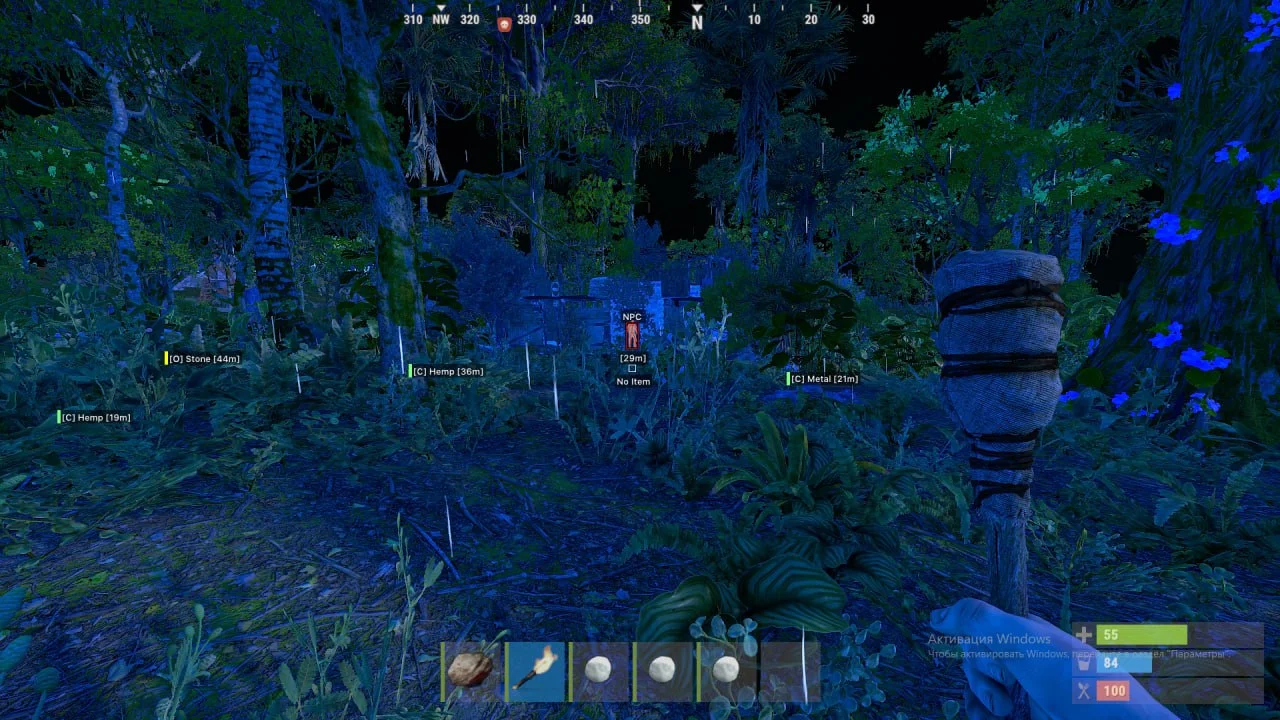
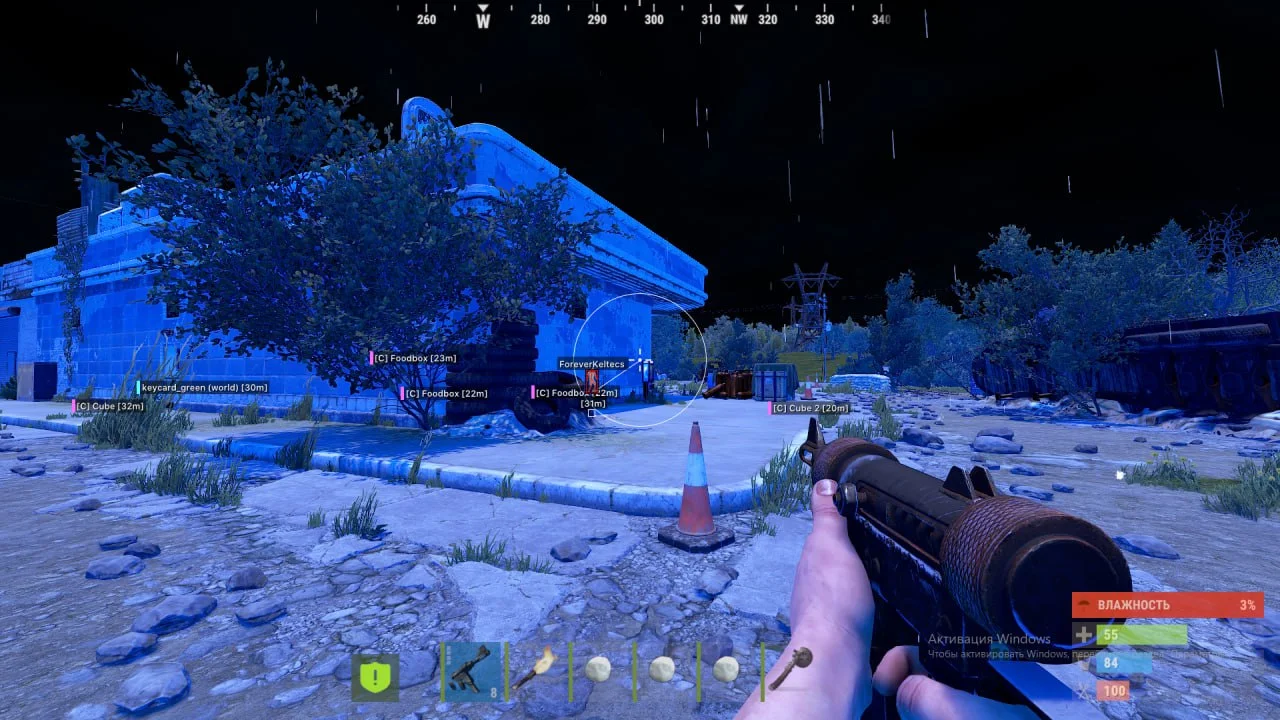
The Aimbot in this version comes with detailed smoothness and capture radius settings, so you can play either aggressively or quietly. Unique features like the instant shot from an Eoka or automatic fire from pistols give you a huge edge in close-range fights. The visual side of the cheat (ESP) highlights not only enemies and sleeping players, but also valuable resources, crates, stashes and even ore. The built-in Radar and night vision keep gameplay comfortable at any time of the in-game day, and the flexible color setup lets you tune the interface to your liking.
Product features
Aimbot (Aim)
Aimbot Enabled
turns the aimbot on or offAimbot FOV
sets the size of the area within which the Aimbot will lock onto targetsAimbot Smoothness
adjusts how smoothly the aim moves onto the targetAimbot Type
choice of aimbot type, for example vectorKey
hold key to activate the aimbotNo Recoil
fully removes weapon recoilNo Sway
turns off weapon sway when aimingAutomatic Pistol
lets you fire a pistol in automatic modeInsta Eoka
instant shot from an Eoka with no delayWallhack on players (Players ESP)
Enabled
on/off Wallhack on players/NPCDraw BOX
displays players using boxesChams
Wallhack chams (bright green/white)Skeleton
displays the player skeletonSleepers
shows sleeping playersNames
shows player namesCorpse
show the bodies of the deadMax Distance
maximum display distance for playersWallhack on items and objects
Enabled
turn on item displayOres
turns on ESP for oreCrates / Barrels
display of crates and barrelsCollectables
display of gatherable resourcesBuilding
turns on ESP for building objectsWorld Items
display of environment itemsVehicles
turns on ESP for vehiclesFilter
filter for displayed items depending on the selected categoryDraw Distance
display range in metersOther features
Radar
turns on the Radar to display objects and players in a separate windowNight Vision
activates night vision mode for better visibility in the darkCustom ESP Colors
color setup for the main ESP elementsLanguages
the menu supports two languages (Russian, English)Known issues & fixes
Real questions from our support, with the fixes that worked. Based on user requests for this product.
Cheat launched and menu shows but features (ESP, aimbot, no recoil) don't work
This usually means the game or cheat was just updated and offsets are not yet current. First, update your pirate Rust build through Trifity (open Trifity and click update). If features still don't work, verify game file integrity through the same launcher.
If the update is already done and the cheat still doesn't function, wait for a developer fix. Current cheat status is posted in t.me/procheatsupport.
Cheat is being updated , button does nothing or nothing happens after 'Injected'
This is expected: the developer released an update and the cheat is temporarily down until a fix is out. Patches for pirate Rust can drop very frequently (sometimes every 30 minutes), so downtime windows are unavoidable.
Monitor the current status in the Telegram channel t.me/procheatsupport. If downtime was extended due to an update, contact support , subscription time can be compensated.
Loader won't launch, closes instantly or shows an access error
The archive password for the diagnostic utility is sordum. Download the Sordum utility, launch it, click Search, and send a screenshot of the results to support.
Make sure your antivirus is fully removed or disabled (Kaspersky, Norton, Windows Defender). If a third-party antivirus is installed, uninstall it via Programs and Features and reboot.
Move all loader files to your Desktop and run the .exe from there. If the issue persists, re-download the loader from the site and launch it as Administrator.
After injecting the loader closes, no menu appears or game crashes when launching with the cheat
- Update the game through Trifity and launch it from there.
- When injecting, keep the game window active (in focus), not the loader window.
- Remove any automatic memory-cleaning tools (e.g. MemReduct) , they conflict with the injector.
- Reinstall all Visual C++ Redistributable packages: uninstall all existing versions and download fresh ones.
- If the error persists, make sure Core Isolation / Memory Integrity is disabled in Windows: Settings → Windows Security → Device Security → Core Isolation.
Loader loads endlessly or takes forever to start, server unreachable
The most common cause is ISP-level blocking of the activation servers. Connect to a VPN and try launching the loader again. In your VPN settings, switch to Proxy mode and pick the server with the lowest ping.
If that does not help, reboot your PC and try again. If the loader still fails to load, third-party software or Windows settings may be interfering — contact support.
Console shows 'load module' and closes, loader fails to load the cheat
This is typically caused by leftover files from previous sessions or corrupted Windows system components. Follow these steps in order:
- Download and run the Sordum utility (archive password: sordum), click Search, and wait for it to finish — it removes leftover directories from prior loader runs.
- Open Command Prompt as Administrator and run in sequence: DISM /Online /Cleanup-Image /RestoreHealth, then sfc /scannow. Wait for each to complete, then reboot.
- If the issue persists, try switching your DNS or changing your VPN server/location, then attempt the loader again.
- If nothing helps, record a video of the full launch process and send it to support.
Aimbot shoots downward into the ground after an update
This is a developer-side bug that appears right after a game update , the aimbot locks onto incorrect coordinates. There is no user-side fix. The developer addresses these bugs as a priority. Wait for the patch and monitor t.me/procheatsupport.
Updater.exe is running in Task Manager but the loader window never appears
The most likely cause is a non-standard (modified or stripped) Windows build. The loader requires a clean, official Windows installation.
- Reinstall Windows using an official image.
- As a temporary workaround, try launching the loader with a VPN enabled.
- Make sure Vanguard (Valorant anti-cheat) is fully uninstalled — it can interfere with the launch.
Key not accepted after PC reboot or error when entering the key in the loader
After a reboot, a key can stop working due to a conflict with the spoofer or a changed system state. Contact support — an operator will issue a replacement key. To speed things up, provide your current key upfront.
Key stopped working after using a spoofer
A spoofer changes hardware identifiers, which causes the key binding to reset. Contact support and provide your key , operators will manually reset the binding and your key will become active again.
Visible check option causes the game to crash
The Visible Check feature is currently unstable , enabling it causes a crash. Do not activate it until a fix is released. All other cheat features continue to work normally. Watch for updates in t.me/procheatsupport.
PHOENIX




