
Buy Hyper External Cheat for Valorant: Aimbot, ESP, Radar
 Hyper Cheats

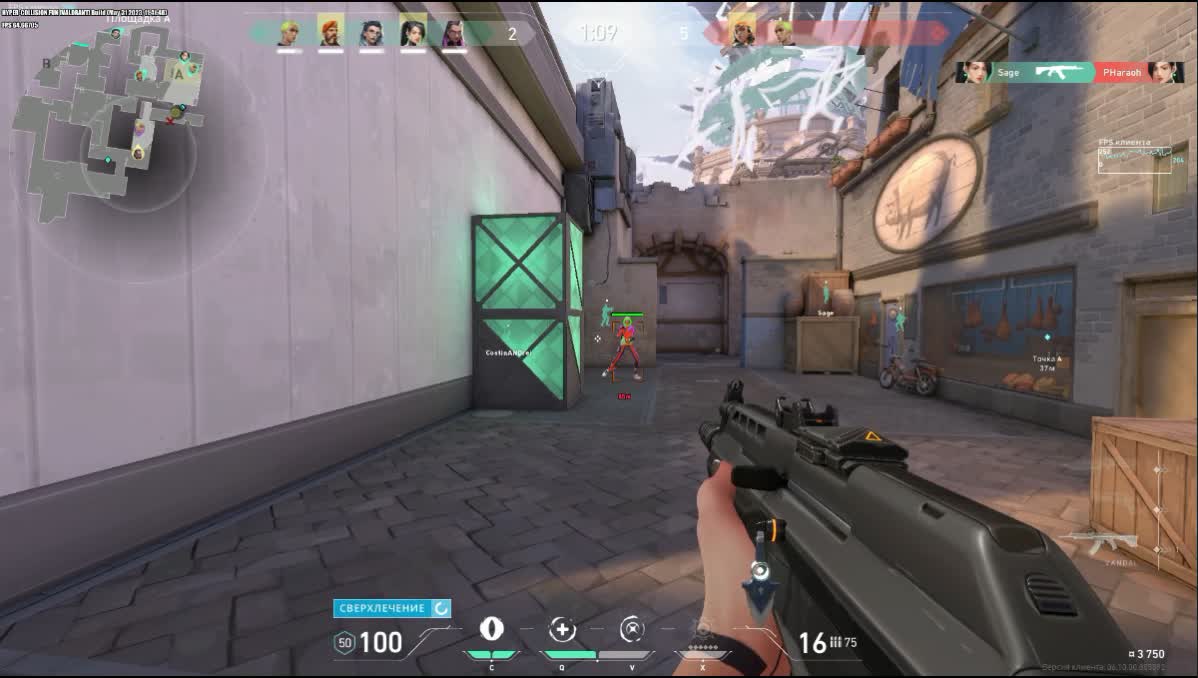
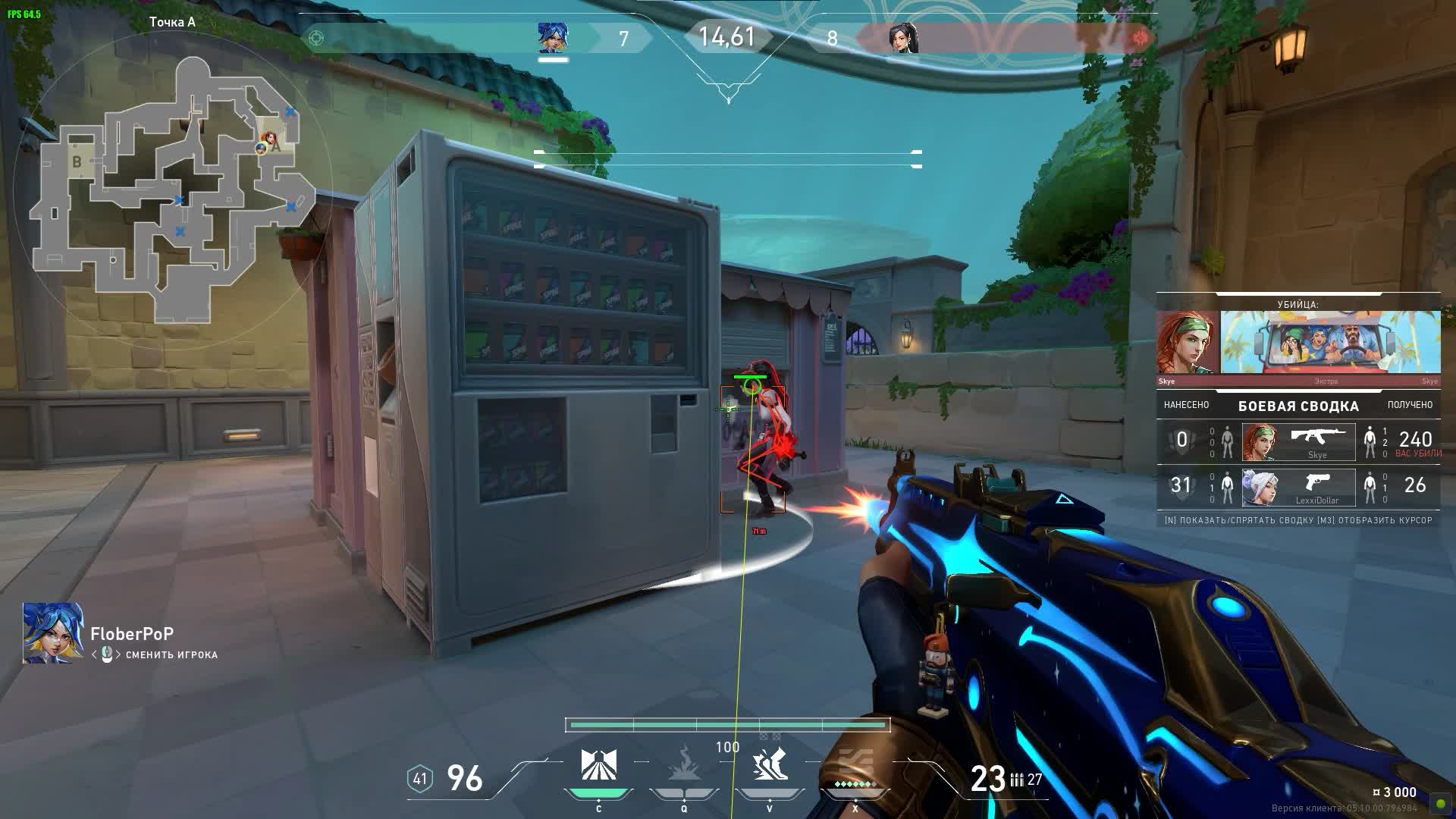
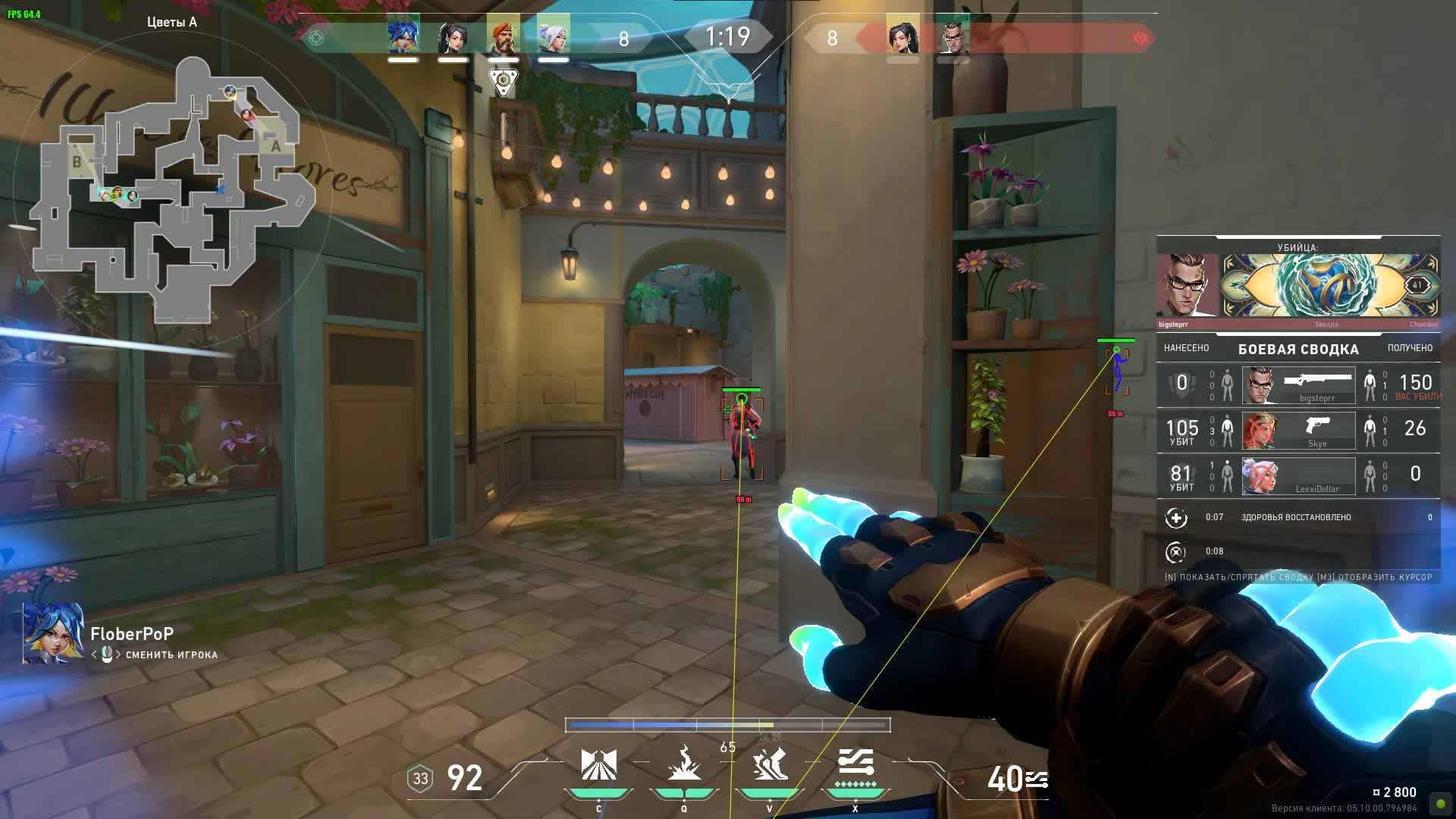
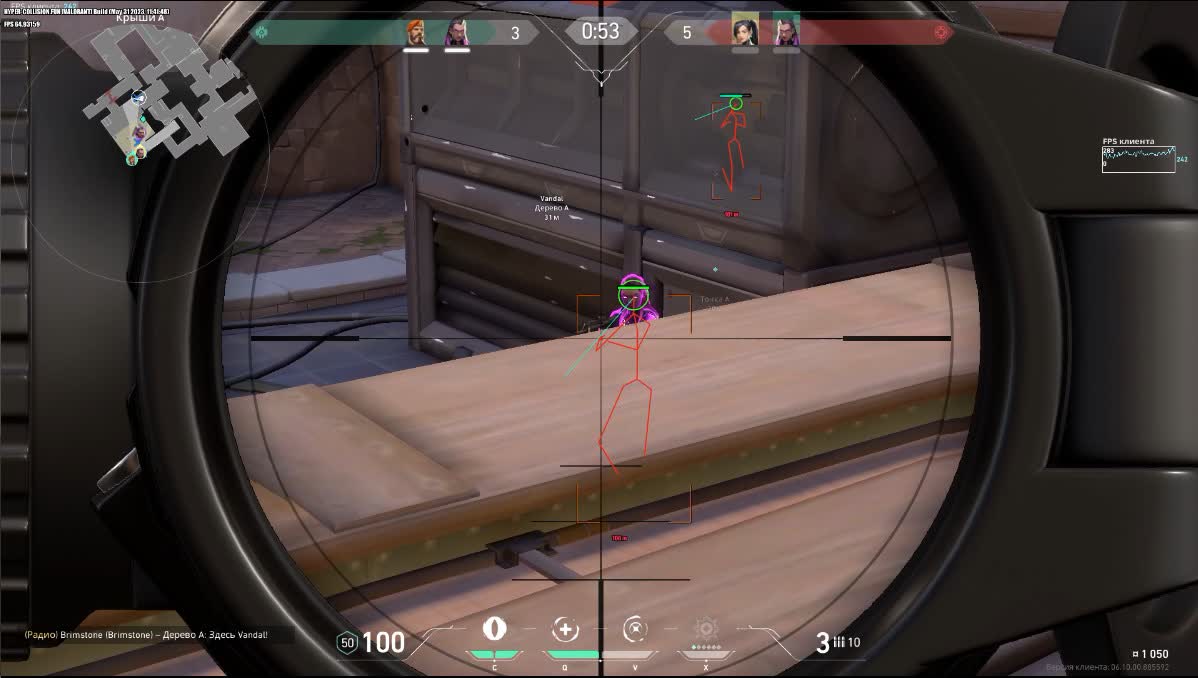
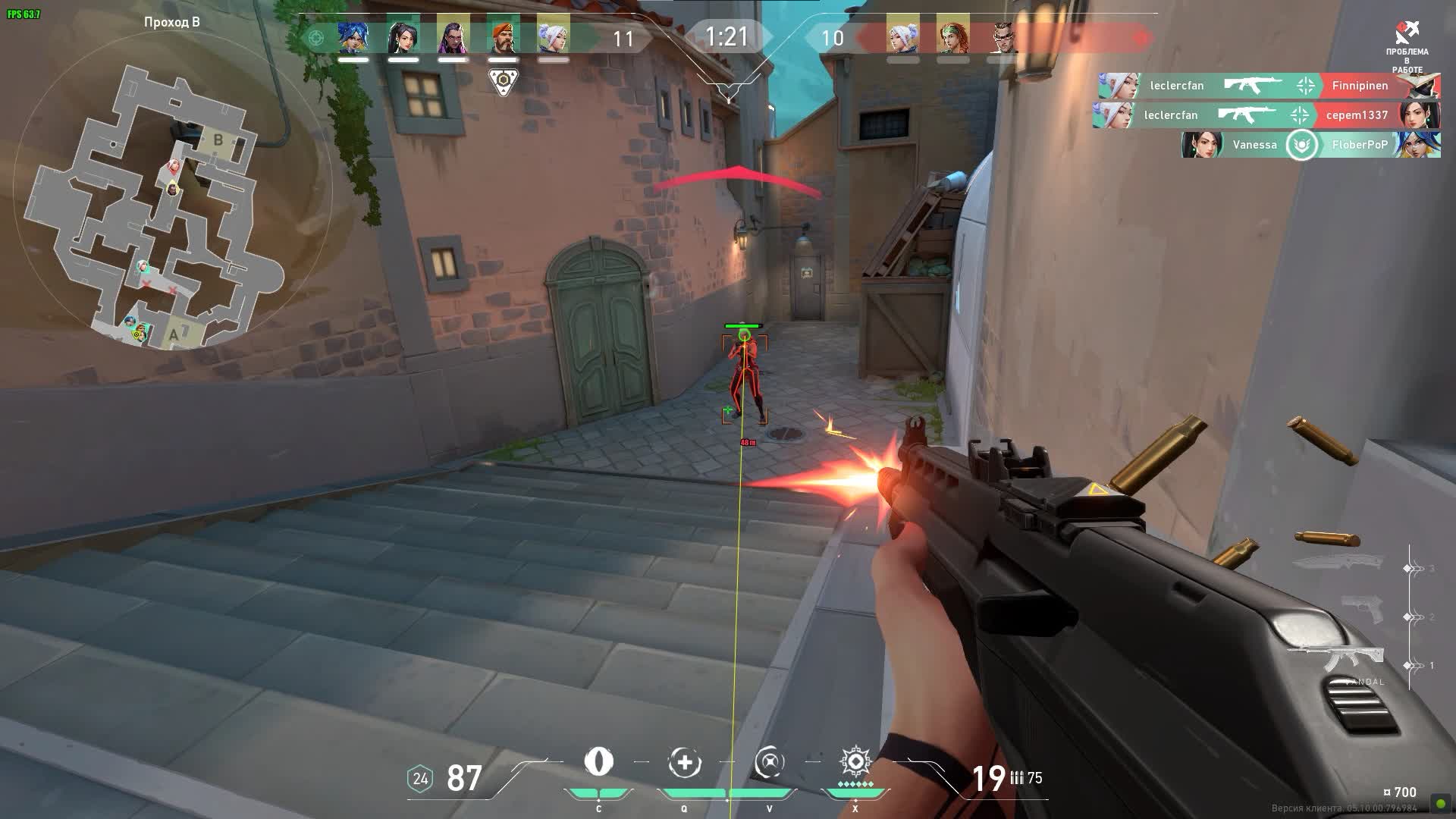
Hyper External is a reliable, undetected external cheat for Valorant from the Hyper developer. This product is a great fit for players who want a legit edge without touching the game files, which keeps the detection risk low. Hyper External keeps the focus on what matters most: accurate info and clean shots. The customizable Aimbot lets you dial your aim in to perfection, while the detailed ESP with Glow and Radar gives you full awareness of everything happening on the map. If you want to push your game to the next level while keeping your account as safe as possible, Hyper External is your pick.
Product features
AIMBOT (Precise Tracking)
Team & Visible Check
Safety. The aimbot ignores teammates and only locks onto visible enemies. A full imitation of legit play[web:260].Smooth & Radius
Accuracy control. Tune the smoothing and FOV radius to match your sens. Your tracking looks like a pro player's skill[web:261].Bone Selection
Shot priority. Head for instant kills or body for steady fire while moving[web:263].ESP (Visual Control)
2D Radar & Glow
Pocket map. The radar shows enemies around you, and Glow makes them visible through walls and smoke[web:264][web:265].Skeleton & Barrel
Pose and aim direction read. The skeleton shows how an enemy is crouched behind a crate, and the barrel line (Barrel) shows where he's aiming[web:261].HP Bar & Distance
Target status. Health and distance help you decide whether to take the duel or back off.Snap Line & Head Point
Fast orientation. Lines to enemies and a dot on the head speed up your reaction in the chaos of a firefight.Known issues & fixes
Real questions from our support, with the fixes that worked. Based on user requests for this product.
Loader shows a driver error and asks to disable Hyper-V on launch
This usually comes from Windows virtualization and core isolation settings blocking the driver. Try the following in order:
- Enable virtualization (VT-x/AMD-V) and Hyper-V in BIOS and Windows features;
- Turn off Windows sign-in with a PIN in sign-in options — it can prevent Hyper-V from being disabled properly;
- Add the loader folder to your antivirus exclusions and temporarily turn off real-time protection;
- Run the compatibility-check tool support provides and follow its prompts;
- Restart your PC after making changes and launch the loader again.
If the error persists, contact support with a screenshot — they'll walk you through the next steps for your specific system.
Why does the loader close right after launching or show an error?
This is usually caused by a conflict with your antivirus or Windows built-in protection. Try the following:
- Add the loader's folder to your antivirus exclusions.
- Temporarily disable real-time protection (both in Windows Defender and in any third-party antivirus you have installed).
- Close overlays from other programs — voice chat apps, game launchers, GPU monitoring tools.
If the loader still won't start after that, contact support — they'll walk you through a compatibility diagnostic tool.
Loader renames itself to an error name and closes on startup
This error is usually caused by Windows Defender or a third-party antivirus interfering with the loader. Fully disable all antivirus protection before launching.
Also try connecting via VPN (NordVPN or similar paid service is recommended) as some ISPs may block the loader download. If VPN does not help, run the diagnostic tool (archive password sordum, click «Search») and send the screenshot to support.
AMD virtualization not detected by loader, initialization fails
Enable virtualization directly in BIOS/UEFI , the Windows Task Manager entry only reflects the current state and may not appear if the feature is disabled at the BIOS level.
After enabling it, reboot and launch the loader again. Send a screenshot of the loader screen to support so they can confirm all parameters are correct.
The site won't load or key activation gets stuck — what should I do?
If the site won't load or activation hangs, your internet provider is most likely blocking access. Turn on a VPN and try again — in most cases that's enough to get things working.
Do I need a USB flash drive to activate the cheat?
Yes, activation requires a physical USB flash drive — it's used on first launch to bind the license. You don't need to disable virtualization or Hyper-V in BIOS for this; those steps are only needed for certain launch errors, not for activation itself.
The menu opens but none of the features actually work — why?
If the interface opens but nothing actually activates in-game, check whether a third-party anti-cheat client (for example, Faceit) is running on your PC — it can block the cheat even outside of a match. Fully close or uninstall that software, then relaunch the cheat.


 Join all games chat





