
Hyper for Black Ops 6 / Warzone: Total Control with Aimbot and 3D ESP
 Hyper Cheats

User information
⚠️ Important Information ⚠️
For the product to work correctly, your system must meet the following requirements:
- BIOS Mode: You must use UEFI.
- Disk Format: The system disk must be in GPT (GUID) format.
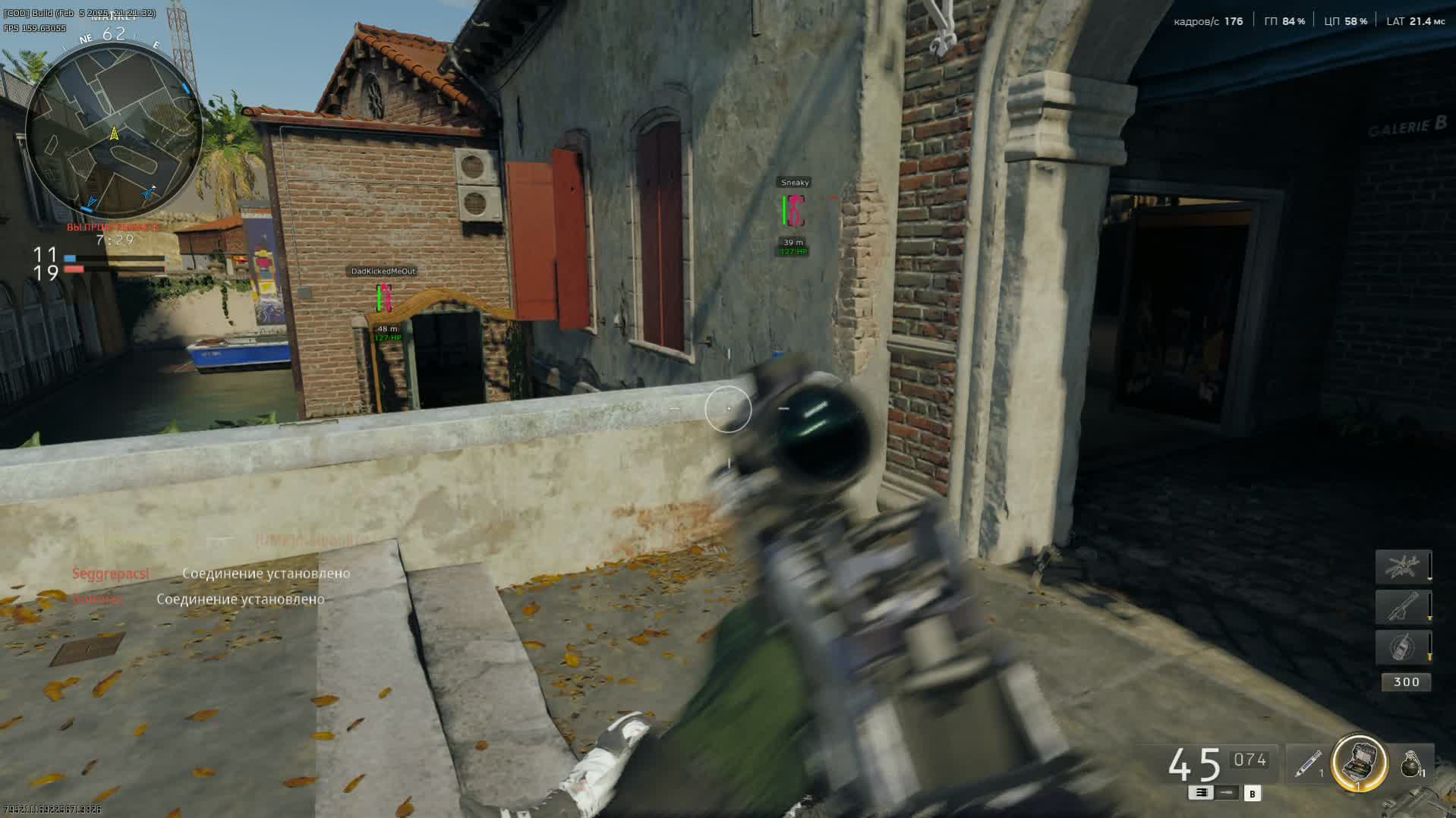
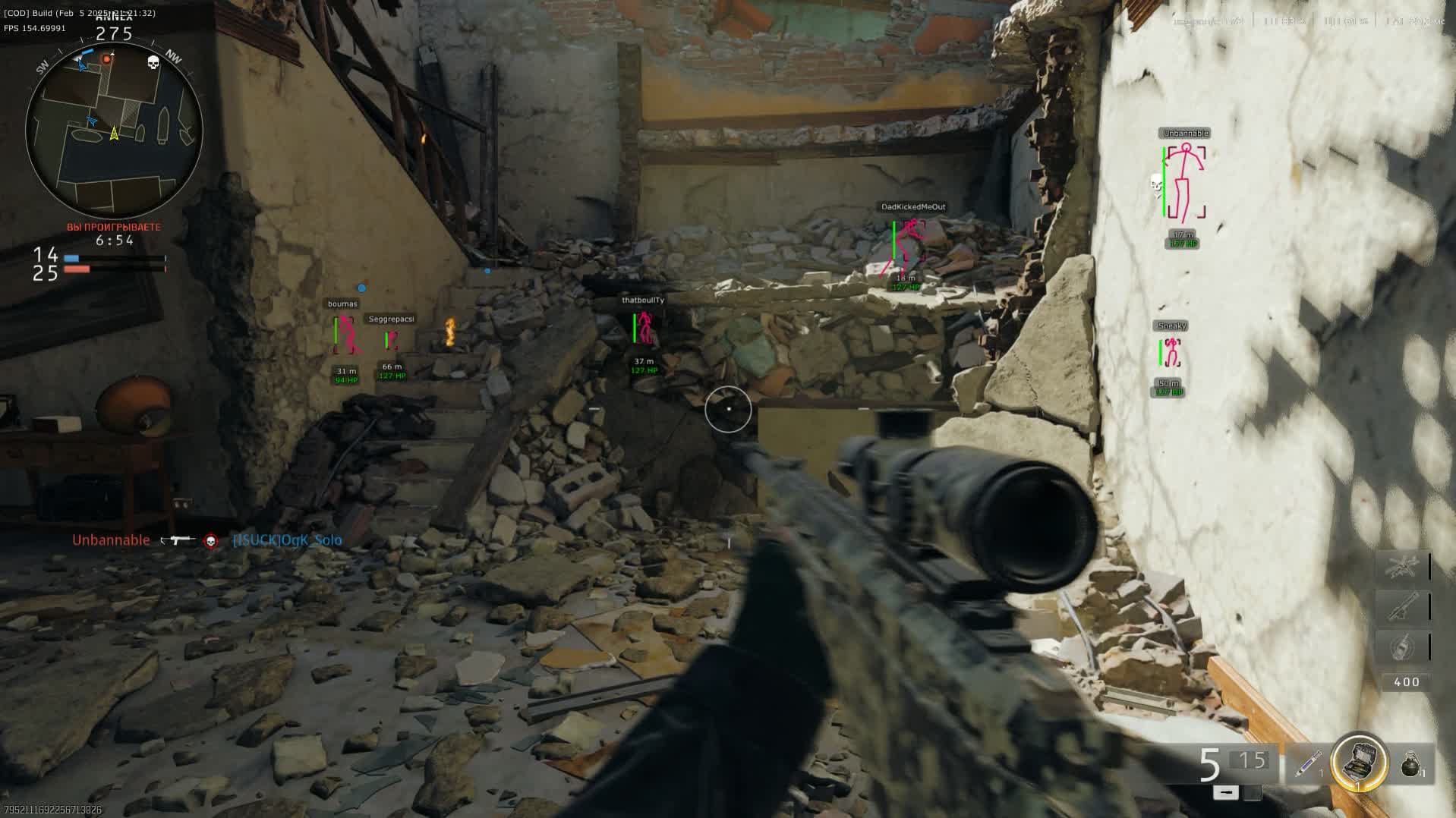
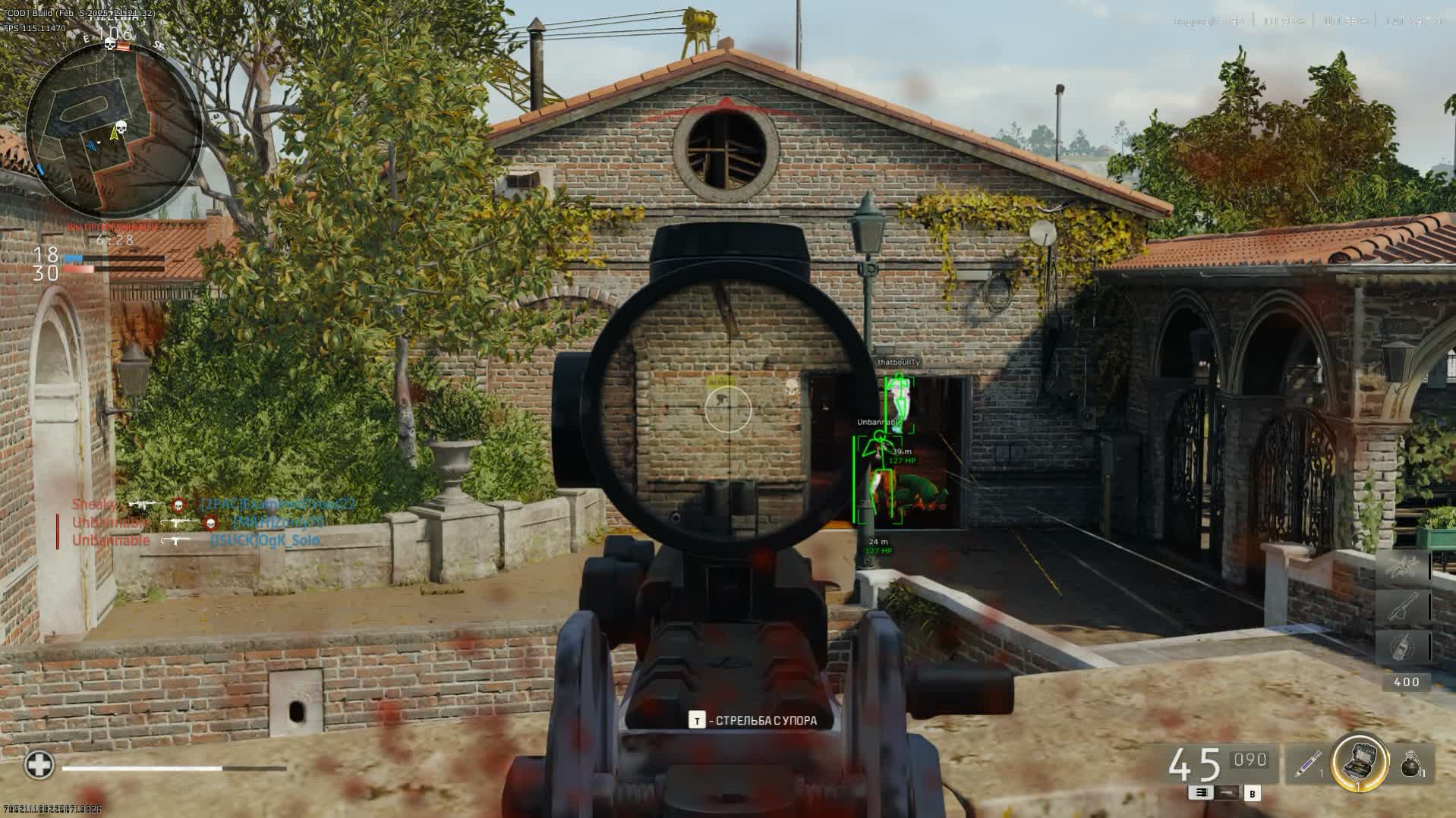
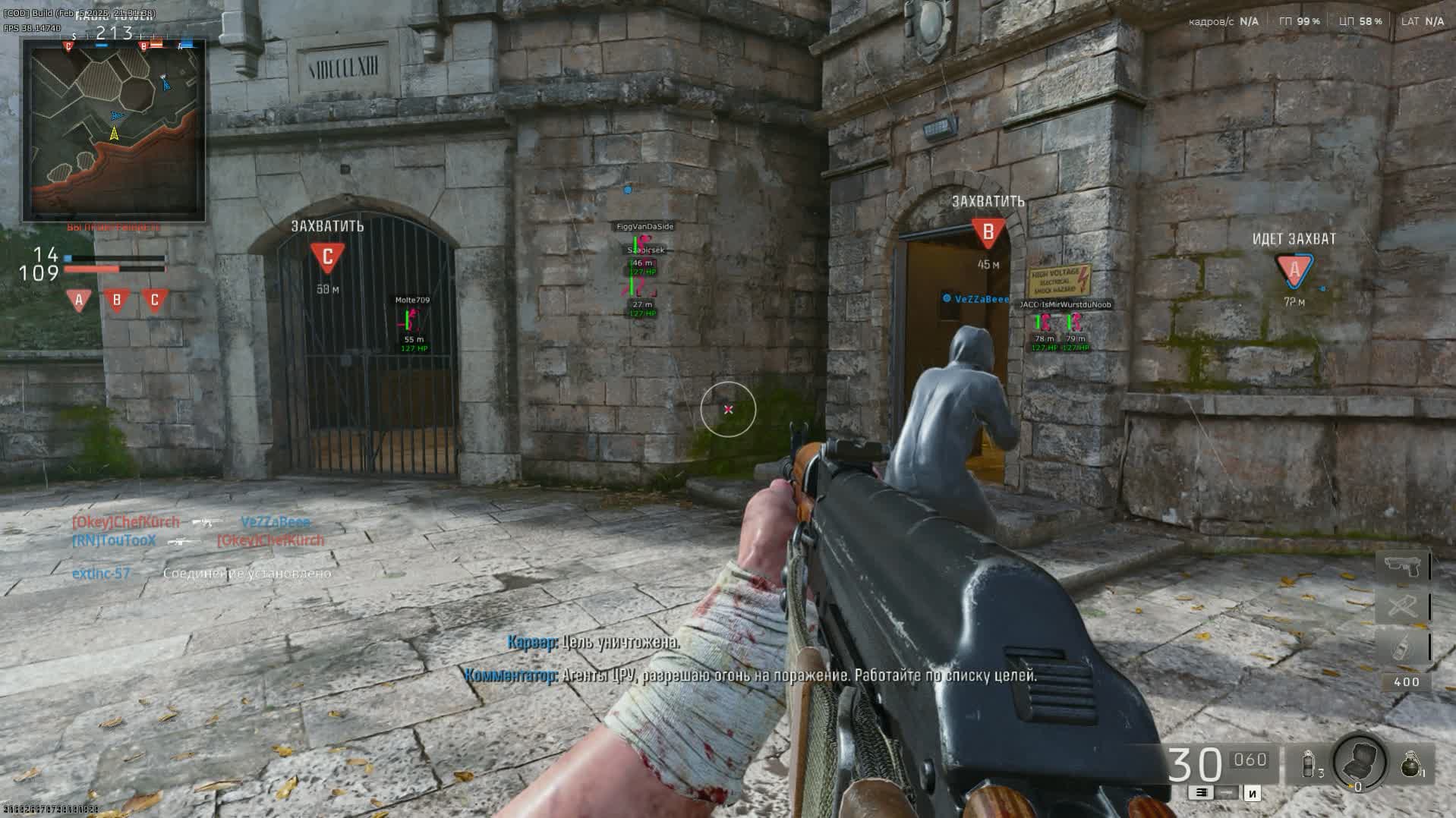
Take control of the battlefield in Call of Duty: Black Ops 6 and Warzone with this advanced cheat from developer Hyper-Cheats. This product delivers a full toolkit to dominate any situation, whether it's fast-paced multiplayer gunfights or tactical maneuvers in the battle royale.
The advanced Aimbot with controller support and flexible smoothing and distance settings gives you pinpoint accuracy. At the same time, the multi-feature Wallhack with various display styles (2D, 3D Box, Skeleton) and a customizable radar hand you complete information dominance over your enemies, letting you predict their moves in advance.
Product features
AIMBOT (Gamepad Ready)
Controller Support
Console-grade experience. Full gamepad support. The aimbot works just as smoothly and accurately as on keyboard. Dominate from the couch.Filters (Wounded & Visible)
Smart targeting. The aimbot ignores wounded and invisible enemies. You won't waste ammo or expose yourself shooting into walls.Target Line & Crosshair
Visualization. The target line shows who the aimbot has locked onto, and the extra crosshair helps you fire from the hip.WALLHACK (Transparent Setup)
ESP Previewer
Live preview. A unique feature: tweak the box styles and colors in the menu and see the result instantly on the preview. No need to jump into a match to test.Eye Line & Head Point
Look direction. Eye Line shows where the enemy is looking. Head Point highlights the head for the perfect sniper shot.Box Styles & Filled
Customization. 2D, 3D or corners. Turn on Filled boxes for better visibility against a bright map background.Known issues & fixes
Real questions from our support, with the fixes that worked. Based on user requests for this product.
Loader shows a driver error and asks to disable Hyper-V on launch
This usually comes from Windows virtualization and core isolation settings blocking the driver. Try the following in order:
- Enable virtualization (VT-x/AMD-V) and Hyper-V in BIOS and Windows features;
- Turn off Windows sign-in with a PIN in sign-in options — it can prevent Hyper-V from being disabled properly;
- Add the loader folder to your antivirus exclusions and temporarily turn off real-time protection;
- Run the compatibility-check tool support provides and follow its prompts;
- Restart your PC after making changes and launch the loader again.
If the error persists, contact support with a screenshot — they'll walk you through the next steps for your specific system.
Why does the loader close right after launching or show an error?
This is usually caused by a conflict with your antivirus or Windows built-in protection. Try the following:
- Add the loader's folder to your antivirus exclusions.
- Temporarily disable real-time protection (both in Windows Defender and in any third-party antivirus you have installed).
- Close overlays from other programs — voice chat apps, game launchers, GPU monitoring tools.
If the loader still won't start after that, contact support — they'll walk you through a compatibility diagnostic tool.
Loader renames itself to an error name and closes on startup
This error is usually caused by Windows Defender or a third-party antivirus interfering with the loader. Fully disable all antivirus protection before launching.
Also try connecting via VPN (NordVPN or similar paid service is recommended) as some ISPs may block the loader download. If VPN does not help, run the diagnostic tool (archive password sordum, click «Search») and send the screenshot to support.
AMD virtualization not detected by loader, initialization fails
Enable virtualization directly in BIOS/UEFI , the Windows Task Manager entry only reflects the current state and may not appear if the feature is disabled at the BIOS level.
After enabling it, reboot and launch the loader again. Send a screenshot of the loader screen to support so they can confirm all parameters are correct.
The site won't load or key activation gets stuck — what should I do?
If the site won't load or activation hangs, your internet provider is most likely blocking access. Turn on a VPN and try again — in most cases that's enough to get things working.
Do I need a USB flash drive to activate the cheat?
Yes, activation requires a physical USB flash drive — it's used on first launch to bind the license. You don't need to disable virtualization or Hyper-V in BIOS for this; those steps are only needed for certain launch errors, not for activation itself.
The menu opens but none of the features actually work — why?
If the interface opens but nothing actually activates in-game, check whether a third-party anti-cheat client (for example, Faceit) is running on your PC — it can block the cheat even outside of a match. Fully close or uninstall that software, then relaunch the cheat.


 Join all games chat





