Delta Chams Phoenix: private software for Delta Force

Working
Top seller
PHOENIX PHOENIX
Last update 01.07.2026 This date shows when the software was last updated. An old date doesn't mean the software stopped working! Most likely the developer just had nothing new to add. If you have any doubts, you can always check the current status with our support team.
Add another cheat from this game too — to compare them.
Delta Chams Phoenix
Steam
Epic Games
WeGame
Official
Windows support: 10: all builds; 11: all builds
Menu language: English
Spoofer:No
USB drive:No
BIOS:No
VIDEO
SCREENSHOTS
Description

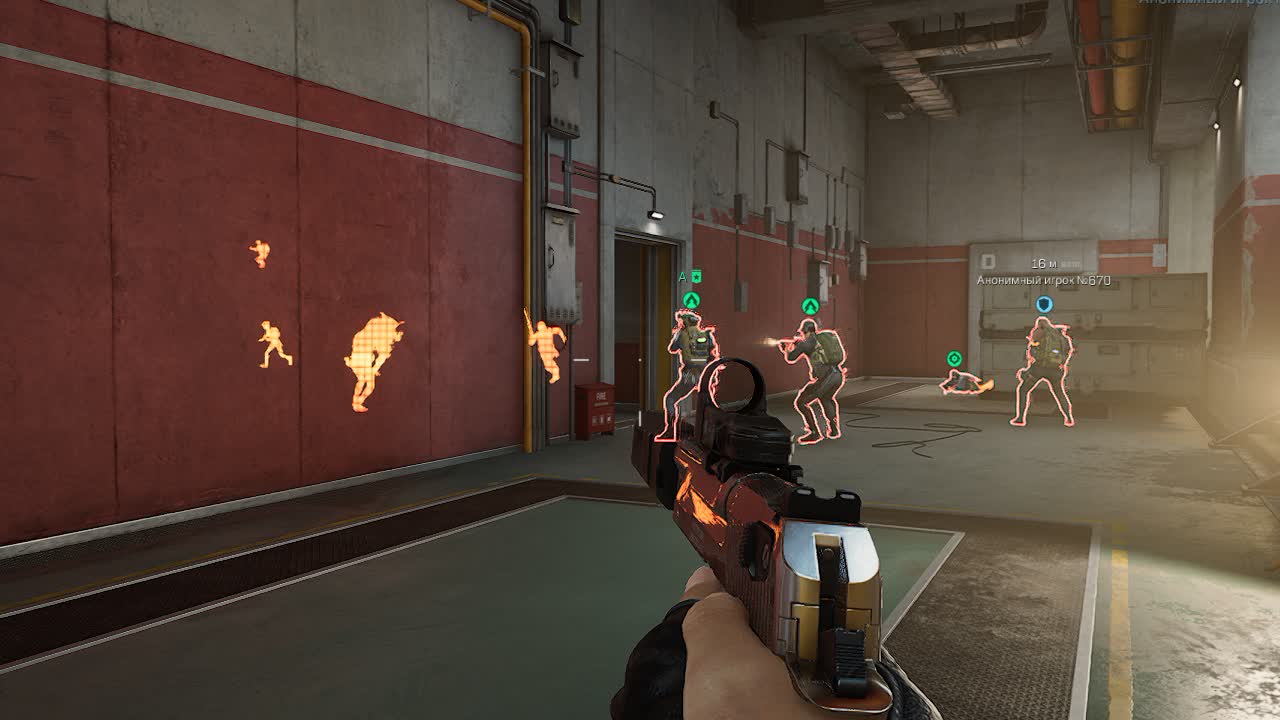
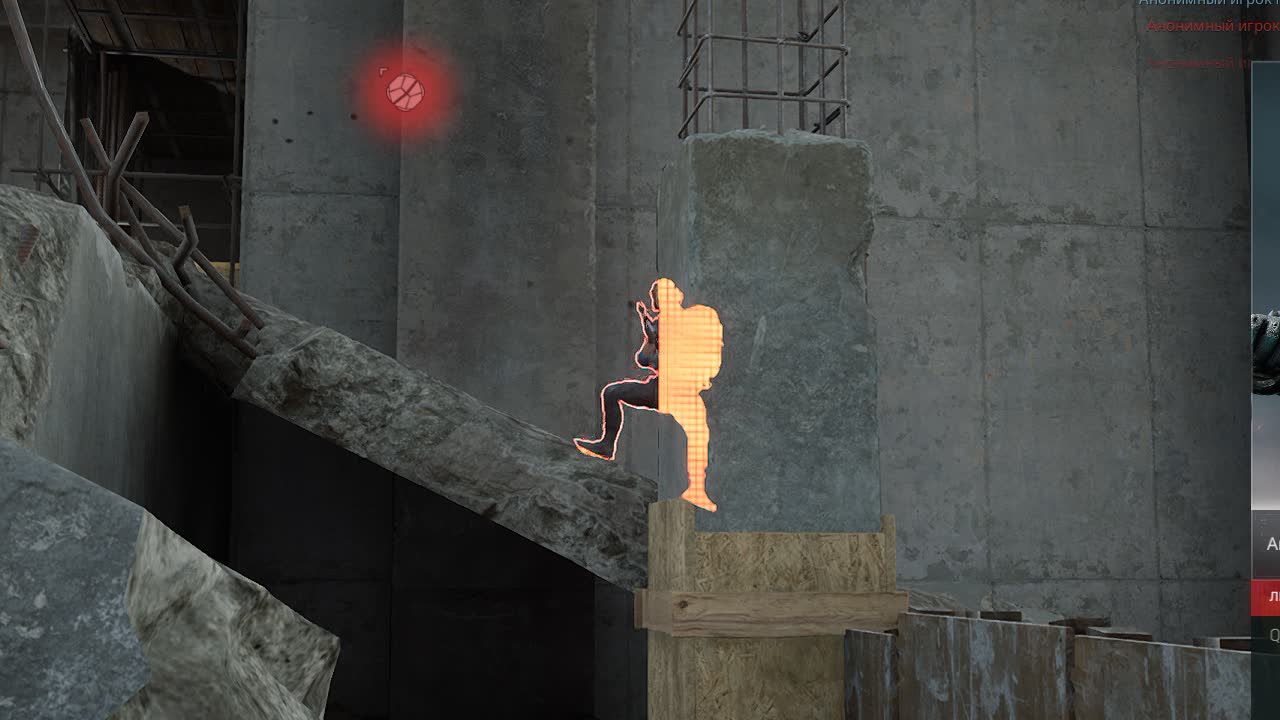
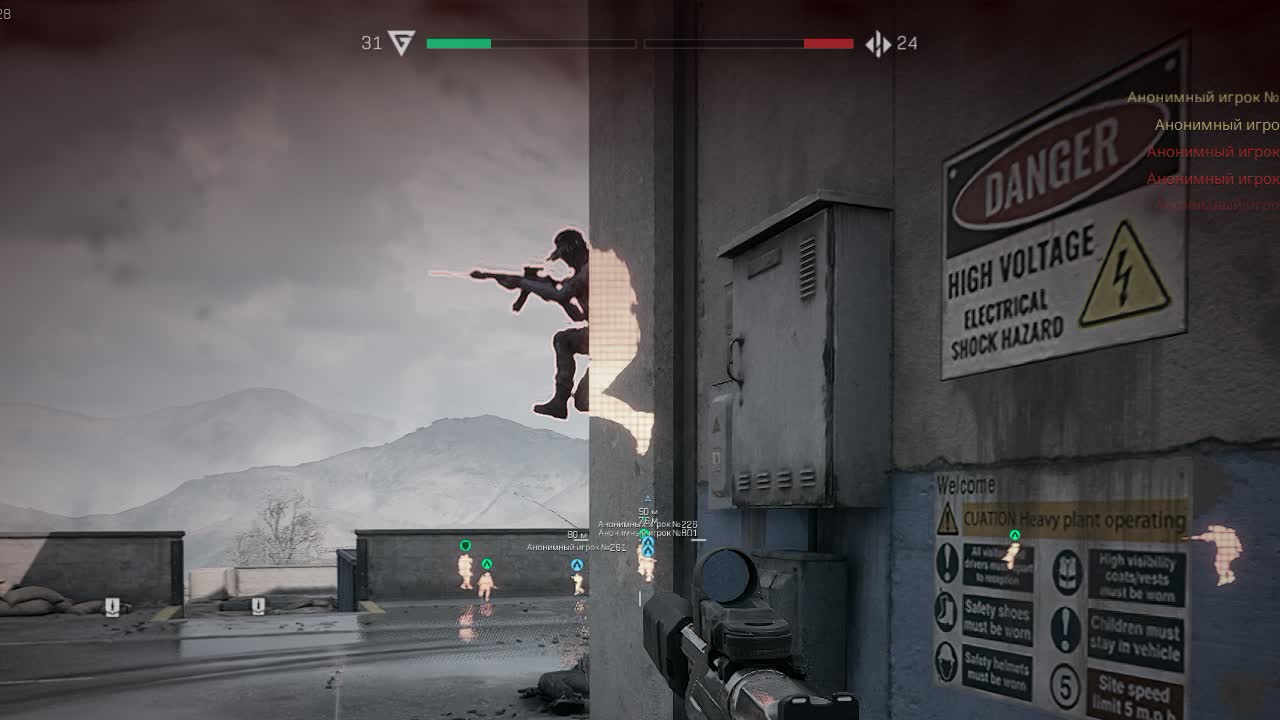
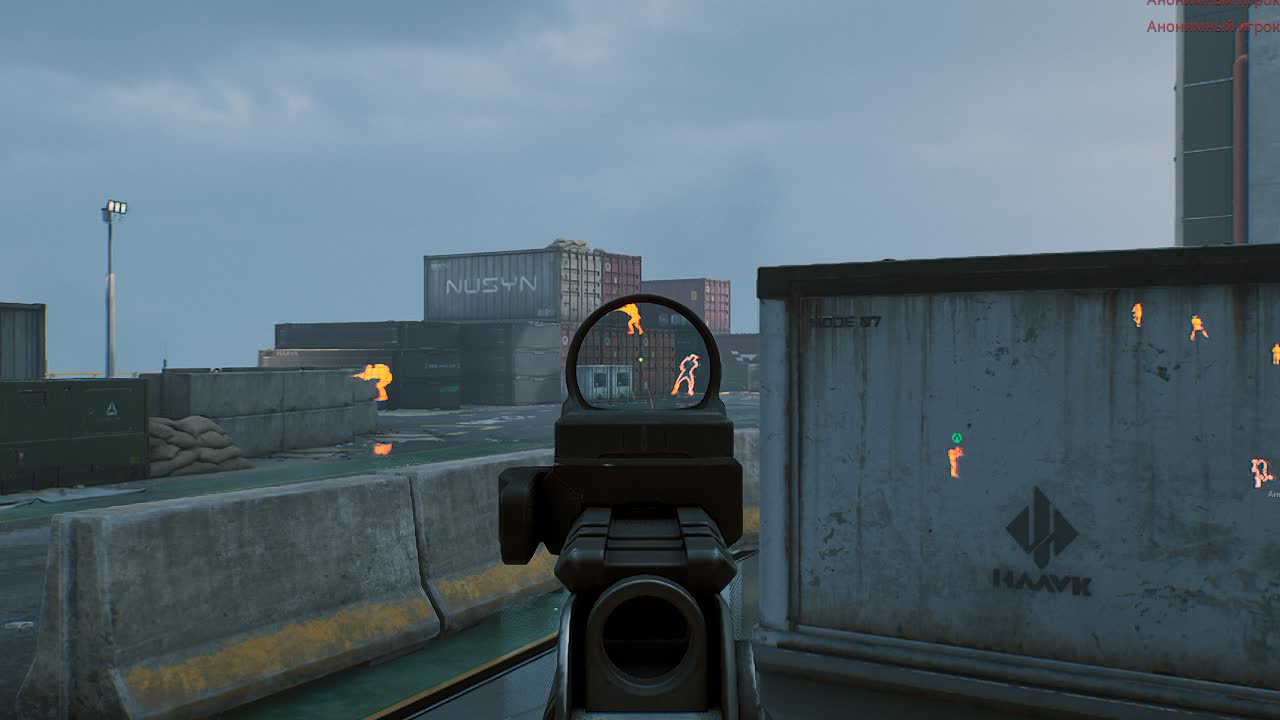
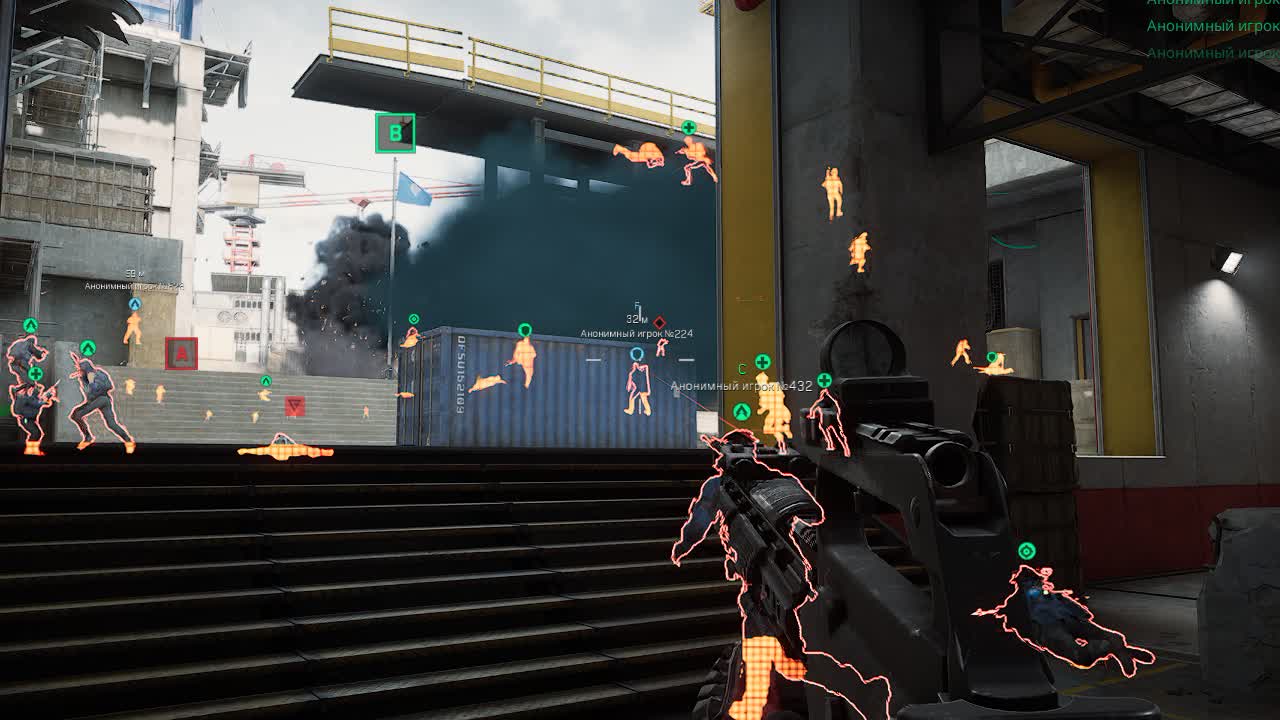
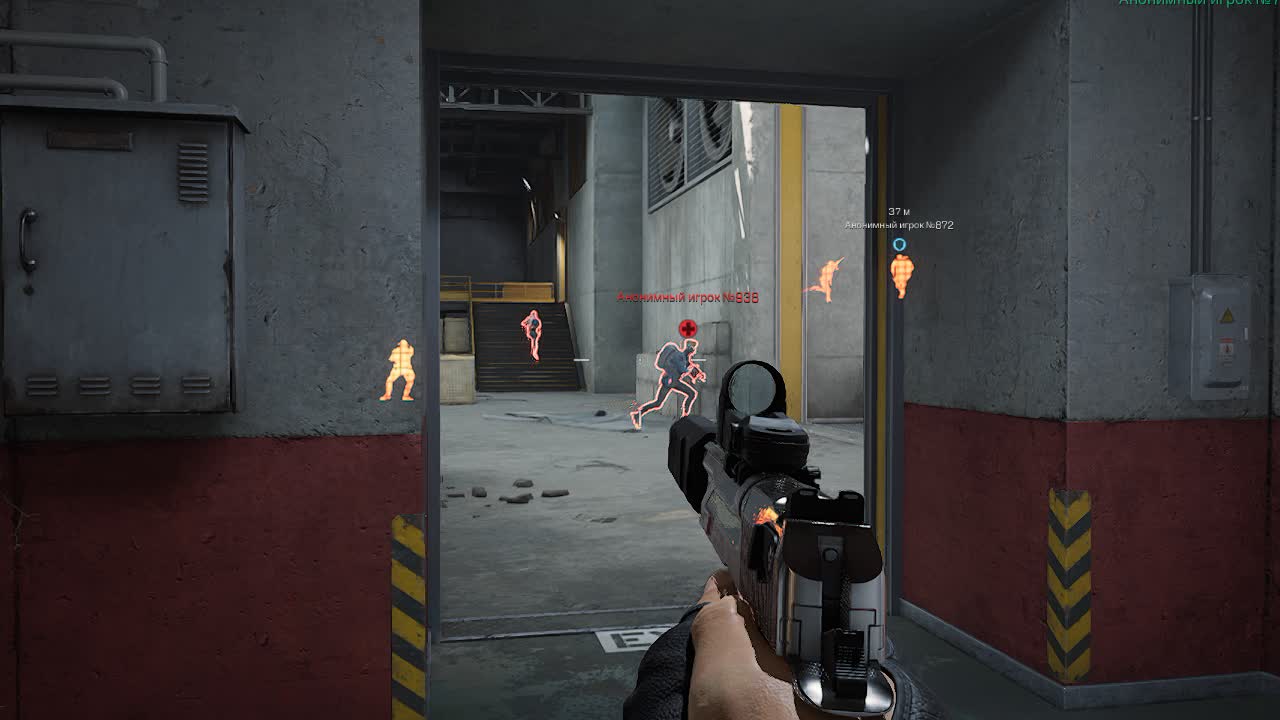
Phoenix Chams for Delta Force is a focused tool for players who care most about safety and a clean picture on screen. The cheat uses the game engine's own internals to draw models, which makes it incredibly light on your system and almost invisible to anti-cheat. No extra overlays, no clunky menus, just sharp highlighting (Chams) of every living target on the map. With Visible Check you always know whether an enemy can see you or not, and that gives you a huge tactical edge with no risk of catching a ban for obvious cheating.

Product features

Visuals (color X-ray)

Chams Wallhack

Bright targets. Enemy models are fully painted in a bright color. See them through any wall, smoke, or bushes. Nobody hides.

Visible Check

The traffic light of death. The color changes when an enemy steps out of cover (for example, from red to green). Shoot only when you are sure of the hit.

Bots & Players

Divide and conquer. Tell real players from bots by color or by whether they are highlighted. Farm mobs and be ready to run into PMC squads.

Animals

The hunter. Highlighting animals helps you finish quests or avoid unnecessary noise in the forest.

Known issues & fixes

Real questions from our support, with the fixes that worked. Based on user requests for this product.

Loader won't launch, closes instantly or shows an access error

The archive password for the diagnostic utility is sordum. Download the Sordum utility, launch it, click Search, and send a screenshot of the results to support.

Make sure your antivirus is fully removed or disabled (Kaspersky, Norton, Windows Defender). If a third-party antivirus is installed, uninstall it via Programs and Features and reboot.

Move all loader files to your Desktop and run the .exe from there. If the issue persists, re-download the loader from the site and launch it as Administrator.

Loader loads endlessly or takes forever to start, server unreachable

The most common cause is ISP-level blocking of the activation servers. Connect to a VPN and try launching the loader again. In your VPN settings, switch to Proxy mode and pick the server with the lowest ping.

If that does not help, reboot your PC and try again. If the loader still fails to load, third-party software or Windows settings may be interfering — contact support.

Console shows 'load module' and closes, loader fails to load the cheat

This is typically caused by leftover files from previous sessions or corrupted Windows system components. Follow these steps in order:

  • Download and run the Sordum utility (archive password: sordum), click Search, and wait for it to finish — it removes leftover directories from prior loader runs.
  • Open Command Prompt as Administrator and run in sequence: DISM /Online /Cleanup-Image /RestoreHealth, then sfc /scannow. Wait for each to complete, then reboot.
  • If the issue persists, try switching your DNS or changing your VPN server/location, then attempt the loader again.
  • If nothing helps, record a video of the full launch process and send it to support.
After injecting the loader closes, no menu appears or the game crashes when launching with the cheat
  • When injecting, keep the game window active (in focus), not the loader window.
  • Remove any automatic memory-cleaning tools (e.g. MemReduct) — they conflict with the injector.
  • Reinstall all Visual C++ Redistributable packages: uninstall all existing versions and download fresh ones.
  • If the error persists, make sure Core Isolation / Memory Integrity is disabled in Windows: Settings → Windows Security → Device Security → Core Isolation.
Updater.exe is running in Task Manager but the loader window never appears

The most likely cause is a non-standard (modified or stripped) Windows build. The loader requires a clean, official Windows installation.

  • Reinstall Windows using an official image.
  • As a temporary workaround, try launching the loader with a VPN enabled.
  • Make sure Vanguard (Valorant anti-cheat) is fully uninstalled — it can interfere with the launch.
Key not accepted after PC reboot or error when entering the key in the loader

After a reboot, a key can stop working due to a conflict with the spoofer or a changed system state. Contact support — an operator will issue a replacement key. To speed things up, provide your current key upfront.

Cannot download or launch the cheat , connection error

Enable a VPN before downloading and launching the cheat. This resolves most connection and access issues.

The archive password is sordum. After extracting, run the file, click Search, wait for it to finish, and take a screenshot of the result.

Delta Force crashes asking to enable TPM and Secure Boot

The game requires TPM and Secure Boot to be enabled. Turn both on in your BIOS/UEFI settings , the game will launch normally after that.

Game prompted to enable DMA Shield in BIOS and Anti-Cheat Expert appeared , what to do?

Enable DMA Shield in your BIOS settings , the game will start normally after that. Anti-Cheat Expert is Delta Force's built-in anti-cheat system; its presence is expected and does not indicate a ban.

Once in-game, activate the cheat as usual and play normally.

Does the cheat work with Seeker Buoy enabled?

Yes, Delta Chams Phoenix works with Seeker Buoy enabled. No additional configuration is needed.

Does the cheat work in Operations mode?

Yes, the cheat is not affected by game mode , it works across all Delta Force modes, including Operations.

All issues & general troubleshooting
TARIFFS
299
BUY What happens after payment?
Got a question? Ask before you pay

We'll help you choose and sort out any launch issue. Ask us anything before buying, we're always on your side.

Support 10:00–22:00, sometimes we reply at night too
Ask a question
Update history
  • 01.07.2026 Working
    Received an update
  • 30.06.2026 Working
    Received an update
  • 02.06.2026 Working
    Received an update

Available tariffs

1 day
299
START PURCHASE
7 days
999
START PURCHASE
30 days
1999
START PURCHASE
Reviews about Delta Chams Phoenix

This product has 9 reviews across 1346 sales, only about 0.67%. Most satisfied buyers never write a review, the ones who do are usually those who ran into a question. So do not judge the product by the number or the tone of reviews alone, weigh them against how many people actually bought it.

4.8 / 5
9 reviews · 1346 sales on Digiseller
How the rating is calculated

Most satisfied buyers never leave a review — people write mainly when something went wrong, so text reviews skew negative. The score is smoothed over every sale, not just the written reviews.

rating = (G + S + 10·0.9) / (N + S + 10) × 5

  • G — sum of review positivity (5★ = 1, 1★ = 0)
  • N — number of text reviews = 9
  • S = (sales − N) × 0.15 — silent satisfied buyers

9 reviews against 1346 sales — only 0.67% of buyers wrote anything.

Customer Recommends
Verified purchase · Digiseller 09.05.2026

Прекрасный продавец. По человечески относится к покупателям. Я бы так не смог. Однозначно буду обращаться

Customer Recommends
Verified purchase · Digiseller 17.04.2026

very good chams

Customer Recommends
Verified purchase · Digiseller 16.04.2026

все хорошо работает

Customer Not recommended
Verified purchase · Digiseller 05.04.2026

Игроки то отрисовываются, то нет, бывает начинаешь катку, а они прорисуются только через минут 7 В соло катках бывает, что за всю игру вообще не прорисовываются

Customer Not recommended
Verified purchase · Digiseller 30.03.2026

за 2к в месяц такое себе. для спецопераций вообще не подходит. чамсы включаются только минуты через 2-3, ботов не подсвечивает, либо подсвечивает, но тех кто далеко далеко. В бф режиме работает нормально, но брал я для спецоп. если еще банан дадут, то это вообще фиаско. Юзать конкретного агента, чтоб чамсы работали - кринж. Сыро, не советую.

ProCheat reply

В режиме операций чамсы действительно могут появляться с задержкой, но это нормализуется через 2-3 минуты. Для ускорения данного процесса используйте стрелу за Luna

Customer Not recommended
Verified purchase · Digiseller 29.03.2026

Полная хрень и скорее всего с вирусом... Брал через сайт, там не было ничего сказано про инструкции, отзывы и вообще... Не рекомендую. По хорошему деньги нужно вернуть обратно...

ProCheat reply

Покупатель отказался от выполнения рекомендаций технической поддержки.

Customer Not recommended
Verified purchase · Digiseller 28.03.2026

The key doesn't work

ProCheat reply

You entered the wrong key. We've compensated you for the time spent by adding time to your key.

Customer Not recommended
Verified purchase · Digiseller 09.02.2026

через час игры дали бан на сутки, видимо не так хорош

ProCheat reply

Покупатель был забанен за агрессивную игру/ HWID бан

Customer Not recommended
Verified purchase · Digiseller 21.01.2026

I request a refund.

Your review

Reviews are published after moderation.

Join our gaming community chat

Discuss current cheats from developers and how to use them effectively in popular online games. Share tactics, exchange useful info and find like-minded players in our community.

1 900+Members
24/7Online
Join our gaming community chat

Technical support

Run into a technical issue? Our team of experts will help. We handle all requests in a live queue, so please be understanding if it sometimes takes a little wait. We guarantee that no request goes unanswered.

Availabilityfrom 10:00 to 23:00
Fast responseIn queue order
Get help
Technical support
PROCHEAT

PROCHEAT news channel

Follow product status changes, update history and important announcements.

Subscribe

Latest updates

01.07.2026 08:17
Working
Received an update
30.06.2026 09:38
Working
Received an update
02.06.2026 06:07
Working
Received an update
24.04.2026 14:41
Working
Received an update
24.04.2026 13:16
Working
Updated, time unfrozen
Open full history
Ask a question


