Топчик
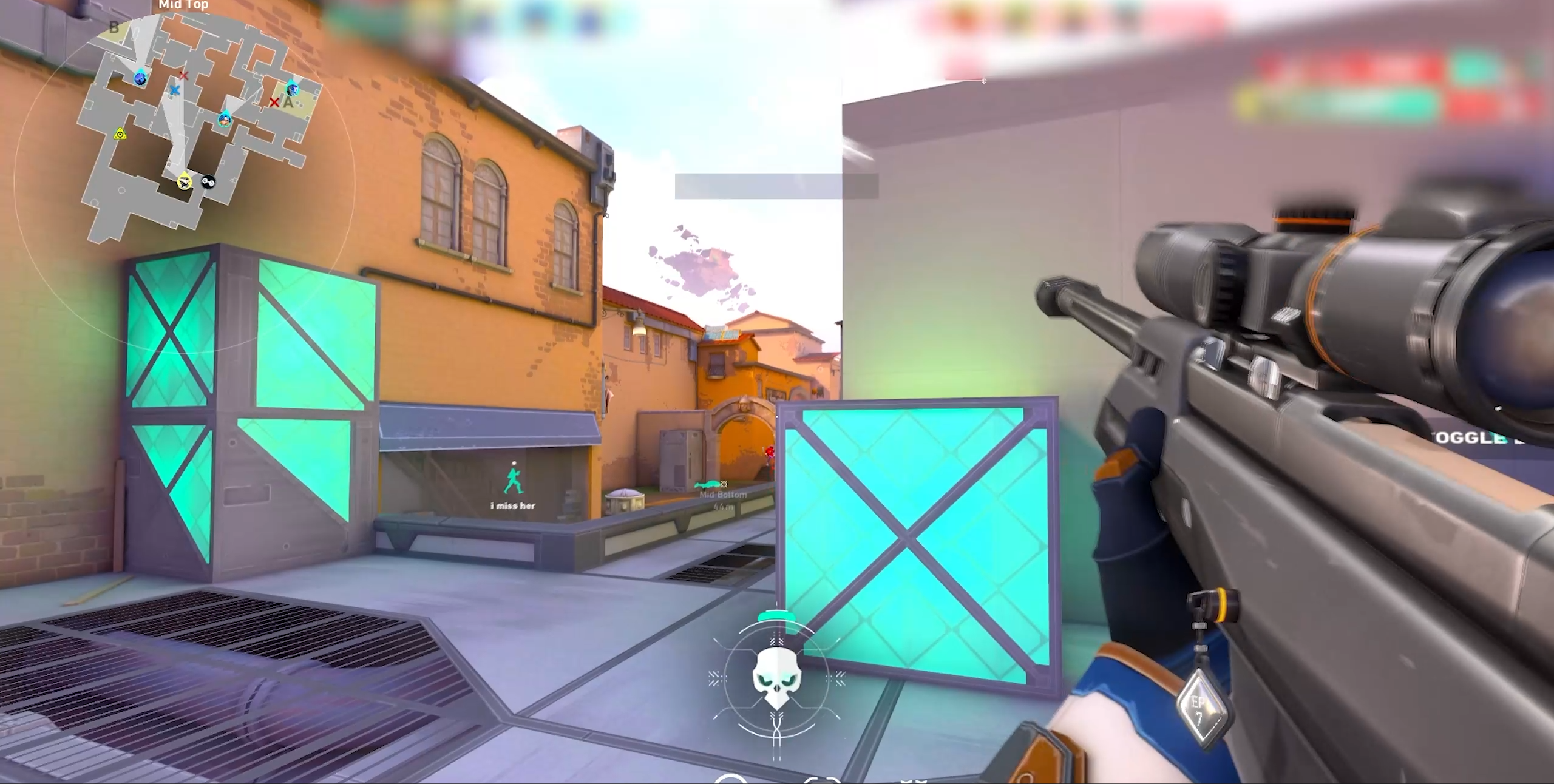
We present the Trigger Bot for VALORANT from the memez team, an effective and safe tool for automatic firing that will help you boost your accuracy and reaction time in game. This trigger bot valorant works by analyzing the color of enemy models in game, which delivers a high trigger speed and minimal risk of detection by anti-cheat systems.
With triggerbot valorant you can react to enemies appearing easily and quickly, using flexible settings for the trigger mode, delays and activation zone. If you want to buy trigger bot valorant that combines ease of use with powerful functionality, then this product is your best choice.
Trigger Bot for VALORANT from memez is your reliable teammate in every match.
Product features
Trigger (Mongoose Reaction)
Pixel Change Mode
Holding angles. The trigger fires on a pixel change at the crosshair. Perfect for catching enemies peeking from behind a corner. Reaction faster than human.Delays & Fire Rate
Legit play. Set the delay before and after the shot so you don't raise suspicion. Fire rate adjustment helps control your spray.Color Tolerance
Color correction. Fine-tune sensitivity to the enemy color. The trigger fires accurately even when the lighting on the map changes.Movement & Gunplay (Pro-player Mechanics)
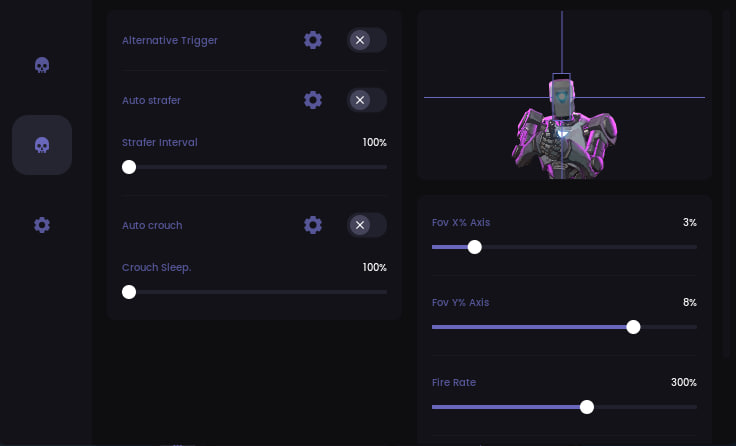
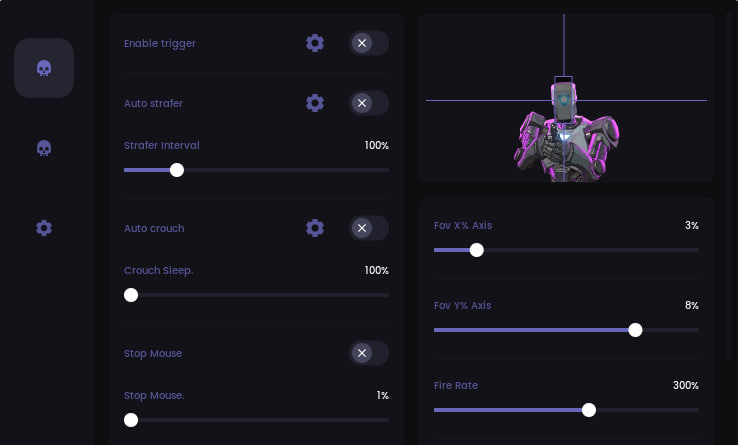
Auto Strafer & Crouch
Untouchable target. Automatic strafes and crouches while firing. You're harder to headshot, and your shooting becomes unpredictable.Stop Mouse (Operator Logic)
King of the Operator. The feature stops the mouse movement before the shot. Guarantees 100% first-shot accuracy with a sniper rifle, eliminating blur.Misc (Zone Settings)
FOV X/Y Axis
Control zone. Set the trigger activation zone along the X and Y axes. Make a narrow strip for headshots or a wide square for close-range fights.Anti-AFK & Sound
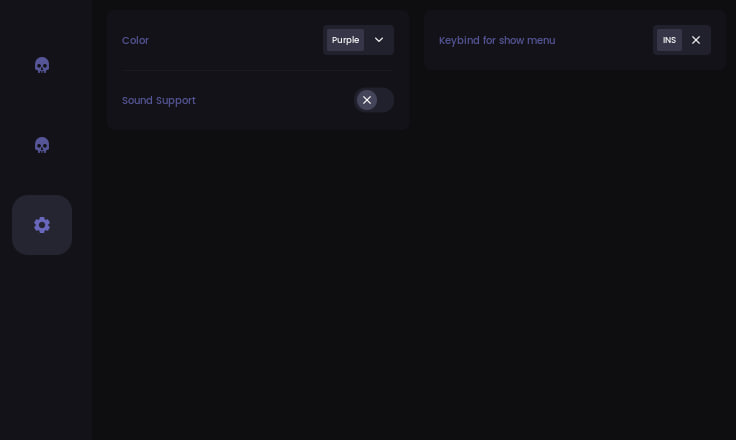
Comfort. Anti-AFK won't let you get kicked for inactivity, and sound signals confirm the trigger activation.Known issues & fixes
Real questions from our support, with the fixes that worked. Based on user requests for this product.
What should I do if the cheat won't launch or shows an error on startup?
Contact support and describe the error you're seeing — you'll likely be asked to run a system compatibility checker and send a screenshot of the result so the cause can be identified.
It also helps to:
- launch the loader through a VPN;
- add the loader's folder to your antivirus exclusions;
- temporarily disable third-party overlays (screen recording, chat apps, etc.).
After entering the activation key it says the key is frozen — what does that mean?
This message means the game received an update and the software is temporarily being reworked for the new version — it affects everyone with an active subscription, not just your key.
- The update usually takes anywhere from a couple of hours to a day, often faster.
- The subscription time lost while waiting gets compensated.
- Check with support for status updates — they will let you know once it is working again.
My computer immediately reboots or shows a blue screen right after I start the loader — what should I do?
The most common cause is an outdated motherboard firmware (BIOS) or secure boot settings conflicting with the loader's driver.
- Check your motherboard manufacturer's site for a newer BIOS version (ideally no older than 2022–2023) and update it.
- Before trying again, create a system restore point or back up important files — in rare cases the crash affects Windows boot.
- If the problem continues, contact support with a screenshot of the error so they can guide you further.
- If Windows stops booting entirely, you'll need to repair or reinstall the system; it's best to reach out to support beforehand to avoid this.
After launching the loader, the cheat's menu won't open with its hotkey — what should I do?
This is usually caused by Secure Boot being enabled in the BIOS, which prevents the cheat from working. Disable Secure Boot in your BIOS settings and relaunch the loader.
If your game requires Secure Boot to be on to run at all, contact support — there is sometimes a workaround for this case.
Trigger bot for Valorant throws an error on launch, antivirus is off, VPN doesn't help
Download the Sordum utility (available from technical support), launch it, and click the Search button. Wait for the scan to finish, then send a screenshot of the result to support , this helps diagnose the cause of the error.
Use WinRAR to extract the archive. Archive password: sordum.
Trigger bot launched but hotkeys don't work and functions don't trigger
Make sure the triggerbot is enabled in the cheat interface (the activation toggle must be set to on). Verify that the selected crosshair color (e.g. purple for Valorant) matches the actual enemy highlight color shown in-game.
If hotkeys still don't respond, try rebinding them to different keys in the cheat settings. Experimenting with the configuration options often resolves the issue , several users fixed it by adjusting the settings manually.
How to bind HWID or submit a hardware change request for Valorant Trigger bot
Enter your activation key in the cheat and submit the HWID request directly through the cheat's interface , the corresponding option is found inside the program itself.
The cheat shows an HWID binding error after a hardware change or reset — what should I do?
This error means your activation no longer matches your current hardware — for example, after reinstalling the OS or changing hardware identifiers.
Contact support with your activation key: they will reset the binding so you can activate the cheat again on the same key.
Launcher won't download
If the launcher fails to download, try two things: enable a VPN and retry, or switch to a different browser (e.g., from Chrome to Firefox or vice versa).
Valorant TriggerBot doesn't fire even though the keybinds are set correctly
If the rest of the cheat works fine but TriggerBot doesn't fire, the usual cause is that the game and the cheat need to share the same fire key.
- In TriggerBot's settings, assign an extra fire key, for example P.
- In the game's own settings, bind your secondary fire key to that same key.
- In TriggerBot's settings, set a separate activation key, for example Mouse 5.
- In game, hold down the activation key — while it's held, TriggerBot will fire automatically.
The cheat shows a "Disk is MBR, GPT required" error at launch — what does that mean?
This means the drive with Windows installed uses the older MBR partition style, while the cheat requires a GPT-partitioned drive.
The fix is to reinstall Windows and choose GPT instead of MBR when partitioning the drive during setup.
MEMEZ