Всегда работает, спасибо
Turn every trip into the swamp into a successful hunt with a cheat from the developer Ancient for Hunt: Showdown. This product gives you a full set of tools for tactical superiority. You'll be able to track everything and everyone: from players and their health to bosses, zombies and valuable loot.
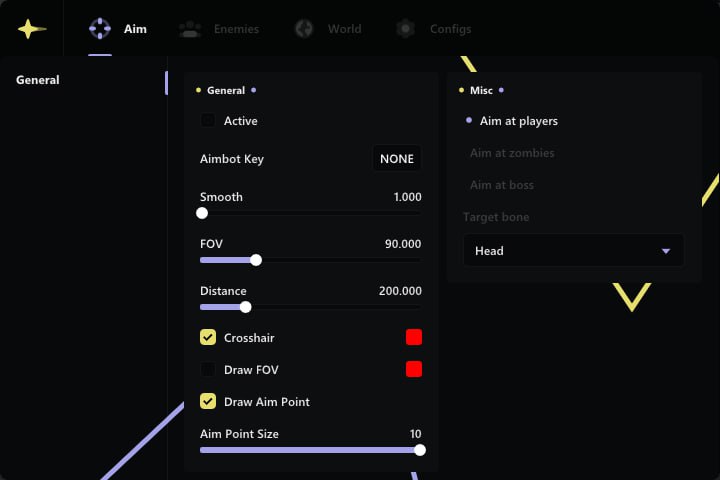
A precise and flexibly configurable Aimbot lets you hit any target, whether it's a player, a monster or a boss. Visual effects like Glow and Chams guarantee maximum enemy visibility in any situation. Ancient gives you a reliable tool to become a legend in the world of Hunt: Showdown.
Product features
Aimbot (Deadly Precision)
Aimbot & Bone Selection
Full control. The aimbot locks onto hunters, zombies and bosses. Pick the head for an instant kill or the body for reliability. Not a single shot goes to waste.Visuals & Crosshair
Kill zone. The FOV circle shows the target lock area, and a custom crosshair helps you hipfire with sniper precision.Visual Effects (Hunting the Hunter)
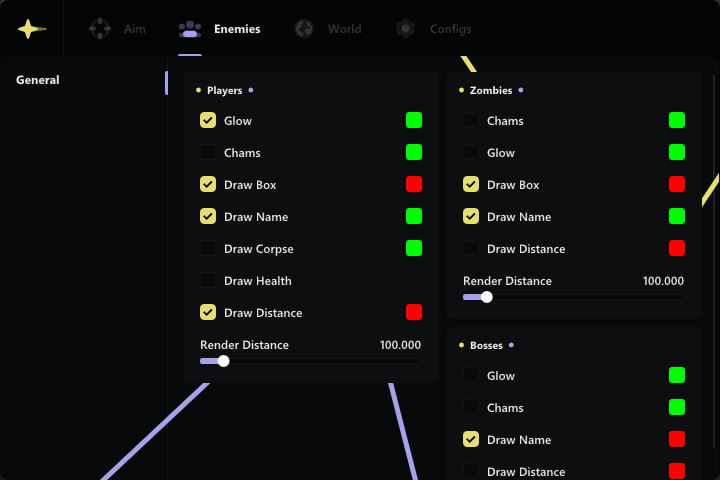
Glow & Chams
Bright targets. Glow and Chams make enemies visible in any darkness. You'll spot the ambush before it goes off.Info & Corpses
Battlefield analysis. Hitboxes, health and distance give you the full picture of the fight. Corpse glow helps you find loot after someone else's shootout.Loot & Map (Master of the Swamps)
Weapons & Items
Everything in plain sight. See weapons, medkits and charms through walls. Don't waste time searching empty shacks, grab only what you need.Boxes & Map Info
Resources and navigation. Highlights all boxes (ammo, money) and key points on the map (bosses, exits). Plot the perfect route to riches and survival.Known issues & fixes
Real questions from our support, with the fixes that worked. Based on user requests for this product.
Hyper-V error / 'Please make sure PIN is not set' when launching the loader
Hyper-V must be fully disabled and the Windows PIN sign-in option must be removed (Settings → Accounts → Sign-in options).
If disabling Hyper-V through Windows Features doesn't work, run the following in an Administrator PowerShell session:
- takeown /F "C:\Windows\System32\hvix64.exe"
- icacls "C:\Windows\System32\hvix64.exe" /grant *<SID>:F
- Repeat for hvax64.exe, then delete both files with del.
Reboot and try the loader again.
I launch the loader but the window never appears / loader doesn't open
To diagnose the issue, follow these steps:
- Download the Sordum utility (archive password: sordum).
- Run it, click Search, and wait for the scan to finish.
- Take a screenshot of the result and send it to support , this allows the team to identify the exact cause.
Loader fails to start when FaceIT anti-cheat is installed
FaceIT Anti-Cheat is incompatible with this software. Completely uninstall FaceIT Anti-Cheat via Windows «Apps & Features», then reboot your PC and launch the loader again.
Ancient




