Chams RUST SMG: private software for RUST

Working
Top seller
SMG SMG
Last update 03.07.2026 This date shows when the software was last updated. An old date doesn't mean the software stopped working! Most likely the developer just had nothing new to add. If you have any doubts, you can always check the current status with our support team.
Add another cheat from this game too — to compare them.
Chams RUST SMG
Steam
Don't risk your main — grab a spare account
Windows support: 10: all builds; 11: all builds
Spoofer:No
USB drive:No
BIOS:No
VIDEO
SCREENSHOTS
Description

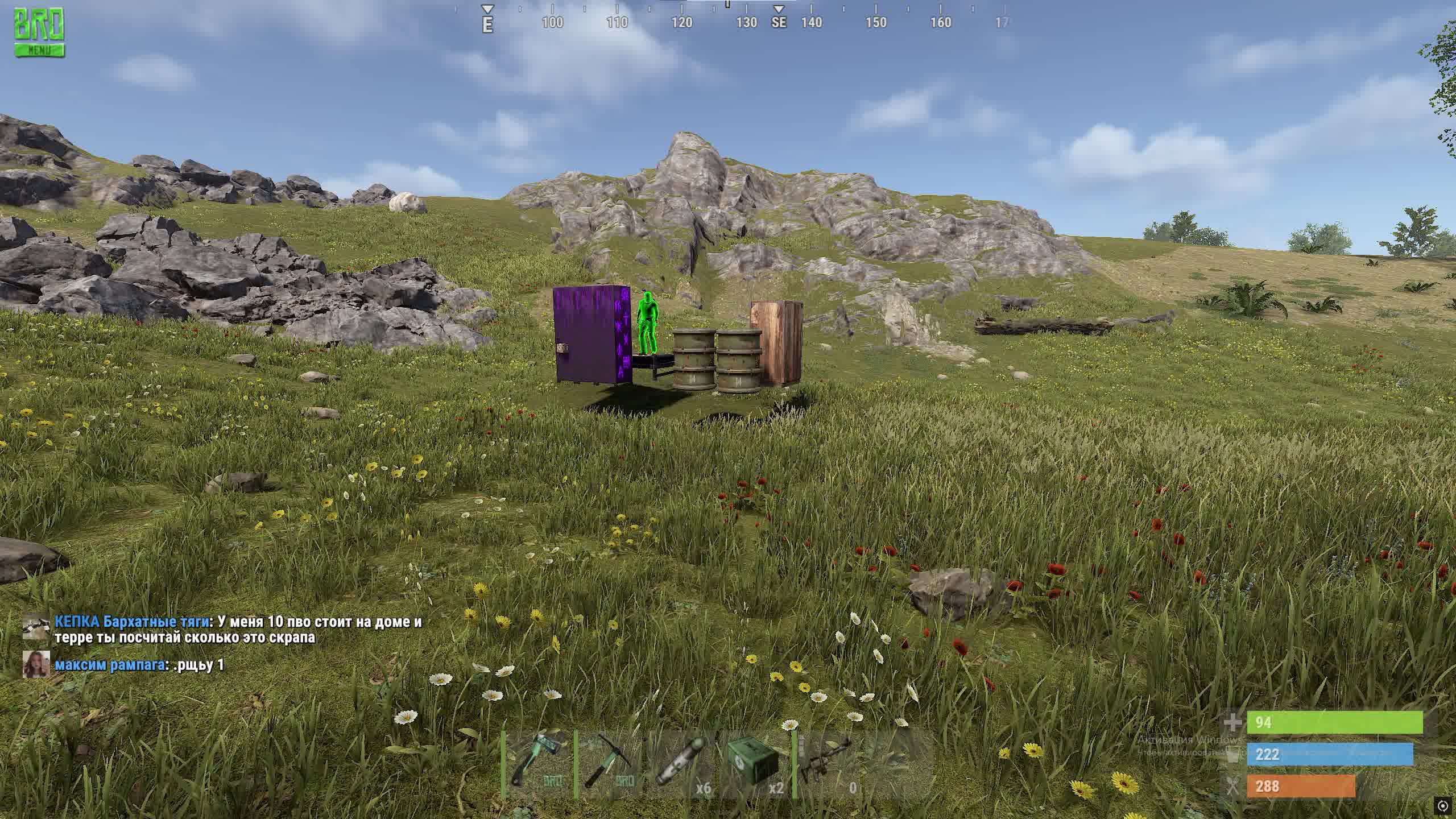
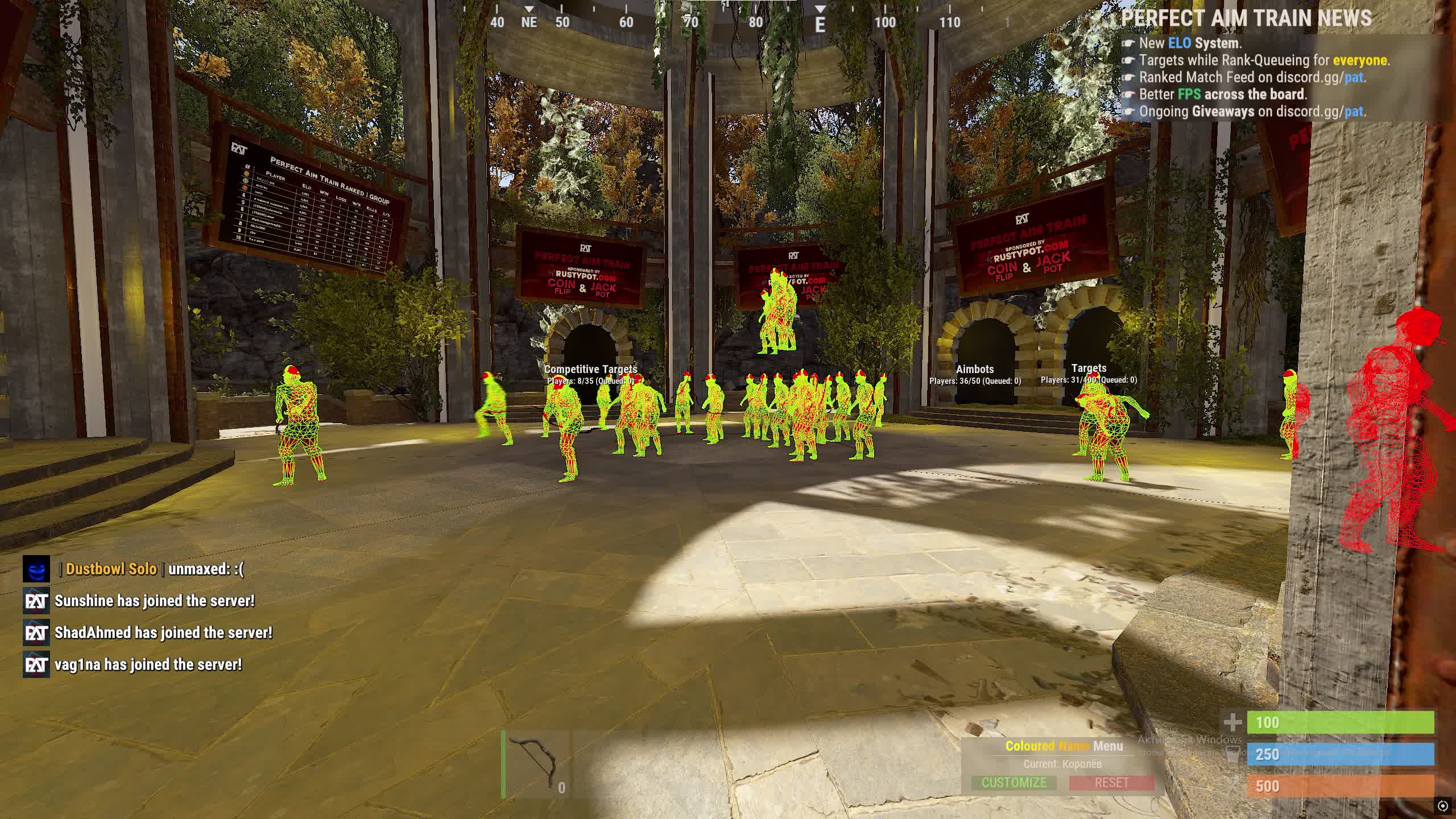
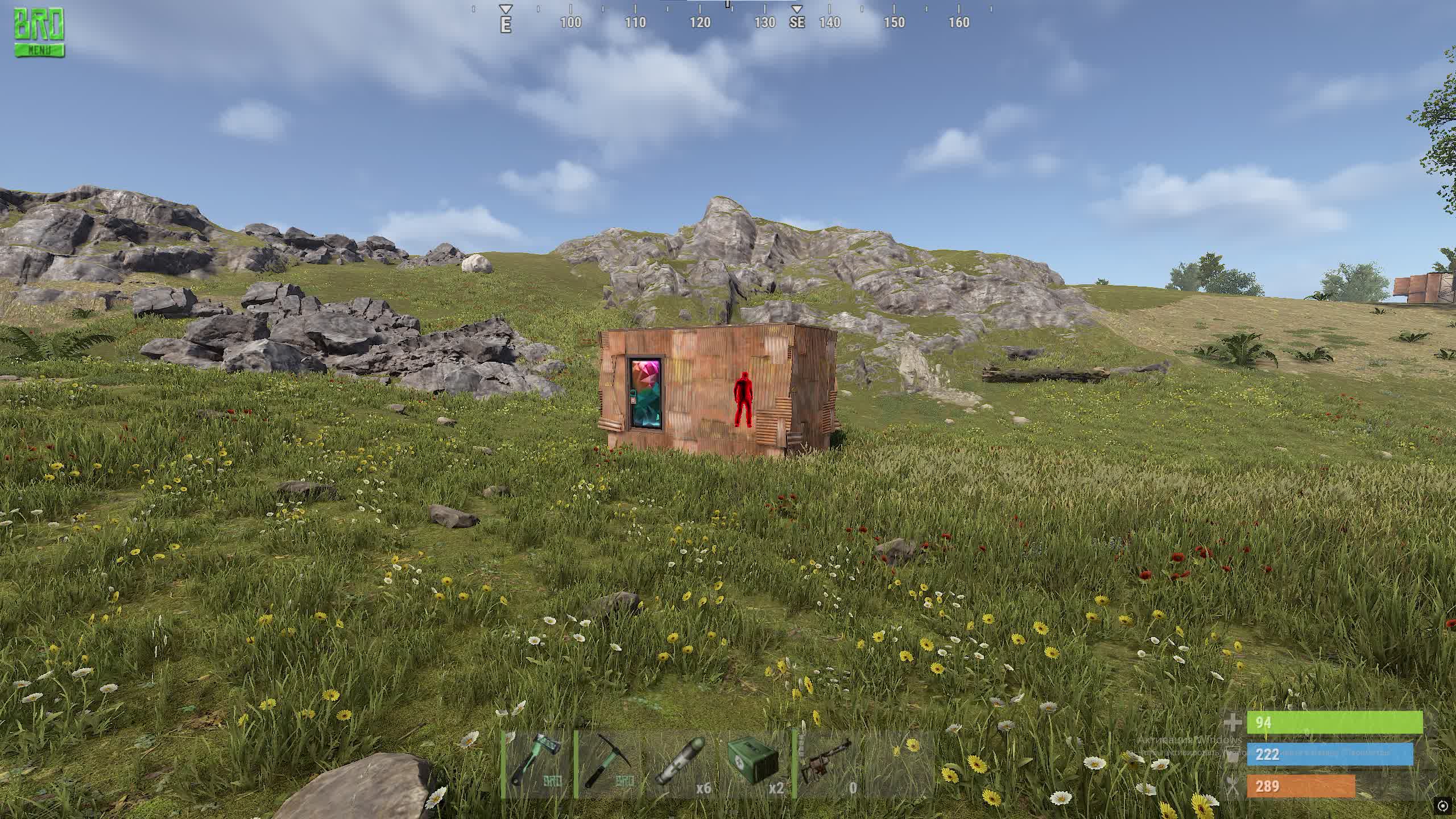
SMG Chams for Rust is a focused tool for players who want the biggest visual edge without a cluttered menu or complicated setup. This product from SMG comes with unusual features you rarely see in regular cheats. 

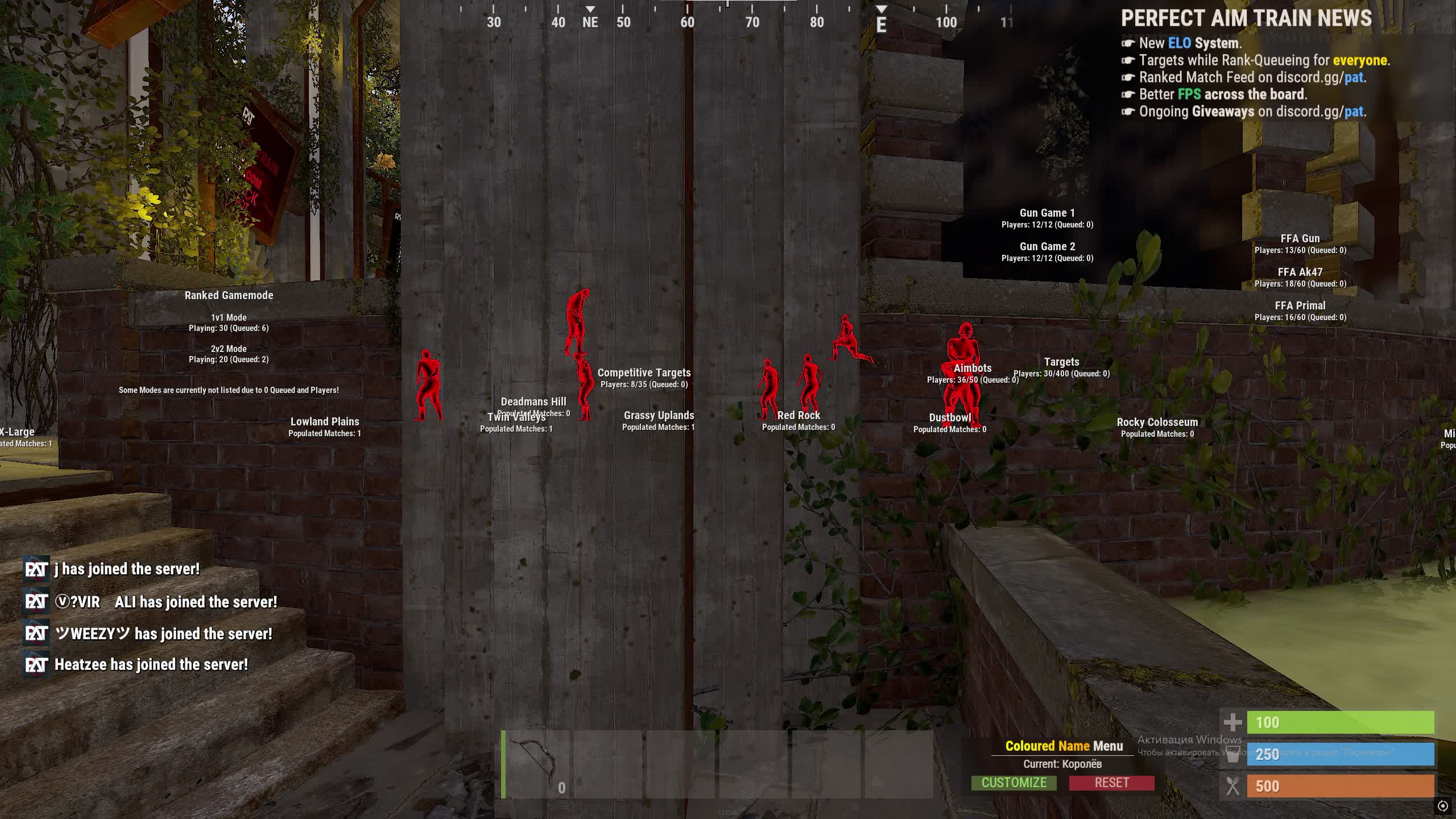
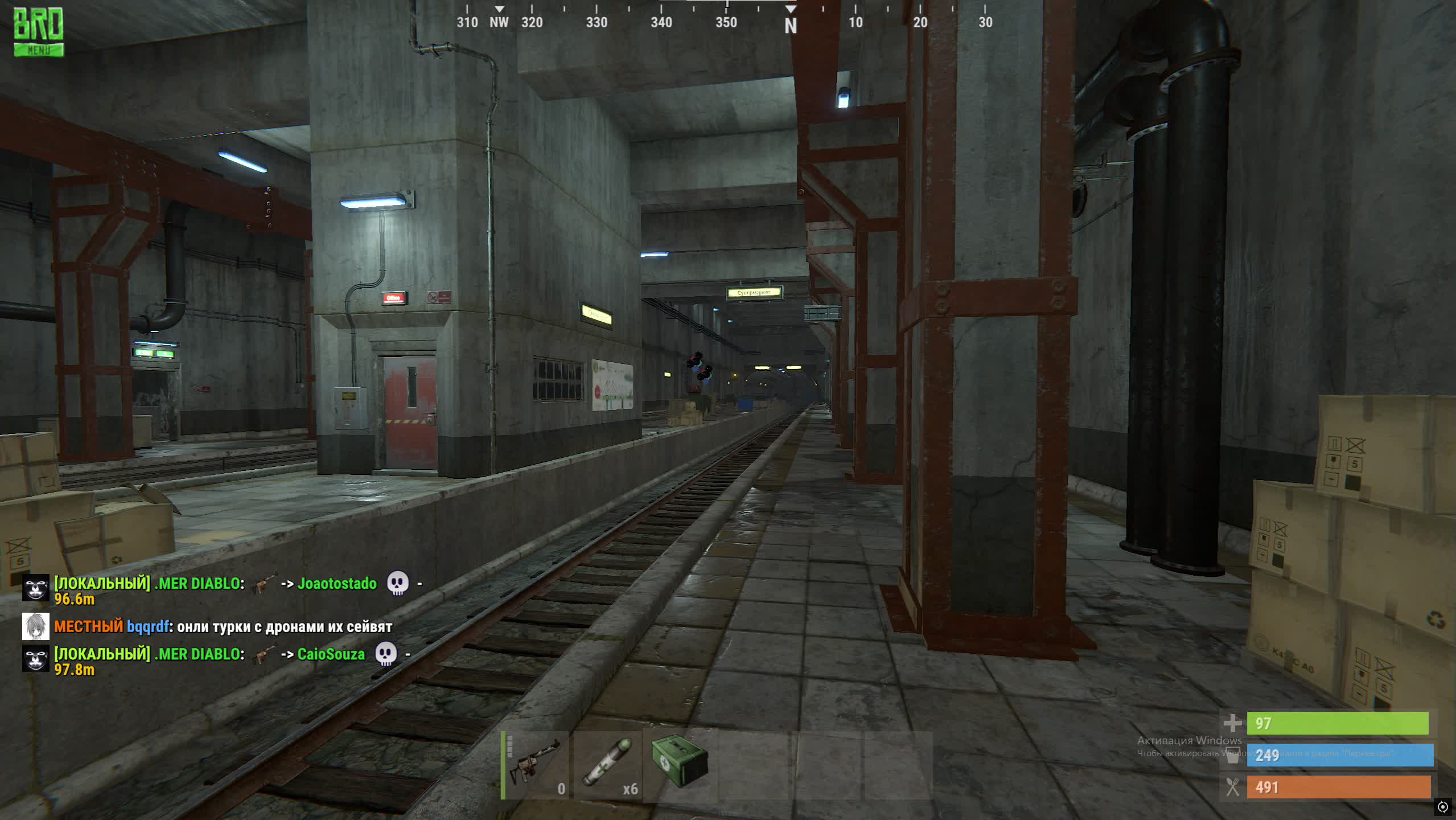
The main draw is the ability to visually strip walls away with a single key (F5). That lets you see the inside layout of bases, where the boxes, turrets and loot sit, like reading the palm of your hand. The second key feature is Bright Night (F6), which turns Rust's dark night into clear daylight and saves you from having to craft NVGs. Everything runs purely on hotkeys, so the software is fast and easy to use.

Product features

Visuals & Misc (Features)

F5 - Remove Walls

A unique feature that lets you visually "switch off" the rendering of walls and building textures. Perfect for scouting bases (raids), hunting loot and spotting ambushes inside rooms.

F6 - Bright Night

The "Bright Night" (Fullbright) feature. Removes the darkness in-game completely, making night as bright as day. Gives a huge advantage over players who can't see a thing without flashlights.

F9 - Change Chams Mode

Cycles through the Chams display modes. Lets you rotate the fill style on player models (color, transparency, material type) for the best contrast against your surroundings.

Known issues & fixes

Real questions from our support, with the fixes that worked. Based on user requests for this product.

Loader flashes briefly and disappears on startup — Windows security driver conflict

This is a common issue caused by Windows driver security components. Follow these steps:

  • Download the Sordum utility (archive password: sordum), run it, click Search, and wait for it to finish.
  • Apply the win_driver_OFF.reg file provided by support — it disables Windows driver signature enforcement. Reboot your PC afterwards.
  • Make sure User Account Control (UAC) is disabled — the loader handles this automatically, but verify it manually if needed.
  • If the issue persists, run sc query vgk, sc query faceit, sc query wdfilter in CMD and send a screenshot to support.
Loader connection error or infinite loading on startup — VPN or Network Manager required

Loader connection errors are usually caused by ISP-level blocking. Try the following steps:

  • Enable a VPN (any country), launch the loader and click Inject. Once injected successfully, disable the VPN before starting the game.
  • If VPN does not help: download the networkmanager.zip utility, run it, select «Find Best IP» and click Apply. Then try launching the loader again.
System freezes and mouse barely moves when entering the key in the loader

System freeze when entering the key is usually caused by HDR or antivirus conflicts. Do the following in order:

  • Disable HDR in Windows display settings.
  • Disable Windows Defender and make sure any third-party antivirus (e.g. Kaspersky) is fully uninstalled.
  • Run the Sordum utility to disable system security drivers, then reboot your PC.
Loader crashes or throws errors on startup — antivirus or Vanguard interfering

The most common cause is third-party antivirus or security software blocking the loader. Completely uninstall 360 Total Security, Vanguard (Valorant anti-cheat — must be uninstalled, not just disabled), and any other third-party antivirus.

After removal: download the Sordum utility (archive password — sordum), run it, click Search, and wait for it to finish. Then reboot your PC and try launching the loader again.

If errors persist, send a screenshot of your installed programs list to support. As a last resort, a clean Windows reinstall resolves the issue.

Loader keeps asking to reboot the PC — stuck in a reboot loop

Run a system file repair: open Command Prompt as Administrator and execute two commands — first DISM /Online /Cleanup-Image /RestoreHealth, then sfc /scannow. After that, make sure Fast Boot is disabled in BIOS/UEFI, then reboot.

If the issue persists, a clean Windows reinstall is required. Use the Pro edition only — Home versions may lack required components for the loader to function correctly.

Kaspersky deletes or blocks the cheat , how to fix?

Remove Kaspersky only using the official Kaspersky Removal Tool (kavremover). Uninstalling through Windows Control Panel is not enough , service files and quarantine logs remain and continue to block the cheat.

After removal, make sure no Kaspersky Lab folders are left on your PC. If antivirus remnants still interfere and cannot be deleted, a Windows reinstall will be required.

Cheat launches, throws an error and deletes itself , what to do?

Reinstall DirectX: download the web installer from the official Microsoft website and run it.

Then disable the vulnerable driver blocklist: open regedit.exe, navigate to HKEY_LOCAL_MACHINE\SYSTEM\CurrentControlSet\Control\CI\Config and set the VulnerableDriverBlocklistEnable value to 0 (DWORD type). Reboot your computer.

How to configure RUST before launching the cheat to avoid conflicts?

Before injecting, open RUST settings and disable the Cooling option, as well as any experimental (beta) features if they are enabled. These options are found in the in-game developer settings section.

It is also strongly recommended to reboot your PC before every new injection , this is a mandatory safety rule for this product.

All issues & general troubleshooting
TARIFFS
300
BUY What happens after payment?
Got a question? Ask before you pay

We'll help you choose and sort out any launch issue. Ask us anything before buying, we're always on your side.

Support 10:00–22:00, sometimes we reply at night too
Ask a question
Update history
  • 03.07.2026 Working
    Received an update
  • 04.06.2026 Working
    Updated, time unfrozen
  • 29.05.2026 Working
    Updated, time unfrozen

Available tariffs

1 day
300
START PURCHASE
7 days
900
START PURCHASE
30 days
1800
START PURCHASE
Reviews about Chams RUST SMG
4.1 / 5
1 review
How the rating is calculated

Most satisfied buyers never leave a review — people write mainly when something went wrong, so text reviews skew negative. The score is smoothed over every sale, not just the written reviews.

rating = (G + S + 10·0.9) / (N + S + 10) × 5

  • G — sum of review positivity (5★ = 1, 1★ = 0)
  • N — number of text reviews = 1
  • S = (sales − N) × 0.15 — silent satisfied buyers
Customer Not recommended
Verified purchase · Digiseller 24.01.2026

не возвращают деньги

Your review

Reviews are published after moderation.

Join our gaming community chat

Discuss current cheats from developers and how to use them effectively in popular online games. Share tactics, exchange useful info and find like-minded players in our community.

1 900+Members
24/7Online
Join our gaming community chat

Technical support

Run into a technical issue? Our team of experts will help. We handle all requests in a live queue, so please be understanding if it sometimes takes a little wait. We guarantee that no request goes unanswered.

Availabilityfrom 10:00 to 23:00
Fast responseIn queue order
Get help
Technical support
PROCHEAT

PROCHEAT news channel

Follow product status changes, update history and important announcements.

Subscribe

Latest updates

03.07.2026 14:32
Working
Received an update
04.06.2026 16:42
Working
Updated, time unfrozen
29.05.2026 11:10
Working
Updated, time unfrozen
18.05.2026 12:53
Working
Updated, time unfrozen
10.05.2026 06:15
Working
Updated, time unfrozen
Open full history
Ask a question


