Не покупайте этот товар. это разводка. Не все описание дают о товаре и при покупке чит может просто не работать на опрд.винде. Деньги не хотят возращать.
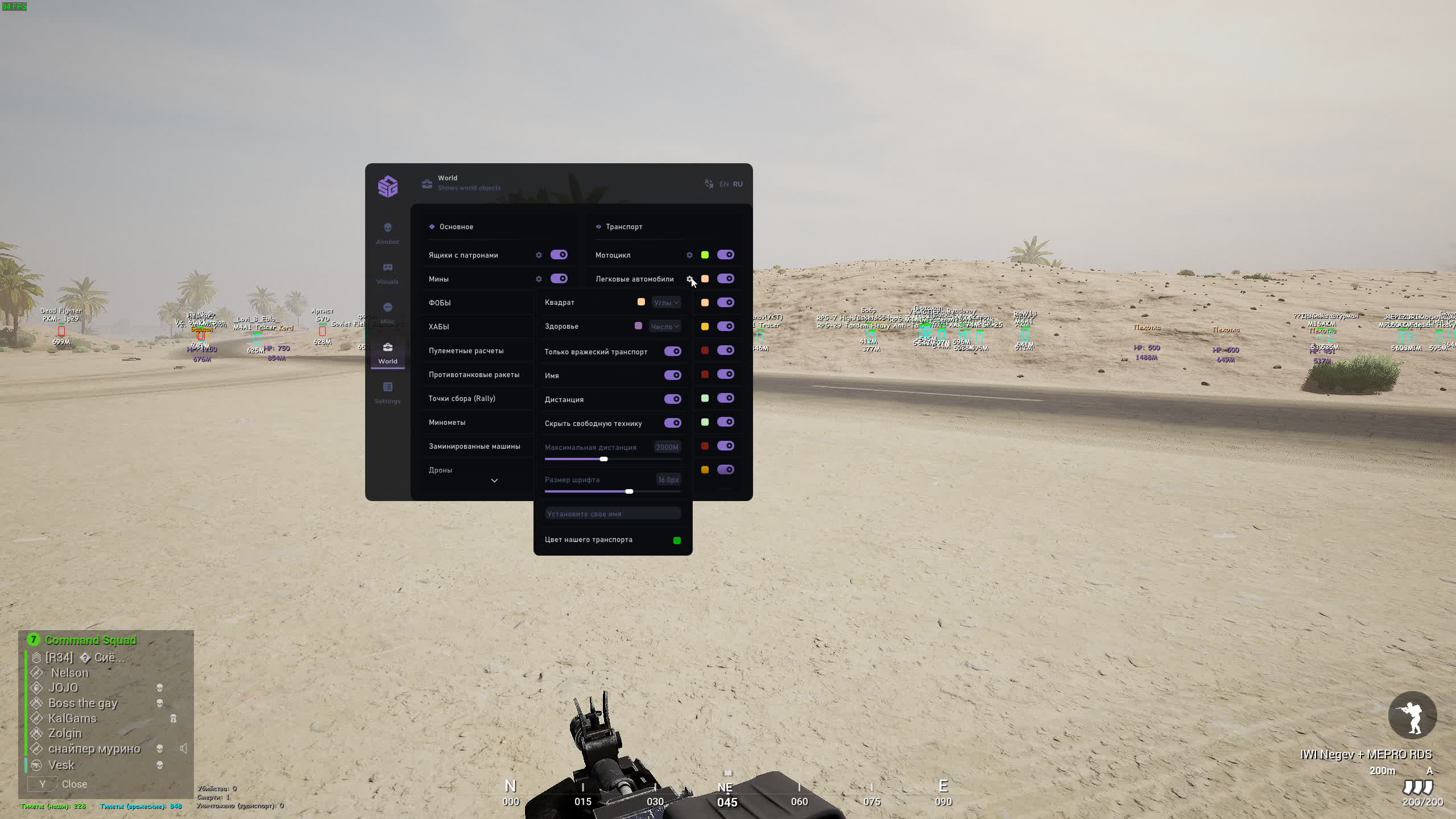
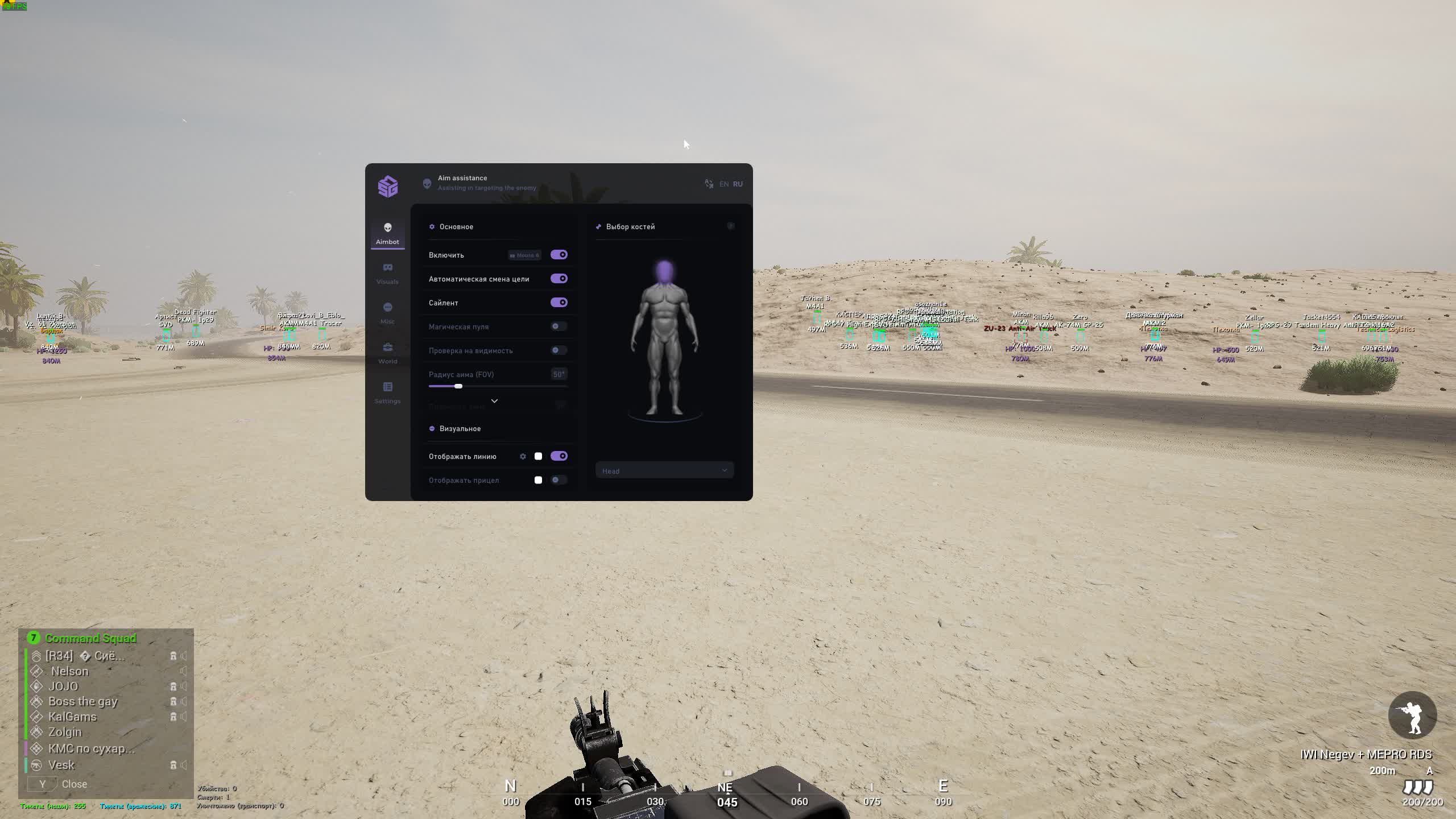
Squad SMG is a modern private cheat for the tactical shooter Squad, developed by the SMG team. It combines an advanced aiming system with extended visualization features that let you always know what's happening on the battlefield. Thanks to its simple interface and deep customization, this cheat is perfect both for lone survivors and for squad operations, where every player has to perform with maximum efficiency.
Product features
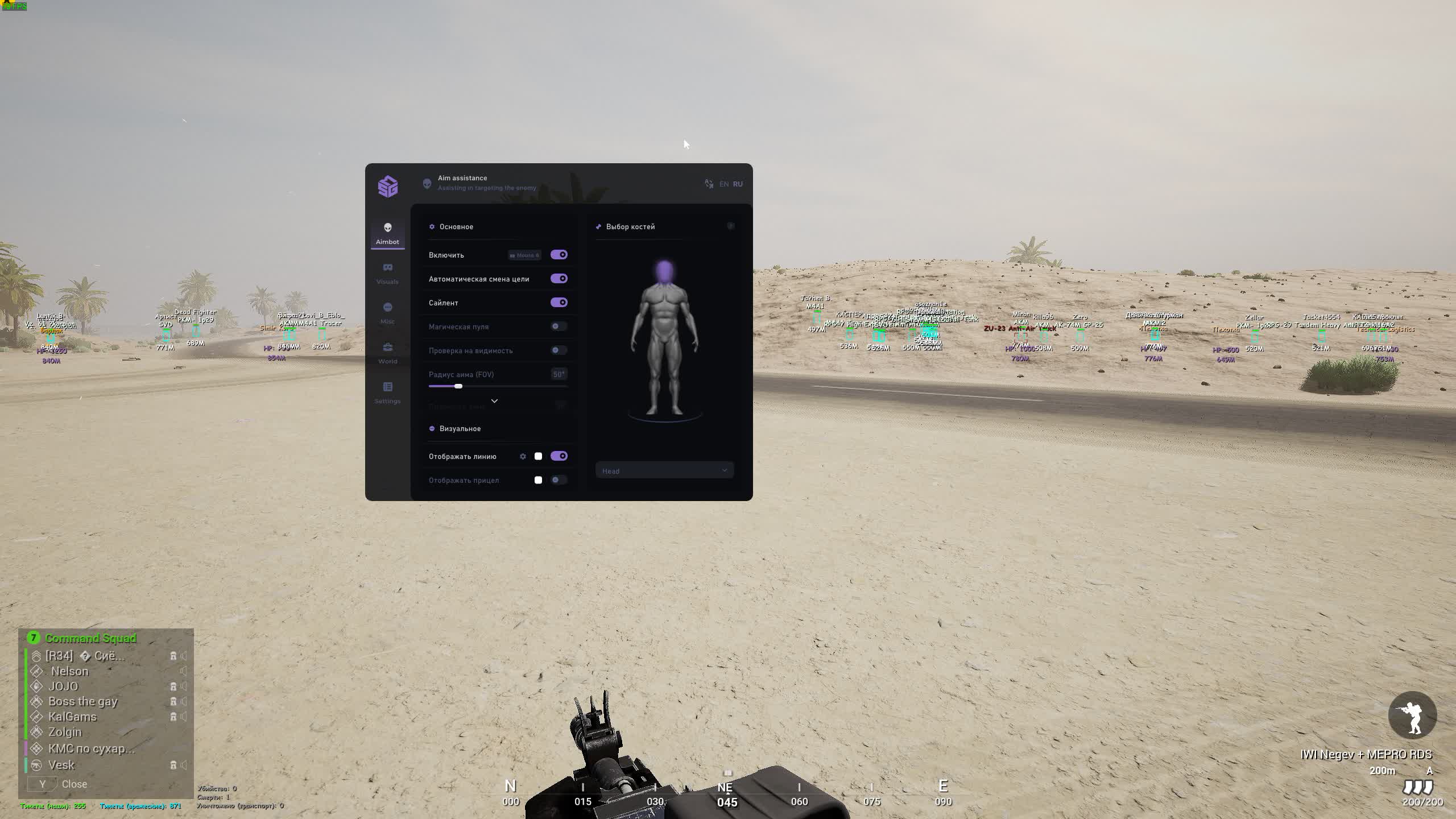
AIMBOT (Weapon Magic)
Magic Bullet & Silent Aim
Penetration. Magic Bullet ignores armor and obstacles, while Silent Aim sends bullets to the target without moving your crosshair. Perfect for wiping out vehicle crews.Bone Select & Visible Check
Smart targeting. Pick the head to one-shot infantry. The visibility check makes sure you don't give away your position by shooting into concrete.VISUALS (Tactical Overview)
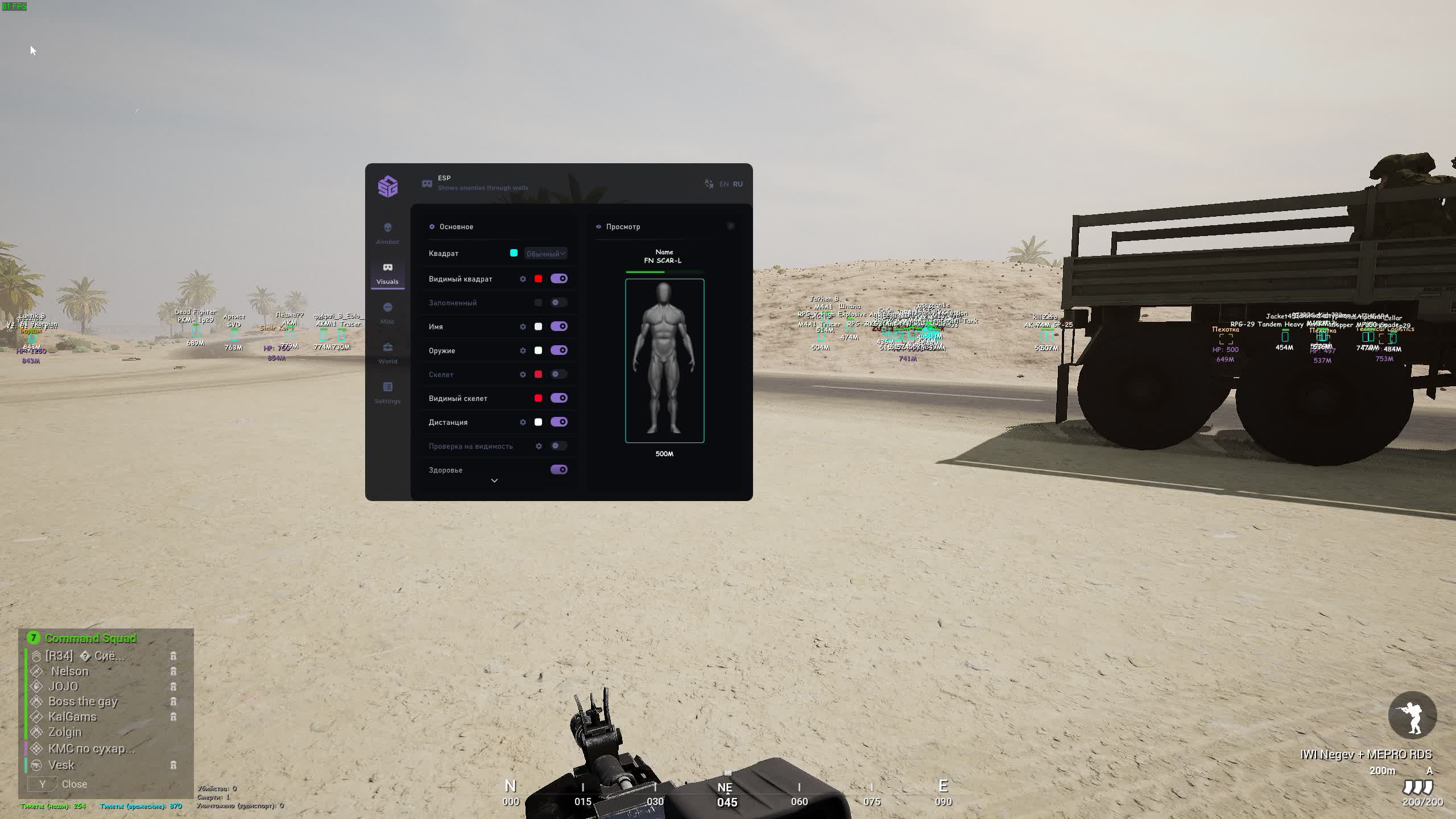
Skeleton & Health State
X-ray. Skeletons for precise aiming and a "Visible" status (visible / not visible). You know whether the enemy can return fire.Filled Boxes
Contrast. Filled boxes make targets stand out against the forest and desert.WORLD (Global Map)
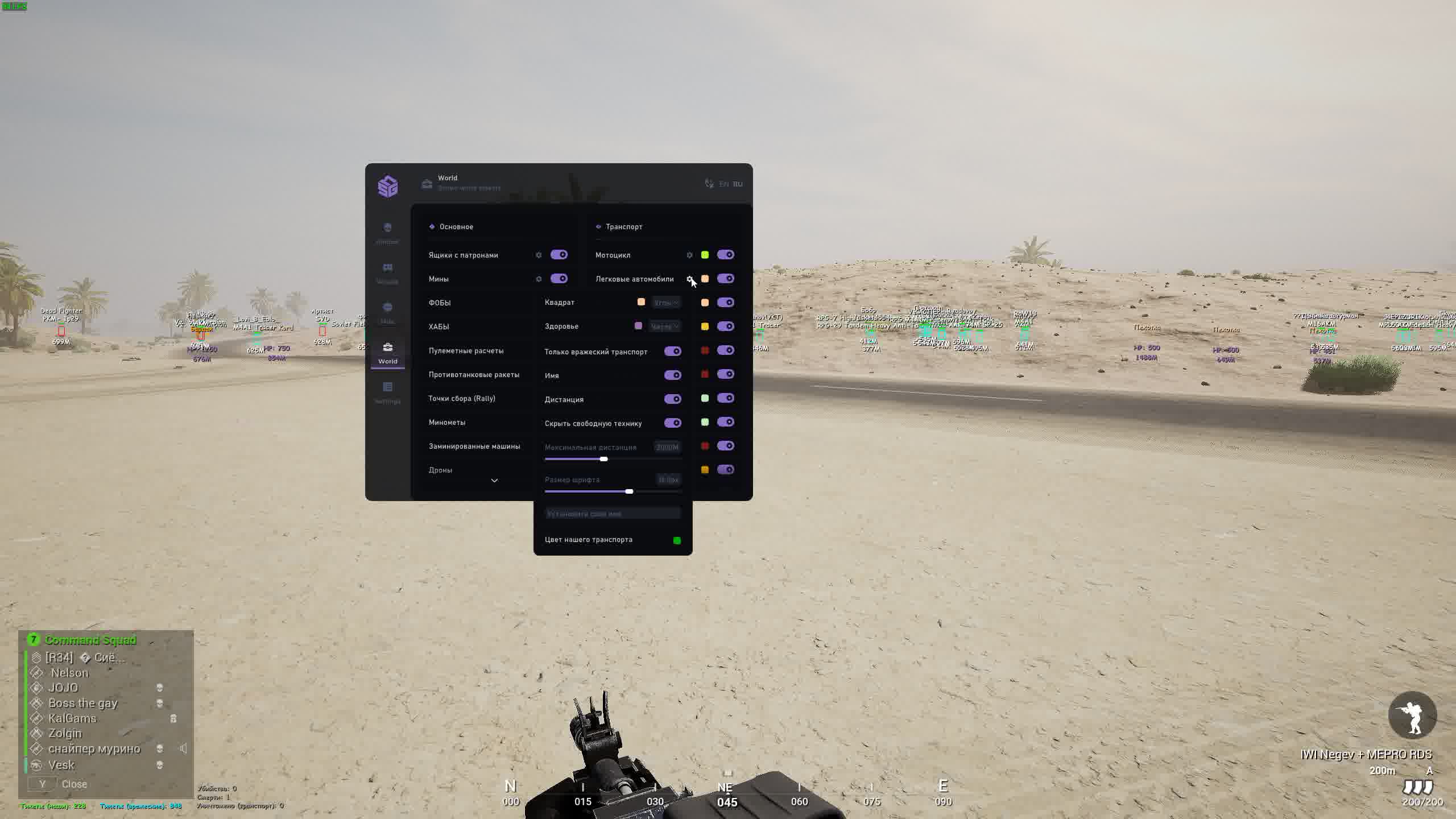
FOBs & HABs
Strategy. See enemy spawn points (FOB/HAB) and radio stations. Destroy the enemy's logistics in the bud.Explosives ESP
Minefield. Highlighting of mines and grenades. Your squad walks through where others get blown up.Tickets & Stats
Match score. Track the tickets (reinforcement points) of both teams so you know when to push and when to defend.MISC (Superpowers)
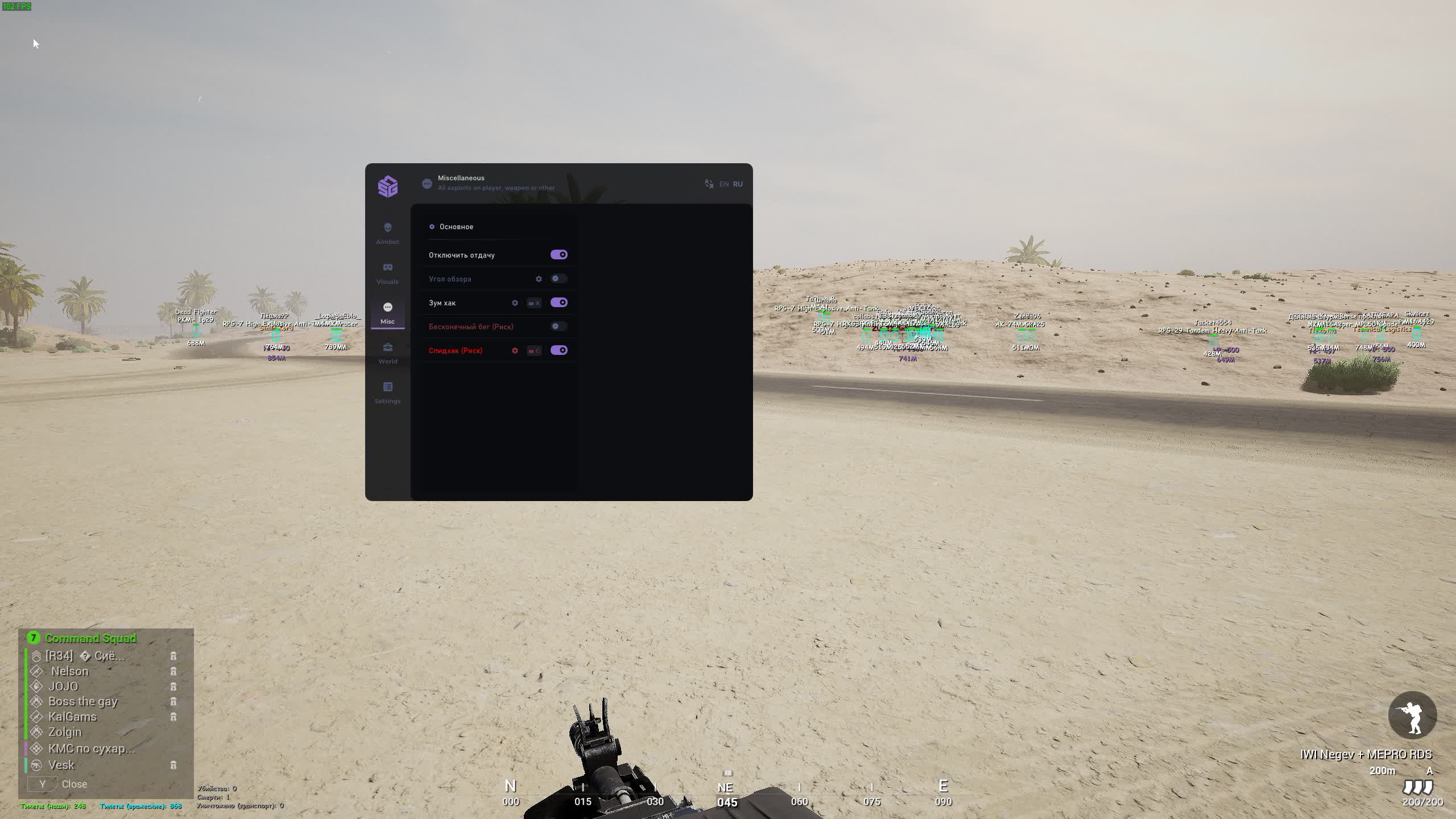
Speedhack & Infinite Stamina
Sprinter. Run endlessly and faster than everyone else. Grab the best positions at the start of the round.No Recoil & Zoom Hack
Sniper. Turn off recoil and use Zoom Hack to zoom in on any sight. Your red dot turns into a scope.Known issues & fixes
Real questions from our support, with the fixes that worked. Based on user requests for this product.
The cheat won't launch or shows an error — is my Windows version supported?
The software doesn't support every Windows version and build — the newest system updates in particular may not be supported yet, in which case the launch fails or the system blocks the driver as "unsafe".
- Check your exact version and build number in Windows Settings (System → About) and compare it with the list of supported versions on the product page.
- If your build is newer than the ones listed, or it's a non-standard/stripped-down Windows edition, stable operation isn't guaranteed — installing one of the supported official versions usually resolves it.
- Before purchasing, ask support which Windows version is required for the specific product — they can also tell you whether an update for your build is planned.
The program launches but nothing happens, or it gets blocked even though the antivirus was removed long ago
The most common cause is leftovers from previously installed antivirus or security tools: their drivers and background files keep interfering with the program even after the antivirus itself has been removed.
Contact support — they can point you to a dedicated utility that checks your computer for such leftovers and help you remove them properly. After cleaning up, restart your computer and launch the program again.
The cheat stopped working or shows an error after a game update — what should I do?
This is expected: after a major game update the developer needs time to adapt the program, usually anywhere from a few hours up to a day. Until the update is ready, the loader may fail to start or some features may work incorrectly.
- You don't need to update anything manually — the current version is pulled through the loader automatically.
- Check the product status on the website to see when the update is finished.
- If the program is temporarily unavailable due to an update, your subscription time is extended to cover the downtime.
- If it still won't launch a day after the game patch, contact support to check the update status.
Loader flashes briefly and disappears on startup — Windows security driver conflict
This is a common issue caused by Windows driver security components. Follow these steps:
- Download the Sordum utility (available from technical support; archive password: sordum), run it, click Search, and wait for it to finish.
- Apply the win_driver_OFF.reg file provided by support — it disables Windows driver signature enforcement. Reboot your PC afterwards.
- Make sure User Account Control (UAC) is disabled — the loader handles this automatically, but verify it manually if needed.
- If the issue persists, run sc query vgk, sc query faceit, sc query wdfilter in CMD and send a screenshot to support.
The program stopped working after a Windows update — what should I do?
Most software is built for specific Windows builds, and an automatic system update can make your system incompatible with the program's protection.
- After any major system update, compare your build with the supported Windows versions listed on the product page.
- If your build isn't supported, you'll need to roll back the update or reinstall Windows on a supported build.
- Ask support for the exact list of supported builds and advice for your specific case.
Loader connection error or infinite loading on startup — VPN or Network Manager required
Loader connection errors are usually caused by ISP-level blocking. Try the following steps:
- Enable a VPN (any country), launch the loader and click Inject. Once injected successfully, disable the VPN before starting the game.
- If VPN does not help: download the networkmanager.zip utility, run it, select «Find Best IP» and click Apply. Then try launching the loader again.
System freezes and mouse barely moves when entering the key in the loader
System freeze when entering the key is usually caused by HDR or antivirus conflicts. Do the following in order:
- Disable HDR in Windows display settings.
- Disable Windows Defender and make sure any third-party antivirus (e.g. Kaspersky) is fully uninstalled.
- Run the Sordum utility (available from technical support) to disable system security drivers, then reboot your PC.
Loader crashes or throws errors on startup — antivirus or Vanguard interfering
The most common cause is third-party antivirus or security software blocking the loader. Completely uninstall 360 Total Security, Vanguard (Valorant anti-cheat — must be uninstalled, not just disabled), and any other third-party antivirus.
After removal: download the Sordum utility (available from technical support; archive password — sordum), run it, click Search, and wait for it to finish. Then reboot your PC and try launching the loader again.
If errors persist, send a screenshot of your installed programs list to support. As a last resort, a clean Windows reinstall resolves the issue.
Squad got an update , when will the cheat update?
Auto-update happens instantly: as soon as a game patch releases, the cheat adapts with no action required on your part. No need to re-download or reinstall anything , just inject as usual.
The menu doesn't open with the hotkey after launching the game
Switching the game to windowed mode is usually what fixes this — in fullscreen mode the menu hotkey may not respond.
- Finish all loader steps exactly as instructed, then start the game in windowed mode.
- Press the menu hotkey specified in the instructions only after the game has fully loaded.
- If the menu still doesn't appear, reinstall the program and try again from scratch; if the issue persists, contact support and attach a screenshot of what happens when you press the key.
Loader keeps asking to reboot the PC — stuck in a reboot loop
Run a system file repair: open Command Prompt as Administrator and execute two commands — first DISM /Online /Cleanup-Image /RestoreHealth, then sfc /scannow. After that, make sure Fast Boot is disabled in BIOS/UEFI, then reboot.
If the issue persists, a clean Windows reinstall is required. Use the Pro edition only — Home versions may lack required components for the loader to function correctly.
The loader won't open and says it can't find d3dx9_43.dll
This error means the computer is missing DirectX components the program needs to run. Download and install the official DirectX Redistributable package from Microsoft, then restart your computer.
If the error persists, update your graphics drivers and try launching again.
Can I use one key on several computers or after switching PCs?
An activation key is bound to the hardware of one specific device (HWID) the first time you run it, and it only works on that device — you can't use the same key on several computers at once, and launching it on another PC will just return an error.
If you switch computers or reinstall Windows, the hardware binding resets along with the system. After installing a supported Windows version on the new device, contact support — once your situation is confirmed, they may extend your key's validity to cover the time spent setting things up.
After running the spoofer some hardware serial numbers didn't change
Sometimes the spoofer doesn't change every component in a single run — for example the motherboard serial number can stay the same while the SSD and RAM are spoofed correctly. That's normal behavior for some setups.
Reboot your computer and run the program again. To confirm the result, compare your system info before and after running it — a hardware-checking tool works well for this. If nothing changes after several attempts, contact support.
The download link from the instructions doesn't open, what should I do?
If the link does not open, connect via VPN. Once the VPN is active, the link should work. The archive password is provided in the instructions.
In fly/noclip mode grenades and launchers pass through enemies , how to fix?
This is a technical limitation of the fly/ghost mode: while active, your character's body stays in place, causing projectiles to behave unpredictably. There is no workaround , this is an inherent constraint of how the feature is implemented.
The cheat loads but I get kicked from the Squad server right away , why?
Most likely the account has prior bans or a server-specific ban that escalated globally. Try the following:
- If the account has multiple bans , create a new account.
- If a single-server ban went global , contact each server's admins via their Discord to request a ban lift.
The cheat itself functions correctly in this scenario.
Does SMG Squad work on Windows 11 25H2?
SMG Squad does not work on Windows 11 version 25H2. Please use an earlier version of Windows 11 or Windows 10.
What traces does the cheat leave on the PC , how to pass an admin check on the server?
The cheat leaves no traces on your computer. If an admin check is requested, simply restart your PC and delete the loader , no additional registry or system file cleanup is needed.
Do I need to enable Discord screen-share bypass separately?
Discord screen-share bypass is built in and works automatically — there is no separate toggle for it. The key requirement is to choose "Game Capture" instead of "Screen Capture" when streaming; that way viewers will not see the program's window.
SMG




