Buy SMG Radar: Your Navigator for Escape from Tarkov

Working
SMG SMG
Last update 19.05.2026 This date shows when the software was last updated. An old date doesn't mean the software stopped working! Most likely the developer just had nothing new to add. If you have any doubts, you can always check the current status with our support team.
Add another cheat from this game too — to compare them.
SMG In-Game Radar
Steam
BSG Launcher
Windows support: 10: all builds; 11: 21h2, 22h2, 23h2
Menu language: Russian, English, Chinese
Spoofer:Yes
USB drive:No
BIOS:No
VIDEO
SCREENSHOTS
Description

SMG Radar: Your Personal Navigator for Escape from Tarkov

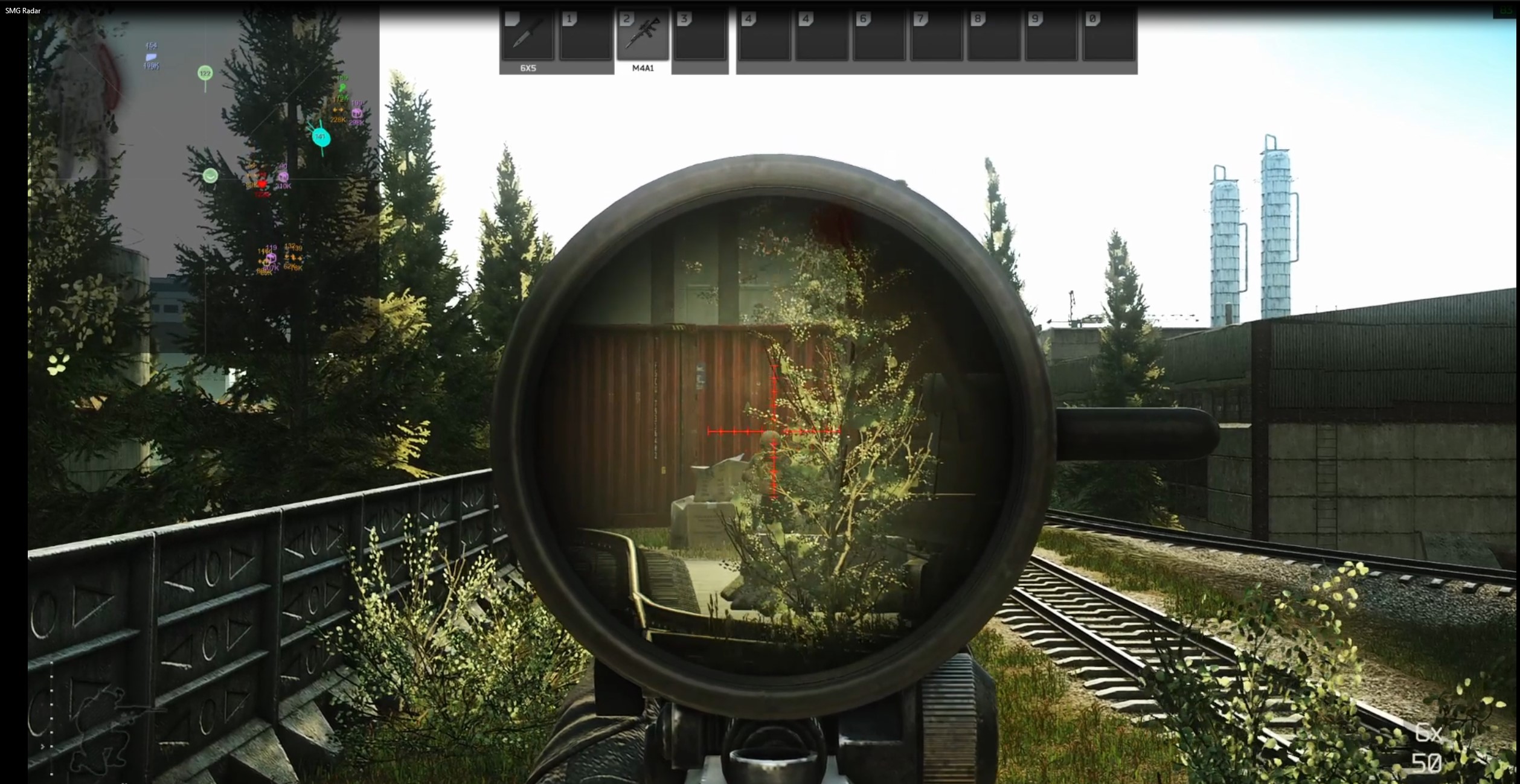
You love Tarkov for its tactical depth, but you don't want to risk it by running full-blown cheats? You want to know the map like the back of your hand, but you're tired of dying over and over because you don't know where the loot and extracts are? SMG Radar is the perfect solution.

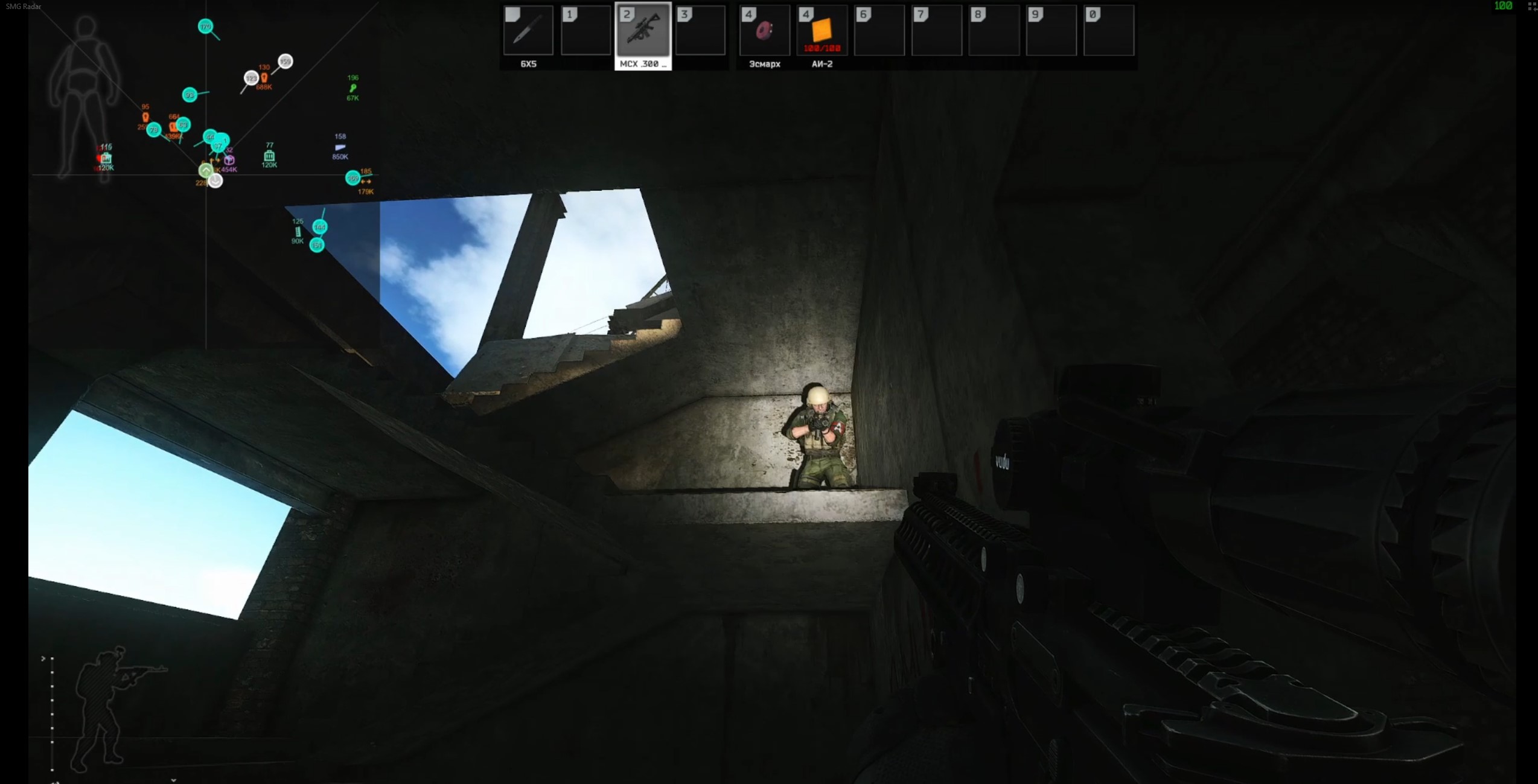
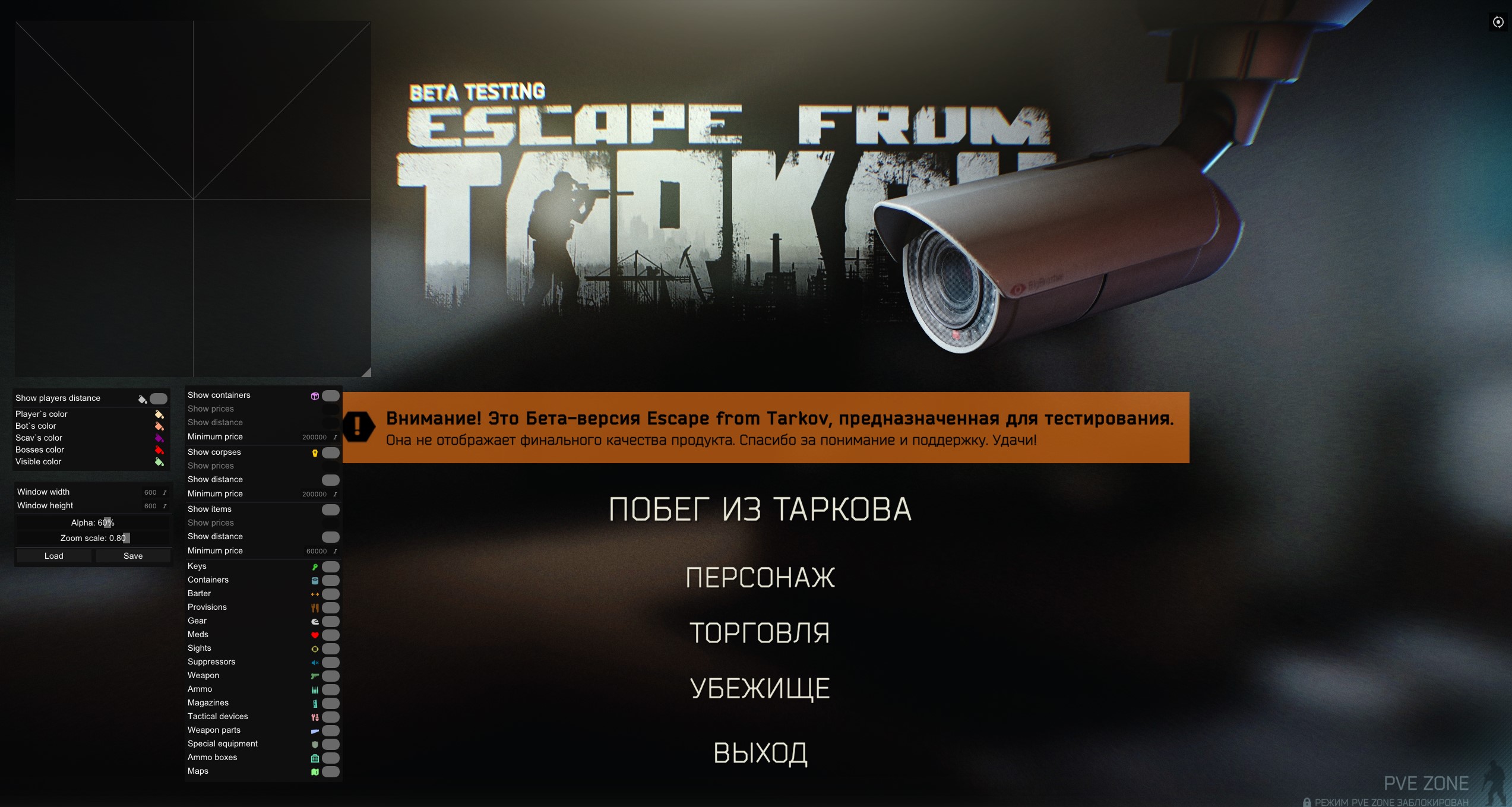
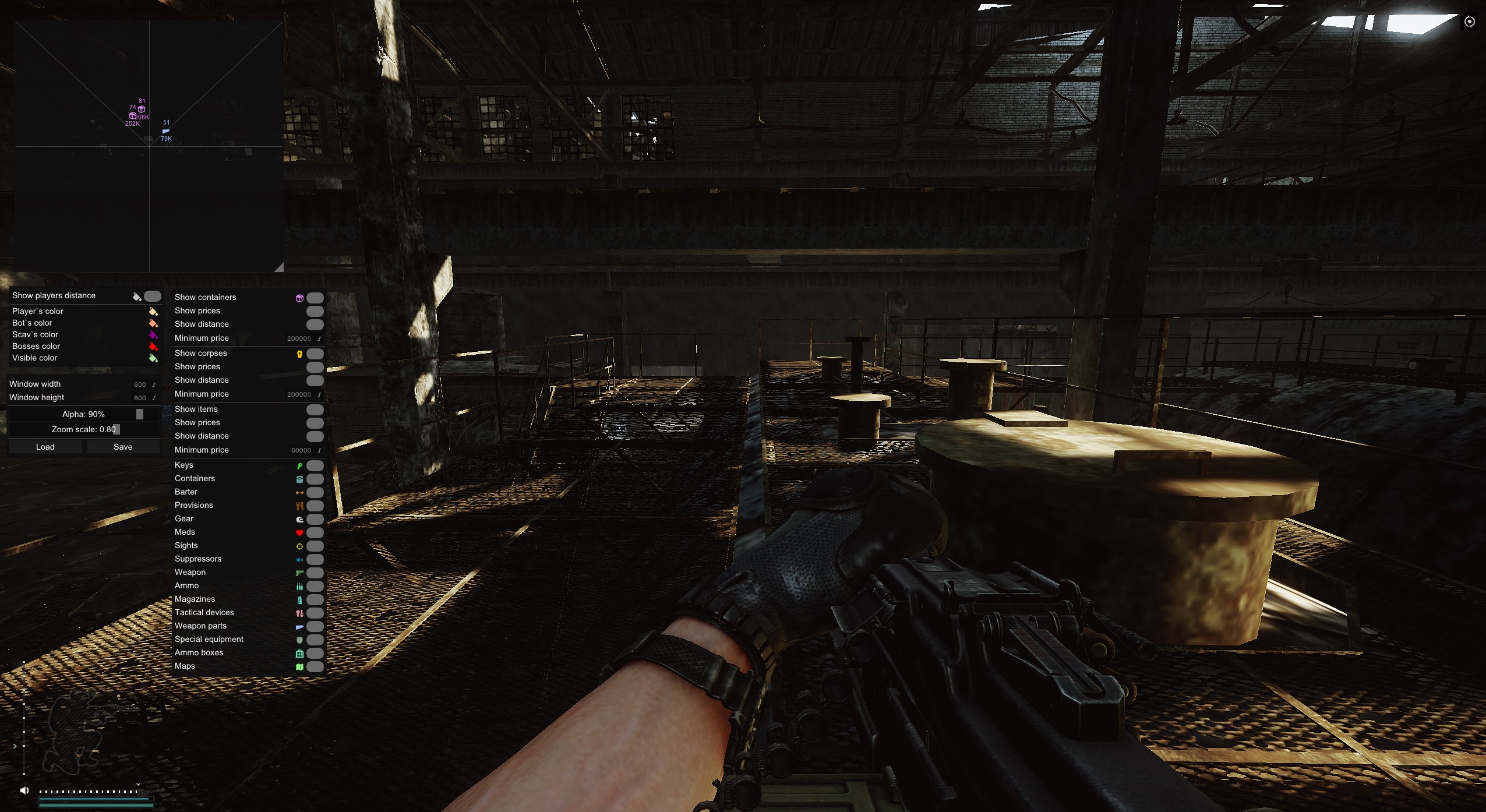
SMG Radar isn't a cheat in the usual sense. It doesn't give you an Aimbot or player ESP. Its core function is to hand you the most complete and structured information about the map, loot and objects around you. You gain a strategic edge that fully fits your "legit" playstyle. It's the perfect tool for learning maps, optimizing farming routes and boosting your survival rate.

Product features

Smart Radar (Informer)

Container and Body Display

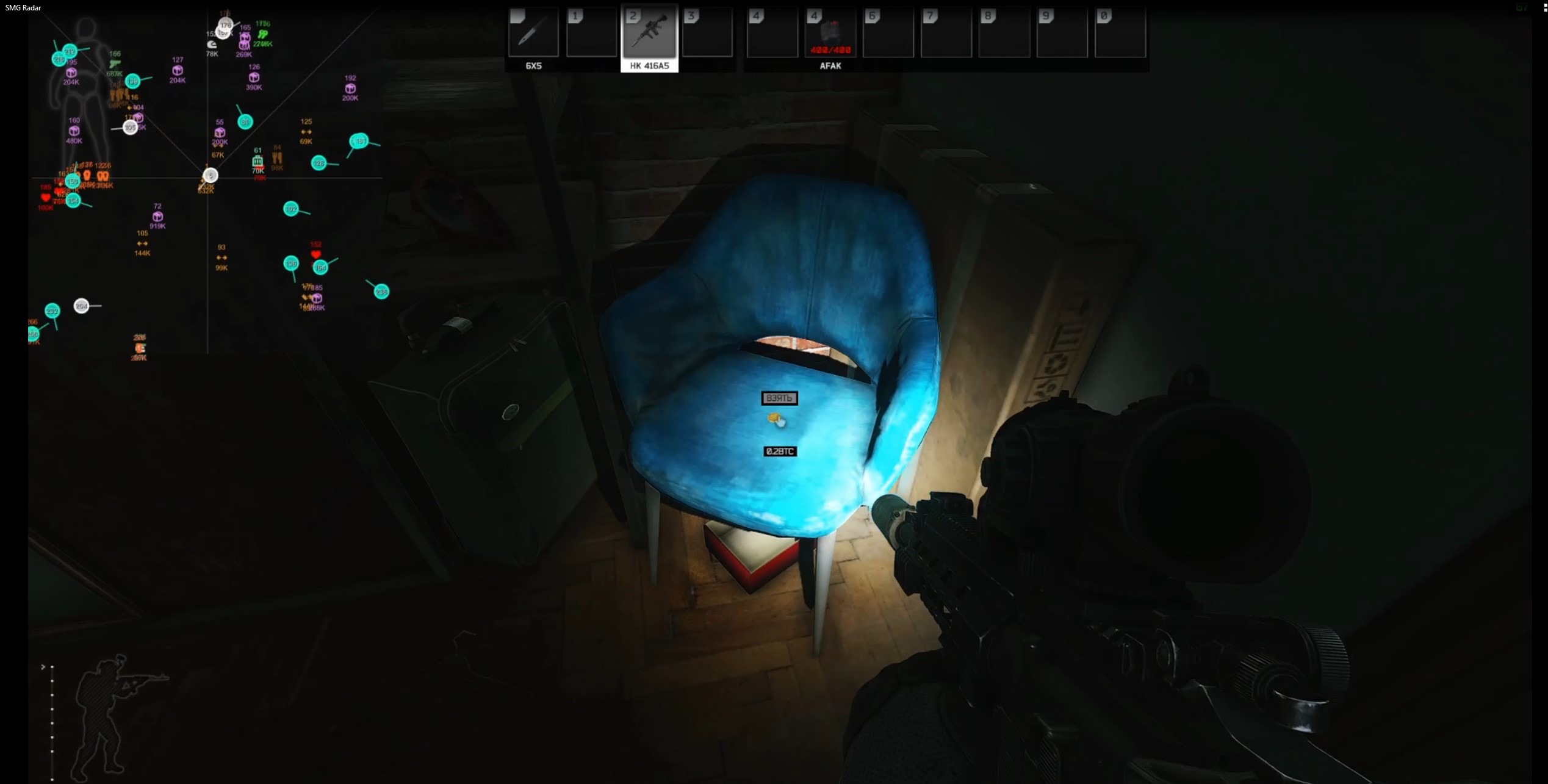
Scanner. Set the distance and types of displayed containers. See bodies with the value of their loot tagged on them, so you don't waste time on empty Scavs.

Item Filtering

Economy. Set a minimum loot value so you only see what's worth grabbing. Detailed categories: keys, meds, suppressors, scopes and even maps.

Player Display

Positioning

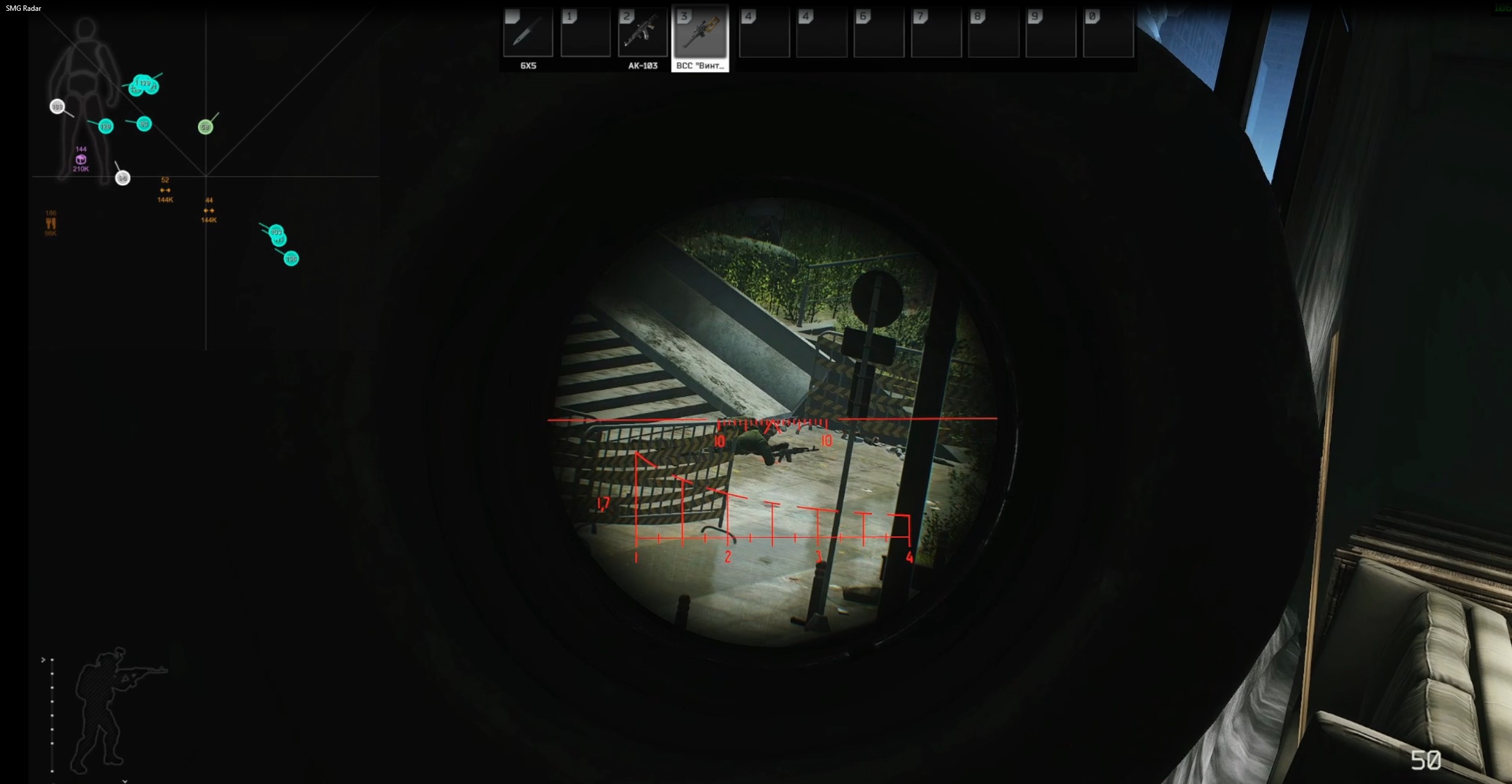
Tactics. See the distance to other PMCs on the radar. Customize marker colors to tell enemies from teammates in a split second.

Settings and Comfort

Interface Customization

Make it yours. Adjust the width, height, opacity and scale of the radar window. Full Russian language support.

Config System

Flexibility. Save and load setting profiles (for example, "Woods-Loot" or "Factory-PvP") for quick switching.

Known issues & fixes

Real questions from our support, with the fixes that worked. Based on user requests for this product.

Loader flashes briefly and disappears on startup — Windows security driver conflict

This is a common issue caused by Windows driver security components. Follow these steps:

  • Download the Sordum utility (archive password: sordum), run it, click Search, and wait for it to finish.
  • Apply the win_driver_OFF.reg file provided by support — it disables Windows driver signature enforcement. Reboot your PC afterwards.
  • Make sure User Account Control (UAC) is disabled — the loader handles this automatically, but verify it manually if needed.
  • If the issue persists, run sc query vgk, sc query faceit, sc query wdfilter in CMD and send a screenshot to support.
Loader connection error or infinite loading on startup — VPN or Network Manager required

Loader connection errors are usually caused by ISP-level blocking. Try the following steps:

  • Enable a VPN (any country), launch the loader and click Inject. Once injected successfully, disable the VPN before starting the game.
  • If VPN does not help: download the networkmanager.zip utility, run it, select «Find Best IP» and click Apply. Then try launching the loader again.
System freezes and mouse barely moves when entering the key in the loader

System freeze when entering the key is usually caused by HDR or antivirus conflicts. Do the following in order:

  • Disable HDR in Windows display settings.
  • Disable Windows Defender and make sure any third-party antivirus (e.g. Kaspersky) is fully uninstalled.
  • Run the Sordum utility to disable system security drivers, then reboot your PC.
Loader crashes or throws errors on startup — antivirus or Vanguard interfering

The most common cause is third-party antivirus or security software blocking the loader. Completely uninstall 360 Total Security, Vanguard (Valorant anti-cheat — must be uninstalled, not just disabled), and any other third-party antivirus.

After removal: download the Sordum utility (archive password — sordum), run it, click Search, and wait for it to finish. Then reboot your PC and try launching the loader again.

If errors persist, send a screenshot of your installed programs list to support. As a last resort, a clean Windows reinstall resolves the issue.

Loader keeps asking to reboot the PC — stuck in a reboot loop

Run a system file repair: open Command Prompt as Administrator and execute two commands — first DISM /Online /Cleanup-Image /RestoreHealth, then sfc /scannow. After that, make sure Fast Boot is disabled in BIOS/UEFI, then reboot.

If the issue persists, a clean Windows reinstall is required. Use the Pro edition only — Home versions may lack required components for the loader to function correctly.

SMG radar doesn't work on Windows 11 25H2 , what to do?

This product supports only specific Windows builds. Build 25H2 is not supported , check the system requirements on the product page (press WIN+R and type winver to see your current version).

If your build is not on the compatibility list, the product cannot run on that system. Use a PC with a supported Windows version.

Error when extracting the archive or running the tool , what to do?

Use WinRAR to extract the archive. The archive password is: sordum.

  • Download and install WinRAR if it is not already installed.
  • Extract the archive using the password sordum.
  • Run the program, click the Search button, and wait for it to finish.
  • Take a screenshot of the result and send it to support if the issue persists.
All issues & general troubleshooting
TARIFFS
400
BUY What happens after payment?
Got a question? Ask before you pay

We'll help you choose and sort out any launch issue. Ask us anything before buying, we're always on your side.

Support 10:00–22:00, sometimes we reply at night too
Ask a question
Update history
  • 19.05.2026 Working
    Updated, time unfrozen
  • 12.03.2026 Working
    Updated, time unfrozen
  • 28.12.2025 Working
    Updated, time unfrozen

Available tariffs

1 day
400
START PURCHASE
7 days
1800
START PURCHASE
30 days
3600
START PURCHASE
Reviews about SMG In-Game Radar

This product has 2 reviews across 177 sales, only about 1.13%. Most satisfied buyers never write a review, the ones who do are usually those who ran into a question. So do not judge the product by the number or the tone of reviews alone, weigh them against how many people actually bought it.

4.7 / 5
2 reviews · 177 sales on Digiseller
How the rating is calculated

Most satisfied buyers never leave a review — people write mainly when something went wrong, so text reviews skew negative. The score is smoothed over every sale, not just the written reviews.

rating = (G + S + 10·0.9) / (N + S + 10) × 5

  • G — sum of review positivity (5★ = 1, 1★ = 0)
  • N — number of text reviews = 2
  • S = (sales − N) × 0.15 — silent satisfied buyers

2 reviews against 177 sales — only 1.13% of buyers wrote anything.

Customer Recommends
Verified purchase · Digiseller 04.04.2023

:)

Customer Not recommended
Verified purchase · Digiseller 24.06.2022

no working it give me HWID ERROR

ProCheat reply

пользователь использует товар

Your review

Reviews are published after moderation.

Join our gaming community chat

Discuss current cheats from developers and how to use them effectively in popular online games. Share tactics, exchange useful info and find like-minded players in our community.

1 900+Members
24/7Online
Join our gaming community chat

Technical support

Run into a technical issue? Our team of experts will help. We handle all requests in a live queue, so please be understanding if it sometimes takes a little wait. We guarantee that no request goes unanswered.

Availabilityfrom 10:00 to 23:00
Fast responseIn queue order
Get help
Technical support
PROCHEAT

PROCHEAT news channel

Follow product status changes, update history and important announcements.

Subscribe

Latest updates

19.05.2026 11:20
Working
Updated, time unfrozen
12.03.2026 15:14
Working
Updated, time unfrozen
28.12.2025 19:38
Working
Updated, time unfrozen
01.12.2025 15:15
Working
Updated, time unfrozen
16.11.2025 07:36
Working
Updated, time unfrozen
Open full history
Ask a question


